Control Change
What is a Control Change?
A Control Change offers a robust mechanism to relay variable modifications to edge devices, such as PLCs or HMIs.
You can initiate Control Changes via:
- Direct interaction through the Kelvin UI
- Kelvin SmartApp™
- Kelvin API
- Kelvin API Client (Python)
Unlike the standard Read/Write data variable procedure, Control Change writes to the edge and leverages the edge-based Control Change Manager. This manager collaborates with Connections, ensuring successful write completion and verification.
Refer to the infographic below for a visual representation of the Control Change process:
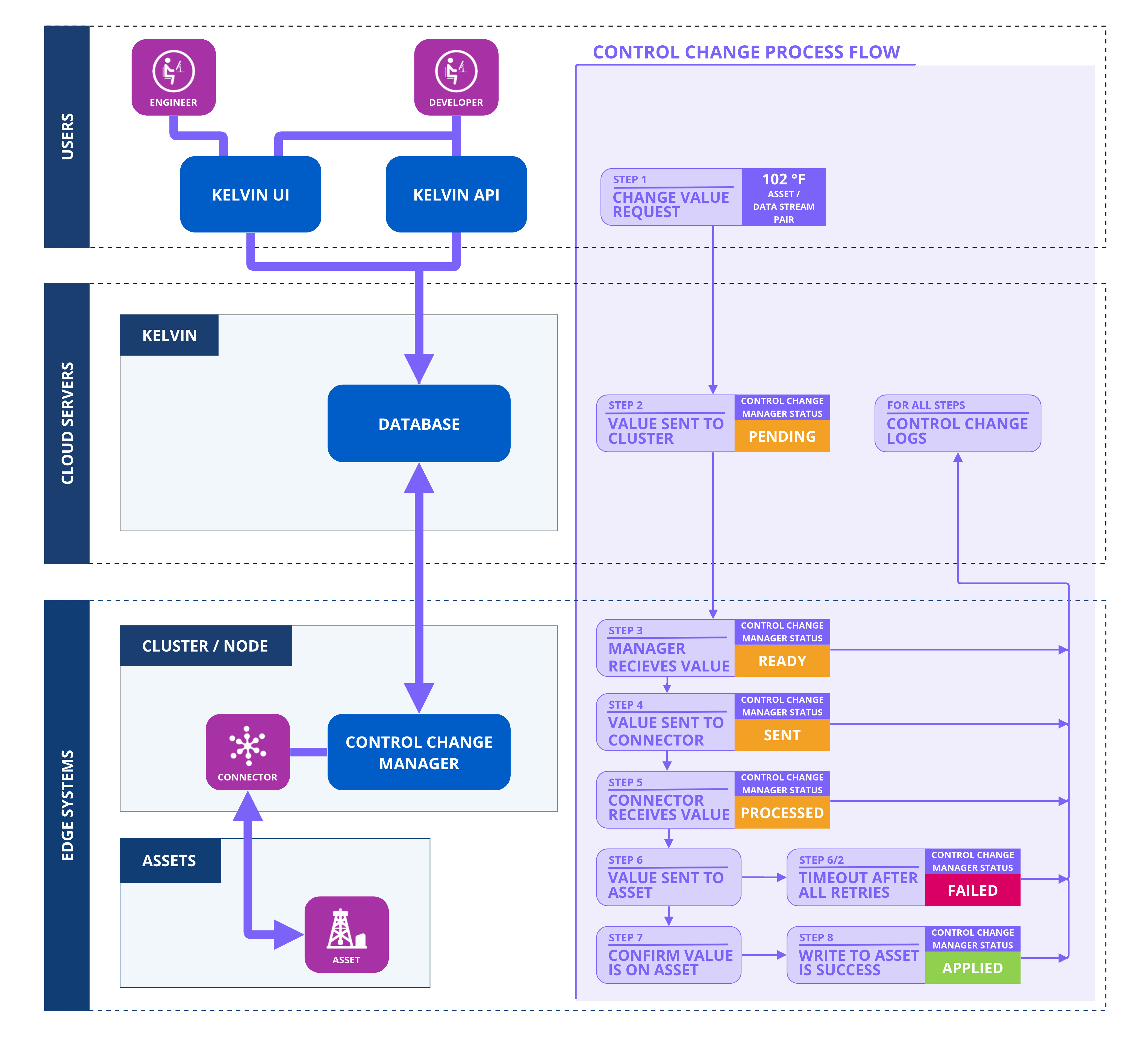
This graphic encapsulates the numerous checks and balances in place, ensuring either a successful write operation or a confirmed failure. Dive deeper into these intricacies in the subsequent sections of this page.
Not depicted in the above infographic are specific failure scenarios. The Control Change Manager aborts the process and returns a failure status under two circumstances:
- Retry Limit Exceeded: The Control Change Manager has a predefined number of retry attempts to establish communication with the Connection. If this limit is exceeded, the process halts. You can adjust this limit as needed.
- Expiry of Waiting Period: If the "Applied" status isn't received from the Connection to the Control Change Manager within a stipulated time, the process is deemed unsuccessful. This timeout value is configurable.
Control Change Flow
Let's follow the journey of a Control Change initiated by a user on a computer through an API call or using the Kelvin UI.
Value Change Request
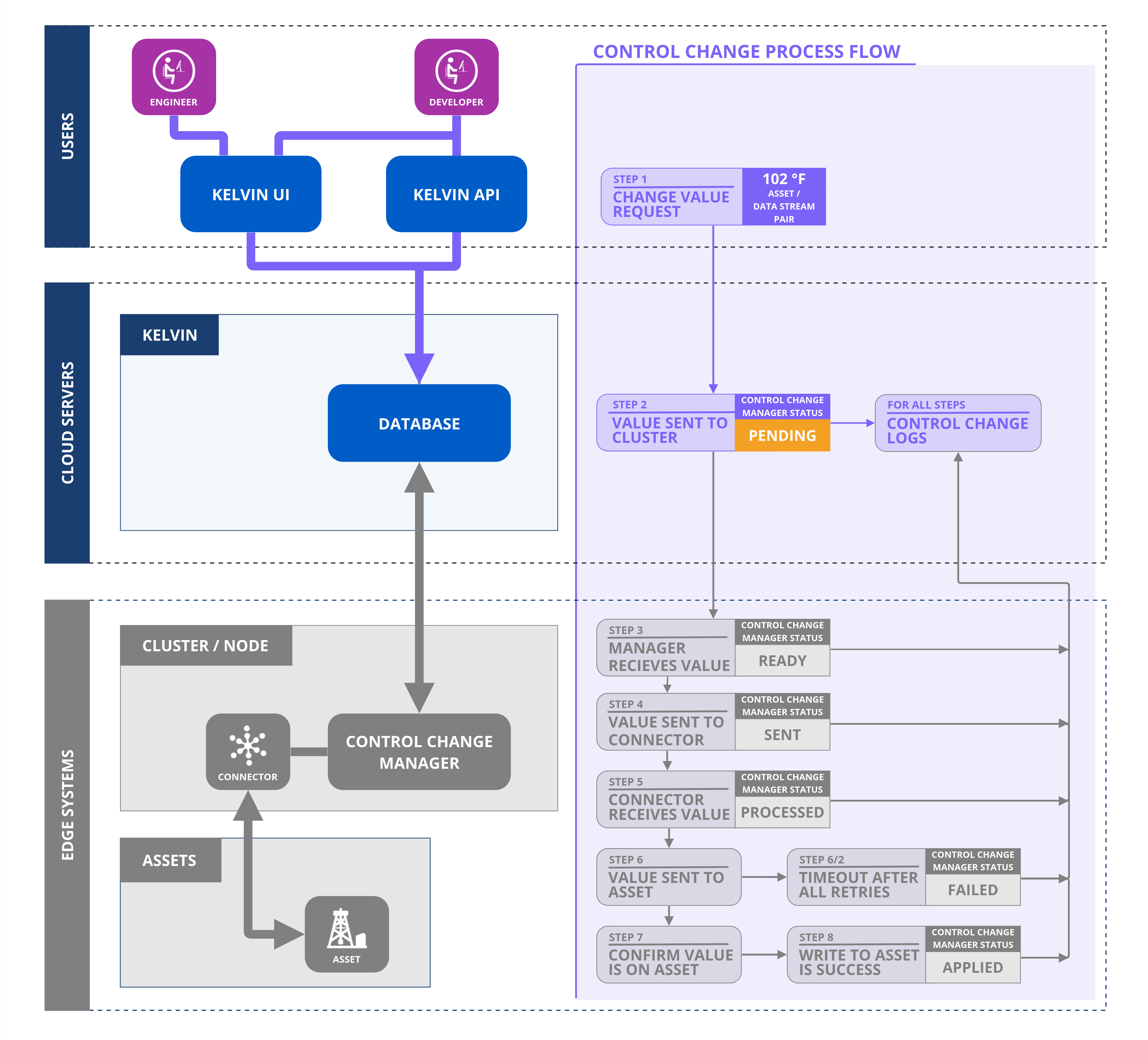
When a user initiates to change a value, a new Control Change request is created and the system assigns it a unique ID. This sets the Control Change initial status to "Pending." Subsequently, the Control Change is forwarded to the designated Cluster.
The status will be further updated based on feedback from the Control Change Manager within the Cluster regarding the progress of this request.
Ready (On the Cluster)
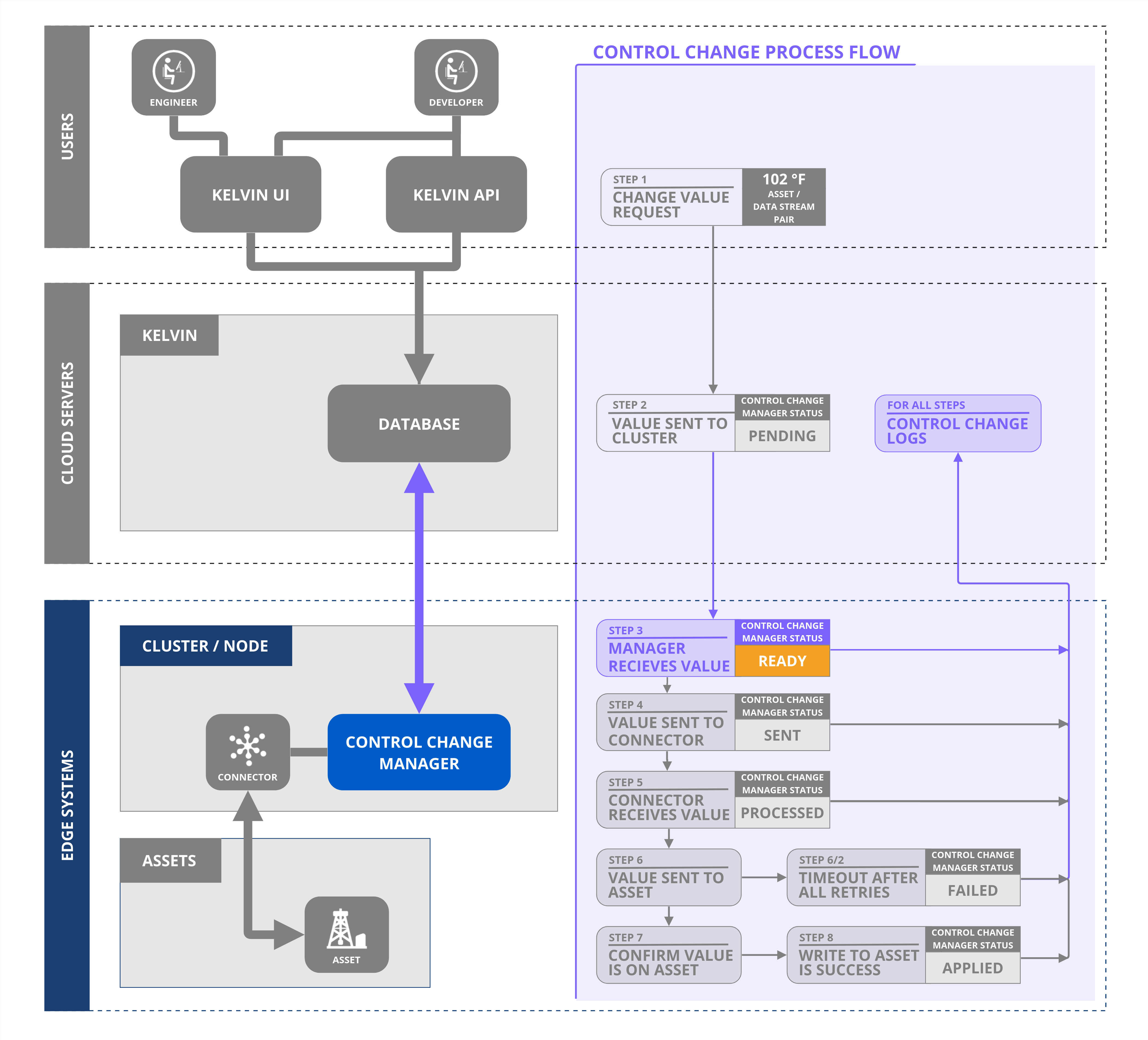
When the Control Change request is sent to the Kelvin Control Control Manager on the Cluster, the Control Change status is set as Ready.
Ready to Sent (On the Cluster)
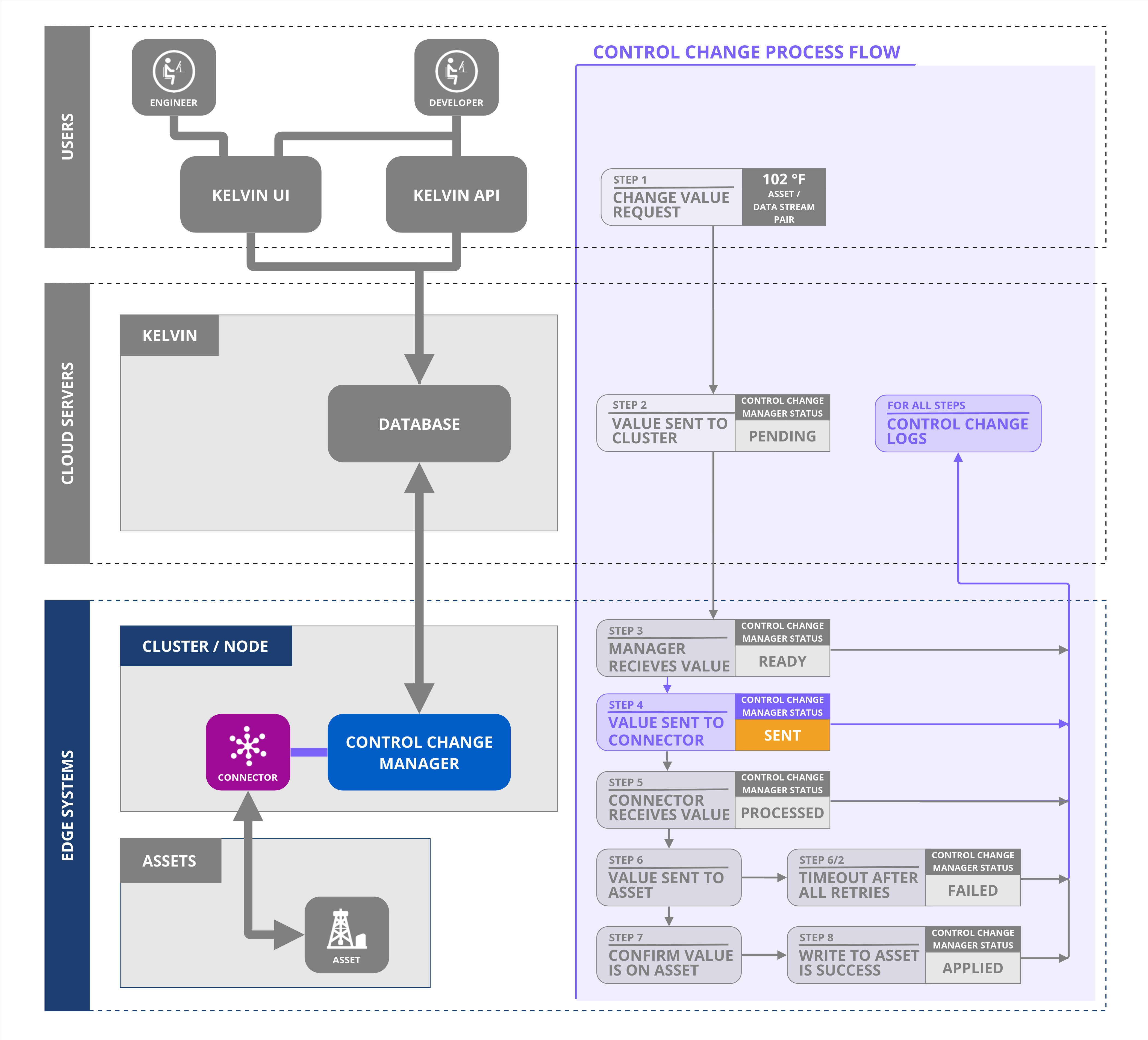
Upon dispatching the Control Change request to the designated Connection, the Control Change Manager updates the status to "Sent."
The Control Change Manager will persistently resend the request at regular intervals until it obtains a "Processed" acknowledgment from the Connection.
Sent to Processed (On the Cluster)
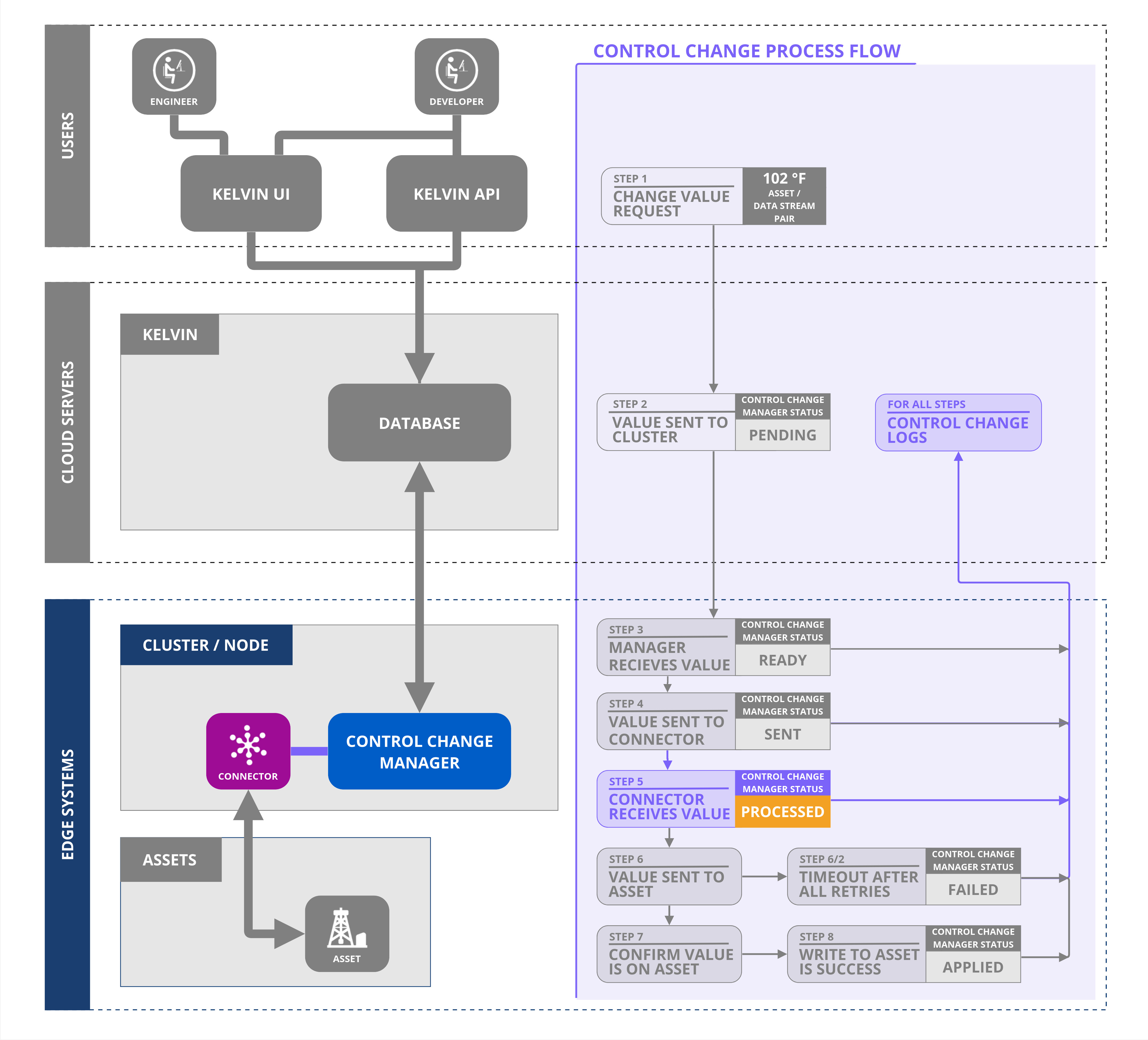
Upon executing the Control Change request to the machine, the Connection dispatches a "Processed" acknowledgment to the Control Change Manager.
On receiving this acknowledgment, the Control Change Manager ceases resending the request and then awaits further status updates from the Connection.
Processed to Applied (on the Cluster)
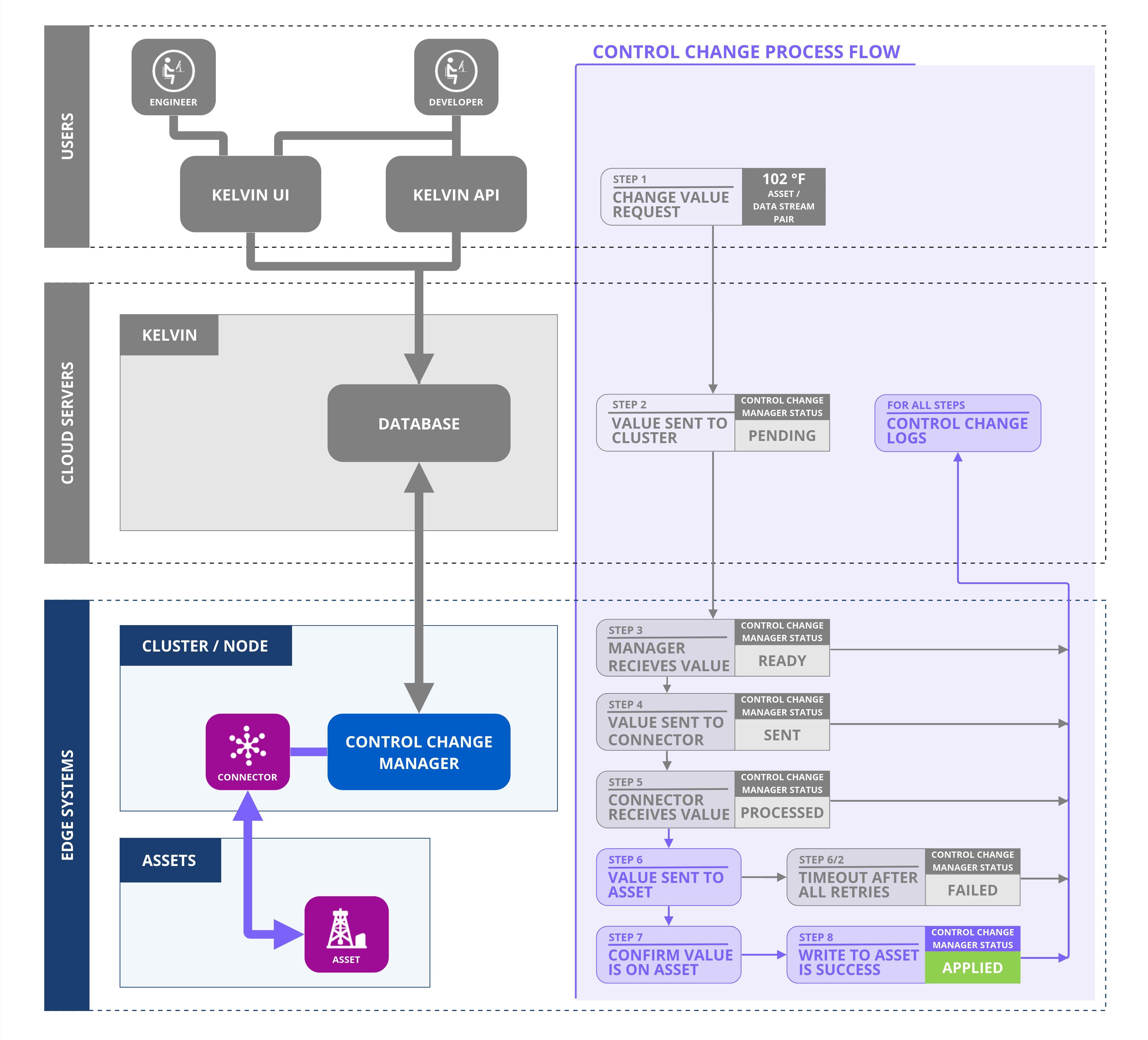
Upon receiving regular data updates from the machine, the Connection cross-checks the incoming value with the requested Control Change value. If there's a match, the Connection dispatches an "Applied" acknowledgment to the Control Change Manager.
Upon receipt of this acknowledgment, the Control Change Manager updates the status to "Applied," marking the Control Change Request as complete.
Failure Cases
Sometimes Control Changes can not be applied to the end machine. Some reasons can be;
- Broken communications between the Kelvin API and the Cluster
- Connection Failure
- Bad settings on the Connection
- Broken communications between the Connection and the machine
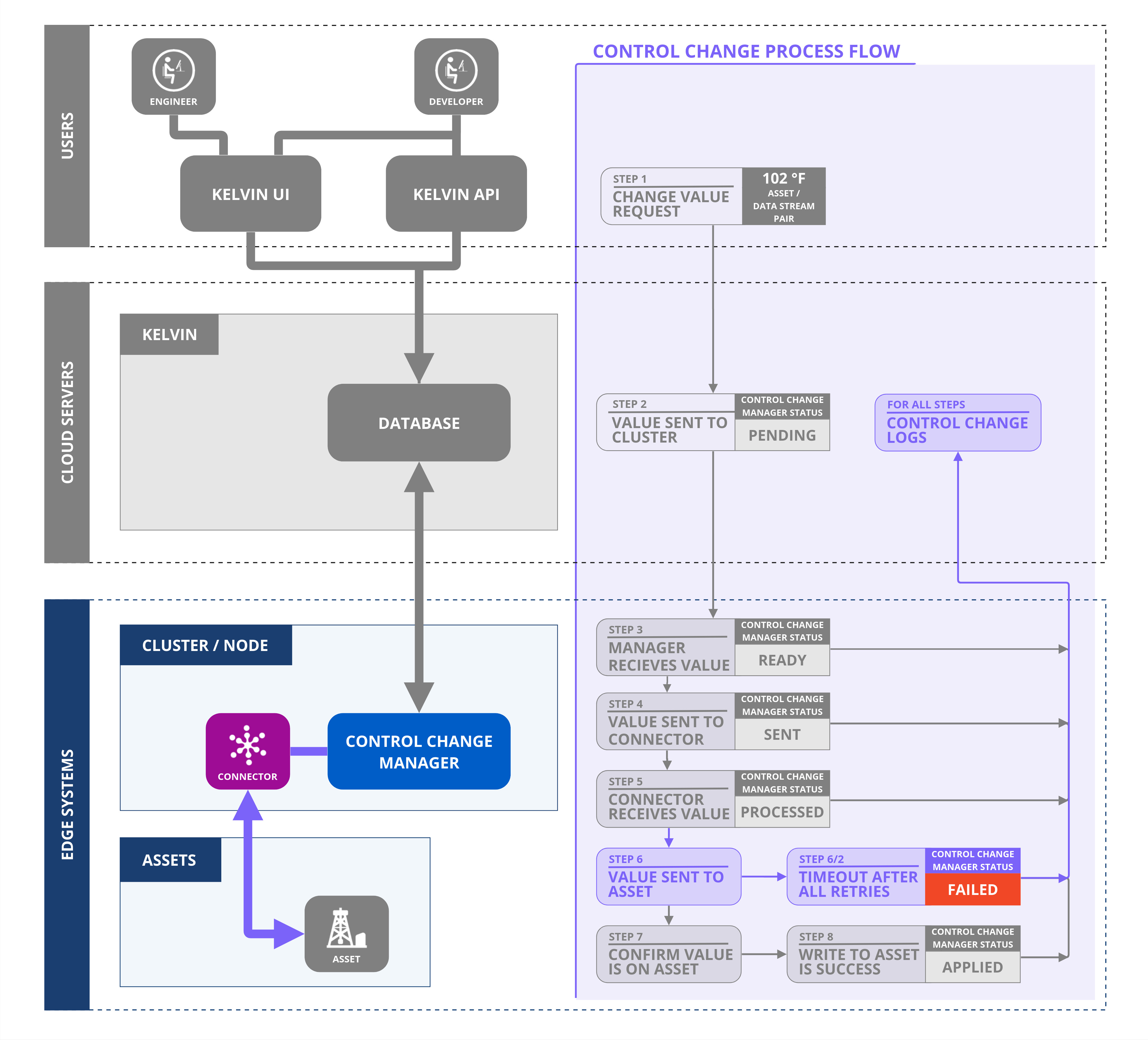
In all cases, the Control Change Manager monitors two failure scenarios both of which can be set when sending the Control Change request:
- Retry sending control change request to the Connection
- Timeout getting an Applied response from the Connection
In both cases a Failed status means no more attempts will be made to complete the Control Change request.
Sent to Failed - Too Many Retries
The Control Change Manager will send the Control Change request to the Connection at regular intervals until it receives a Processed acknowledgment from the Connection.
A Processed Acknowledgement does not mean that the write to the machine has been successful. It only means that the Connection confirms it has received valid information and is processing it.
This is an optional variable in the Control Change request. Usually the default will be adequate.
Any Status to Failed - Timeout
Both the Kelvin API and the Kelvin Control Manager will wait for an Applied response from the Connection until the timeout is triggered.
The timeout is a date/time variable when the Control Change command expires, all attempts will be canceled and the Control Change request status will be changed to Failed.