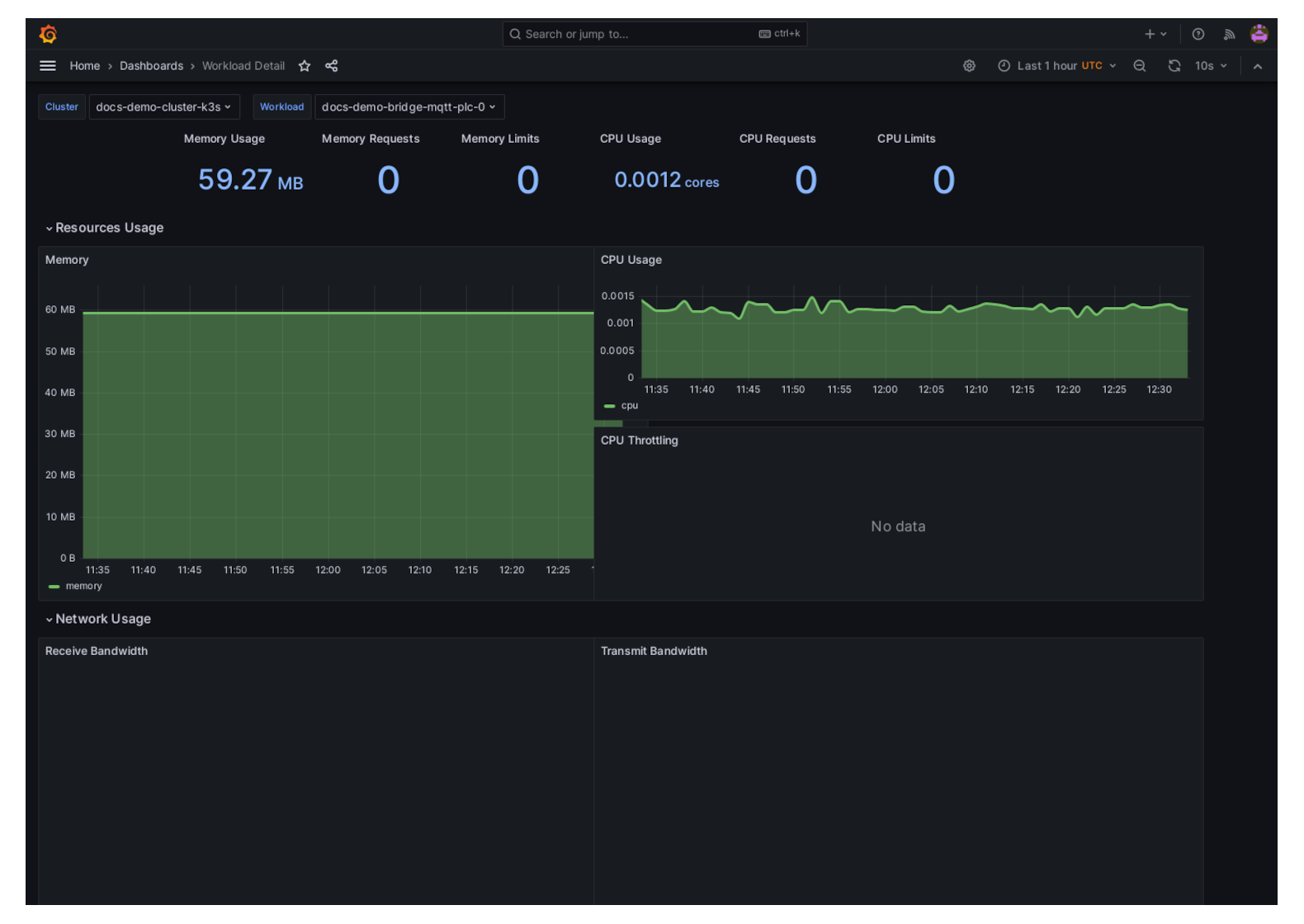
View Workload Telemetry
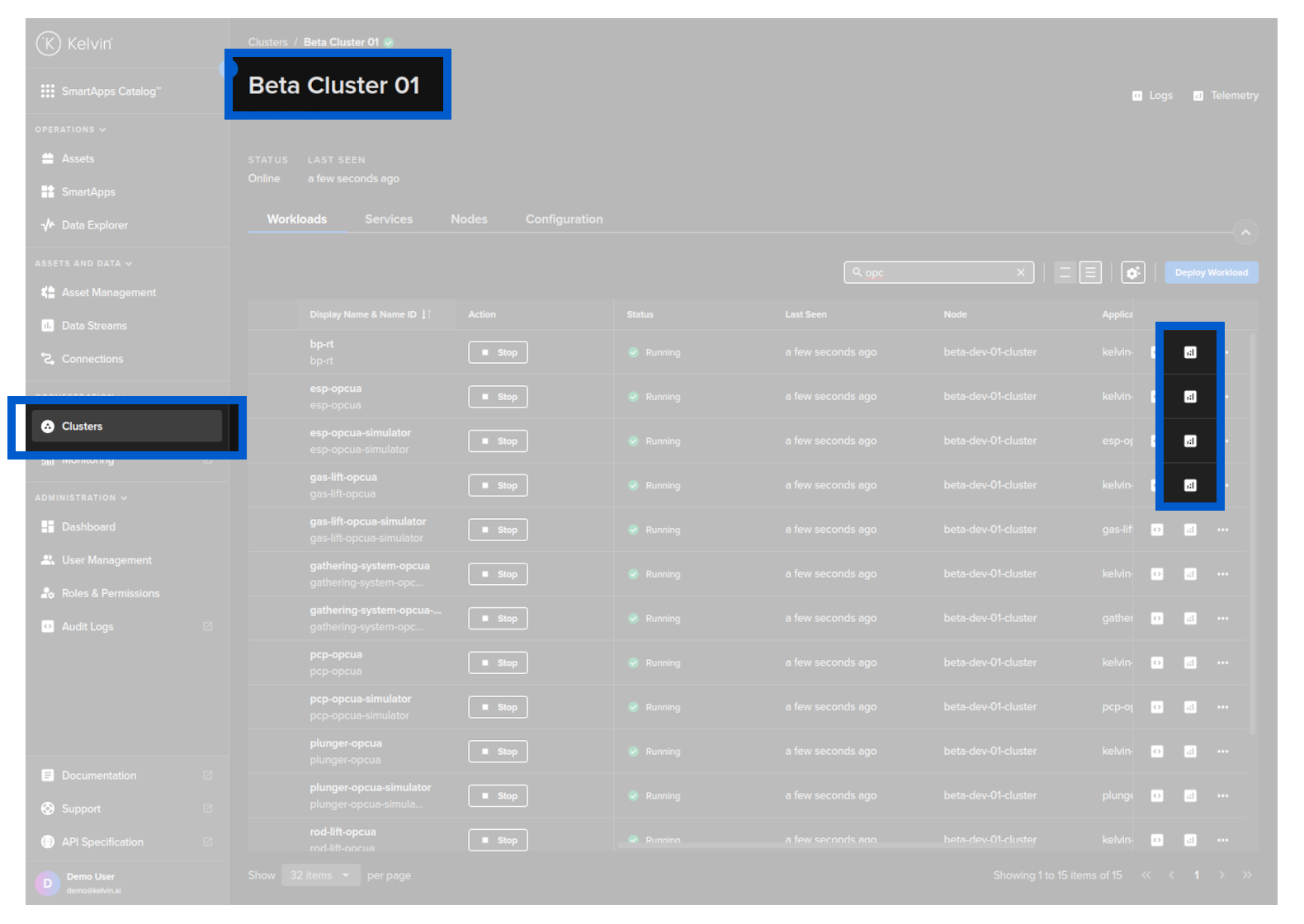
You can view the telemetry by clicking on the telemetry button on the Workload row in Orchestration. Each Workload has its own telemetry information.
This will open up a new tab with telemetry of the Workload including;
- Memory Usage, Requests and Limits
- CPU Usage, Requests and Limits
- Network Usage, Recieved and Transmitted
- Storage IO
- IOPS and Throughput