Start/Stop a Workload
You can start / stop a Workload.
This will not undeploy the workload from the edge system, so you can restart it at anytime without having to deploy the Workload again.
Using Kelvin Platform
Go to a Cluster in Kelvin UI and find the workload that you want to control.
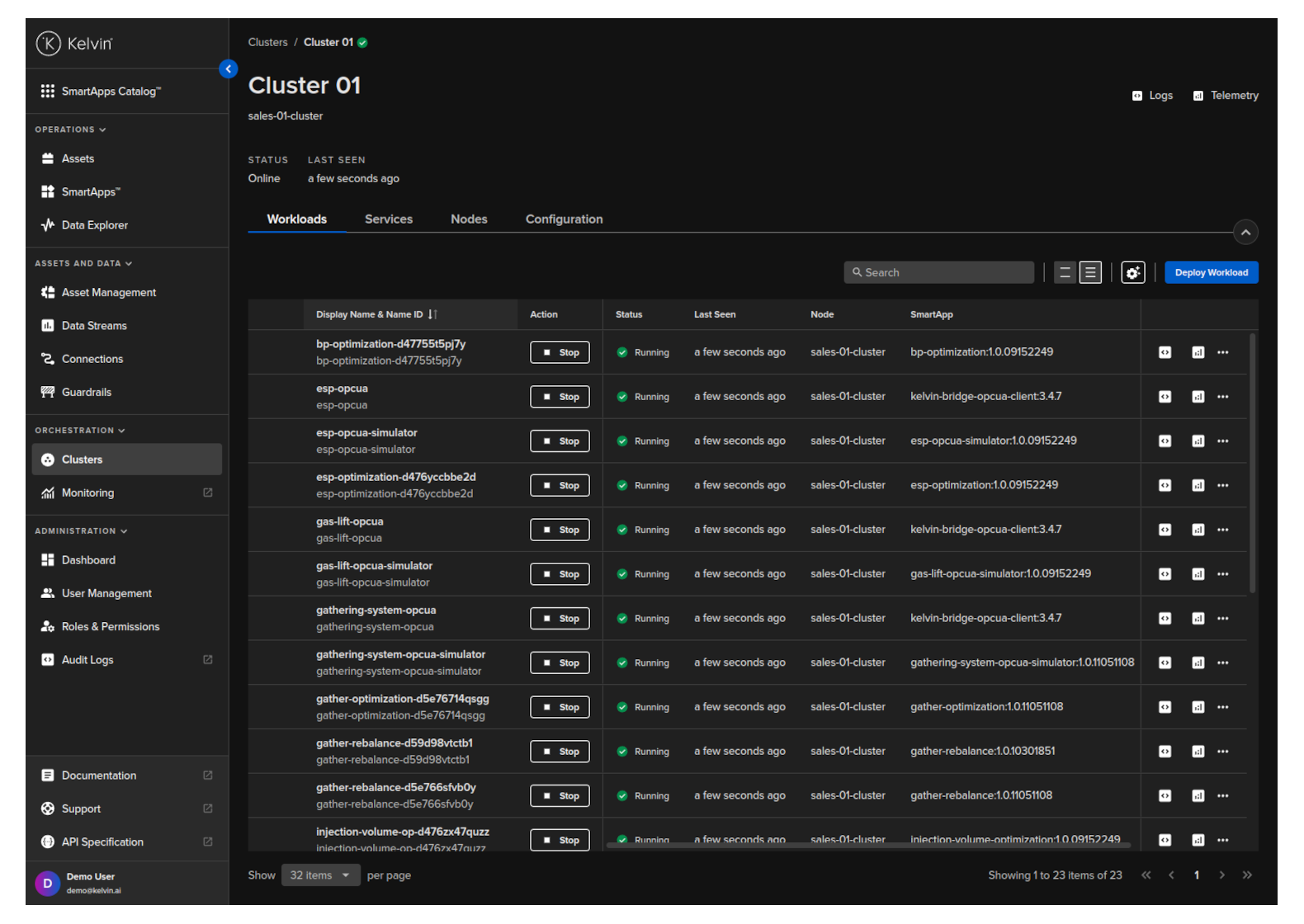
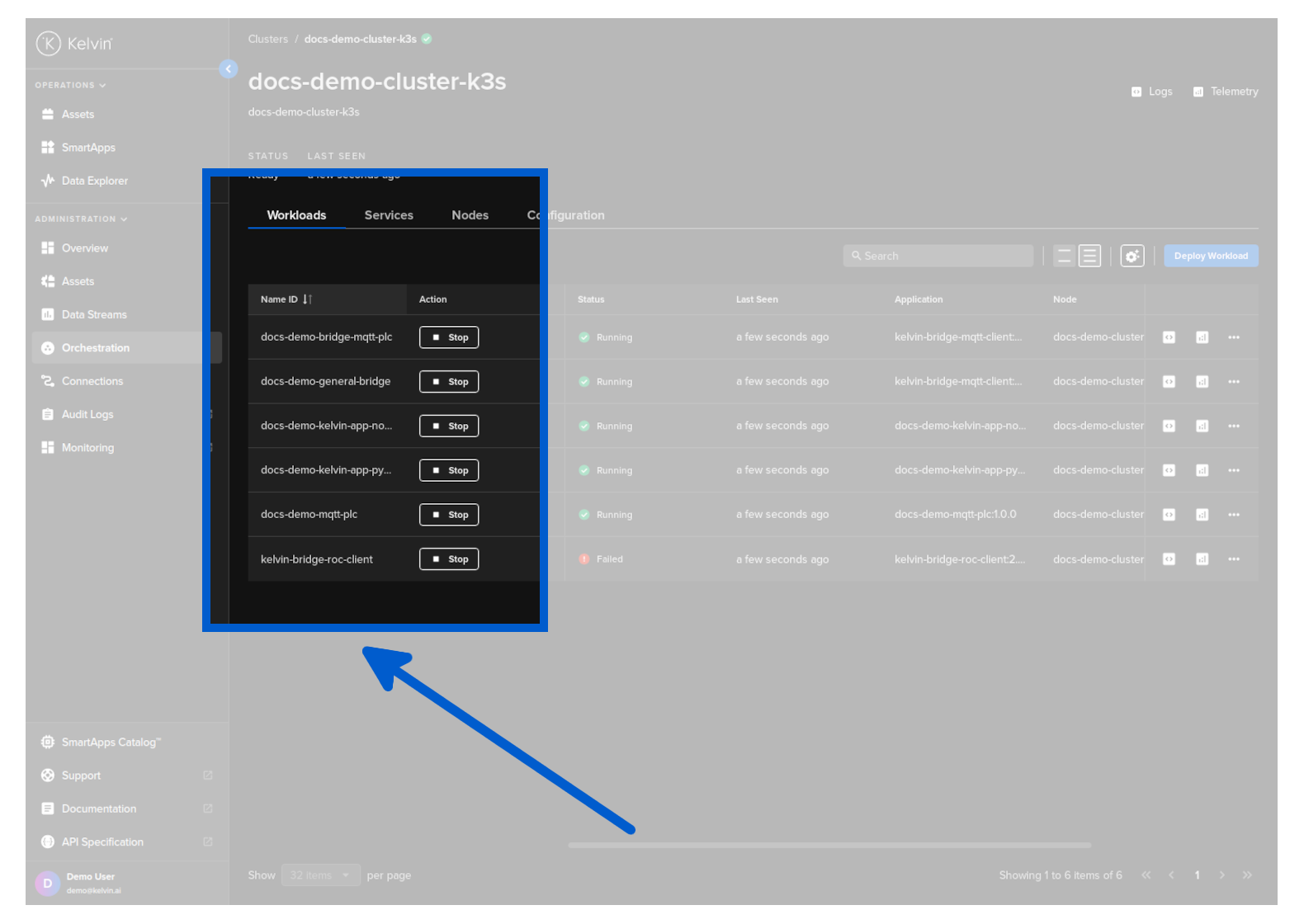
Then click on the Stat / Stop button to change it running status.
To stop a workload use the /workloads/{workload_name}/stop API request.
curl -X "GET" \
  "https://<url.kelvin.ai>/api/v4/workloads/doc-demo-standard-deploy/stop" \
  -H "Authorization: Bearer <Your Current Token>" \
  -H "Accept: */*'
You will get a response similar to this;
<Response [200]>
To start a workload use the /workloads/{workload_name}/start API request.
curl -X "GET" \
  "https://<url.kelvin.ai>/api/v4/workloads/doc-demo-standard-deploy/start" \
  -H "Authorization: Bearer <Your Current Token>" \
  -H "Accept: */*'
You will get a response similar to this;
<Response [200]>
To stop a workload;
from kelvin.api.client import Client

# Login
client = Client(config={"url": "https://<url.kelvin.ai>", "username": "<your_username>"})
client.login(password="<your_password>")

# Stop Workload
response = client.workload.stop_workload(workload_name="doc-demo-standard-deploy")

print(response)
You will get a response similar to this;
None
To start a workload;
from kelvin.api.client import Client

# Login
client = Client(config={"url": "https://<url.kelvin.ai>", "username": "<your_username>"})
client.login(password="<your_password>")

# Stop Workload
response = client.workload.start_workload(workload_name="doc-demo-standard-deploy")

print(response)
You will get a response similar to this;
None
Using Edge Services
You can start / stop a Workload using the Edge Services.
To understand how to access and login to the Edge Services, you can read the full documentation on Edge Services here.
This will not undeploy the workload from the edge system, so you can restart it at anytime without having to deploy the Workload again.
You have a few options to deploy the workload image using the Edge computer.
Edge Services
Open the Edge UI in a browser.
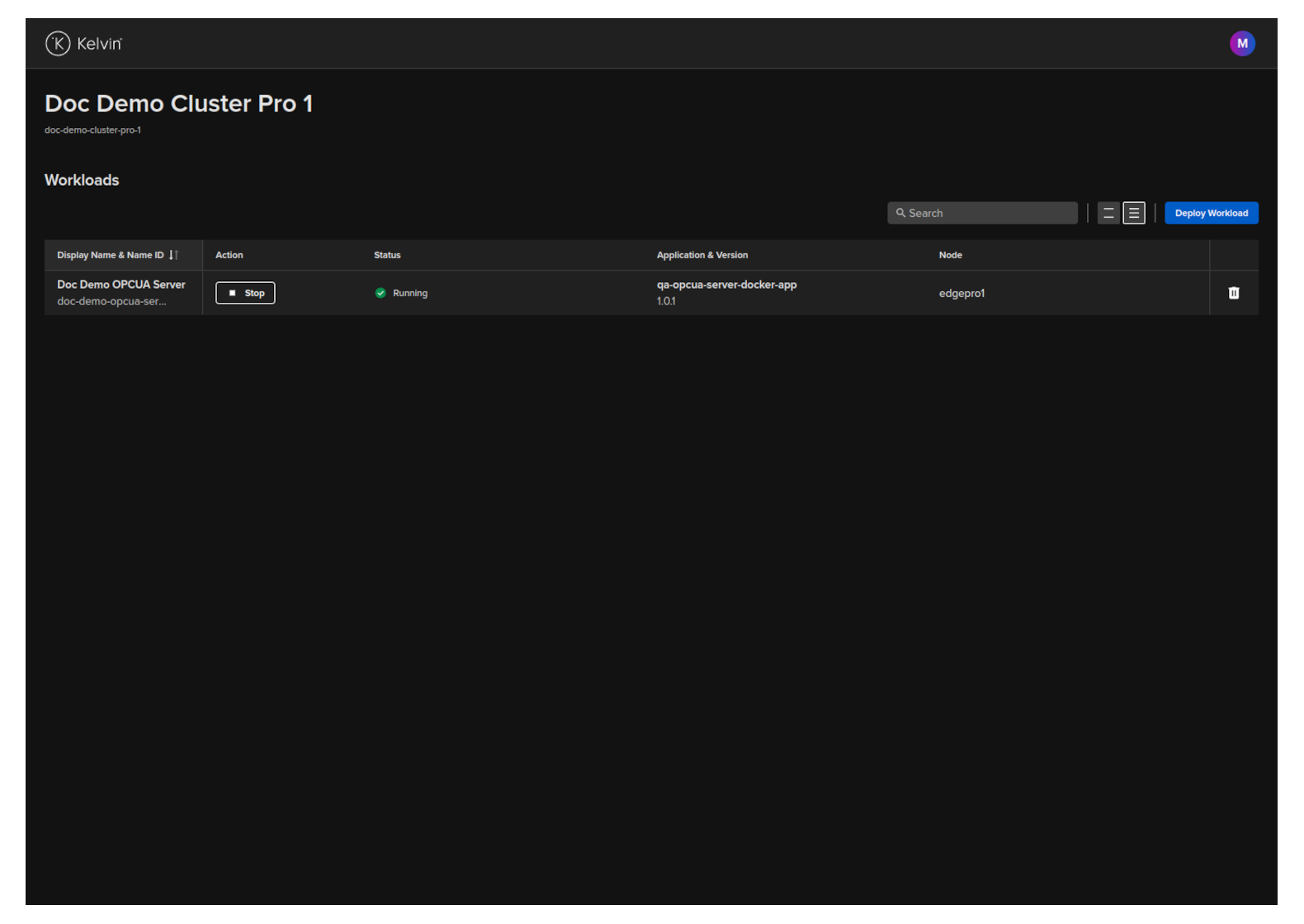
In the dashboard, find the Workload you want to control and then click the button in the action column on that row.
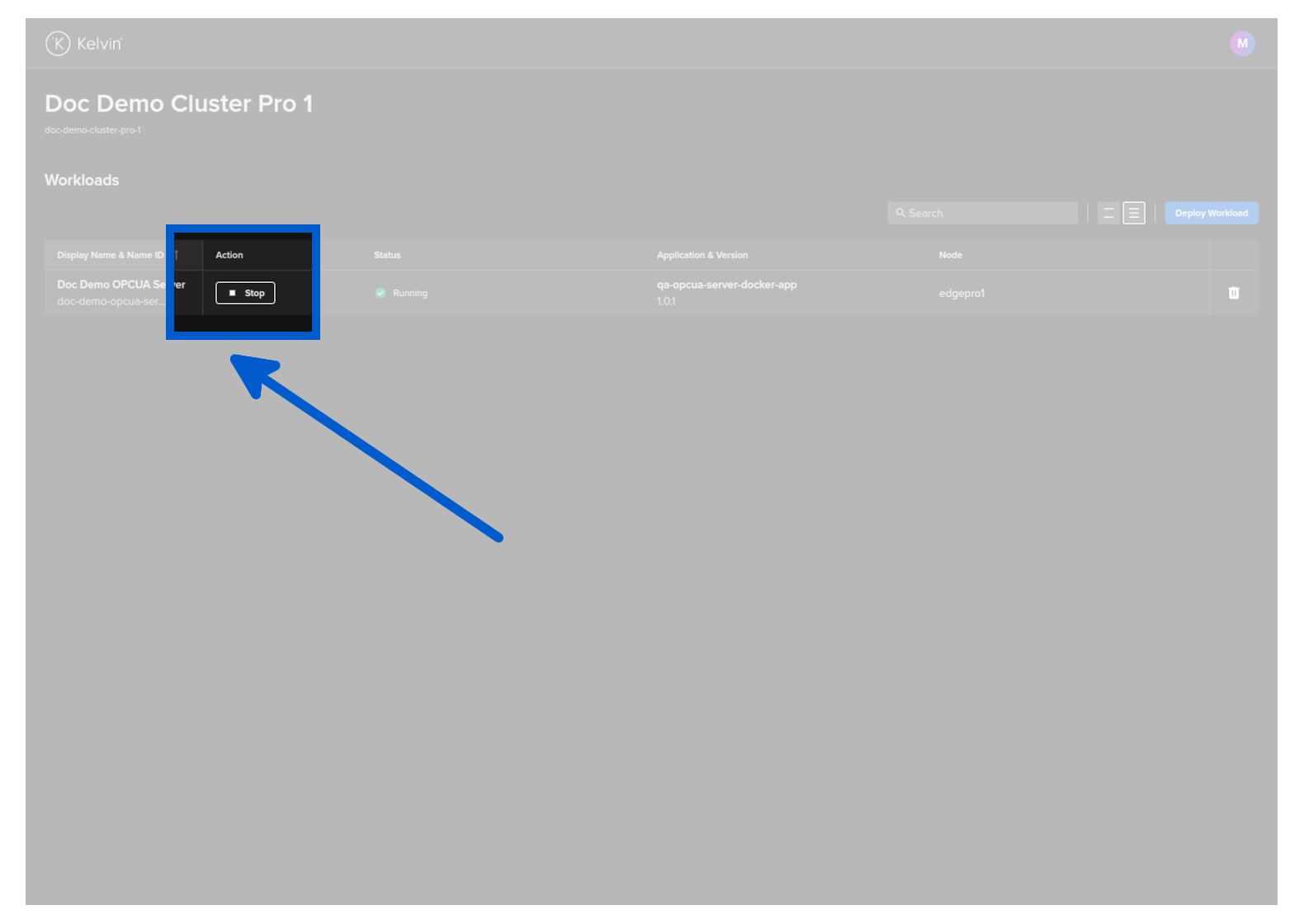
The Workload will start or stop depending on its current state.
Start Workload
You can start a Workload with the Edge API endpoint /workloads/{workload_name}/start.
curl -X "GET" \
"http://<edge-computer-ip>/api/v4/workloads/doc-demo-opcua-server/start" \
-H "Authorization: Bearer <Your Current Token>" \
-H "Accept: application/json"
You will get a response similar to this;
{
"name":"doc-demo-opcua-server",
"title":"Doc Demo OPCUA Server",
"app_name":"qa-opcua-server-docker-app",
"app_version":"1.0.1",
"node_name":null,
"status":{
    "state":"starting",
    "message":"Starting",
    "warnings":null
},
"staged":null
}
Stop Workload
You can stop a Workload with the Edge API endpoint /workloads/{workload_name}/stop.
curl -X "GET" \
"http://<edge-computer-ip>/api/v4/workloads/doc-demo-opcua-server/stop" \
-H "Authorization: Bearer <Your Current Token>" \
-H "Accept: application/json"
You will get a response similar to this;
{
"name":"doc-demo-opcua-server",
"title":"Doc Demo OPCUA Server",
"app_name":"qa-opcua-server-docker-app",
"app_version":"1.0.1",
"node_name":null,
"status":{
    "state":"stopping",
    "message":"Stopping",
    "warnings":null
},
"staged":null
}
To start a Workload;
kelvin-provision workloads start -n doc-demo-opcua-server
You will see a response like this;
Connecting to cluster API...[OK]
Reading cluster config...[OK]
Test cluster connection...[OK]
Then you can check the status of the workload to ensure it is started;
$ kelvin-provision workloads list
Connecting to cluster API...[OK]
Reading cluster config...[OK]
Test cluster connection...[OK]
Fetching workloads...[OK]
+-----------------------+---------+------+----------+
| Name                  | State   | Node | Warnings |
+-----------------------+---------+------+----------+
| doc-demo-opcua-server | running | n/a  |          |
+-----------------------+---------+------+----------+
To stop a Workload;
kelvin-provision workloads stop -n doc-demo-opcua-server
You will see a response like this;
Connecting to cluster API...[OK]
Reading cluster config...[OK]
Test cluster connection...[OK]
Then you can check the status of the workload to ensure it has stopped;
$ kelvin-provision workloads list
Connecting to cluster API...[OK]
Reading cluster config...[OK]
Test cluster connection...[OK]
Fetching workloads...[OK]
+-----------------------+---------+------+----------+
| Name                  | State   | Node | Warnings |
+-----------------------+---------+------+----------+
| doc-demo-opcua-server | stopped | n/a  |          |
+-----------------------+---------+------+----------+