Asset Parameters
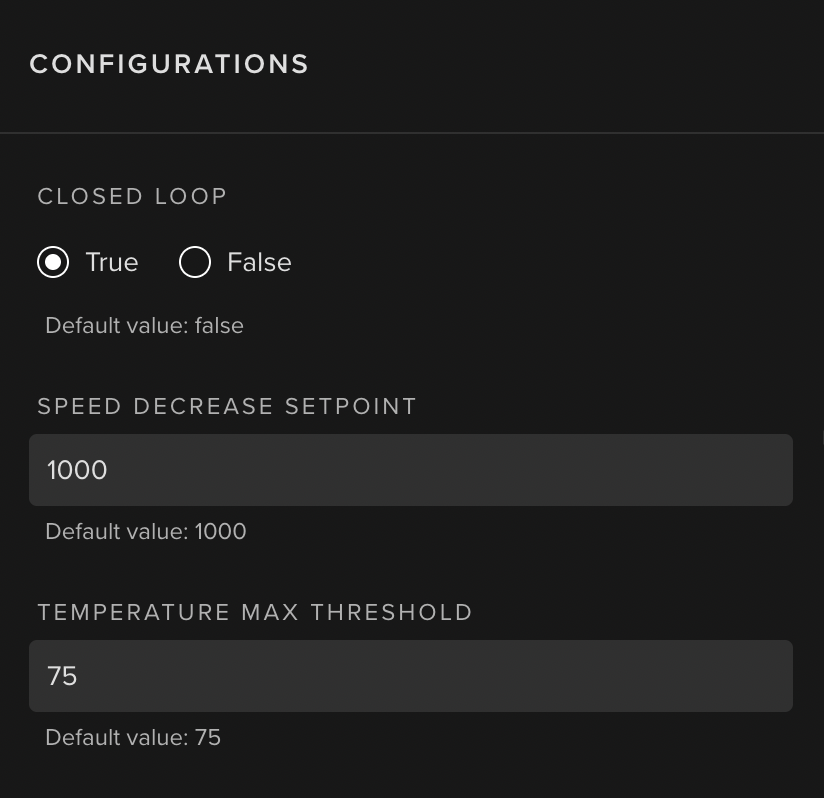
Asset Parameters can optionally be defined and accessed by Kelvin SmartApps™ in order to parameterize the assets to which Kelvin SmartApps™ has been deployed to. This use case is gonna be explained in the following section.
In order to support Asset Parameters, Kelvin SmartApps™ needs to define each parameter upon the app.yaml:
app:
  type: kelvin
  kelvin:

    parameters:
    - name: speed_decrease_set_point
      data_type: number
      default:
        value: 1000
      schema:
        title: "Speed Decrease SetPoint"
        minimum: 1000
        maximum: 3000
    - name: temperature_max_threshold
      data_type: number
      default:
        value: 75
      schema:
        title: "Temperature Max Threshold"
        minimum: 50
        maximum: 100
- name: This will be used in the Python code to reference the input. It must contain only lowercase alphanumeric characters. The characters
.,_and-are allowed to separate words instead of a space BUT can not be at the beginning or end of the name. - data_type:
number,booleanorstring. - default: [optional] sets a
defaultvaluethat will be applied to each - schema: [optional] sets a
titleand/or itsminimumandmaximumvalue boundaries
This is how to access Asset Parameters:
-
assetsObjectAccess a single
Asset Parametervalue directly from anassetsDictionary Object embedded withinKelvinApp:import asyncio from kelvin.application import KelvinApp async def main() -> None: app = KelvinApp() await app.connect() (...) # Get Asset Parameter temperature_max_threshold = app.assets["my-motor-asset"].parameters["temperature_max_threshold"]Info
app.assetswill only be available afterapp.connect()
Asset Parameter updates can be done through the UI: