Undeploy a Staged Workload
There are times when you have staged a workload but want to undeploy it before you have done the apply.
In Kelvin undeploy a staged Workload is called delete.
To do this, go to the Cluster in Orchestration page where the staged workload is staged.
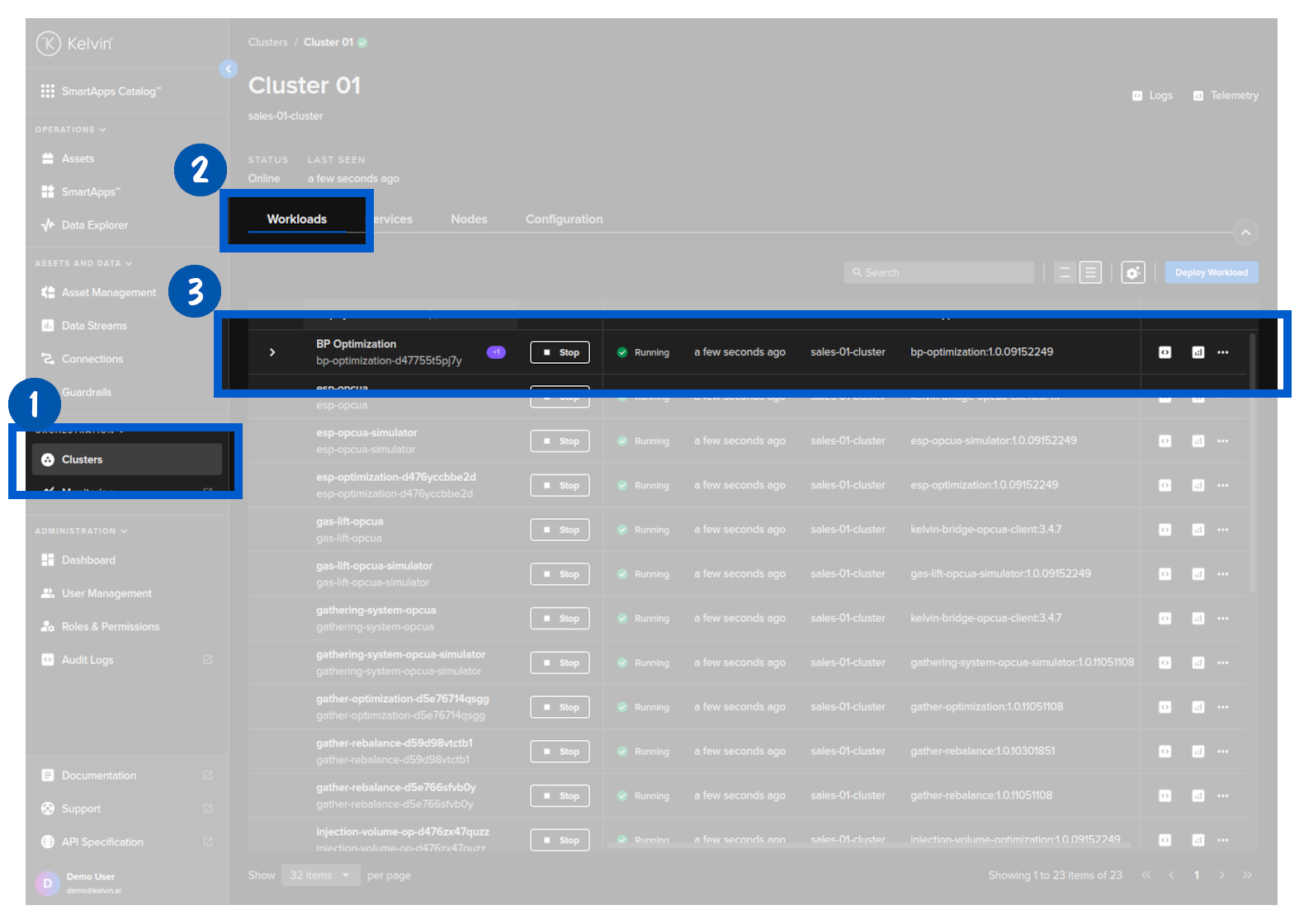
Then expland the line to see the staged workload.
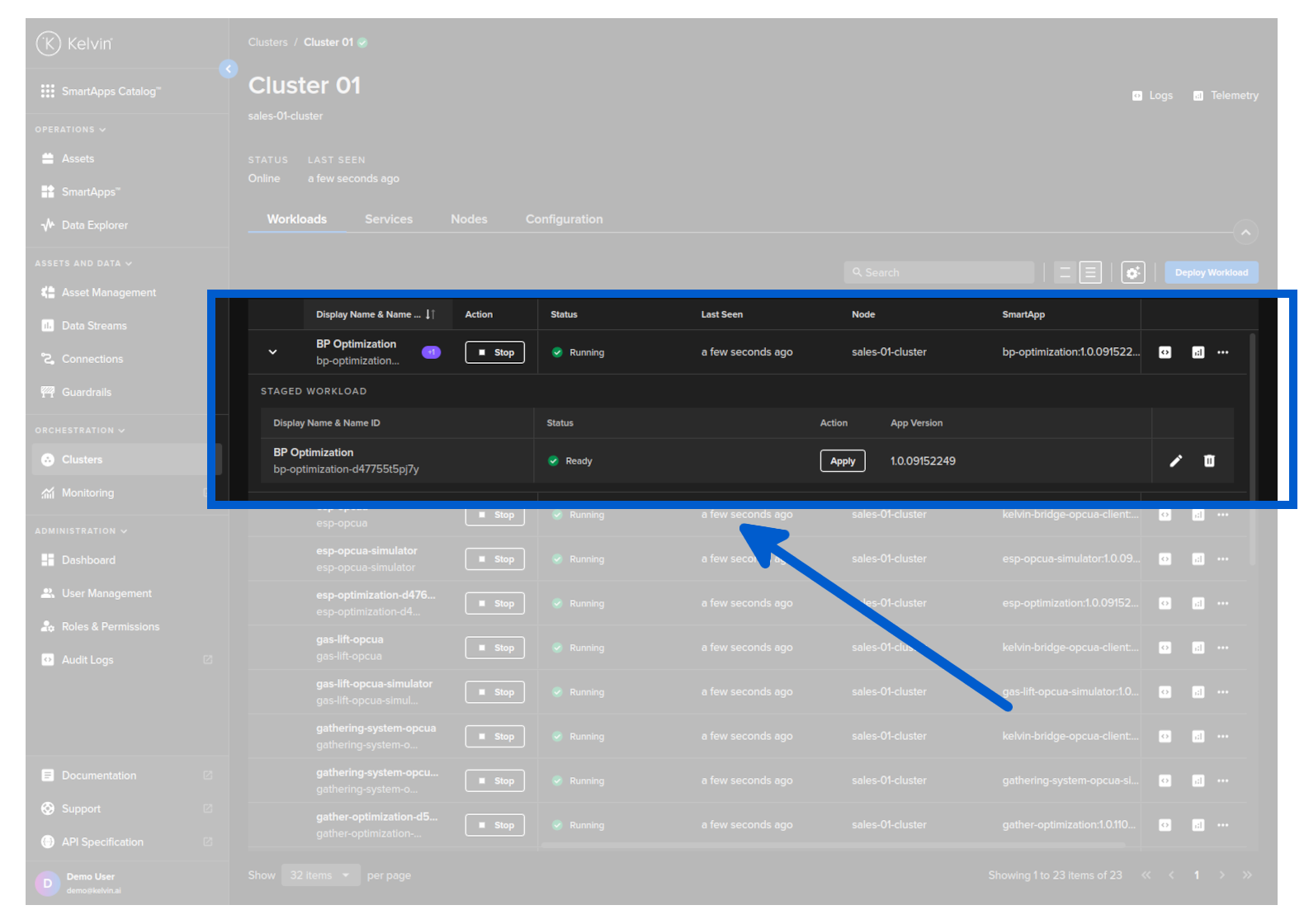
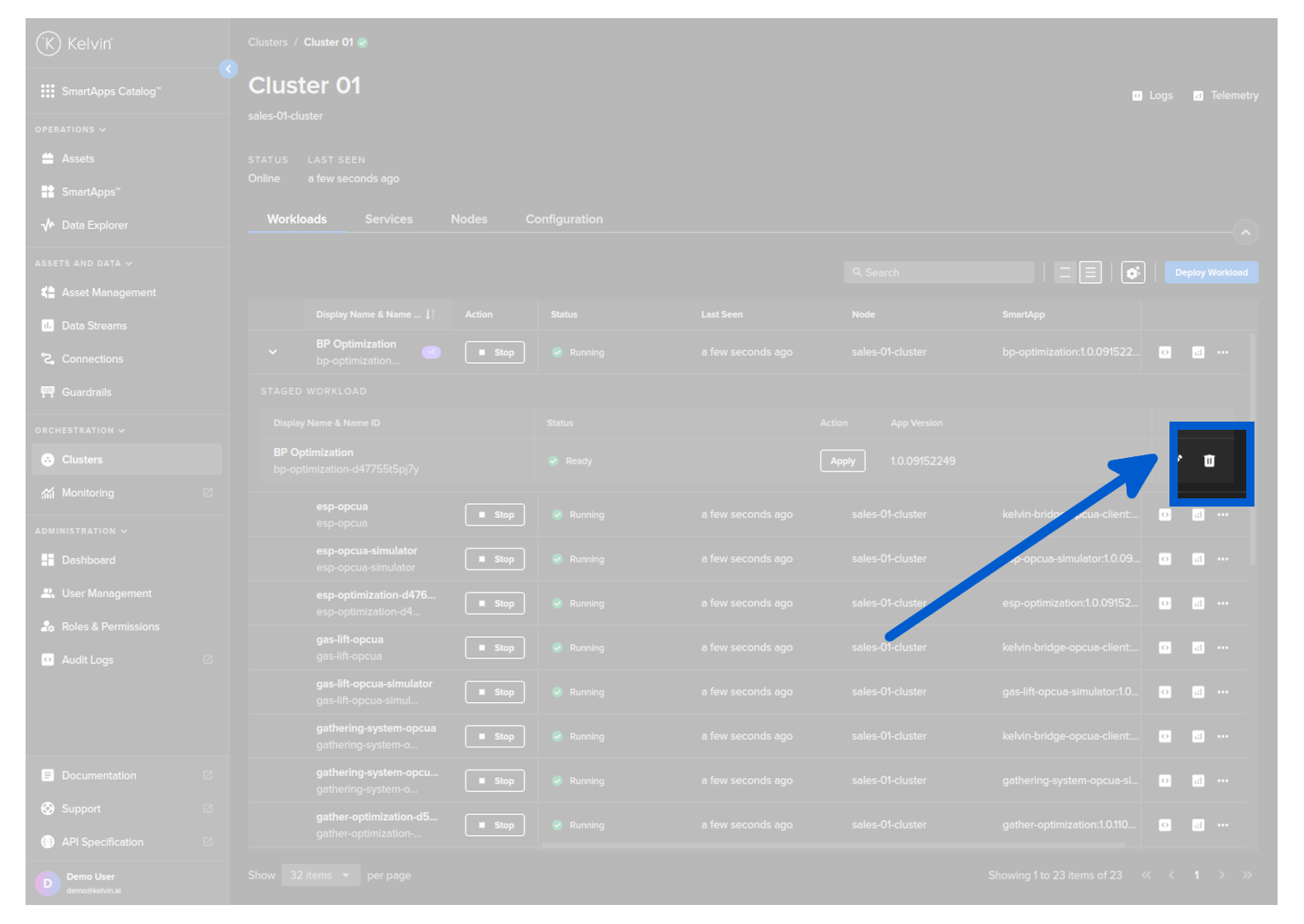
Then click on the delete button to delete the staged workload.
This will not affect the Workload that is currently running.
For the API request /workloads/<workload_name>/undeploy there are two options available how to handle staged workloads and deployed workloads.
| Key | Value | Description |
|---|---|---|
| stage | true | undeploys ONLY the staged version |
| false | (default) undeploys the workload and (if exists) the staged version. |
So in this case where we want to undeploy a staged version but not affect the currently deployed version set the key staged to true. Here is and example API request;
curl -X "POST" \
"https://<url.kelvin.ai>/api/v4/workloads/doc-demo-standard-deploy/undeploy?staged=true" \
    -H "Authorization: Bearer <Your Current Token>" \
    -H "Accept: */*" \
-d ''
You will get a response similar to this;
<Response [200]>
At the moment you can only delete a staged and running workload together. There is no option to undeploy only the staged workload.