0. Introduction
Overview
You've come to the right place to start ! Follow this quick start guide and build your first Kelvin SmartApp™ during the next hour.
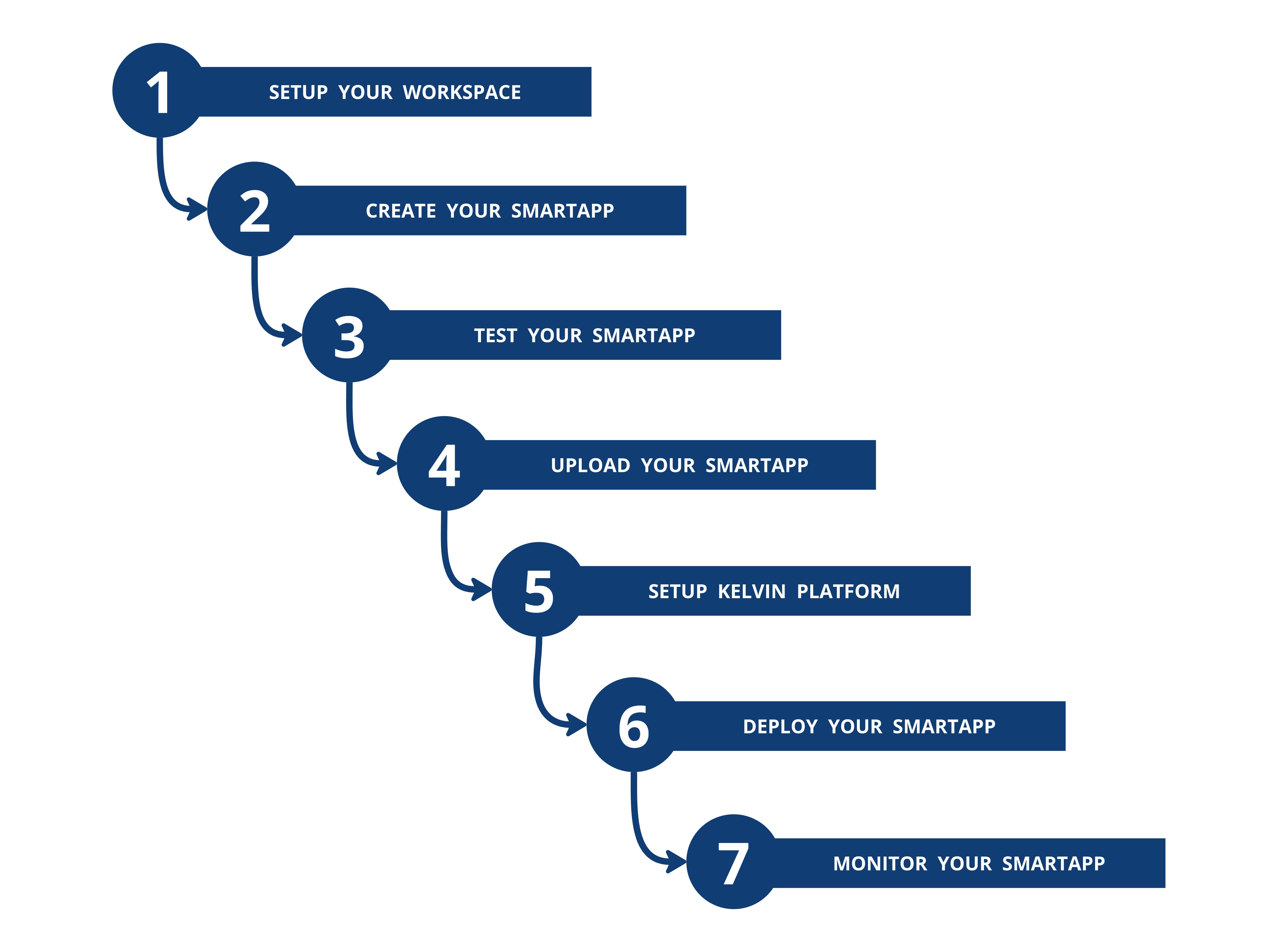
By the end of this quick start guide you will have achieved the following steps;
Quick Start Task
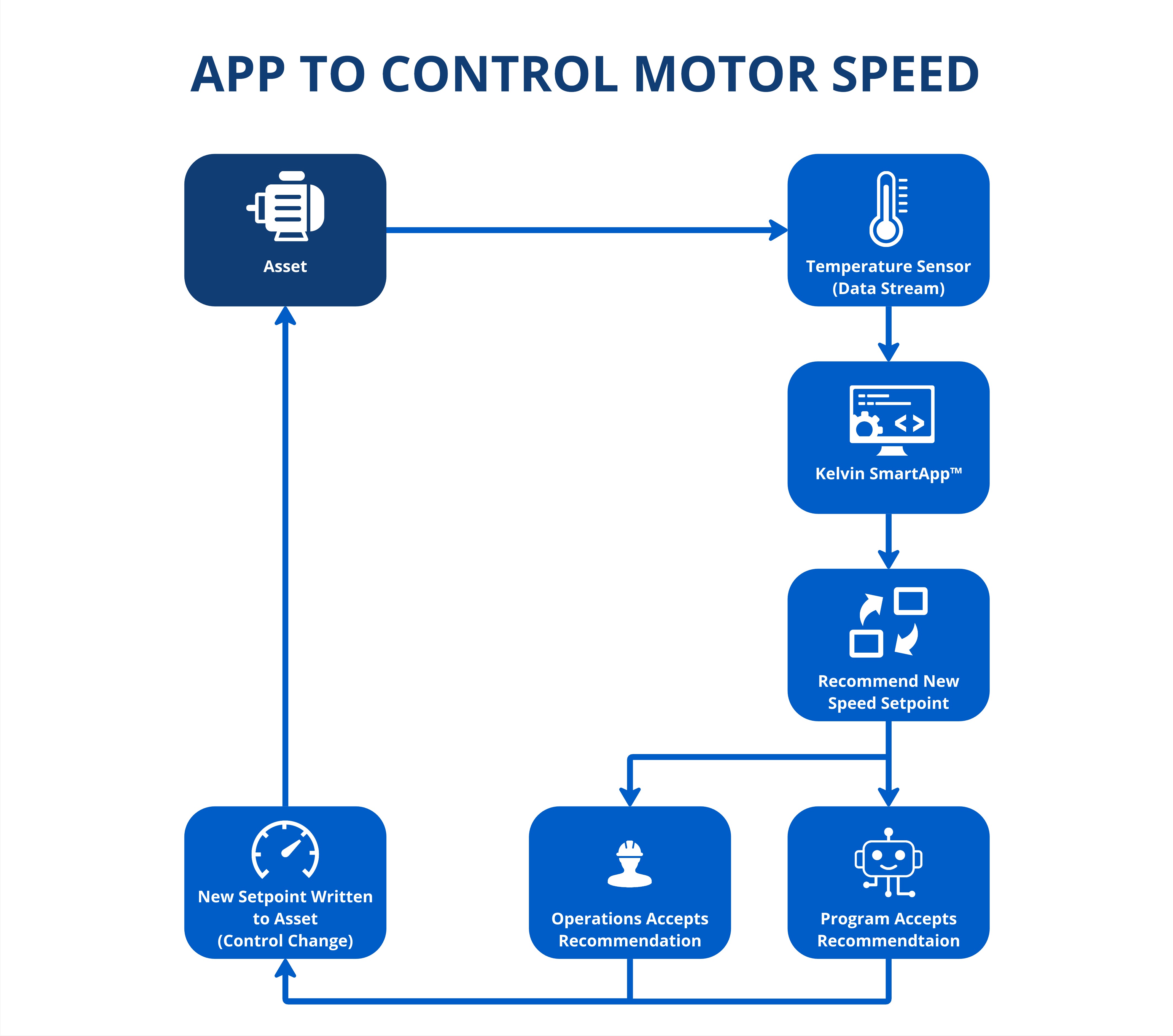
The Python program we will create and package as a Kelvin SmartApp™ will continuously monitor a temperature sensor (known as a Data Stream) on a motor (known as an Asset).
If the upper temperature threshold is breached, then the app will automatically generate a new Control Change packaged into a Recommendation that will have a new optimized motor speed setpoint to maintain a lower motor temperature.
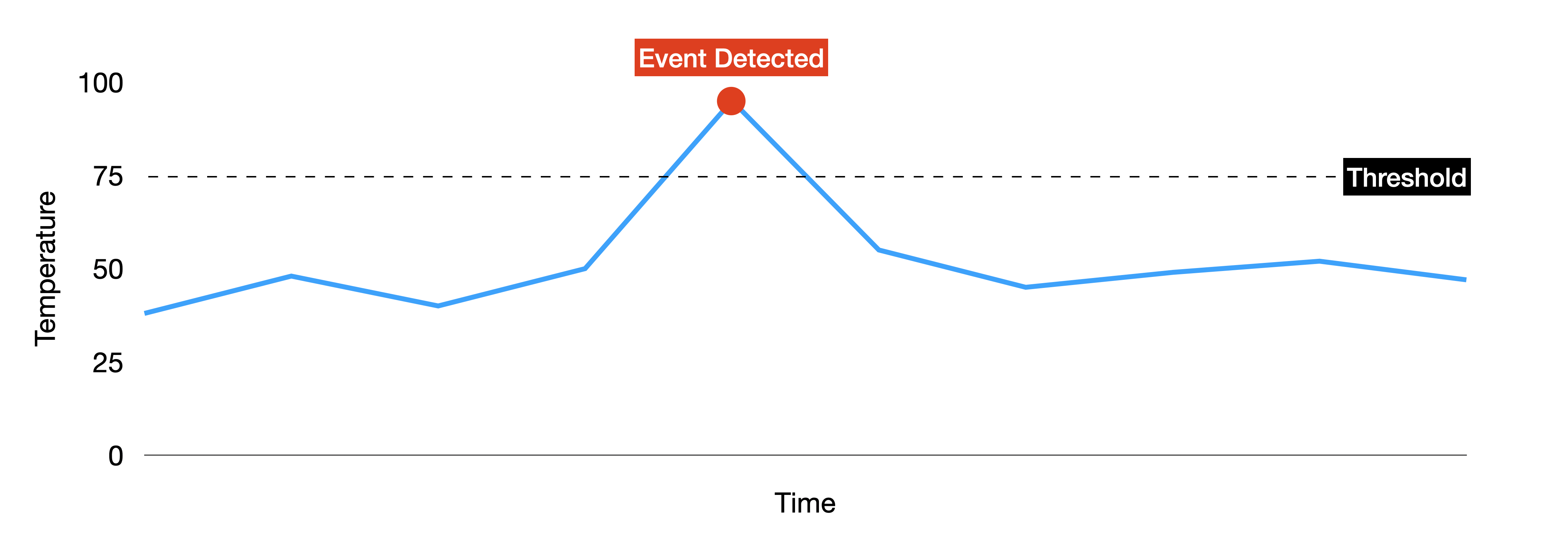
Then using the Kelvin UI, the Operations Team will be able to set the parameters of the Kelvin SmartApp™ to decide whether the recommendation is automatically accepted, where the control change will be immediately applied to the motor, or an approval has to be manually added to the recommendation before the control change is done.
The Technology
The Kelvin SDK is a Python-based software development kit designed to make it easier to create, test, and deploy Kelvin SmartApps™. These apps are purpose-built for optimizing the performance of assets, enabling you to develop solutions that can improve operational efficiency.
A Kelvin SmartApp™ is a custom Python application developed using the Kelvin SDK. It is designed to apply specific business logic, models and algorithms to optimize the performance of multiple assets. By delivering actionable recommendations and making control adjustments, a Kelvin SmartApp™ helps to enhance asset efficiency and performance.