1. Your Workspace

Before you can start you need to setup your computer with all the development tools required to make Kelvin SmartApps™.
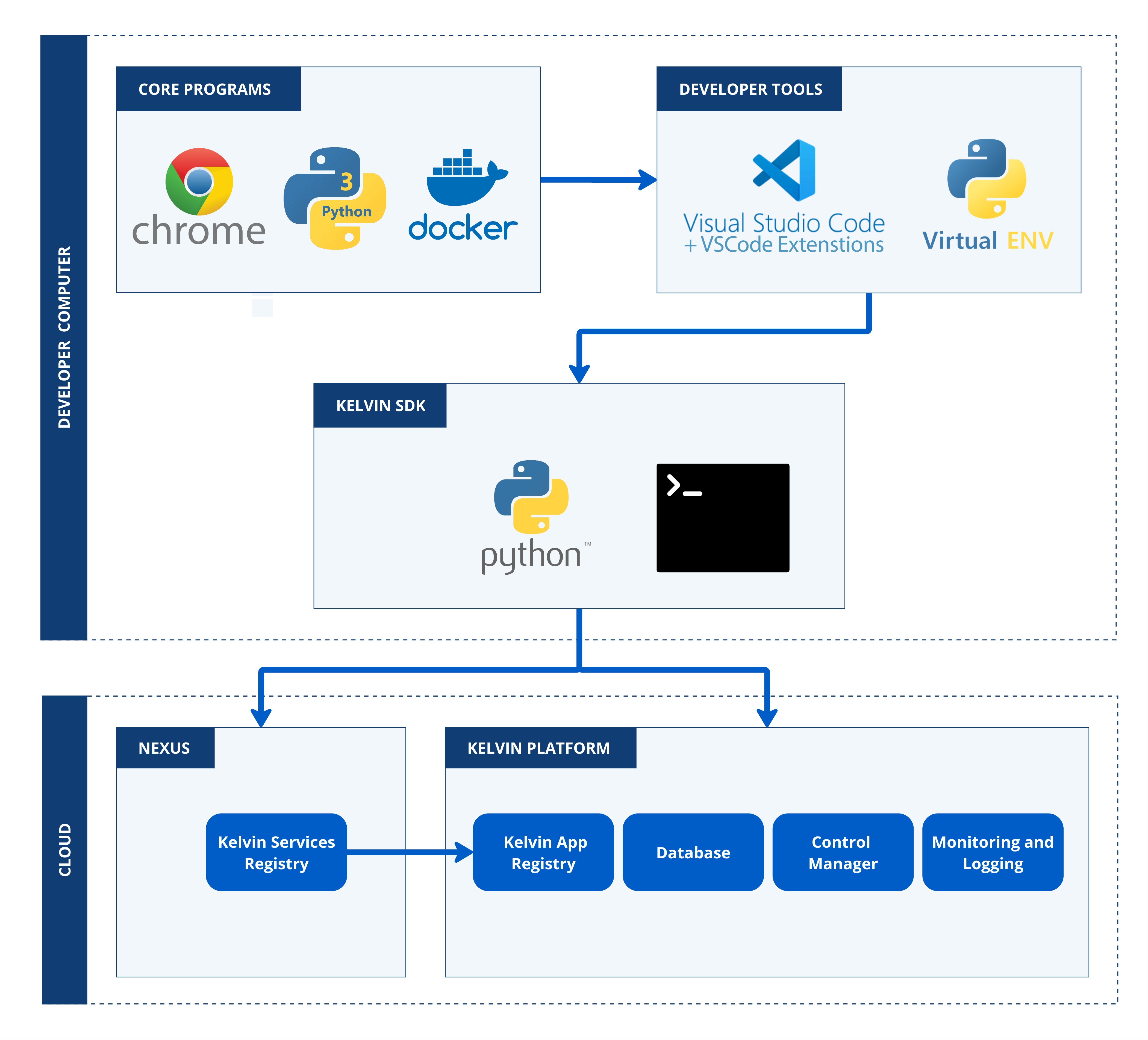
The list of software required for development and testing is;
| Software | Mandatory | Install Method |
|---|---|---|
| Google Chrome | Yes (Kelvin only guarantees on Google Chrome, though most if not all features will work in the other modern browsers) | From website |
| Python 3 | Yes, See Pypi for compatible versions | From website |
| Docker | Yes | From website |
| Visual Studio Code | No, but we now standardize our newer documentation to be shown on VSCode | From website |
| Kelvin SDK | Yes | pip install kelvin-sdk |
There is detailed step-by-step documentation available on how to install all the software and tools required for each OS type.
With your workspace setup, now we can start with creating your first Kelvin SmartApp™.