Bulk Delete Data Streams
Reference:
| Field | Description |
|---|---|
| Name | Unique name identifier. It must contain only lowercase alphanumeric characters. The characters ., _ and - are allowed to separate words instead of a space BUT can not be at the beginning or end of the name. |
| Title | The display name to show on the Kelvin UI. It can contain any characters, including spaces. |
Bulk Delete Data Streams
Deleting many Data Streams with one command is very simple. The only information you need is the actual name of all the Data Streams.
Data Streams can be managed from the Connectors section of the UI.
You can watch this short demo video or read the full step-by step written tutorial below.
To start, go to the Data Streams in the Connectors section of the left side bar.
To delete Data Streams, check multiple Data Streams and a Delete button will appear above the table. When ready click on the button to delete the selected Data Streams.
Note
You can not delete any Data Stream if they are being used by any Connection or Application.
Any selected Data Stream that is in use is ignored and will not be deleted.
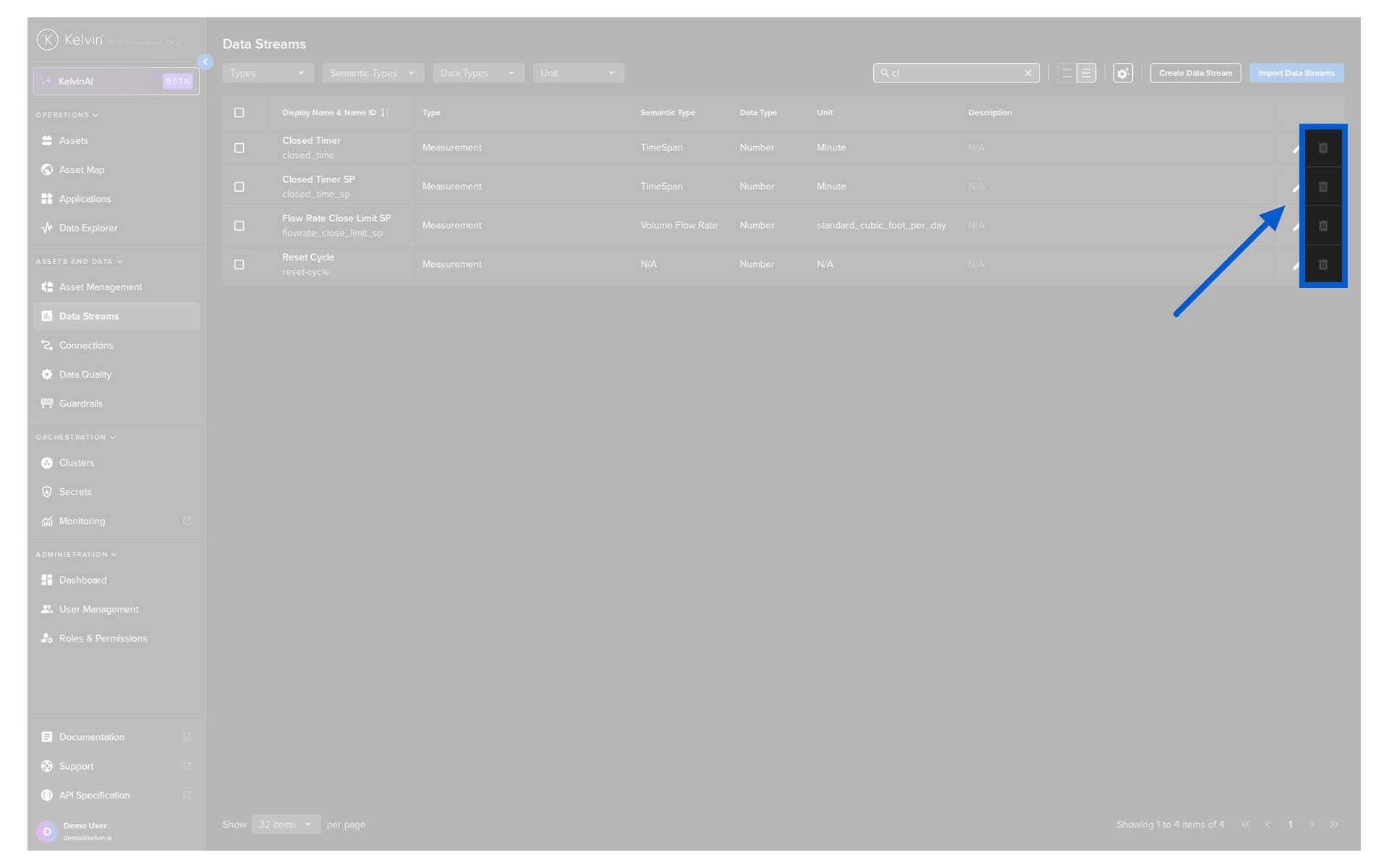
Then in the popup type PERMANENTLY DELETE to confirm the delete action.
You add all the Data Stream names into an array and then use the /datastreams/bulk/delete endpoint.
| API cURL Example | |
|---|---|