Delete Impact Metric
On this page you will learn how to permanently delete an Impact Metric.
Step 1 -- Open Impact Metrics
Go to Impact in the left navigation, click the Configuration tab, then select the Impact Metrics sub-tab.
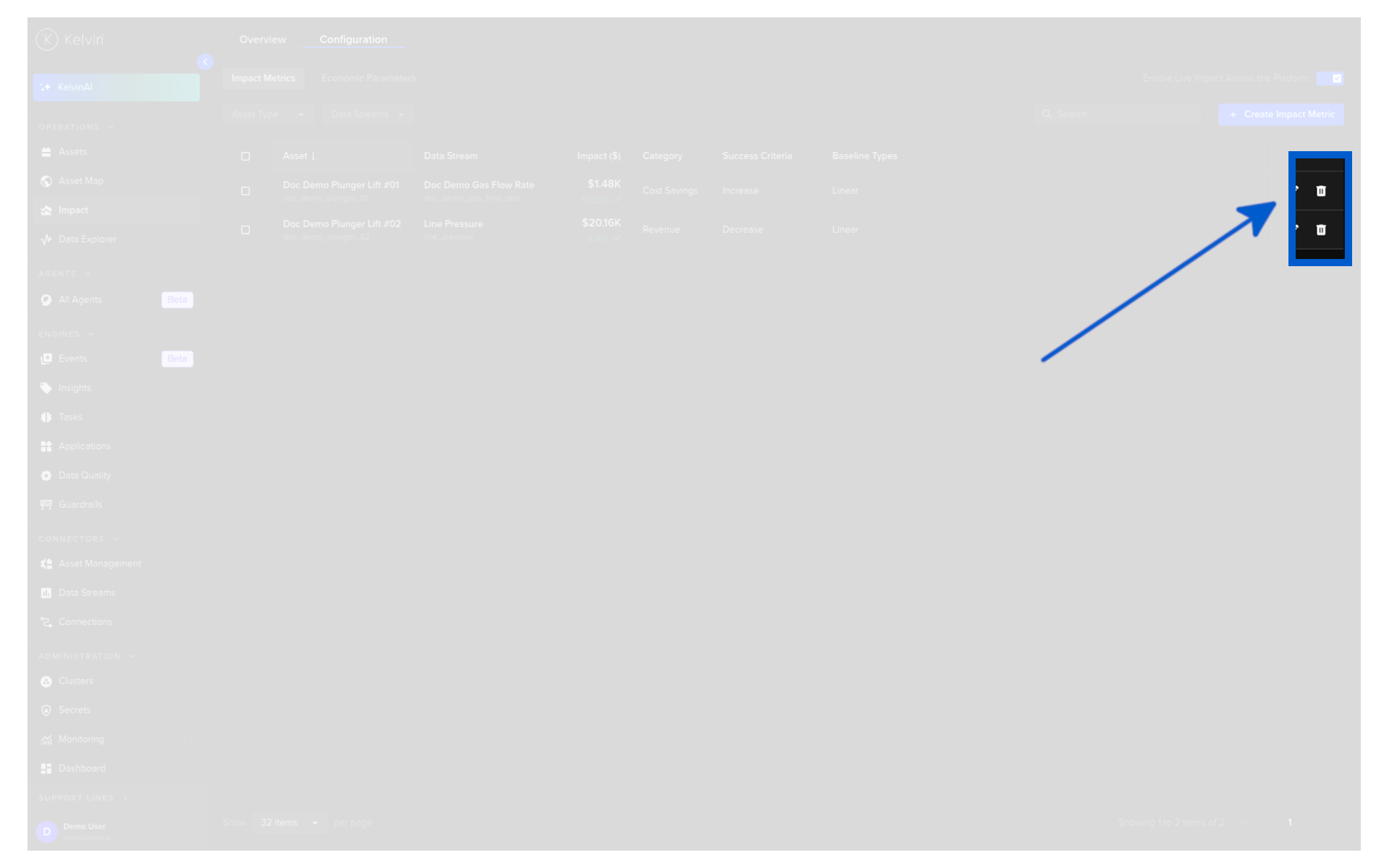
Find the metric you want to delete in the list and click the Delete icon on that row.
Step 2 -- Confirm Deletion
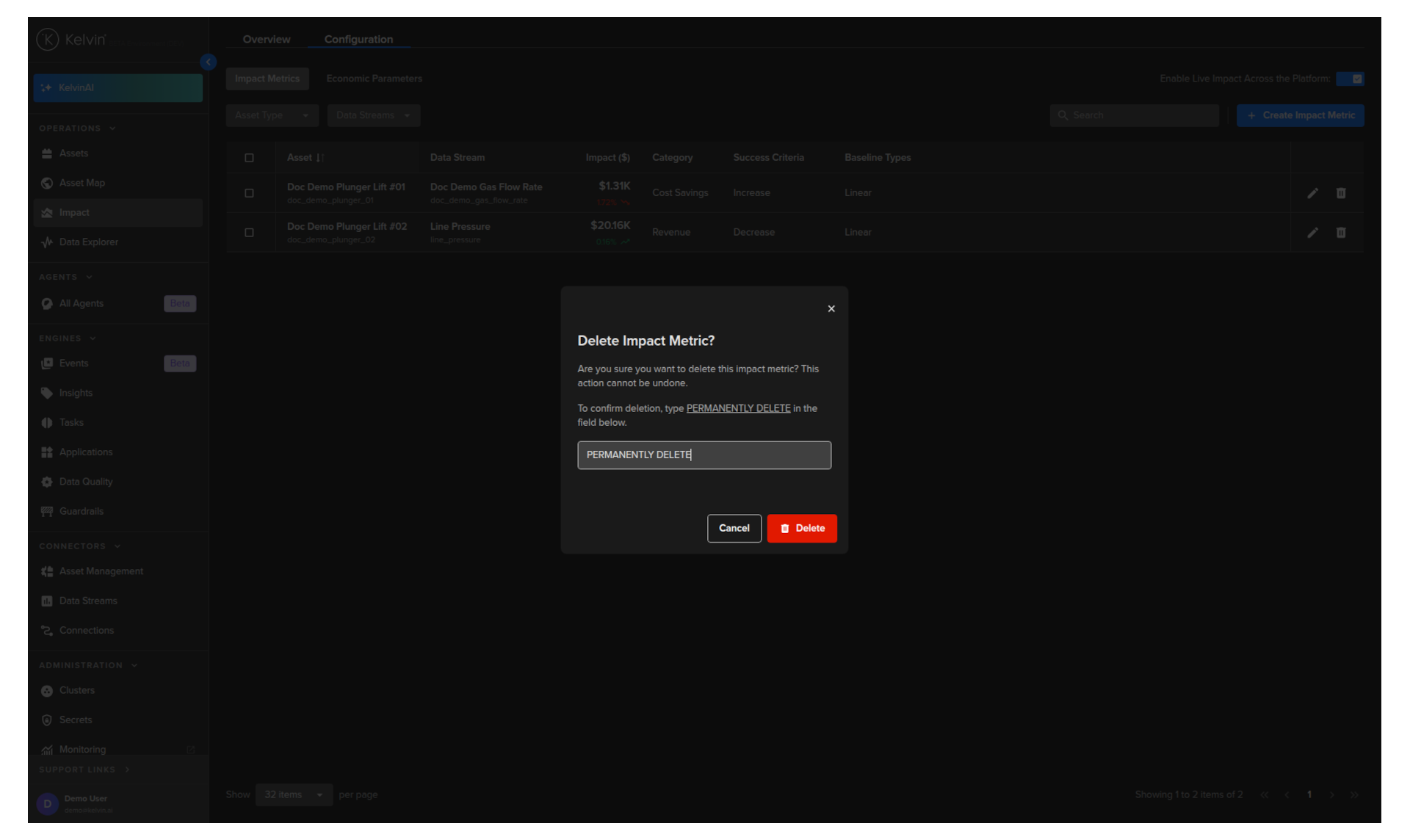
A confirmation dialog will appear. Type PERMANENTLY DELETE in the confirmation field and click the Delete button to confirm.
Warning
This action is permanent. The Impact Metric and all its associated historical impact data will be deleted and cannot be recovered.