Snooze Recommendations
Overview
When a Recommendation type is snoozed for an Asset, every new Recommendation of that type for the Asset that is generated after you activate the snooze is automatically tagged Snoozed.
Important
If you open a Recommendation and click the snooze icon, the Recommendation you are looking at is NOT snoozed.
The action snoozes the Recommendation type for the Asset. All future Recommendations of that type, from the time you activated the snooze, WILL BE marked as snoozed. This is an important distinction.
Snoozing does not change existing Recommendations or the state of the Asset.
A snoozed Recommendation can not be accepted or rejected. The Accept and Reject options are not available. Snoozed Recommendations are hidden by default in the Data Explorer. To see them, select Snoozed in the status filter of the Activity Lanes tab.
Note
You can also snooze from the Assets page. Read more in Action a Recommendation.
Create a Snooze
You can watch this short demo video on snoozing a Recommendation, or follow the steps below.
- Click the Activity Lanes tab in the left panel and select the Recommendations option
- Click the Recommendation card in the list
-
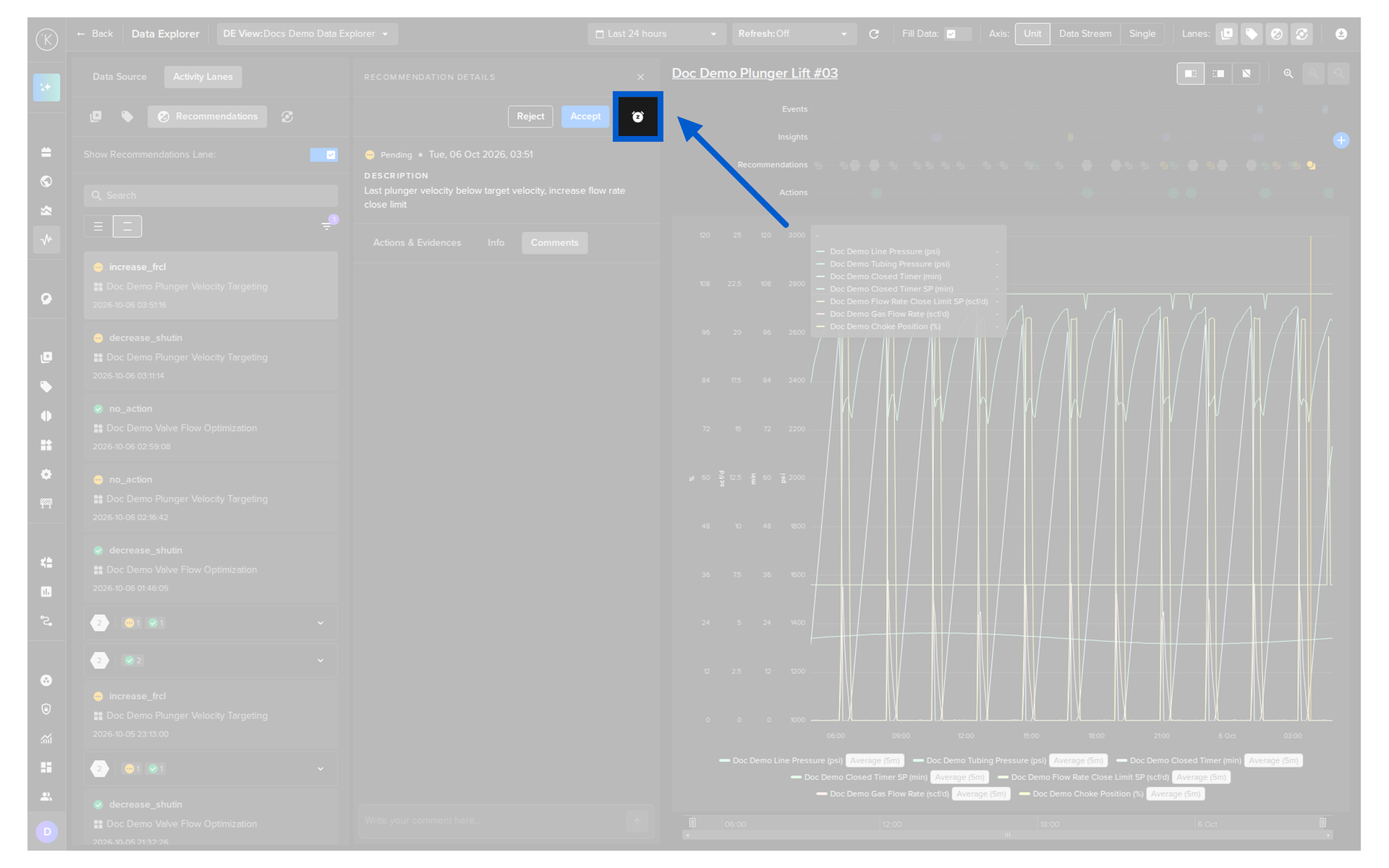
In the details that open, click the snooze icon
-
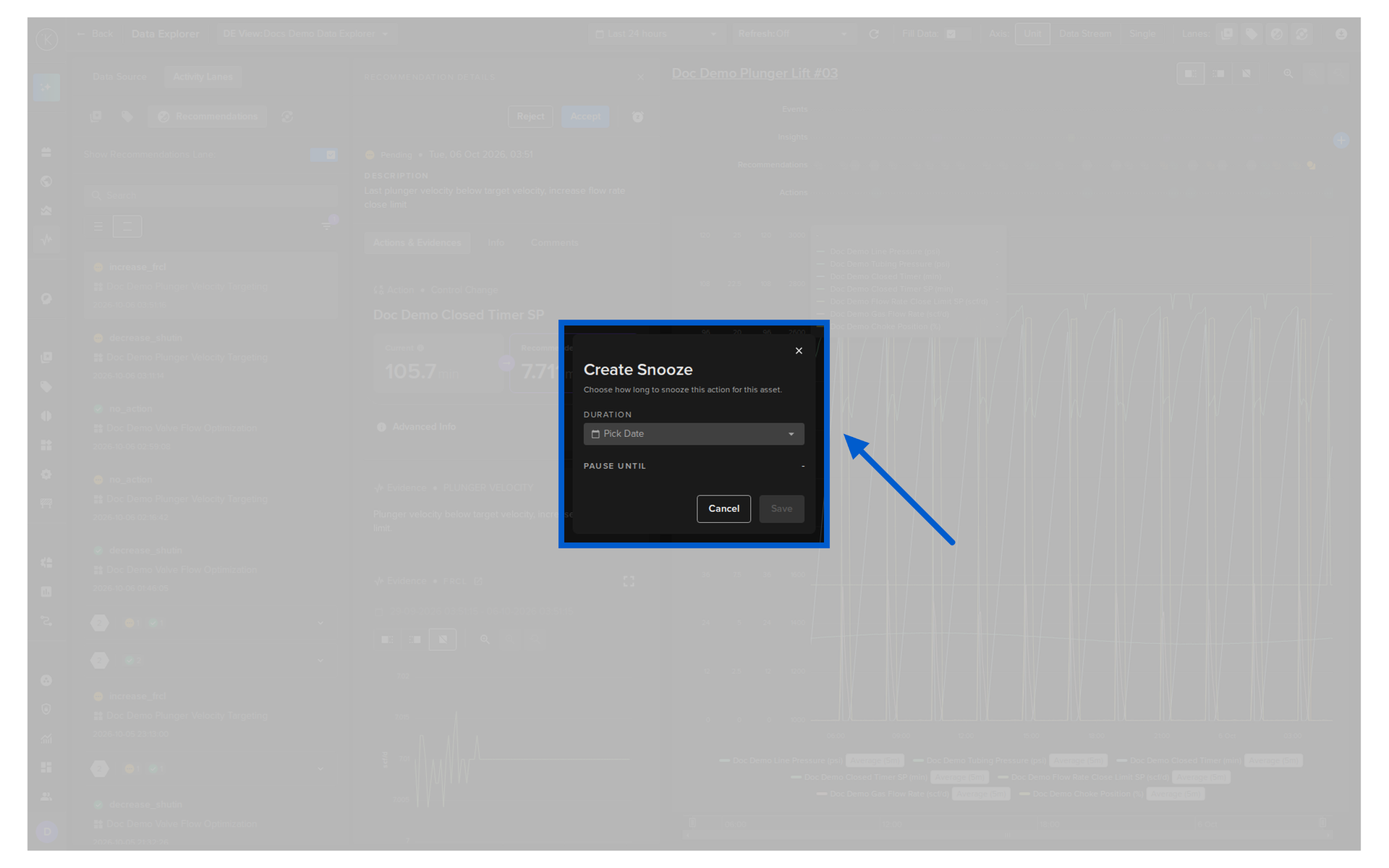
In the Create Snooze popup, select how long to snooze the Recommendation type: 3, 7, 14, 30 or 60 days, or a custom date and time
-
Click the Save button
Snoozed Recommendation
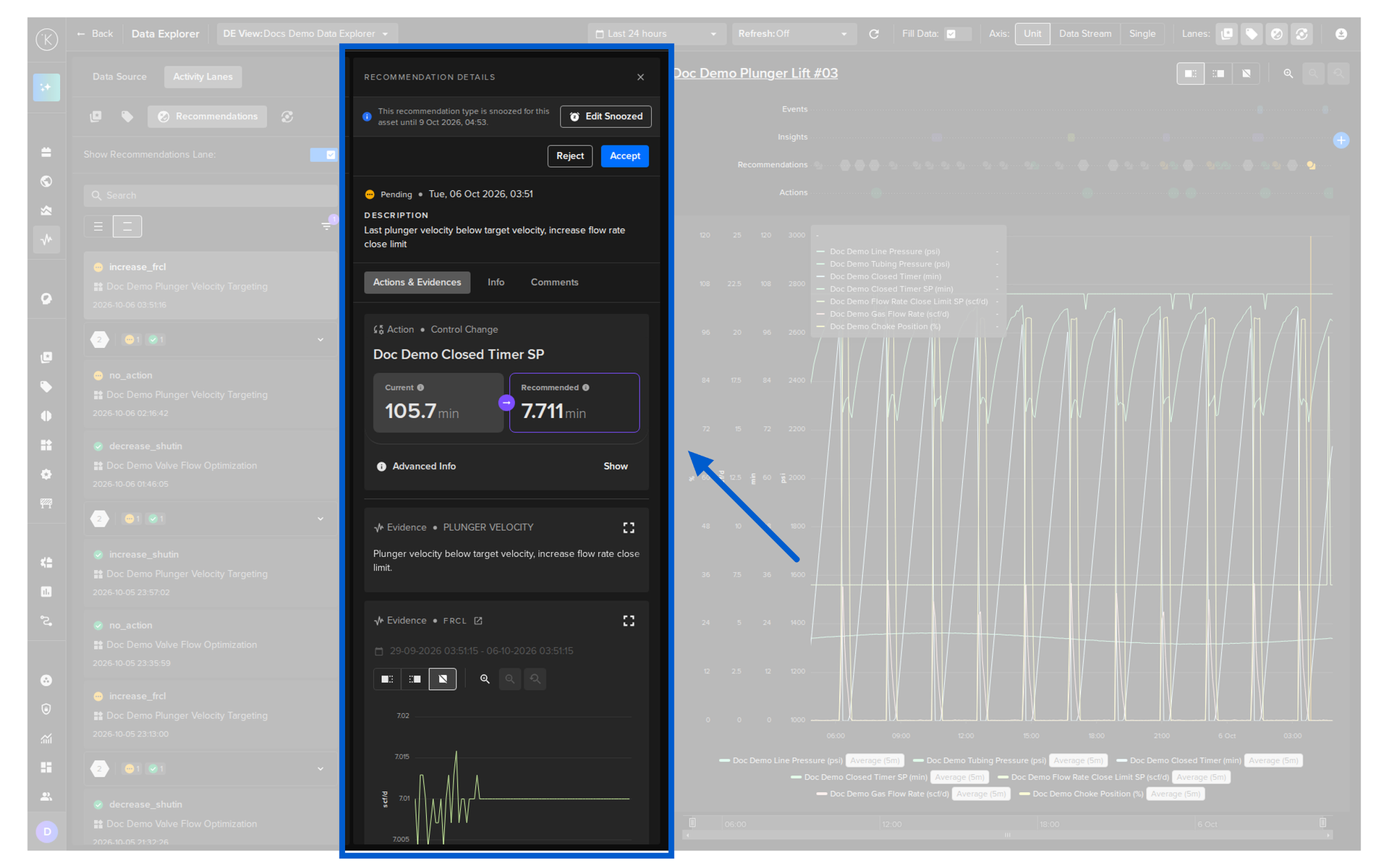
Once the snooze is active, the details of the Recommendation show the message This recommendation type is snoozed for this asset until 5 Oct 2026, 17:21. and the Edit Snoozed button. The message is about the Recommendation type. The Recommendation in the details is still not snoozed.
Edit or Remove a Snooze
- Click the Activity Lanes tab in the left panel and select the Recommendations option
- Click a Recommendation card of the snoozed type
-
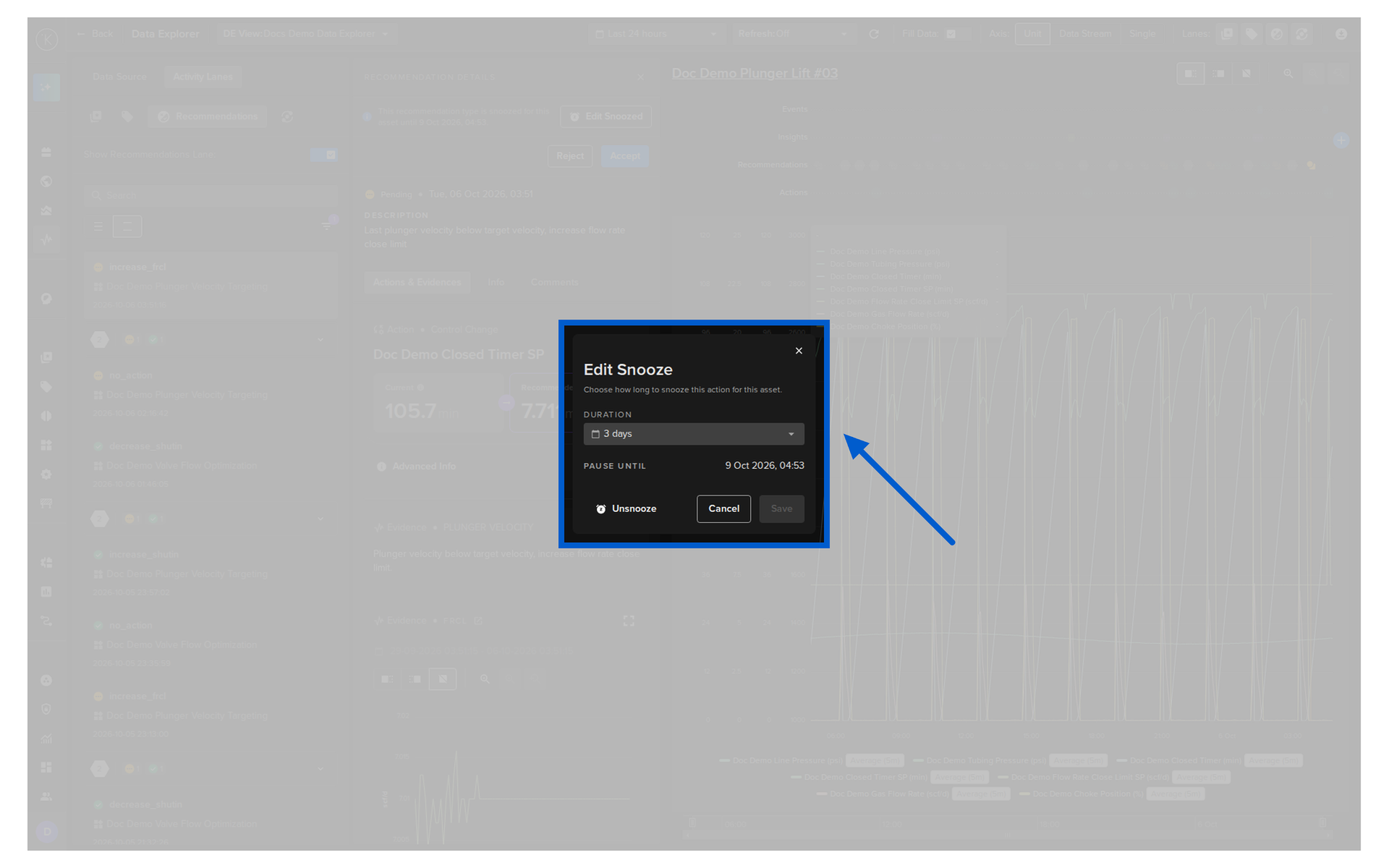
In the details that open, click the Edit Snoozed button
-
Change the duration and click the Save button, or click the Unsnooze button to reactivate the Recommendation type immediately. New Recommendations generated after that point act normally again