Delete a Secret
In this example we will delete the secret name demosecret.
You can not edit a secret. If you need to update a secret, just delete and create it again with the new value.
Click on the Secrets menu under Orchestration.
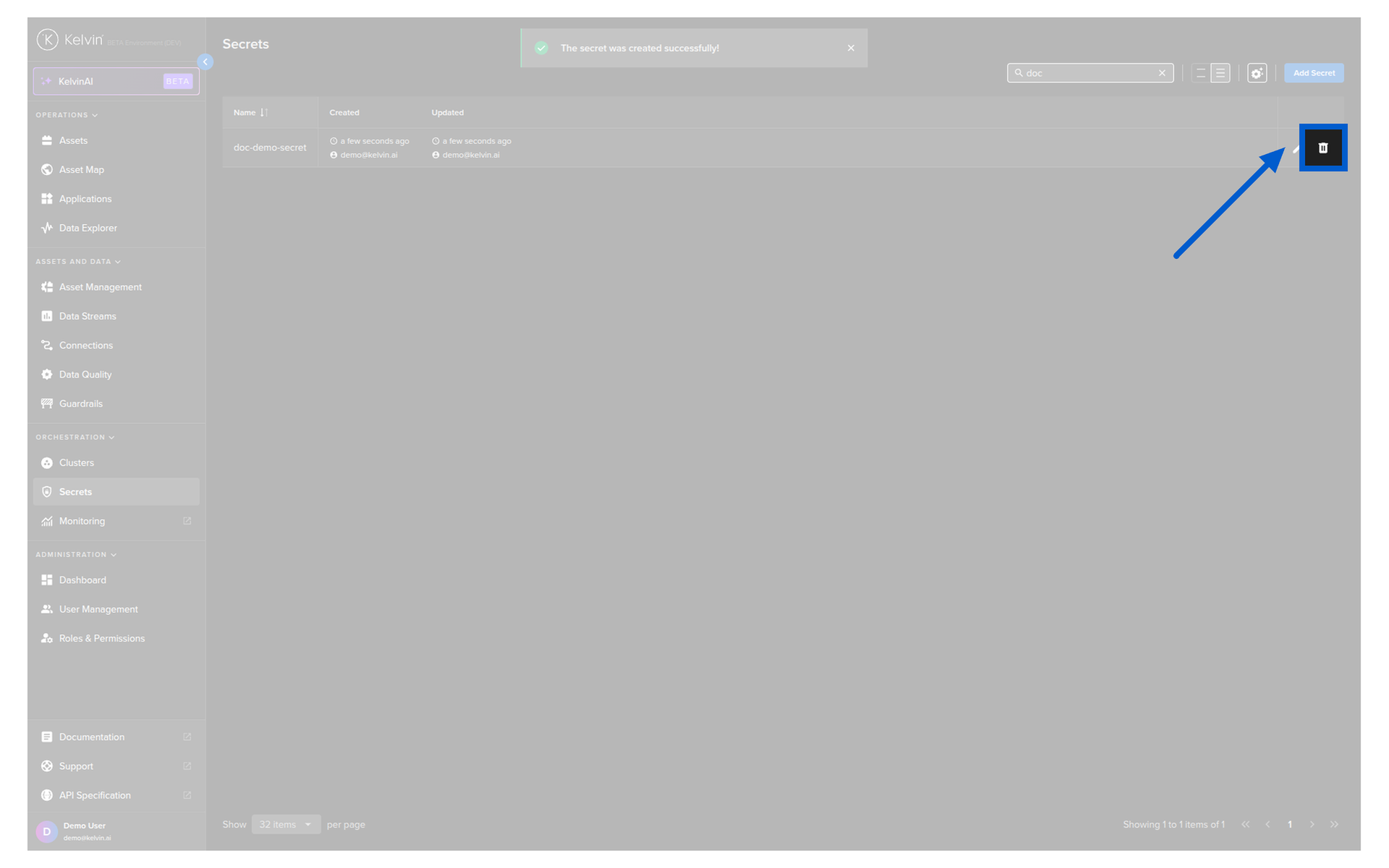
Find the secret you want to delete and then click on the Delete icon  in that row.
You will then see a delete confirmation popup.
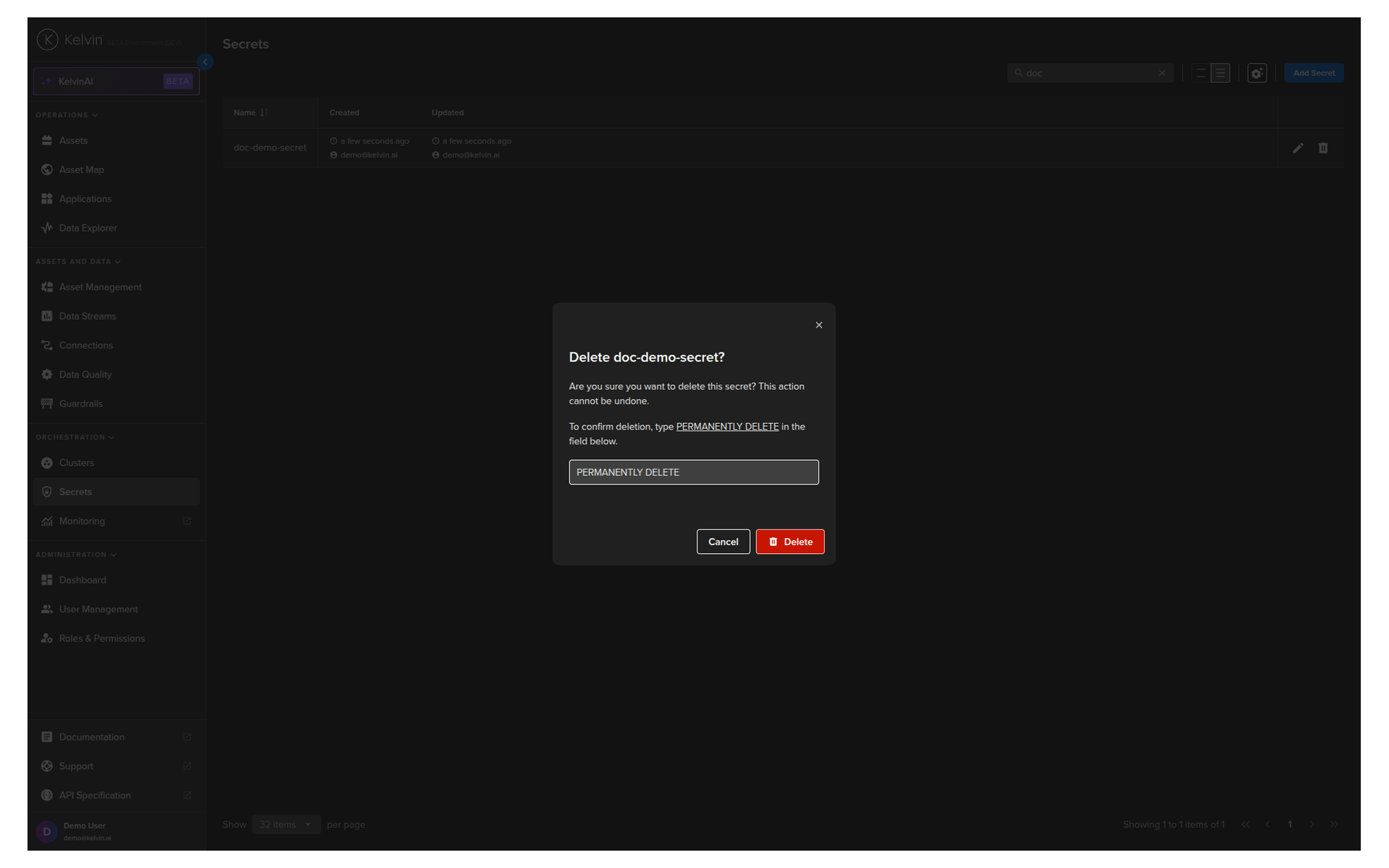
You now have now permanently deleted an existing secret variable.
| API cURL Example | |
|---|---|
The response code will be 200 or an error code from 4XX.
| API Client (Python) Example | |
|---|---|
You will see the output like this;
| API Client (Python) Example Response | |
|---|---|
| Kelvin SDK Command Line Example | |
|---|---|
You will need to confirm the delete process and if everything went well you will get the confirmation response like this;