Undeploy a Workload
This option allows you to delete (undeploy) the Workload.
This action is permanent and can not be undone. You will need to deploy a new workload with all the right settings.
Using Kelvin Platform
This will also undeploy any staged versions of the workload as well.
To start go to Orchestration menu, select a Cluster and find the Workload you want to upgrade. Then click on the dropdown menu on the Workload row.

Click on the delete button for the workload you want to delete and type PERMANENTLY DELETE to confirm deletion.

You can undeploy a workload using the /workloads/{workload_name}/undeploy API request.
This will also undeploy any staged versions of the workload as well.
For the API request /workloads/<workload_name>/undeploy there are two options available how to handle staged workloads and deployed workloads.
| Key | Value | Description |
|---|---|---|
| staged | true | undeploys ONLY the staged version |
| false | (default) undeploys the workload and (if exists) the staged version. |
curl -X "POST" \
"https://<url.kelvin.ai>/api/v4/workloads/doc-demo-standard-deploy/undeploy?staged=false" \
-H "Authorization: Bearer <Your Current Token>" \
-H "Accept: */*" \
-d ''
You will get a response similar to this;
<Response [200]>
This will also undeploy any staged versions of the workload as well.
from kelvin.api.client import Client

# Login
client = Client(config={"url": "https://<url.kelvin.ai>", "username": "<your_username>"})
client.login(password="<your_password>")

# Create Asset Type
response = client.workload.undeploy_workload(workload_name="doc-demo-standard-deploy")


print(response)
You will get a response similar to this;
None
Using Edge Services
You can delete a Workload using the Edge Services.
This will also remove the workload registration from the Kelvin Platform.
You can NOT use the existing Workload image to reinstall the Workload. You will need to create a new image and use the new image for the new deploy.
You have a few options to delete the workload image using the Edge computer.
To understand how to access and login to the Edge Services, you can read the full documentation on Edge Services here.
Edge Services
Open the Edge UI in a browser.
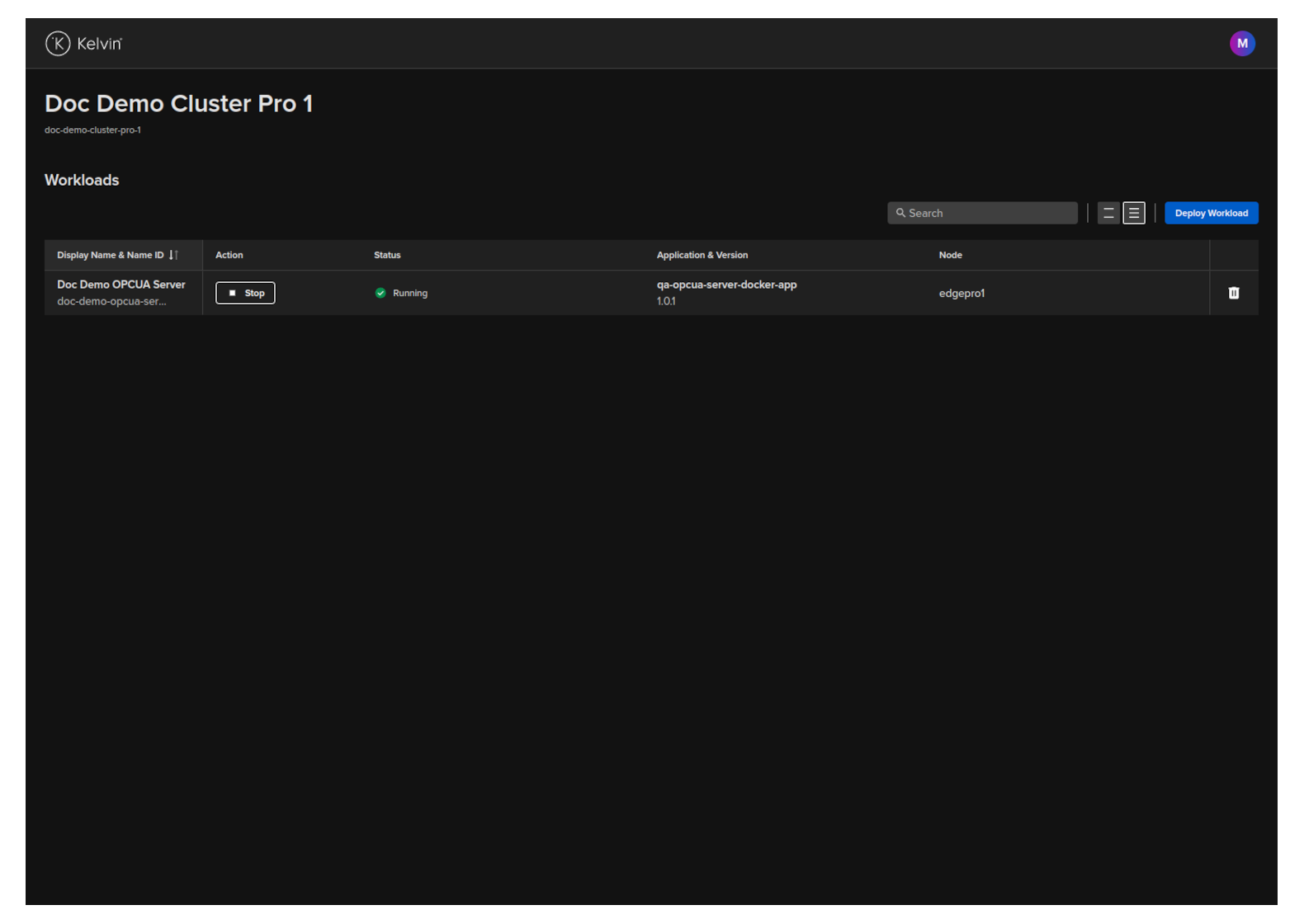
In the dashboard, find the Workload you want to control and then click the delete button on that row.
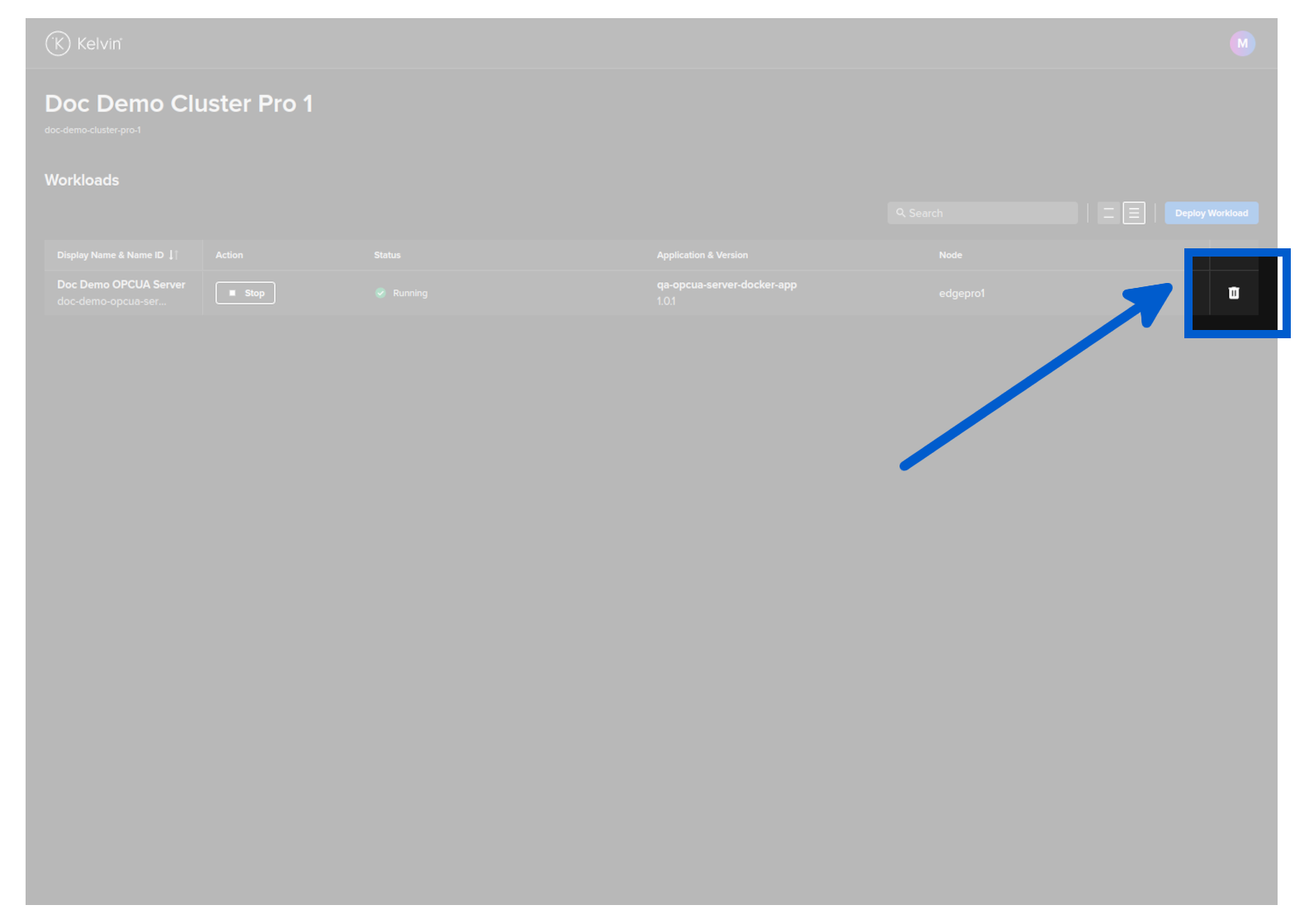
You will then be asked to confirm the delete action.
Then the Workload will be deleted.
The Kelvin Platform will be updated with the delete action the next time the Edge computer is connected to the Internet.
You can delete a Workload with the Edge API endpoint /workloads/{workload_name}/delete.
curl -X "POST" \
"http://<edge-computer-ip>/api/v4/workloads/doc-demo-opcua-server/delete" \
-H "Authorization: Bearer <Your Current Token>" \
-H "Accept: */*" \
-d ''
You will get a 200 response if successful.
To delete a Workload;
kelvin-provision workloads delete -n doc-demo-opcua-server
You will see a response like this;
Connecting to cluster API...[OK]
Reading cluster config...[OK]
Test cluster connection...[OK]
Requesting workload to be deleted...
Successfully deleted the workload