App Parameter
App Parameter Messages
Kelvin SmartApps™ can publish an App Parameter Message in order to (asynchronously) update a given App Parameter for a given Asset.
The App Parameter update will persist as soon as this message is synced with the Kelvin Cloud.
Note
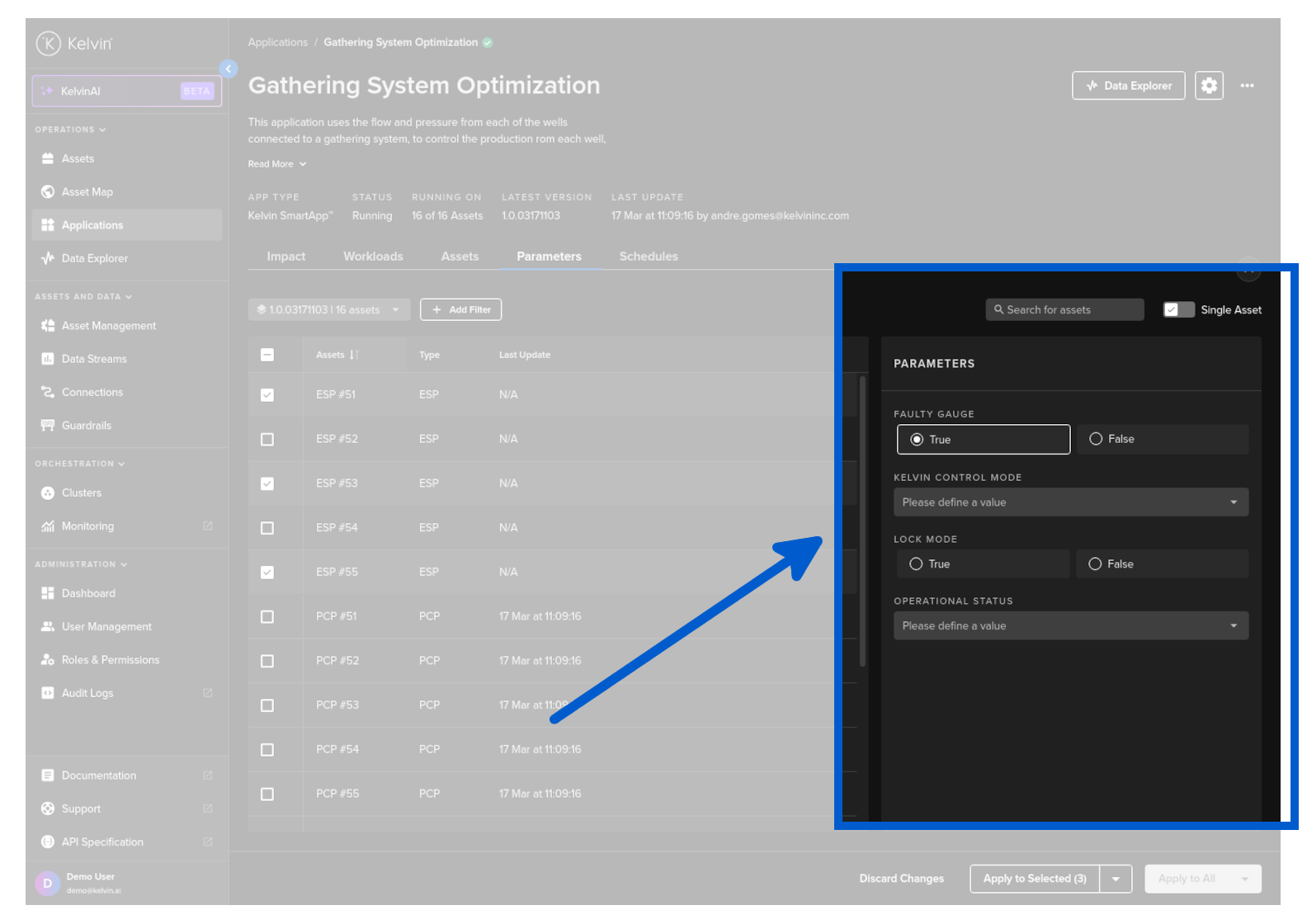
A user can also change the App Parameter value through the Kelvin UI.
Any changes done automatically by an application will be updated on the Kelvin UI screen.
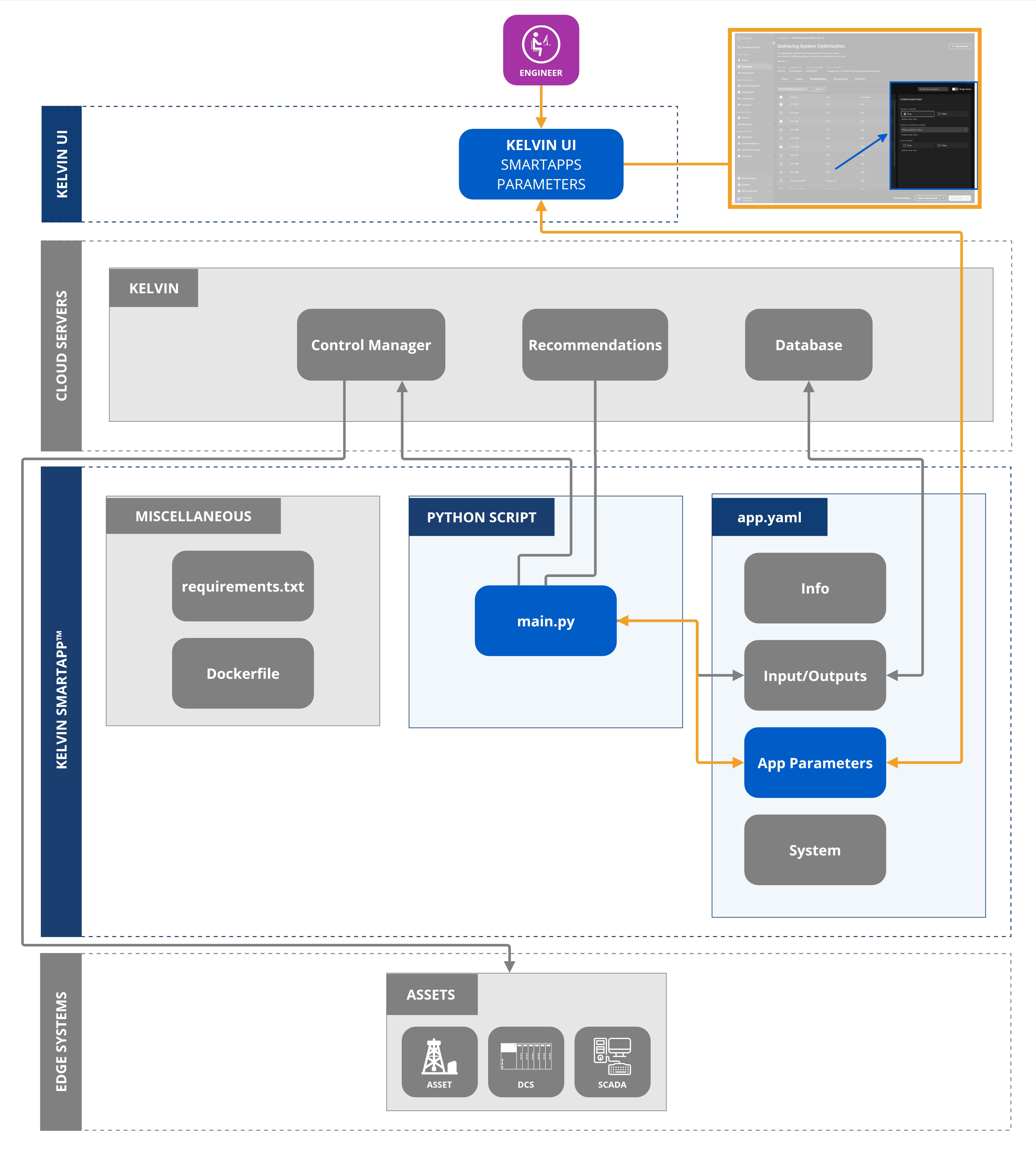
You can see the configuration options for a Kelvin SmartApp™ for an Asset in SmartApp section of the Kelvin UI.
The AssetParameter Object supports the following attributes:
| Attribute | Required | Description |
|---|---|---|
resource |
required | The KRNAssetParameter that this update is meant for. |
value |
required | App Parameter value (Boolean, Integer, Float or String). |
comment |
optional | Detailed description of the App Parameter update. |
Examples
Basic Usage
This is how an App Parameter can be created and published in a Kelvin SmartApp™:
| Create and Publish App Parameter Python Example | |
|---|---|
1 2 3 4 5 6 7 8 9 10 11 12 13 14 15 16 17 | |
App to App Usage
App Parameters can also be automatically updated from one Kelvin SmartApp™ to another Kelvin SmartApp™.
There needs to be an Internet connection to the Kelvin Cloud even if both Kelvin SmartApps™ are deployed to the same Cluster.
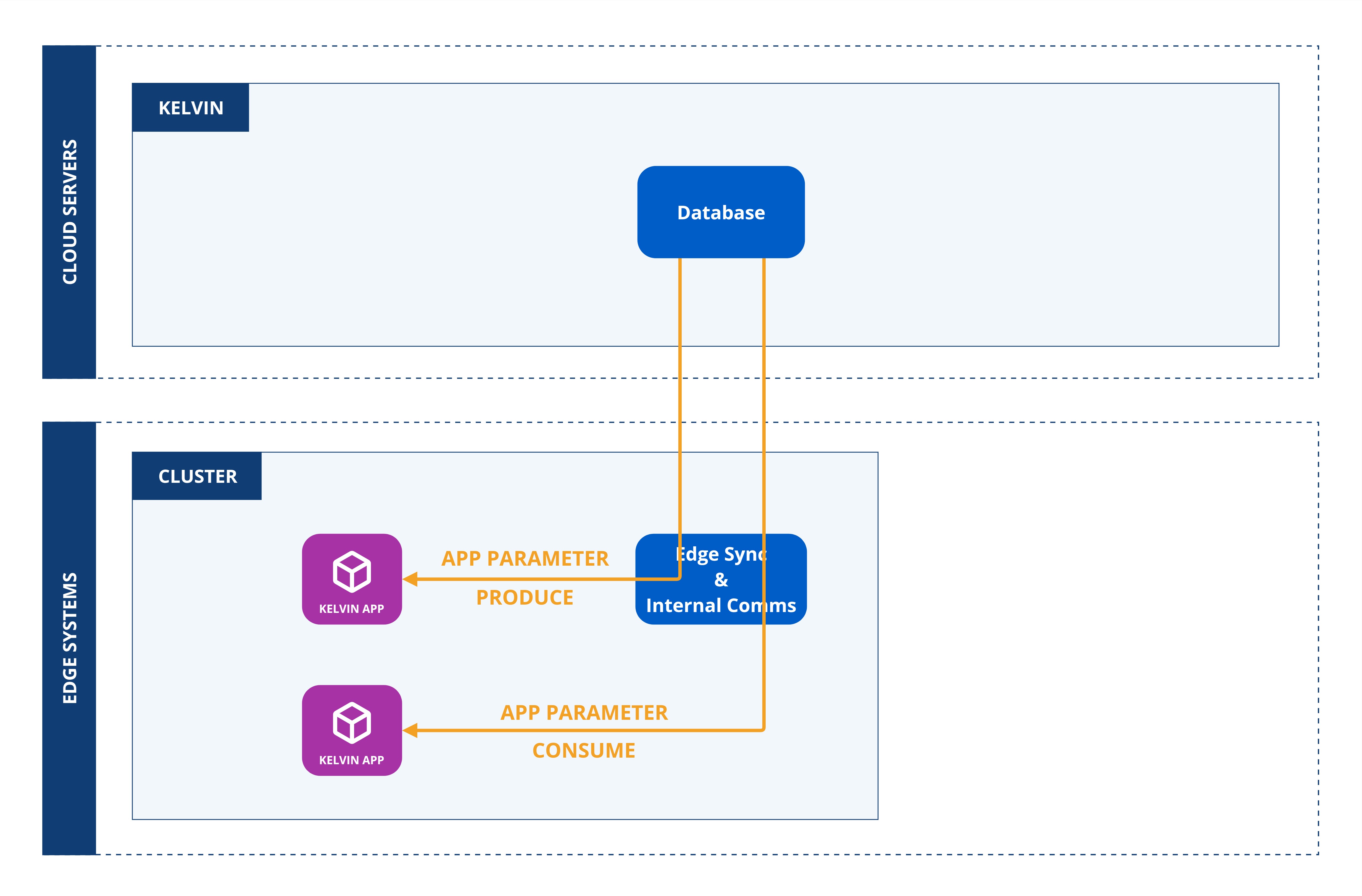
In the Kelvin SmartApp™ program, it can produce an update App Parameter value(s) to another Kelvin SmartApp™ like this;
| Create and Publish Multiple App Parameters Python Example | |
|---|---|
1 2 3 4 5 6 7 8 9 10 11 12 13 14 15 | |