Update a Workload
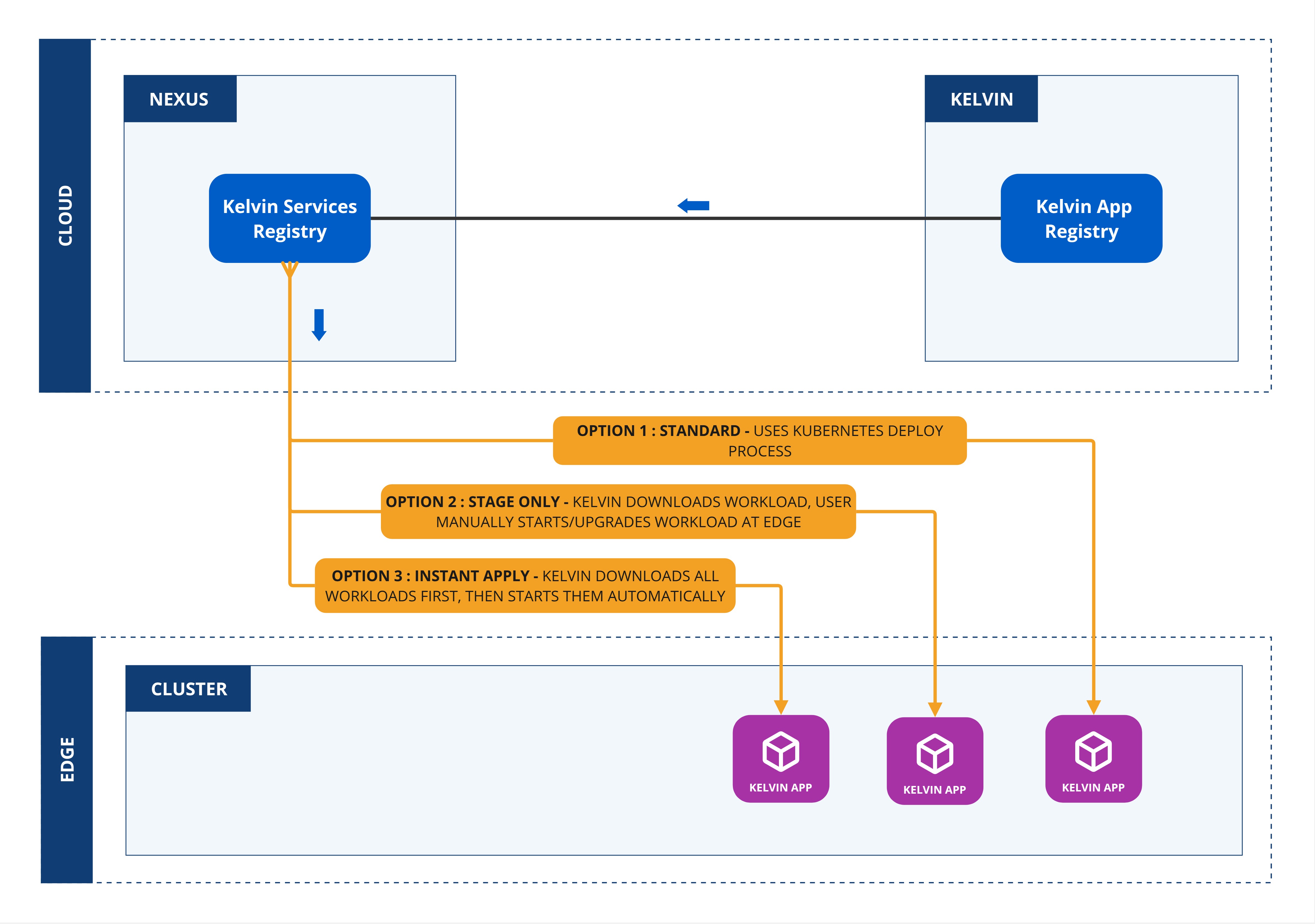
When you update a workload, you can choose whether to deploy immediately or to stage the workload at the edge and apply it at a later time.
Note
Not all options available when deploying will be available when updating.
If you required options not available, you will need delete the workload and redeploy it.
| Field | Option | Description |
|---|---|---|
| Standard | None | This will use the standard Kubernetes deployment process for workload containers and the workload will be automatically started after downloaded to the edge. |
| Staged | Stage Only | This will download the workload to the edge but will not start the workload. You will need to send an additional command to start the workload either through the Kelvin API or locally in the terminal of the edge computer |
| Staged | Instant Apply | This will use Kelvin's deployment process for workload containers and the workload will be automatically started after downloaded to the edge. The difference to the Kubernetes deployment process is that Kelvin will download all workloads and stage them first. Only when all workloads have been successfully downloaded will the start command be given to all the workloads. |
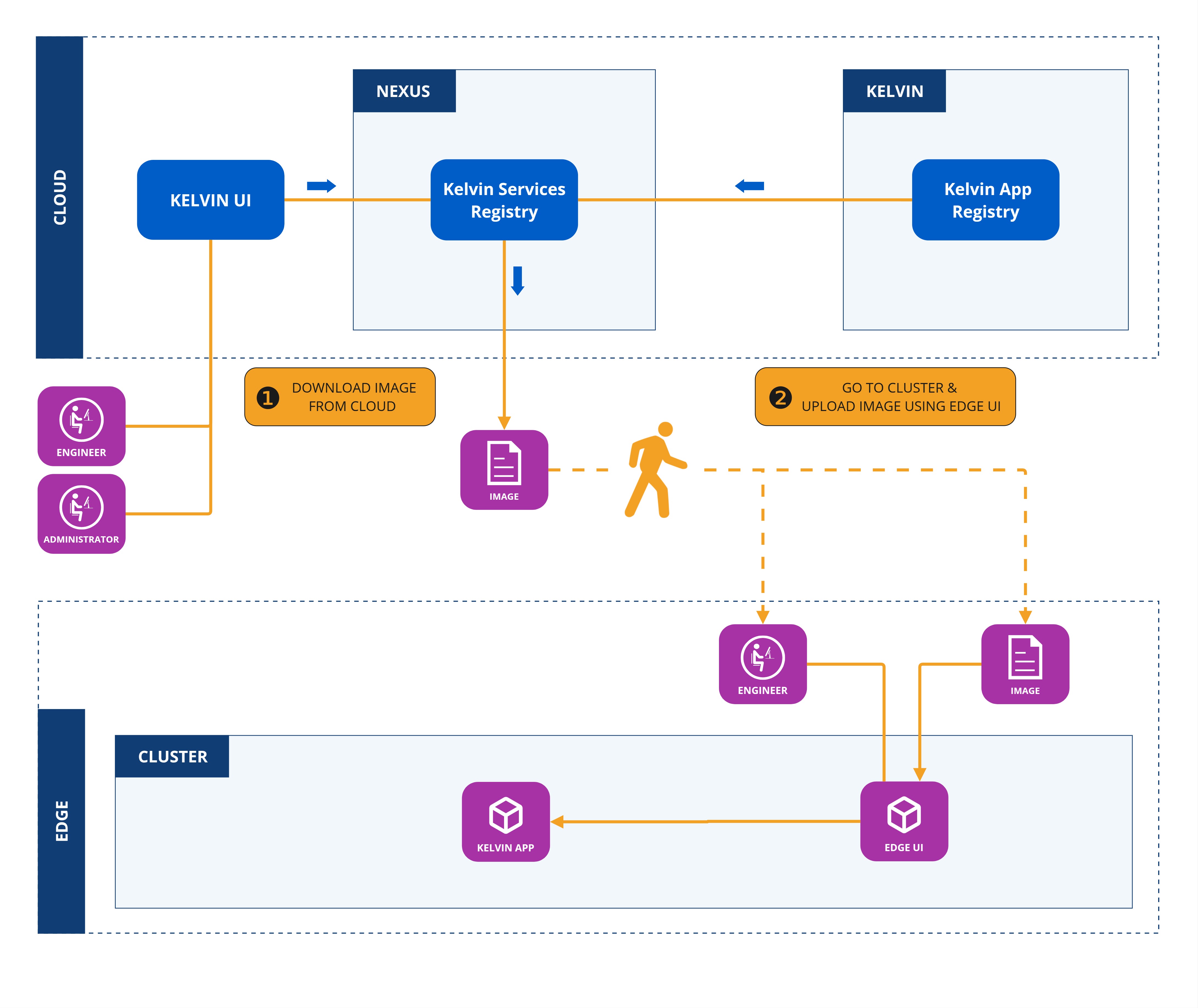
Or you can update a workload offline.
Kelvin
For some version of the Kelvin Platform, this will be the only option available to deploy a Workload.
This will require you to physically visit the targeted edge computer or ssh into a remote VM with the targeted Cluster and manually installing the Workload image.
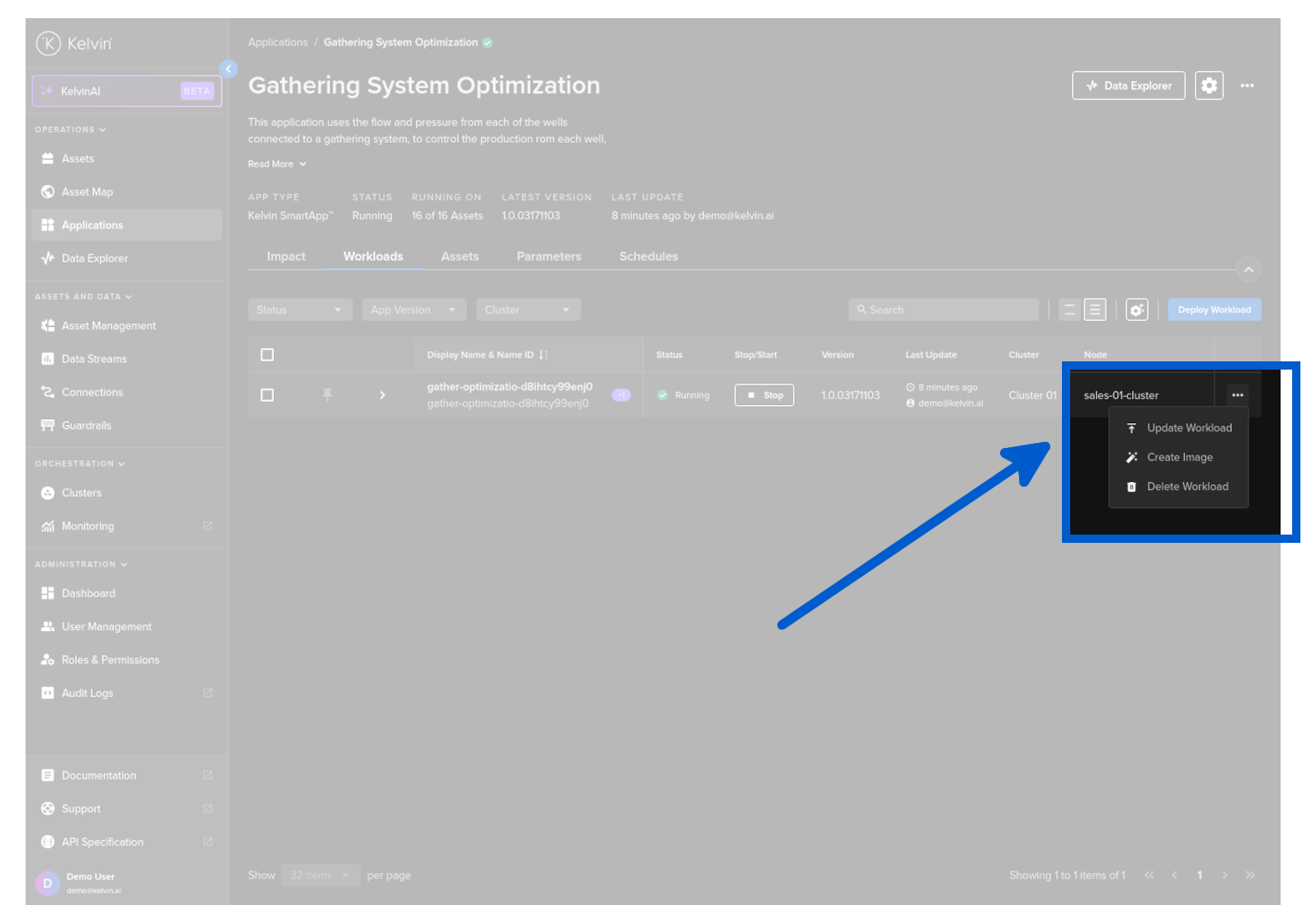
To start, go to Applications and select any Application
Click on the Workloads tab, click on the hamburger menu and select Update Workload.
The process is very similar to the Deploy Workload process.
In Step 1 you can select the version you want to upgrade to.
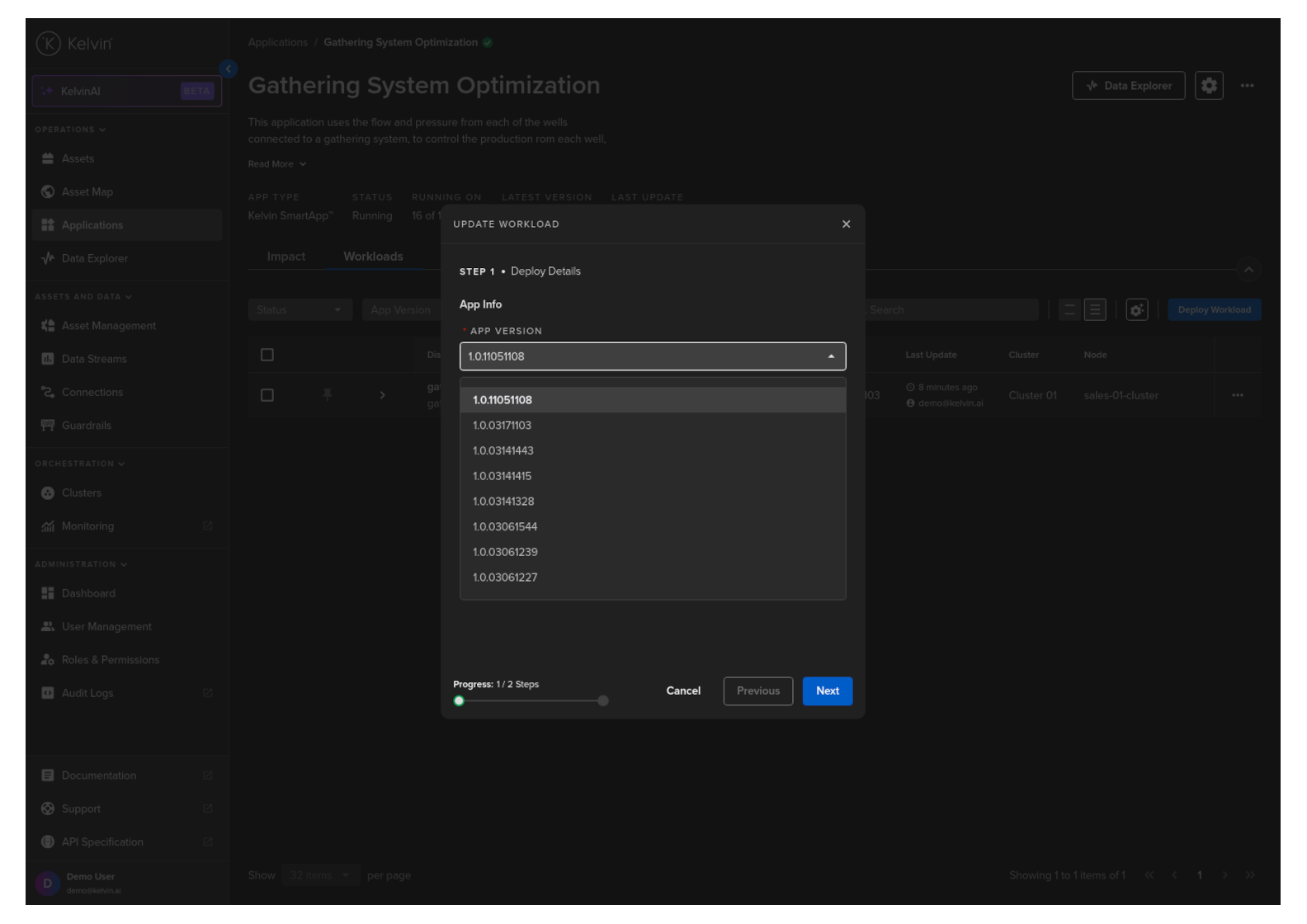
Click the Next button.
The rest of the process is exactly the same as deploying a new Workload.
- For standard deploy updates, follow the documentation for deploying a workload.
- For staged deploy updates, follow the documentation for deploying a staged workload
- For offline updates, follow the documentation for deploying workload offline