Delete a Workload
This option allows you to delete (undeploy) the Workload.
This action is permanent and can not be undone. You will need to deploy a new workload with all the right settings.
This will also undeploy any staged versions of the workload as well.
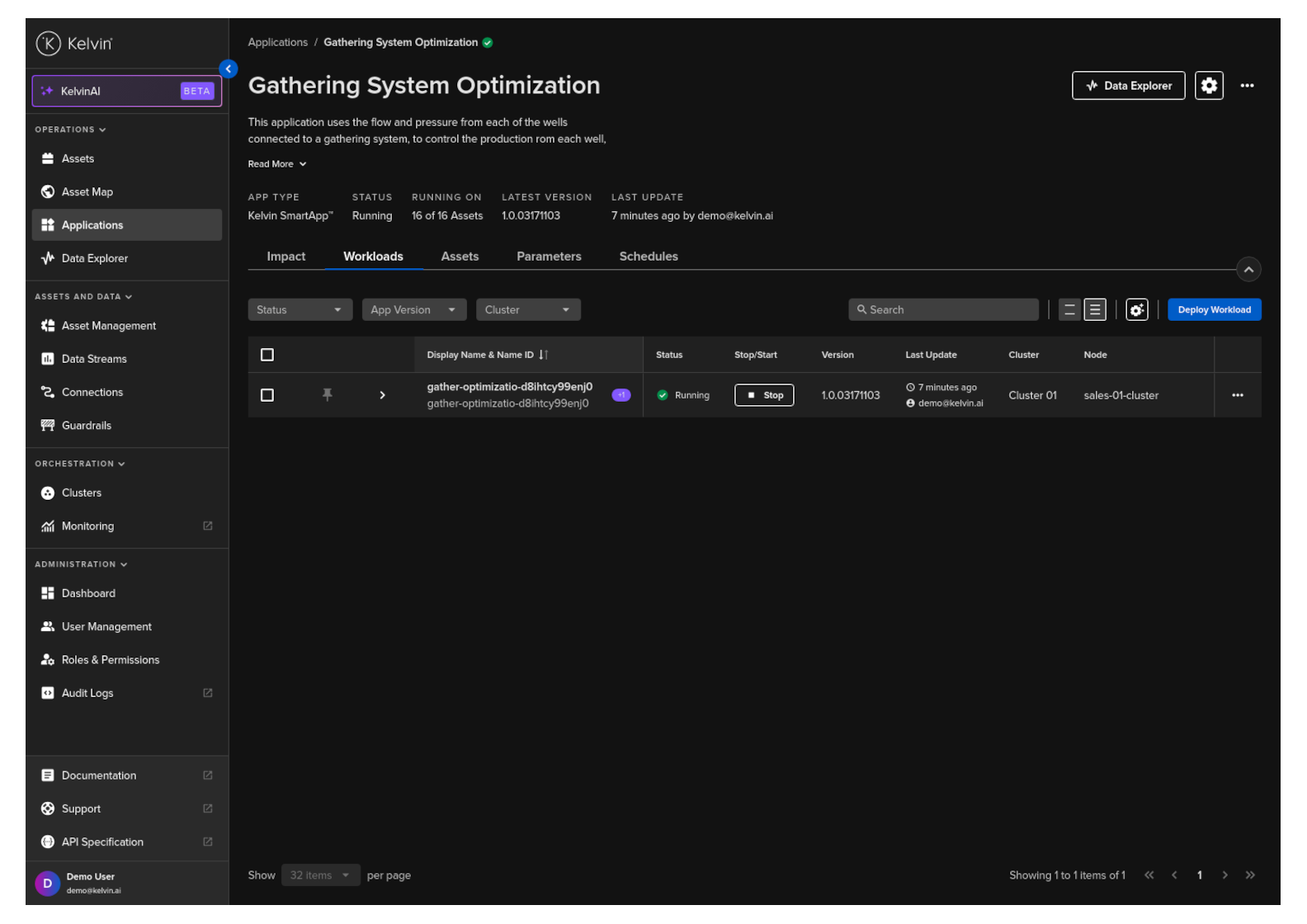
To start, go to Applications and select any Application
Click on the Workloads tab, click on the hamburger menu.
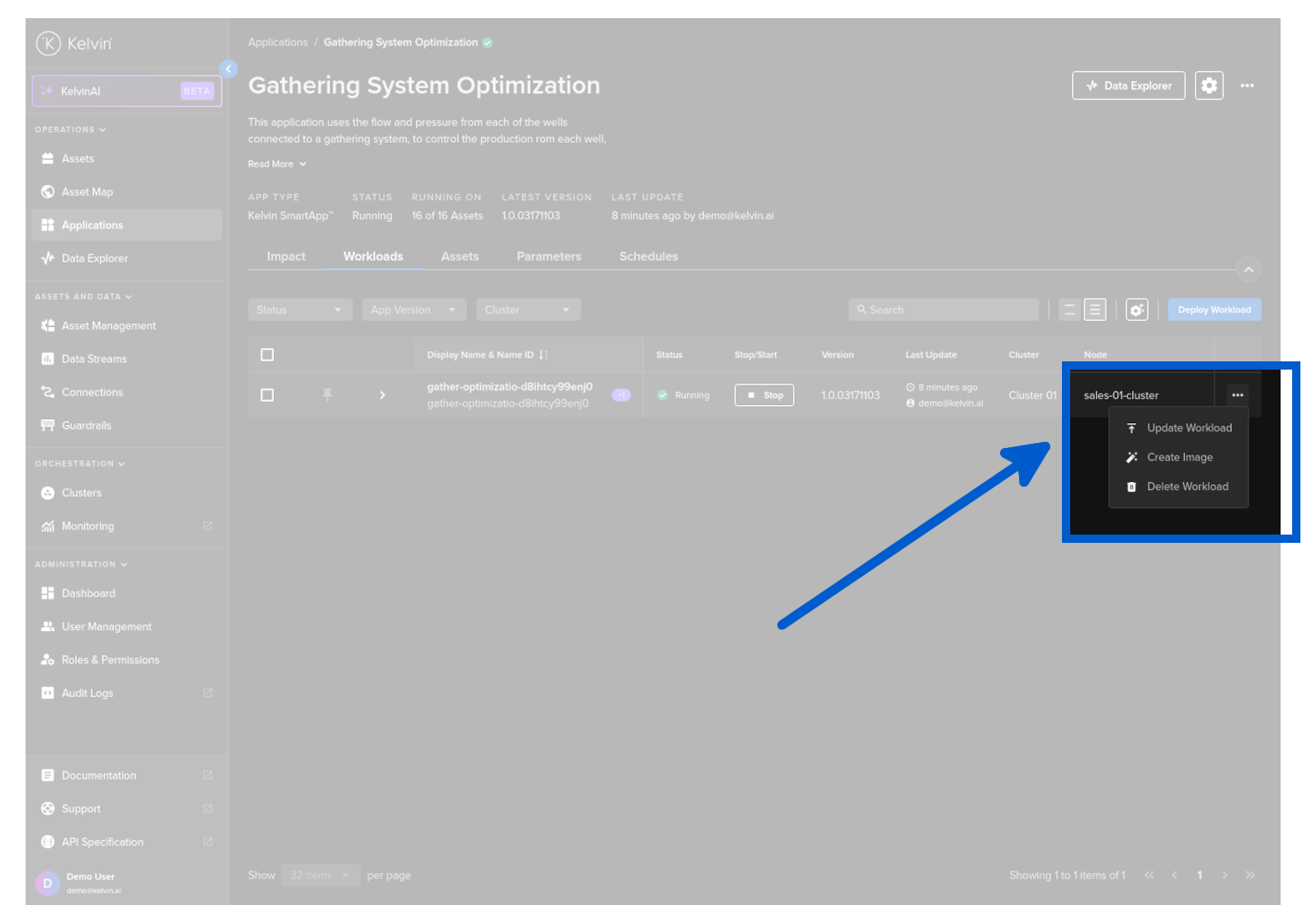
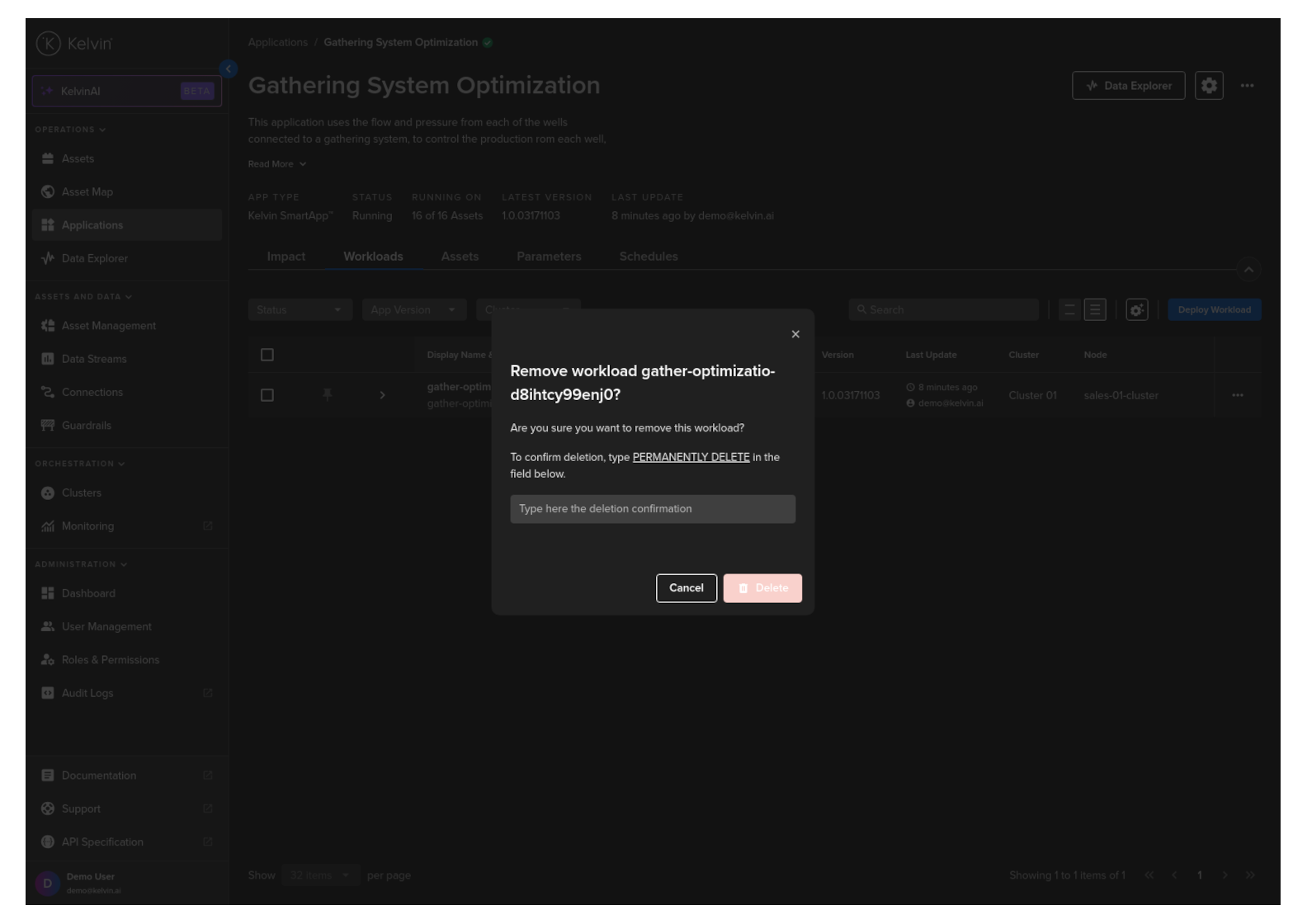
Click on the Delete Workload option and type PERMANENTLY DELETE to confirm deletion.
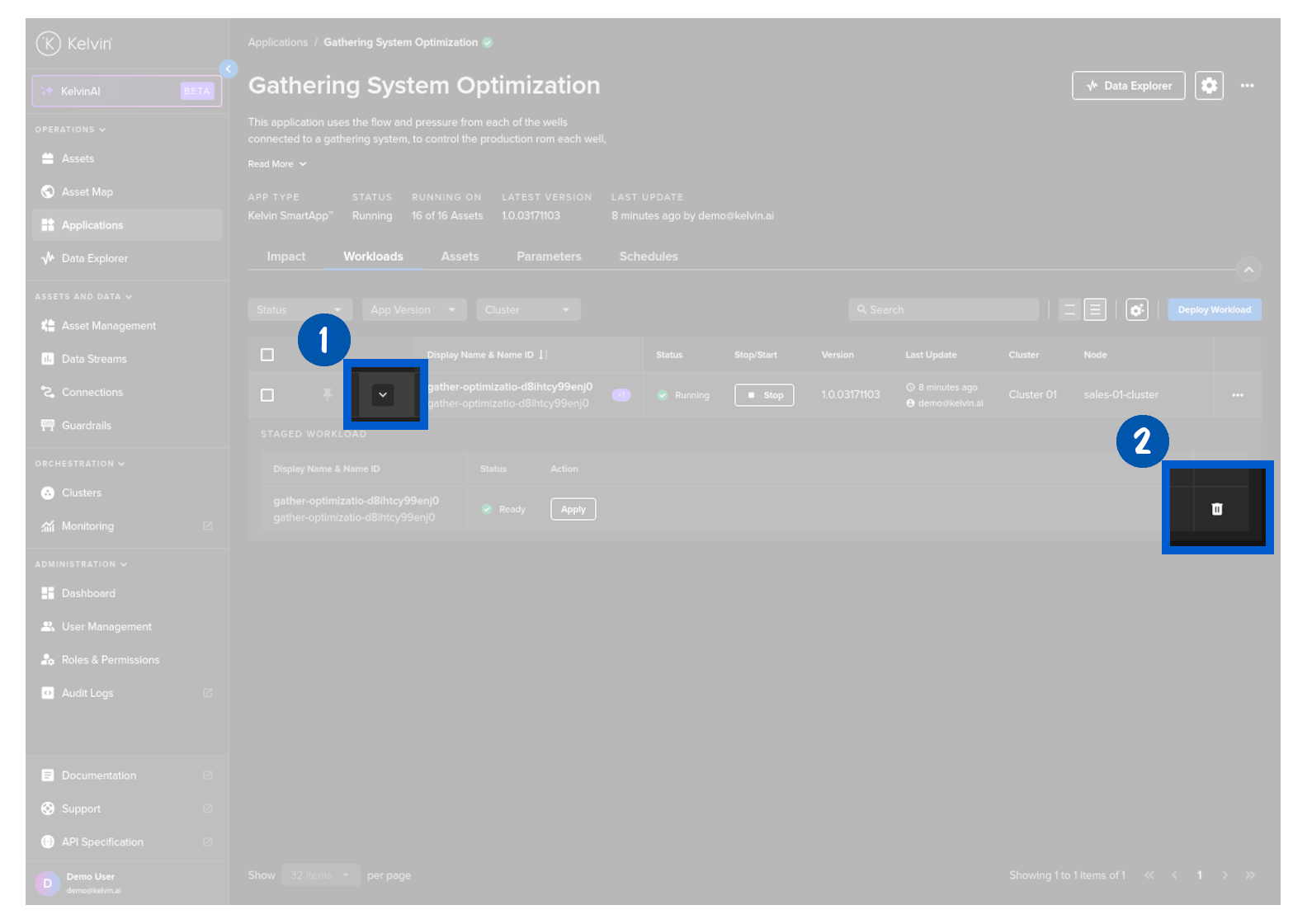
To start, go to Applications and select any Application and click on the Workloads tab.
Then expand the line to see the staged workload and click on the delete button to delete the staged workload.
This will not affect the Workload that is currently running.