Connector Configuration
You can learn more about App Configurations in the Overview ⟶ Concepts page.
Creating App Configurations
The configuration variable names and values are defined in the Import Application's app.yaml file as configuration.
Configurations can also be optionally defined in the ui_schemas that provides a link to a JSON file containing all the information about how to display Configurations in the Kelvin UI.
Note
Operations will have the option to change these at runtime from the Kelvin UI.
| app.yaml Example | |
|---|---|
1 2 3 4 5 6 7 8 9 | |
For the configurations.json file you can define all the information for the Kelvin UI. This can be the title, type of input required and limitations of the values allowed.
It will look something like this.
| sample ui_schema/configurations.json | |
|---|---|
1 2 3 4 5 6 7 8 9 10 11 12 | |
Get Configuration Values
This is how to access the global configuration variables in a Import Application:
| Get Configuration Values Python Example | |
|---|---|
1 2 3 4 5 6 7 8 9 10 11 12 13 | |
Info
app.app_configuration will only be available after app.connect()
You can also get nested App Configuration values;
| Get Nested Configuration Values Python Example | |
|---|---|
1 2 3 4 5 6 7 8 9 10 11 12 13 | |
Updating Configuration Values
Developers and Administrators can update these values through the Kelvin API without needing to re-upload the complete Import Application or Kelvin UI.
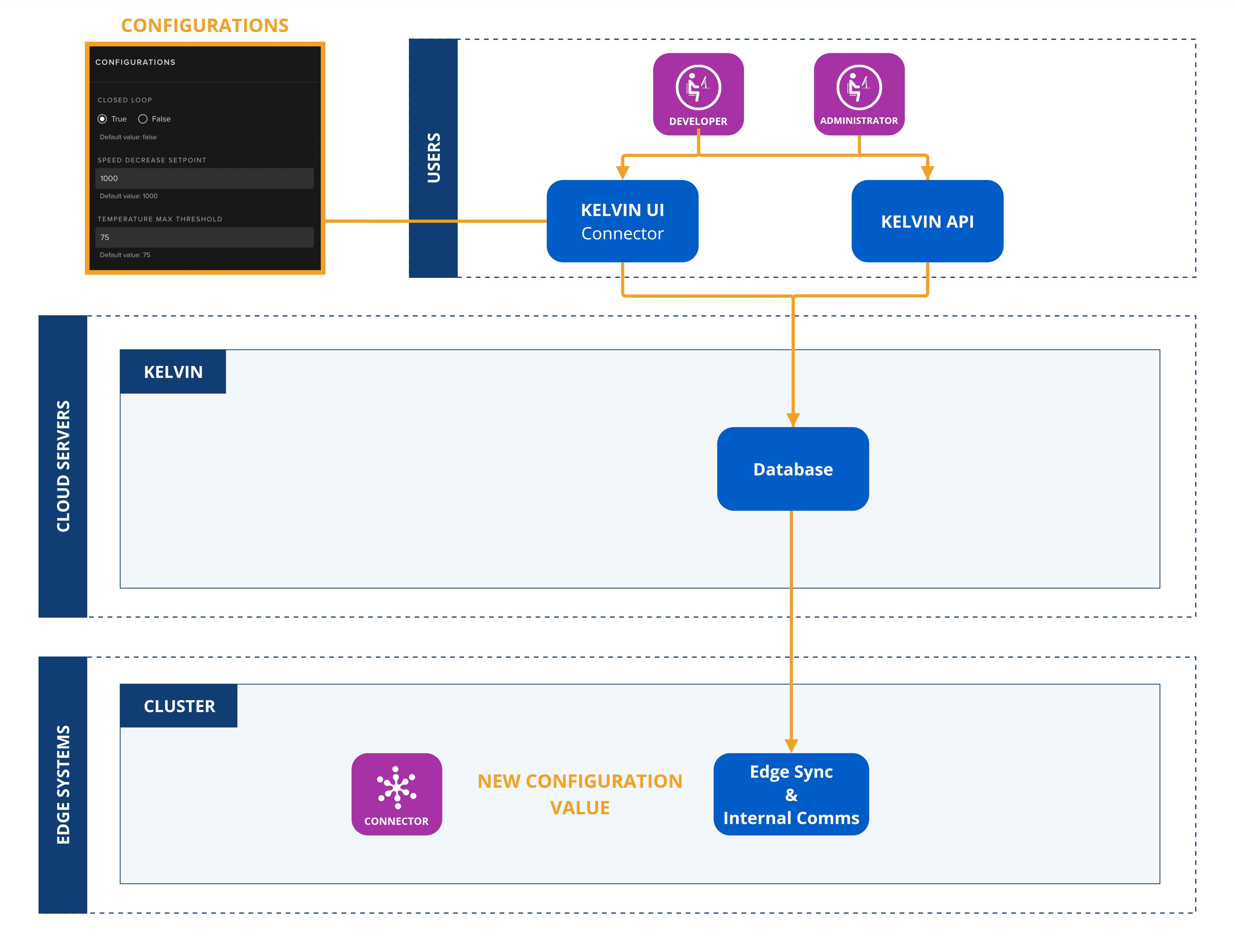
To update the configuration values dynamically, you can use the Kelvin UI editing option of a Connector to update the configuration values.
To start go to the Connector page;
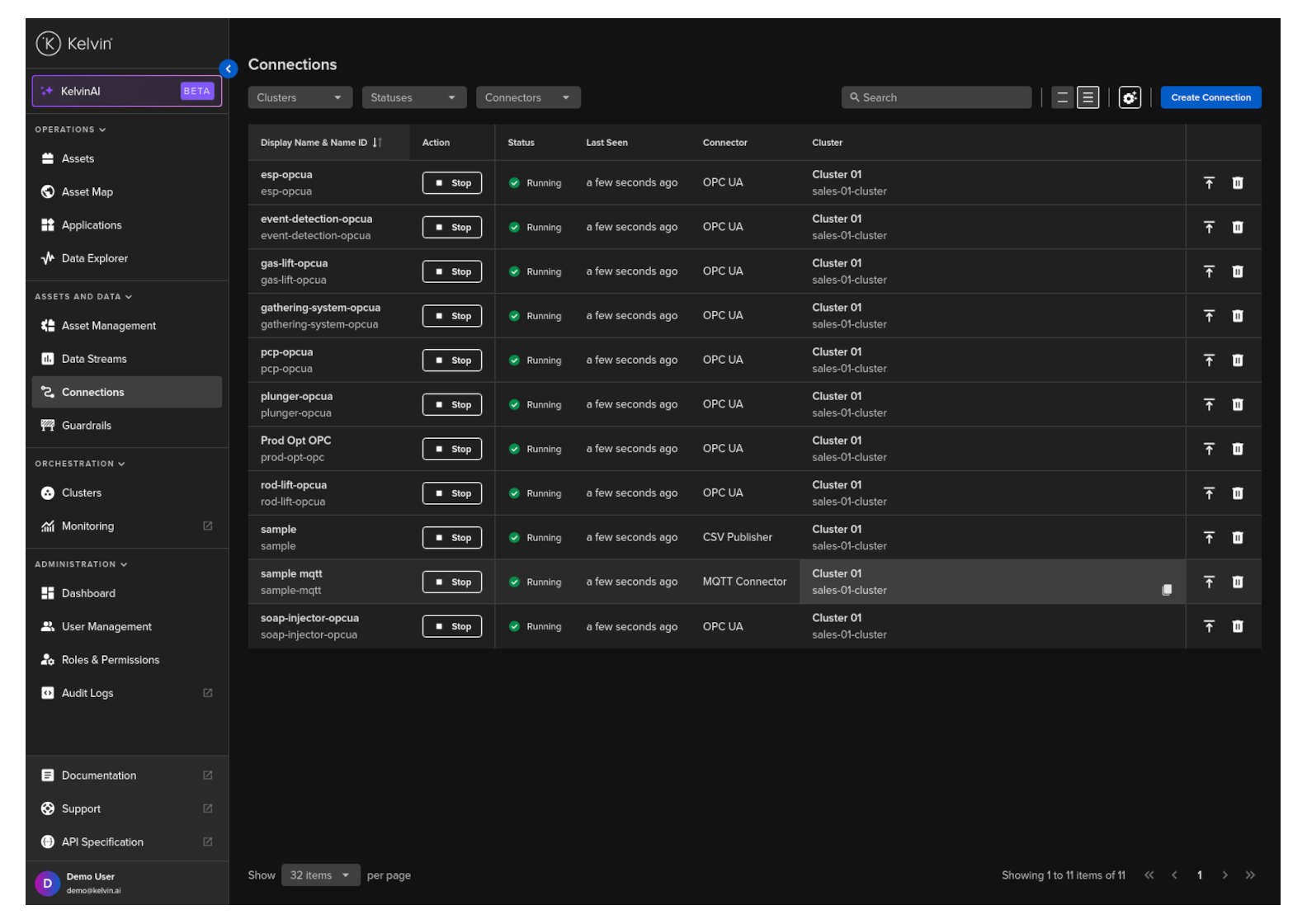
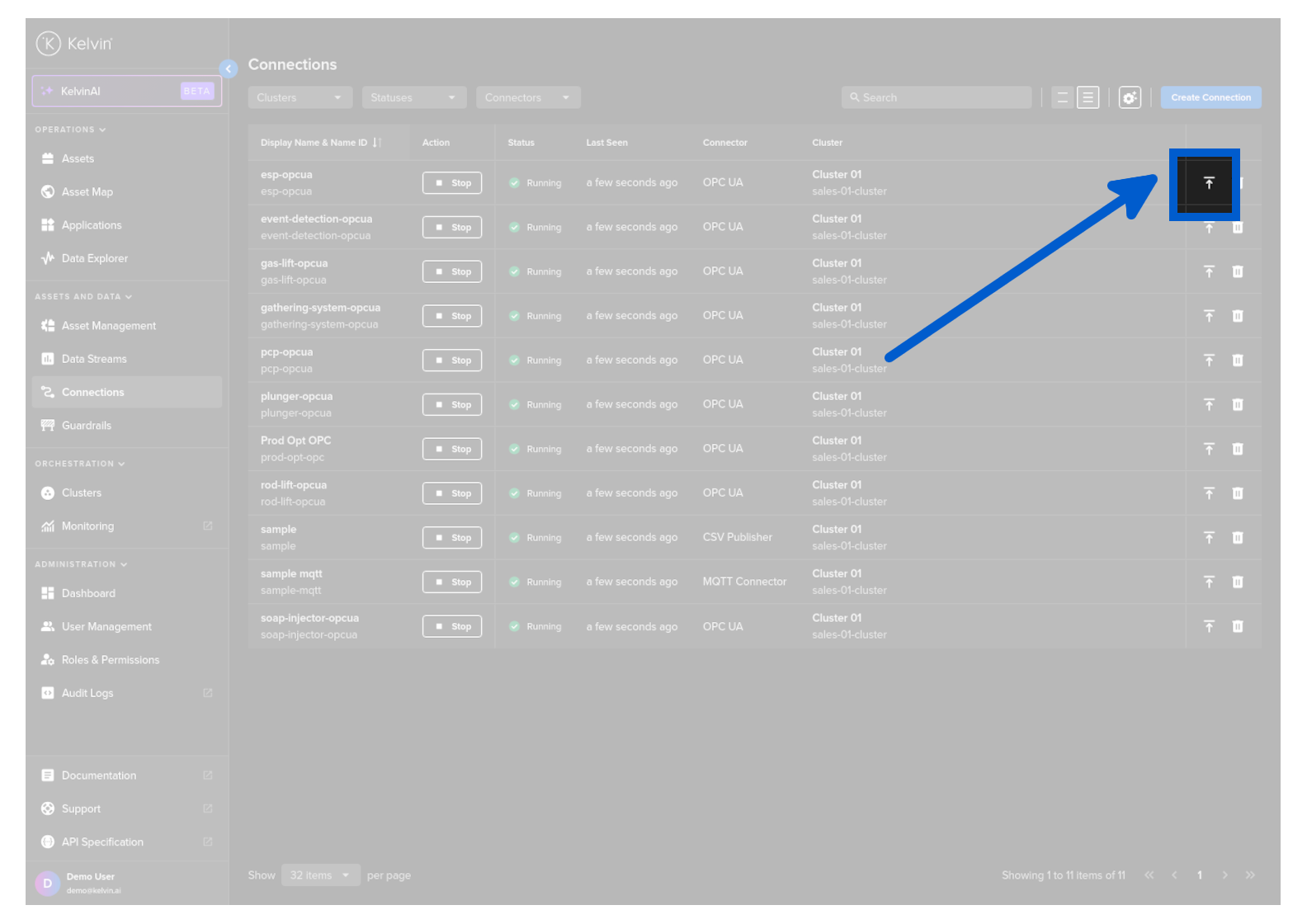
Click on the update connector icon of the Connector you want to update;
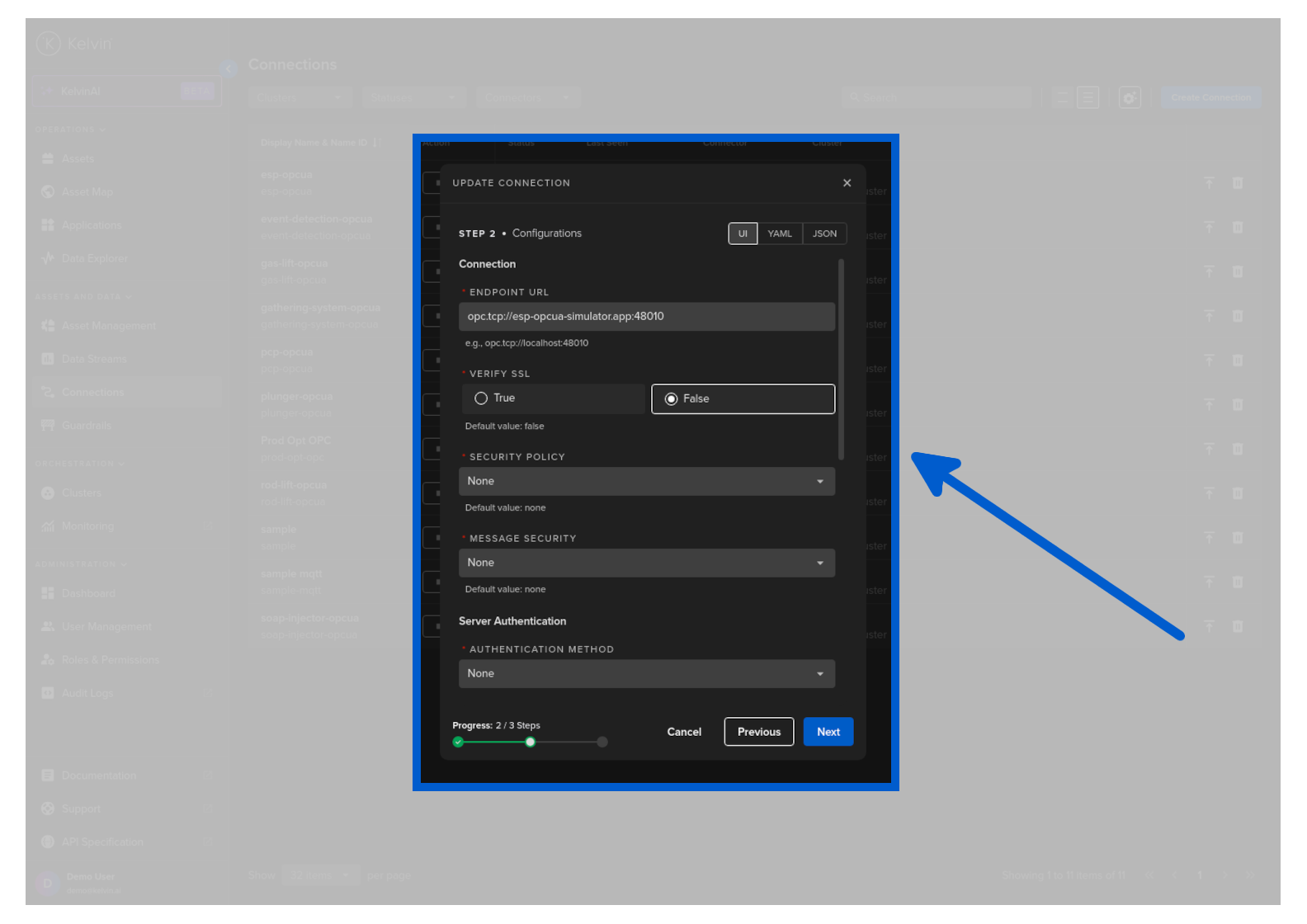
Then in step 2 you can update the values and then go to the last step and click the update button.
Upgrading Import Applications
When a Import Application is upgraded, Kelvin automatically propagates all matching App Configuration values from the previous version to the new version.
For any new App Configurations introduced in the upgraded Import Application version, the default values will initially applied to the Workload.