Create a Kelvin SmartApp™
You can build for both x86_64 and arm64 devices.
| create default application | |
|---|---|
1 | |
This will give a response similar to this;
| command output | |
|---|---|
1 2 | |
After providing Kelvin SmartApps™ name (i.e.: event-detection):
| command output | |
|---|---|
1 2 3 | |
This will automatically create a Kelvin SmartApp™ bootstrap within a directory named as event-detection populated with some default files and configurations.
Folder Structure
You can now open the folder in your favorite IDE or editor and start to modify the files to create your Kelvin SmartApp™.
| default folder structure | |
|---|---|
1 2 3 4 5 6 7 8 9 | |
Below is a brief description of each file.
app.yaml
The app.yaml is the main configuration file that holds both Application definitions as well as the deployment/runtime configuration.
This file is used for Kelvin SmartApps™, Docker Apps, Imports (Connectors) and Exports.
On this page we are only focused on the Kelvin SmartApps™ options.
It is composed of the following sections:
spec_version key
The spec_version key is automatically injected and specifies Kelvin SmartApps™ JSON Schema (latest) version which both defines and validates the app.yaml structure.
| spec_version | |
|---|---|
1 | |
type
This defines the type for the application.
app: A Smart App that allows mapping inputs and outputs to data streams, sending control changes, recommendations, and data tags.docker: An docker application that does not connect to the platform's data streams.importer: Connects to an external system to import data into the platform as well as receive control changes to act on the external system.exporter: Connects to the platform to export data to an external system.
| application type | |
|---|---|
1 | |
info
The root section holds Kelvin SmartApp™ basic information required to make itself uploadable to Kelvin's App Registry.
| application info | |
|---|---|
1 2 3 4 5 | |
The name is Kelvin SmartApp™ unique identifier.
The title and description will appear on the Kelvin UI once Kelvin SmartApps™ is uploaded.
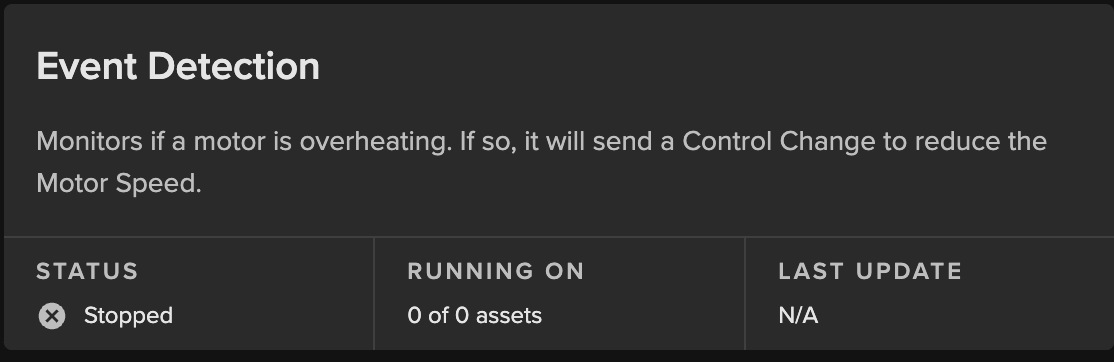
The version defines the version of this Kelvin SmartApp™ and is used in the Kelvin UI.
Info
The version should be bumped every time Kelvin SmartApps™ gets an update, and before it gets uploaded to the App Registry.
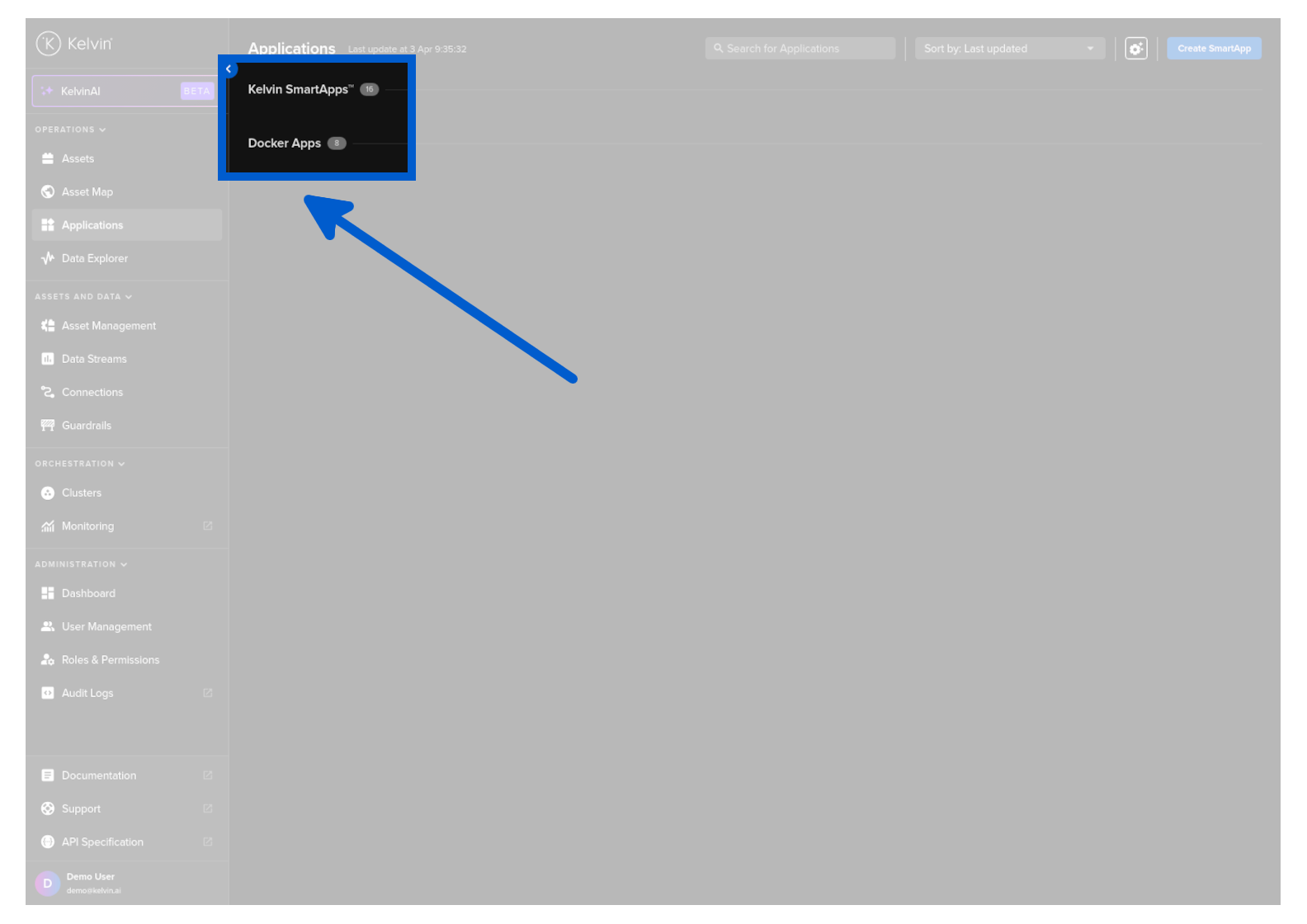
The category will decide which group in the Applications dashboard of the Kelvin UI the Kelvin SmartApp™ will be placed by default.
Info
Operations will still be able to change the group the Kelvin SmartApp™ is associated with through the Kelvin UI.
flags
This is where you are able to set some of the Application's capabilities.
| application flags | |
|---|---|
1 2 3 4 5 6 7 8 9 10 11 12 13 14 | |
data_streams
This defines the inputs and outputs for the Kelvin SmartApp™
Warning
If you are generating Control Changes to an Asset through a Connector, then you will need to declare these outputs in the control_changes section which is documented in the next tab.
| application data streams | |
|---|---|
1 2 3 4 5 6 7 8 9 10 | |
control_changes
This defines the data streams that are allowed to handle control changes.
You do not need to declare the Data Stream in the data_streams and control_changes sections. Either depending on its role in the Kelvin SmartApp™ is sufficient.
| application data streams with control change flag | |
|---|---|
1 2 3 4 5 6 7 8 9 10 11 12 | |
parameters
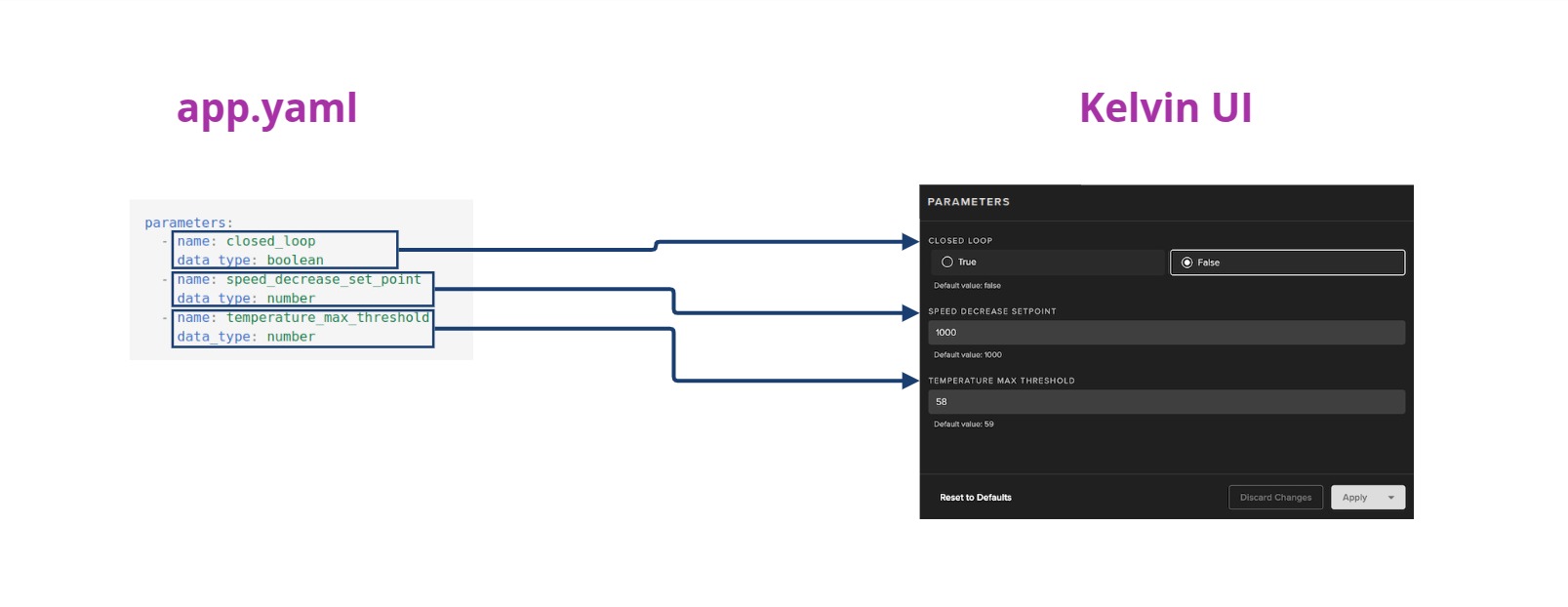
Kelvin SmartApp™ App Parameters are defined in three sections in the app.yaml file;
parametersdefines the name and type of the App Parameter.ui_schemas(this section) is a link to a JSON file containing all the information about how to display App Parameters in the Kelvin UI.defaults/parametersdefine the default values assigned to each Asset when it is first created or when a Kelvin SmartApp™ update introduces a new App Parameter to existing Assets.
Each parameter can be defined by four different data_types. Full documentation on the different data_types is in the concept overview page.
In the app.yaml file it will look like this;
Note
Defaults section is explained in detail in the defaults tab.
| app parameters | |
|---|---|
1 2 3 4 5 6 7 8 9 10 11 12 13 14 15 16 | |
For the parameters.json file you can define all the information for the Kelvin UI. This can be the title, type of input required and limitations of the values allowed.
It will look something like this.
| sample ui_schema/parameters.json | |
|---|---|
1 2 3 4 5 6 7 8 9 10 11 12 13 14 15 16 17 18 19 20 21 22 23 24 25 26 | |
Which will be displayed on the Kelvin UI as:
ui_schemas
This is where the Kelvin SmartApp™ configuration and Kelvin SmartApp™ Parameters are defined for the Kelvin UI.
The actual information is kept in a json file in the schemas folder of the project. The file location is defined in the app.yaml file like this;
| application ui schemas | |
|---|---|
1 2 3 | |
The json files will come with default blank schemas when first created.
Note
configurations.json information is optional, and if not provided, the Kelvin UI will display the configuration settings in a raw JSON or YAML file format without verifying the structure or content before applying them to the Kelvin SmartApp™.
| default schemas/configurations.json | |
|---|---|
1 2 3 4 5 | |
Note
schemas/parameters.json information is optional, and if not provided, the Kelvin UI will display a simple UI interface with the keys as the titles and no restrictions beyond the type of input.
| default schemas/parameters.json | |
|---|---|
1 2 3 4 5 | |
An example of a App Parameters JSON file filled in would look something like this;
| sample schemas/parameters.json | |
|---|---|
1 2 3 4 5 6 7 8 9 10 11 12 13 14 15 16 17 18 19 20 21 22 23 24 25 26 | |
Which will be displayed on the Kelvin UI like this:
defaults
This section hold four main sections;
Note
All items in the defaults section are optional.
system: Is used to set different system requirements/constraints within Kelvin SmartApps™ running environment. i.e. Resources, Environment Variables, Volumes, Ports, etc.datastream_mapping: Here you can map specific app inputs/outputs declared earlier in theapp.yamlfile to existing Data Streams on the Kelvin Platform.configuration: These are global variables that apply to the SmartApp as a whole, regardless of which asset is being managed.parameters: Default app parameter values used in a Kelvin SmartApp. These are applied: When an asset is first added to the Kelvin SmartApp or During upgrades, when new app parameters become available for existing assets.
| application defaults | |
|---|---|
1 2 3 4 5 | |
defaults/system section
The system section is [optional].
This is where developers can set the system settings that the Kelvin SmartApp™ needs to be able to function as intended.
This includes opening ports, setting environment variables, limited resource usage, attaching volumes and setting the privileged tag which gives extended privileges on the host system.
| application system defaults | |
|---|---|
1 2 3 4 5 6 7 | |
System Section Options
resources section
The resources defines the reserved (requests) and limits the resources allocated to Kelvin SmartApps™:
-
Limits: This is a maximum resource limit enforced by the cluster. Kelvin SmartApps™ will not be allowed to use more than the limit set.
-
Requests: This is the minimum resources that is allocated to Kelvin SmartApps™. This is reserved for Kelvin SmartApps™ and can not be used by other Kelvin SmartApps™. If there are extra resources available, Kelvin SmartApps™ can use more than the requested resources as long as it does not exceed the Limits.
You can read the full documentation about CPU and Memory resources in the Advanced section.
| application resource defaults | |
|---|---|
1 2 3 4 5 6 7 8 9 | |
environment_vars section
The environment_vars is used to define Environment Variables available within Kelvin SmartApps™ container. i.e.:
| application environmental variable defaults | |
|---|---|
1 2 3 4 5 6 7 8 9 | |
volumes section
Mounted volumes are [optional] and their main purpose is to share and persist data generated by Kelvin SmartApps™ or used by it in a specific place. They act like a shared folder between Kelvin SmartApps™ and the host. Kelvin supports directory volumes, such as folders or serial ports, persistent, and file/test volumes:
| application attached volume defaults | |
|---|---|
1 2 3 4 5 6 7 8 9 10 11 12 13 14 15 16 17 18 19 20 21 22 23 24 | |
ports section
The ports is [optional] and used to define network port mappings. i.e.:
| application open ports defaults | |
|---|---|
1 2 3 4 5 6 7 8 9 10 11 12 13 14 | |
privileged key
The privileged key is [optional] and used to grant extended privileges to Kelvin SmartApps™, allowing it to access any devices on the host, such as a Serial device:
| application privileged defaults | |
|---|---|
1 2 3 | |
defaults/datastream_mapping
Here you can map specific Kelvin SmartApp™ inputs/outputs declared earlier in the app.yaml file to existing Data Streams on the Kelvin Platform.
| application data stream mapping defaults | |
|---|---|
1 2 3 4 5 6 | |
defaults/configuration
These are the default global Kelvin SmartApp™ configuration values.
Configurations can also be optionally defined in the ui_schemas that provides a link to a JSON file containing all the information about how to display Configurations in the Kelvin UI.
Note
Operations will have the option to change these at runtime from the Kelvin UI.
| application app configuration defaults | |
|---|---|
1 2 3 4 | |
defaults/parameters
Kelvin SmartApp™ App Parameters are defined in three sections in the app.yaml file;
parametersdefines the name and type of the App Parameter.ui_schemas(this section) is a link to a JSON file containing all the information about how to display App Parameters in the Kelvin UI.defaults/parametersdefine the default values assigned to each Asset when it is first created or when a Kelvin SmartApp™ update introduces a new App Parameter to existing Assets.
Note
Operations will have the option to change these at runtime from the Kelvin UI.
| application app parameter defaults | |
|---|---|
1 2 3 4 5 | |
Python
The main.py is used as the entry point of Kelvin SmartApps™. When it runs, main.py is typically the first script that gets executed, and it usually contains the main logic or orchestrates the flow of Kelvin SmartApps™. However, naming a file "main.py" is just a convention, and it's not mandatory. The name helps developers quickly identify where the primary logic of Kelvin SmartApps™ begins.
The following code example will be generated upon kelvin app create:
| default main.py | |
|---|---|
1 2 3 4 5 6 7 8 9 10 11 12 13 14 15 16 17 18 19 | |
Supporting Files
The requirements.txt file is used to list all the dependencies a Python Kelvin SmartApps™ needs. It can be used to easily install all the required packages, ensuring Kelvin SmartApps™ runs correctly.
The Dockerfile is a script used to define the instructions and configuration for building a Docker image. It specifies the base image, installation of software, file copying, and other setup tasks needed to create a reproducible and isolated environment for running Kelvin SmartApps™ in Docker containers.
| default Dockerfile | |
|---|---|
1 2 3 4 5 6 7 8 | |
Info
If main.py is not the intended entry point, it also needs to be replaced on the Dockerfile.
Specifies which files and directories should be excluded when building Kelvin SmartApps™ Docker image. It helps reducing the build context, resulting in smaller, more efficient Docker image.