Recommendations in Data Explorer
On this page you will go through understanding the Recommendation activity lane in the Data Explorer.
Overview
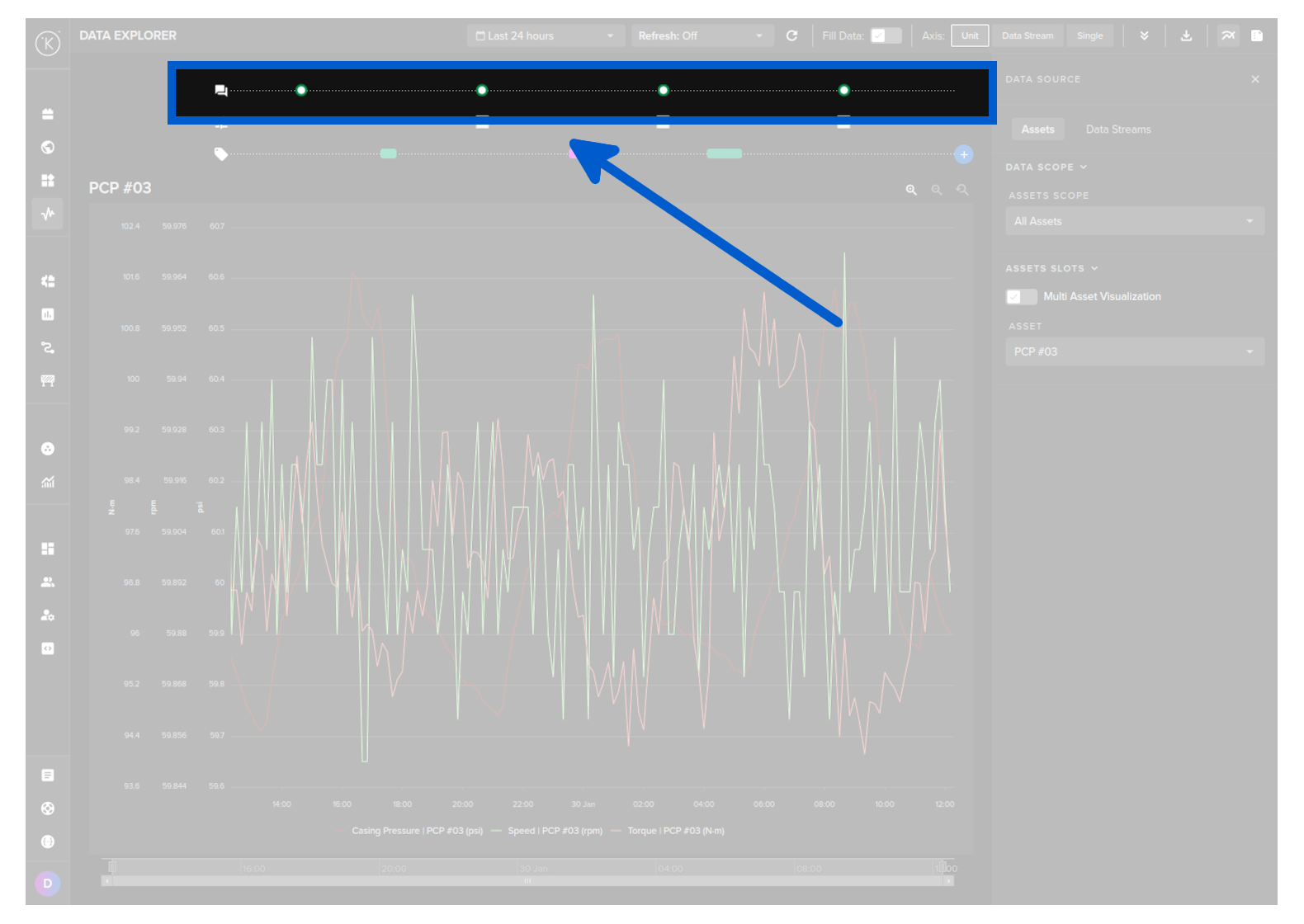
Recommendations are generated from Kelvin SmartApp™ or from third party sources using the Kelvin API endpoint and will either be automatically accepted and implemented or wait for the Operations Engineers decision on the actions to take.
Every Recommendation performed is shown in the activity lane in the Data Explorer. This allows you to quickly and visually see the effects of individual Recommendation on your Data Streams.
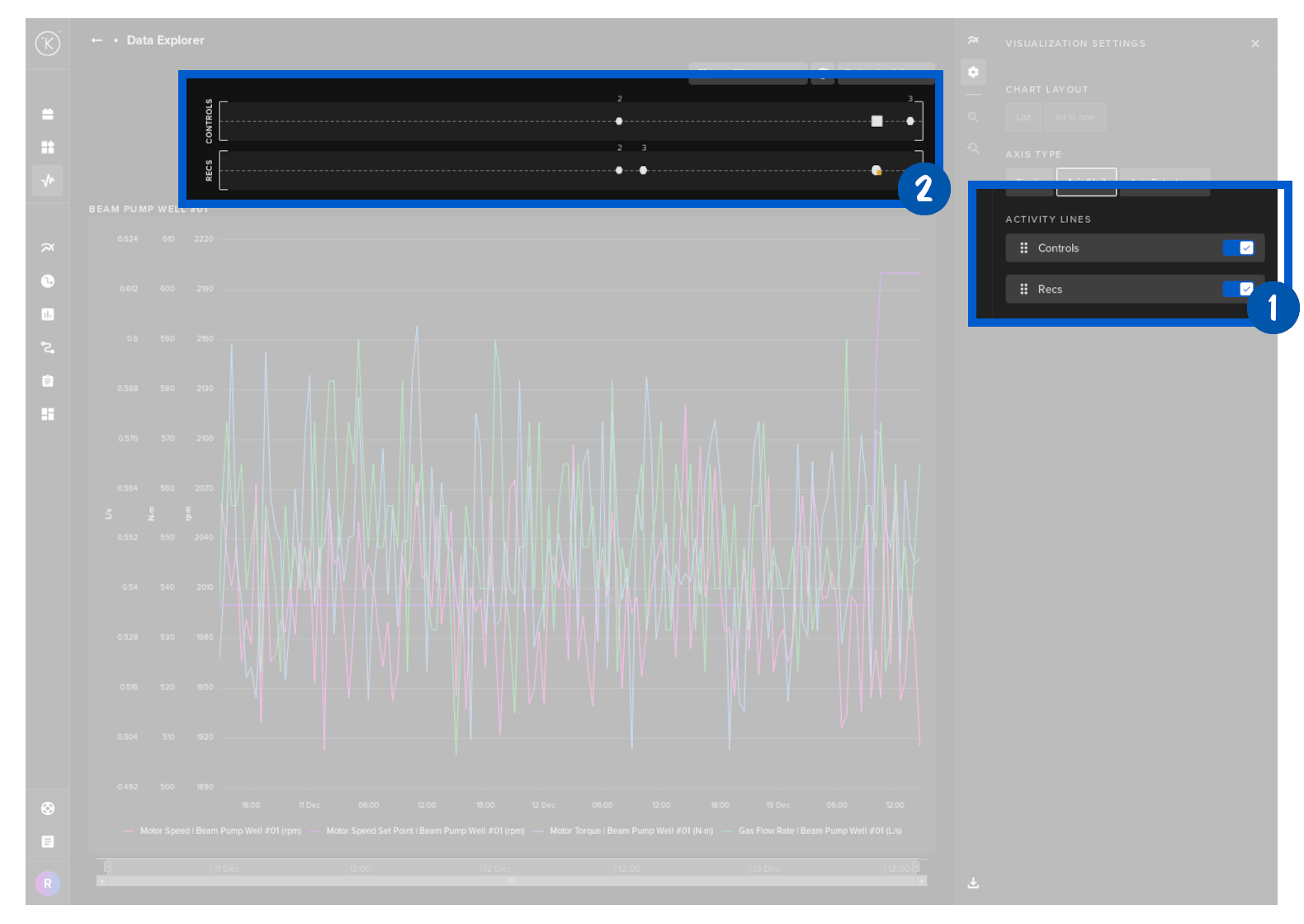
If the X-axis scale is too small to show individual Recommendation times, then they will be grouped together and the icon will be a white circle with a number above indicating how many Recommendations are registered at that point in time.
Click on the white circle and the graph will automatically zoom to that location in time and show the individual Recommendations like below.
Info Popup
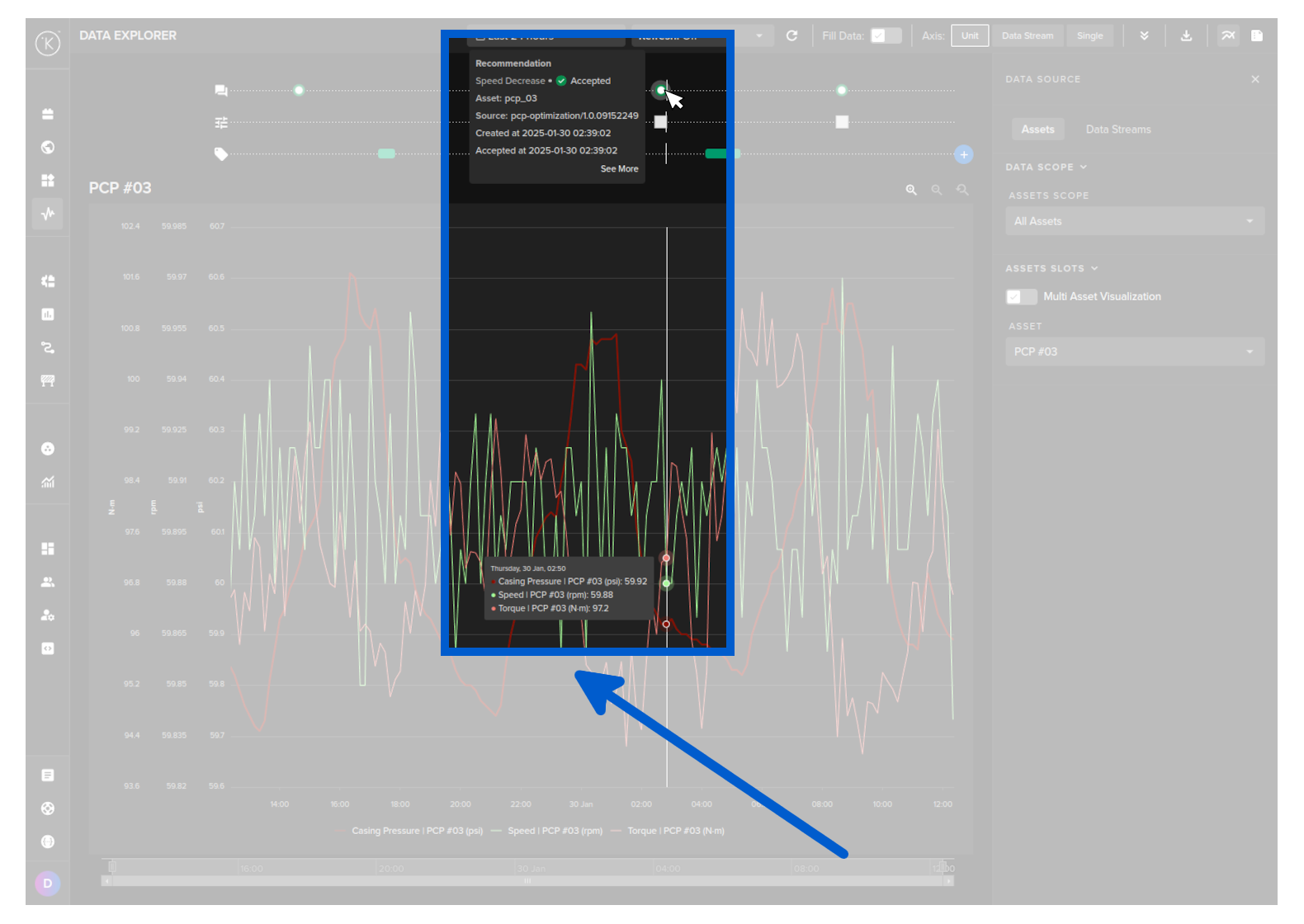
If you put your mouse over any Recommendation point in the time frame, a popup will display detailed information about the that Recommendation.
Hide Activity Lane
Recommendation activity lanes can be turned on or off from the visualization settings in the right hand sidebar.