Workload Management - How To
Workloads Overview
Workloads are Kelvin SmartApps™, Docker Apps and Connectors that you have deployed to the Cluster.
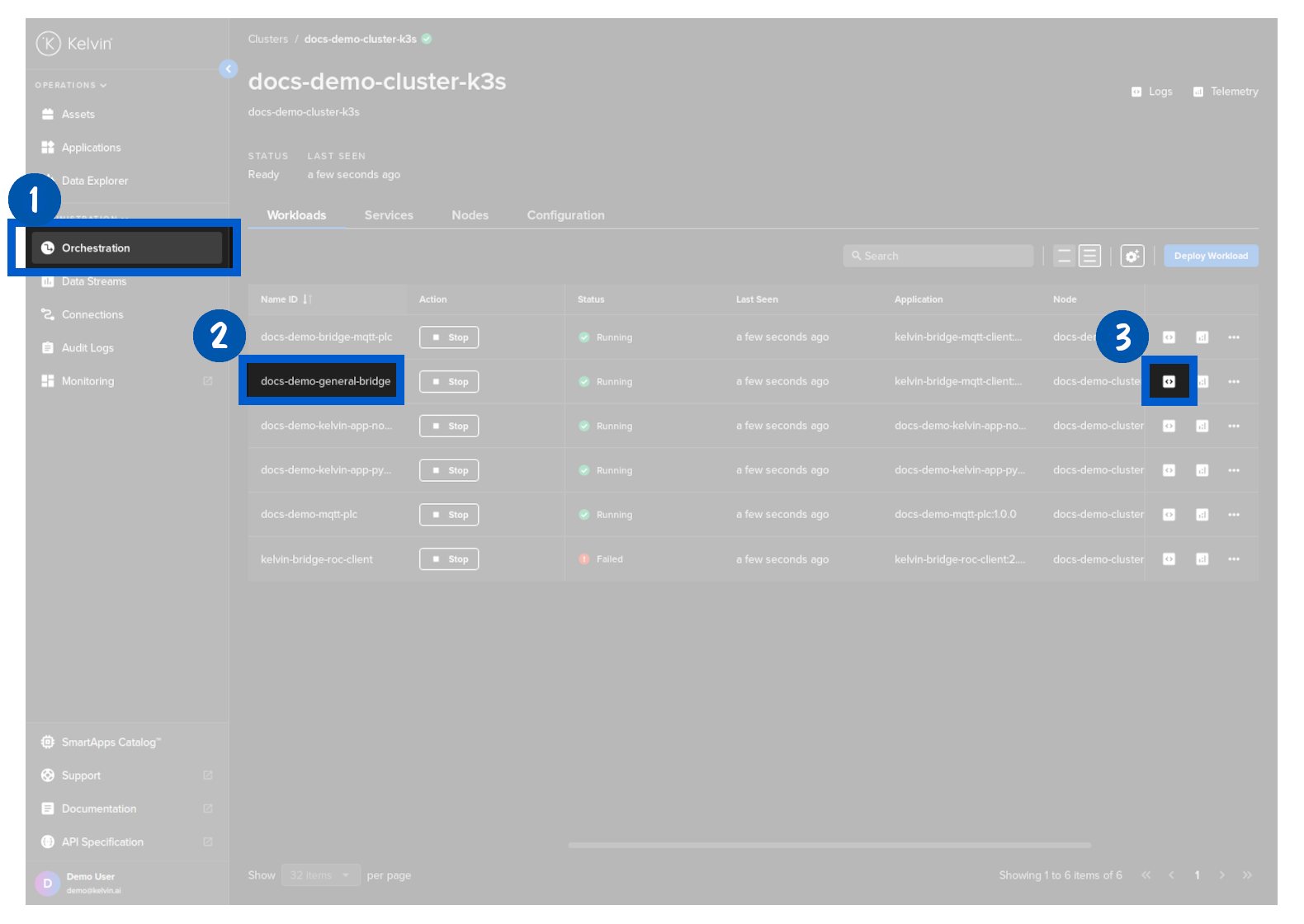
Full management tools can be found in Kelvin UI under Orchestration. Select the Cluster and under the Workloads tab you will find a range of tools to monitor and manage all the Workloads in that Cluster.
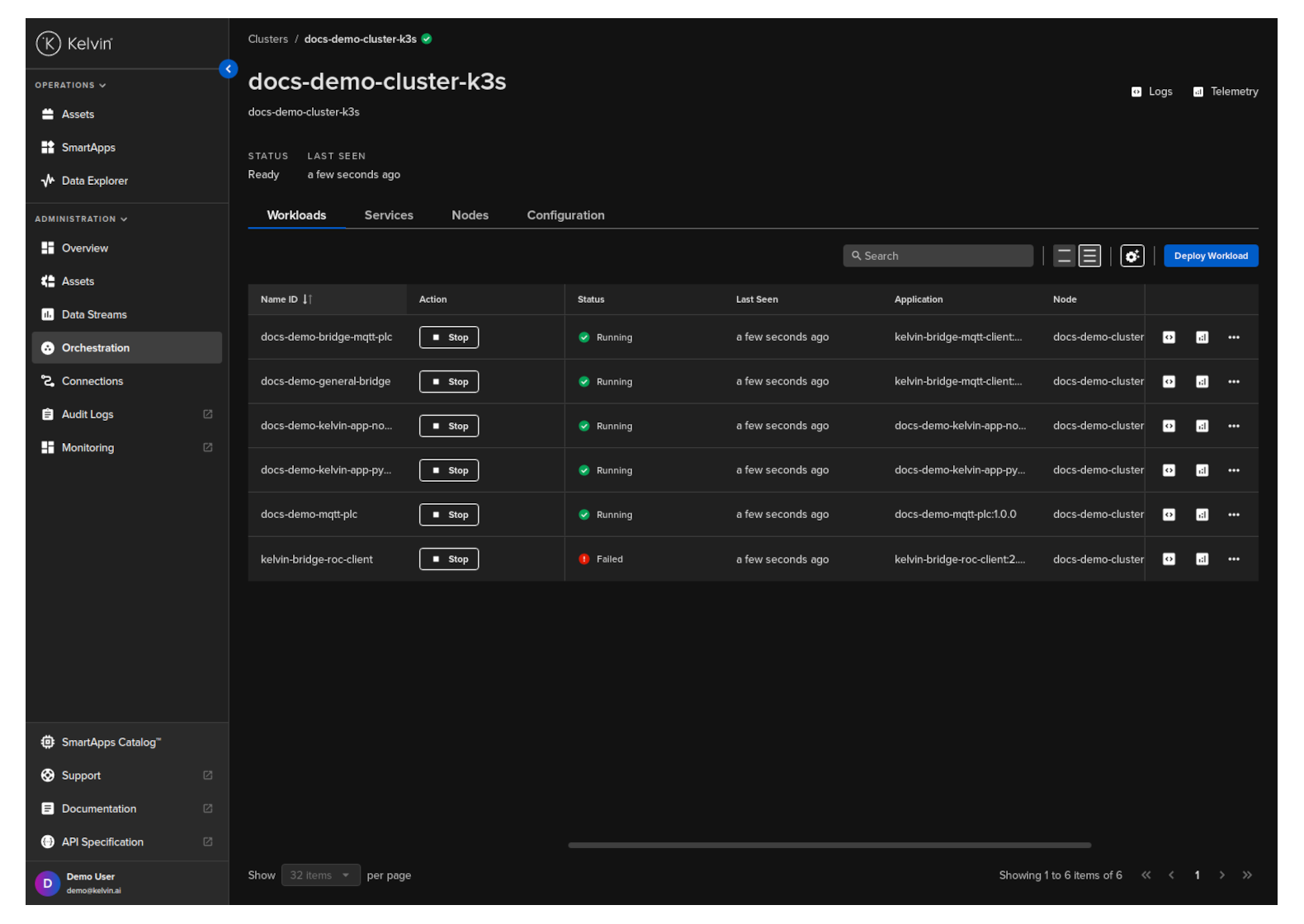
From this screen you can do the following actions;
- Start / Stop a workload
- Deploy a new workload
- Download an image for offline deployment
- Edit a workload's configuration file
- Delete a workload
Logs
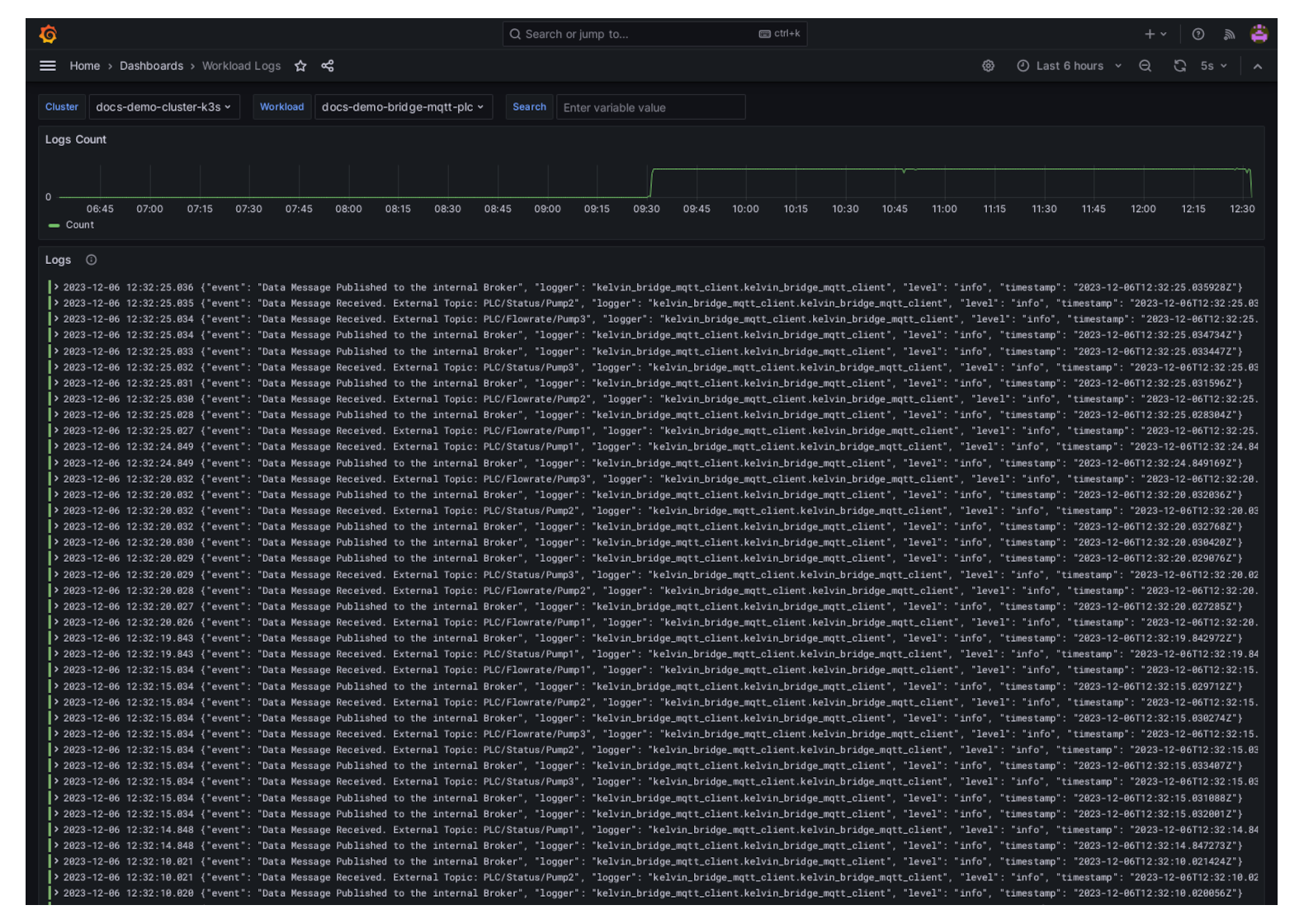
You can view the logs by clicking on the logs button on the Workload row in Orchestration. Each Workload has its own logs.
This will open up a new tab with the logs from the Workload. It is displayed in a Grafana interface for ease of management.
Telemetry
You can view the logs by clicking on the logs button on the Workload row in Orchestration. Each Workload has its own logs.
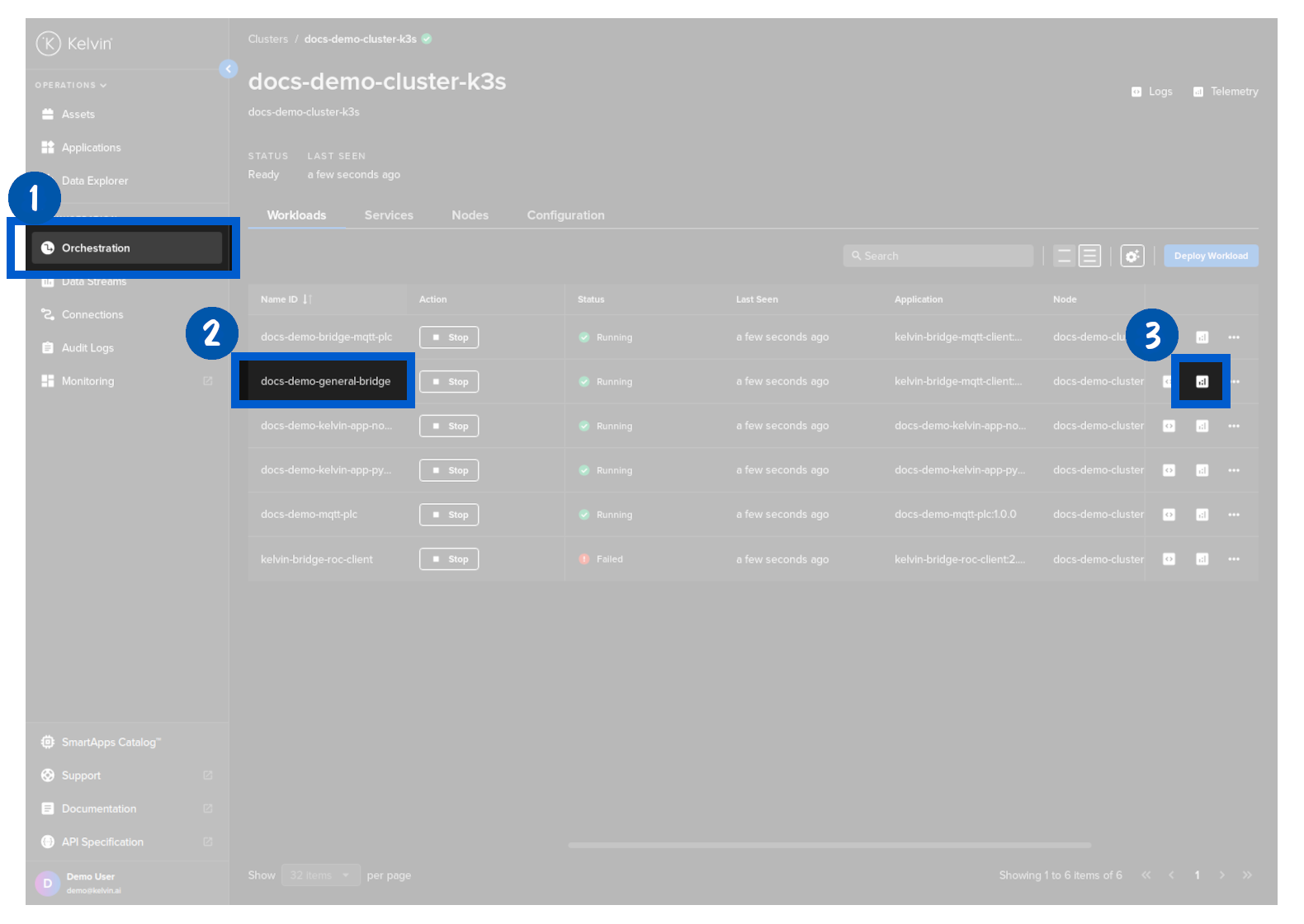
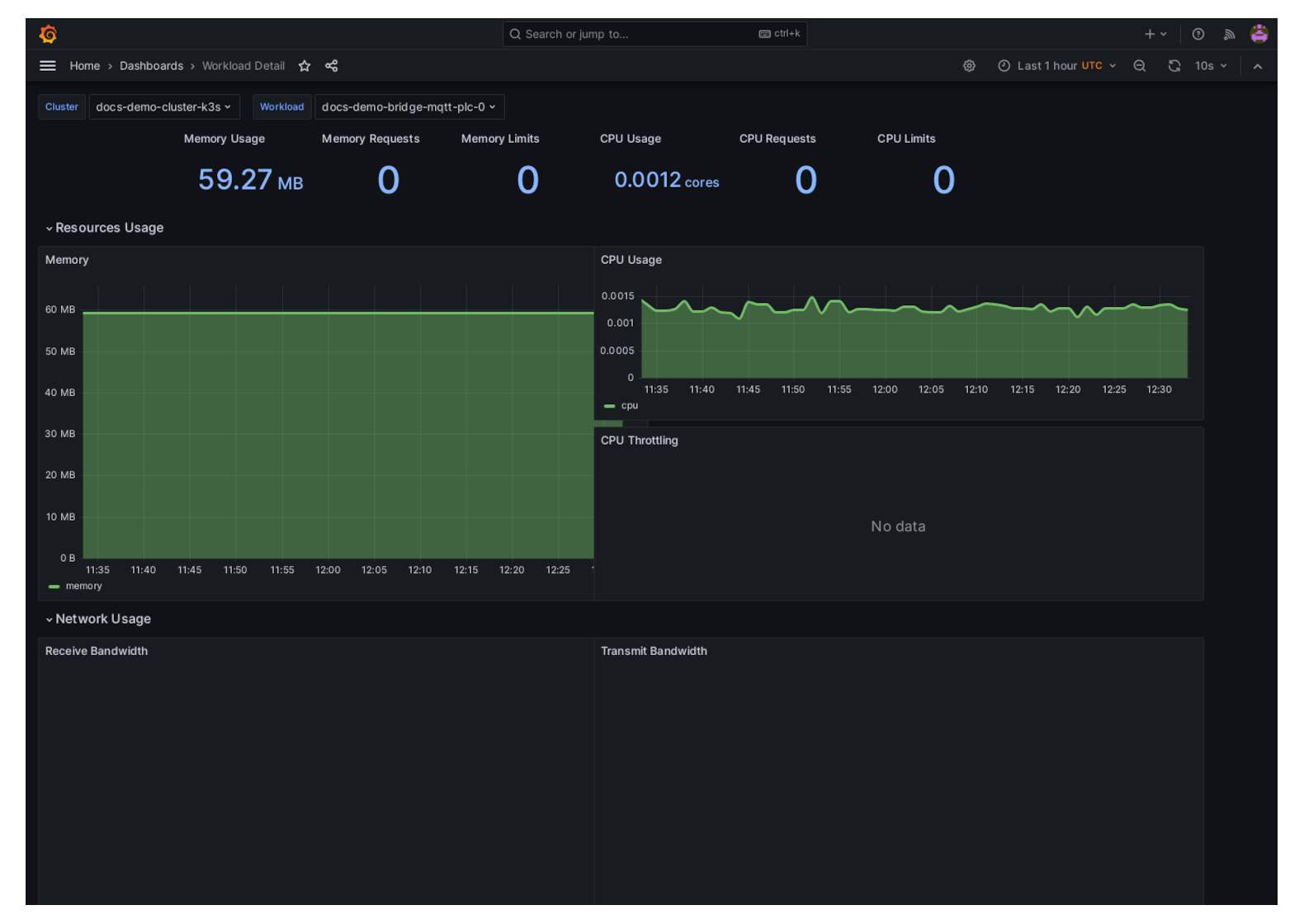
This will open up a new tab with telemetry of the Workload including;
- Memory Usage, Requests and Limits
- CPU Usage, Requests and Limits
- Network Usage, Recieved and Transmitted
- Storage IO
- IOPS and Throughput