Application
What is an Application?
An Application is a software program developed in Python, which is encapsulated within a Kelvin Wrapper and uploaded to the App Registry, the distribution hub for all Kelvin Apps. From there the Application can be efficiently deployed across numerous edge locations and assets on a large scale.
Applications are design to take the technical IT and software development knowledge requirements out of the picture of deployment process to the edge.
This allows the Operations Engineers to add Assets to Applications to monitor and control their assets without the need to have any knowledge of the software or the edge infrastructure.

When are Applications the Best Solution ?
Applications are an efficient method of quickly converting your inhouse Python test programs into fully scalable solutions for your global organization. End users need minimal training as the interface remains consistent across different Applications and the technical deployment process to process Asset data is automated.
You can view a practical example in the Paper Industry where an inhouse machine learning program design to optimize the production settings to maintain high output quality is scaled up and deployed company-wide within minutes.
Application vs Kelvin App
An Application is a specialized Kelvin App with the key difference that half of the deployment options are automatically generated through predefined settings either as global variables set by the Platform Administrator or runtime selections set by the Operations Engineer.
This bring advantages and disadvantages which are discussed in the next chapter.
Overall Applications do have some limitations on program flexibility compared with standard Kelvin Apps.
Advantages & Considerations
Advantages
Applications is design to take all the technical IT and software development knowledge requirements out of the deployment process and automate it.
The Operations Engineers can then focus on their expertise to just select the assets they want to run on a Kelvin App and deploy it.
- Easy to deploy hundreds of assets to Kelvin Apps in one step
- Easily scale your operations up or down with minimal effort
- No knowledge of Kubernetes Clusters or the IT infrastructure required
- No knowledge of the inner workings of the software or machine learning models
- Easily oversee hundreds or thousands of assets and Kelvin Apps from Kelvin UI
- Easily manage many assets over different versions of an Application
- Allow the Operations Engineers, Software Engineers and Administrators to work independently, even possible to distribute the tasks to different companies.
Considerations
Applications is designed to solve specific issues when working in a decentralized or large organization or when working with common applications / machine learning models on hundreds or thousands of assets where scaling at ease is important.
But there are also instances when Operations Engineers may want to ask Software Engineers use the traditional deployment of Kelvin Apps through Orchestration. Some scenarios include;
- Your Clusters are location specific and Kelvin Apps / Assets need to be assigned to that particular location only
- You require multiple Assets to be linked to an individual Kelvin App deployment (which is different from Applications which is strictly one Asset per Kelvin App deployment)
- Each Kelvin App need to have individually specific parameters
- Your Clusters will experience Internet outages on a regular basis
Alternatives
There are other methods to deploy Kelvin Apps to the edge but they require a more advanced understanding of the IT Infrastructure and possibly an understanding of the Kelvin App program itself.
If you deploy using a different method (called Full Deployment), then you will not be able to see the status or change the parameters in Applications.
Applications screen can only show Kelvin Apps that have been deployed using the Applications method only.
- Workload Deploy in Kelvin UI - There is a Deploy Workload button where you can deploy Kelvin Apps to the edge.
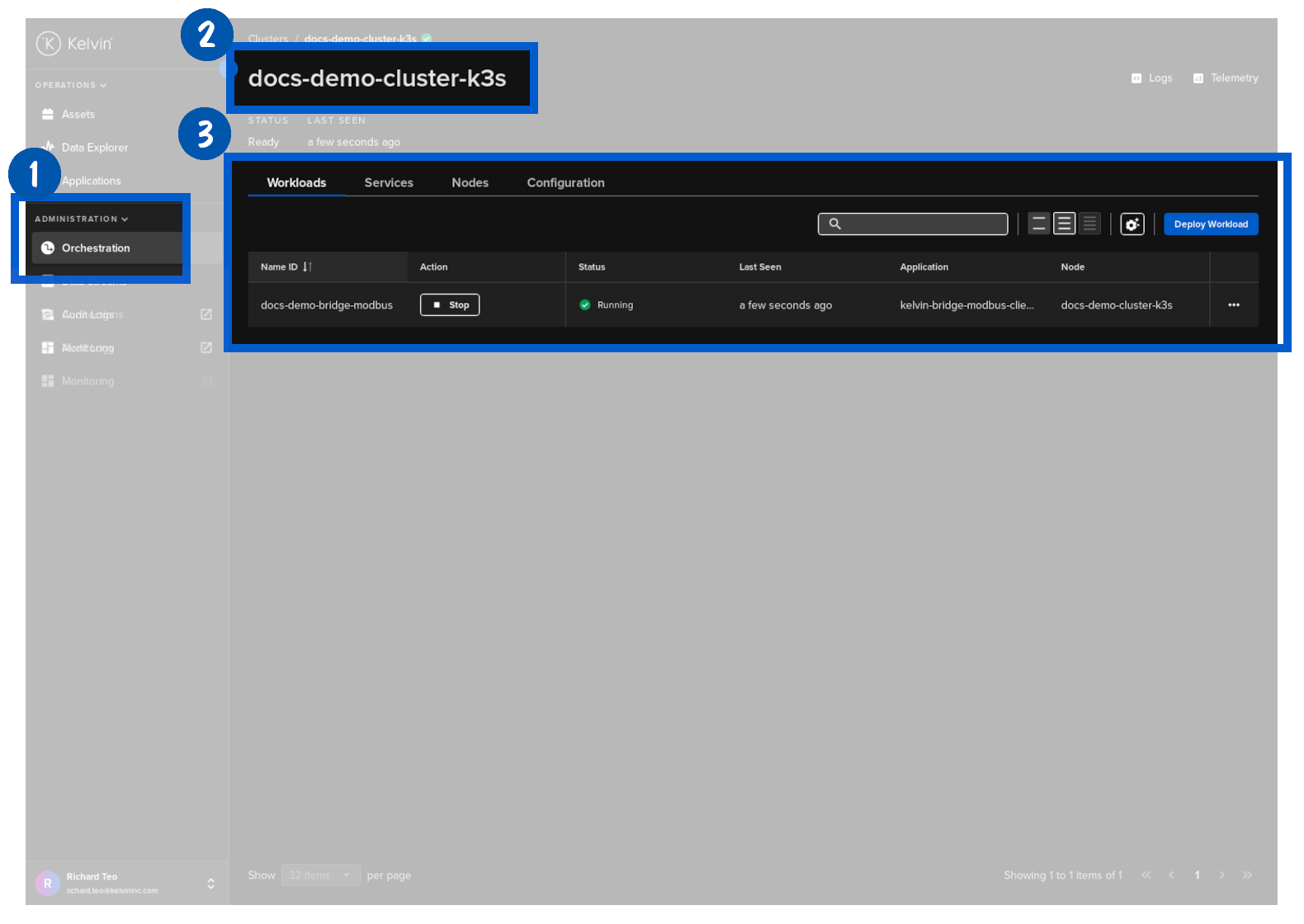
- Kelvin SDK - You can not only develop, emulate and upload the Kelvin App using the Kelvin SDK, but you also have the ability to deploy Kelvin Apps to the edge either with Full Deployment or with Application methods.
- Kelvin API - You can use the Kelvin API directly to deploy a Kelvin App.