MQTT Broker
What is MQTT?
From MQTT's website: "MQTT is an OASIS standard messaging protocol for the Internet of Things (IoT). It is designed as an extremely lightweight publish/subscribe messaging transport that is ideal for connecting remote devices with a small code footprint and minimal network bandwidth. MQTT today is used in a wide variety of industries, such as automotive, manufacturing, telecommunications, oil and gas, etc." MQTT is widely used in IIoT applications.
MQTT broker
This mosquitto-based docker image runs an encrypted MQTT broker with required authentication. It's intended to be used for the communications between an external MQTT implementation and Kelvin's MQTT protocol driver.
When the image starts, it generates the server SSL certificates and signs them with the provided CA certs. The certificates are only generated if the files don't exist, so it's possible to provide these as well.
The default configuration requires 2 files:
- CA certificate (
/mosquitto/certs/ca.crt) - CA key (
/mosquitto/certs/ca.key)
And starts on port 8883.
The passwords file is generated on startup if it does not exist. The credentials are to be provided in the environment variables.
MOSQUITTO_USERNAME and MOSQUITTO_PASSWORD.
To replace the default configuration, either mount the desired configuration in
/mosquitto/config/mosquitto.conf or set the environment variable CONF with
the path to the new configuration. See
mosquitto.conf(5) man page
for details on the configuration parameters.
Generating the passwords file
Mosquitto uses a passwords file that can be generated using the
mosquitto_passwd(1).
For example to create a passwords.conf file with the user kelvin:
$ mosquitto_passwd -c passwords.conf kelvin
Password:
Reenter password:
Environment variables
The following environment variables are available:
| Variable | Default |
|---|---|
CONF |
/mosquitto/config/mosquitto.conf |
MOSQUITTO_USERNAME |
kelvin |
MOSQUITTO_PASSWORD |
kelvin |
CA_KEY |
/mosquitto/certs/ca.key |
CA_CRT |
/mosquitto/certs/ca.crt |
SRV_KEY |
/mosquitto/certs/server.key |
SRV_CRT |
/mosquitto/certs/server.crt |
SRV_CSR |
/mosquitto/certs/server.csr |
SRV_CN |
The system's hostname |
Downloading application
This application is available via the Kelvin Platform application registry.
$ kelvin appregistry download mqttbroker 1.0.0
Alternative - Build the application
This application uses the generic mosquitto container, and can be built either as a standalone container or via KSDK.
Generating self-signed certificates
For testing purposes, you may want to generate the related SSL certificates:
  $ openssl req -new -newkey rsa:4096 -nodes -x509 -days 7 -extensions v3_ca \
    -subj "/O=Kelvin/CN=kelvininc.com" -keyout ca.key -out ca.crt
Examples
kelvin app create --app-type docker mosquitto-mqtt
cd mosquitto-mqtt
kelvin app build --vebose
docker build -f Dockerfile -t ace-mqtt-broker:<version>
Testing
For testing purposes, CA certificates can be generated. The
mosquitto-tls(7) man page
has information on how to do it. If none are provided, the entry point for the
application will generate these for you.
The mosquitto project provides tools to publish and subscribe messages,
mosquitto_pub(1) and
mosquitto_sub(1)
respectively. Some distributions have the tools bundled in the main package,
others are distributed separately. On Debian based distributions these are
available on the mosquitto-clients package.
Examples
$ mosquitto_pub -p 8883 --cafile ca.crt --insecure -u kelvin -P kelvin -t "topic" -m "message"
$ mosquitto_sub -p 8883 --cafile ca.crt --insecure -u kelvin -P kelvin -t "#"
There are multiple ways to start the MQTT broker. You can use kelvin or docker.
Examples
For testing with KSDK, the KSDK emulation system will be used.
kelvin emulation start --port-mapping 8883:8883
This will start the container locally and open forward port 8883 on your local machine
to the emulated kelvin app.
Run the image:
$ docker run -p 8883:8883 \
  -v $(pwd)/ca.key:/mosquitto/certs/ca.key \
  -v $(pwd)/ca.crt:/mosquitto/certs/ca.crt \
  ace-mqtt-broker:latest
At this point, the mosquitto-clients utilities should be able to connect to the broker
and demonstrate its pub/sub functionality.
Deploy to a Node
If the app has been downloaded or built in the KSDK, it is able to be pushed to a Node:
$ kelvin workload deploy \
    --node-name "$YOUR_TARGET_NODE" \
    --app-name "$mqttbroker" \
    --app-version "1.0.0" \
    --workload-name "MQTT Broker" \
    --workload-title "MQTT Broker" \
    --app-config app.yaml
Deploying via Control Center
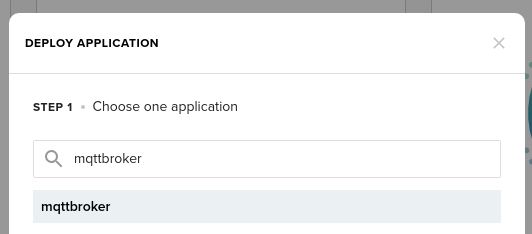
The MQTT broker application is a ready-to-use application, and thus none of the above are required steps. The mqttbroker application can be deployed from the Control Center - see the KICS Getting Started Guide for a full guide on how to do this.