Quick Start
This Quick Start takes you through the steps for building and deploying a simple application on Kelvin. To start let us get introduced to 2 concepts, Kelvin SDK and Kelvin App
This Quick Start tutorial focuses solely on the Kelvin Apps approach which takes full advantage of the Application infrastructure in Kelvin. Applications allows Operations Engineers to manage Kelvin Apps for their Assets without requiring any knowledge of the full IT/OT infrastructure of your organization.
There is a second app structure in Kelvin which is called Docker App. This allows you to upload fully customized docker containers into Kelvin ready for scalable deployment. This is an advanced option and requires knowledge of Cluster locations and comfortable editing yaml configuration files.
The Kelvin SDK is a Python-based toolkit designed to streamline the creation, deployment and monitoring of applications tailored for asset optimization.
A Kelvin App is a specialized python program, developed using the Kelvin SDK. It is designed to apply any business optimization logic or algorithm to multiple assets and augment their performance by providing recommendations and implementing control changes.
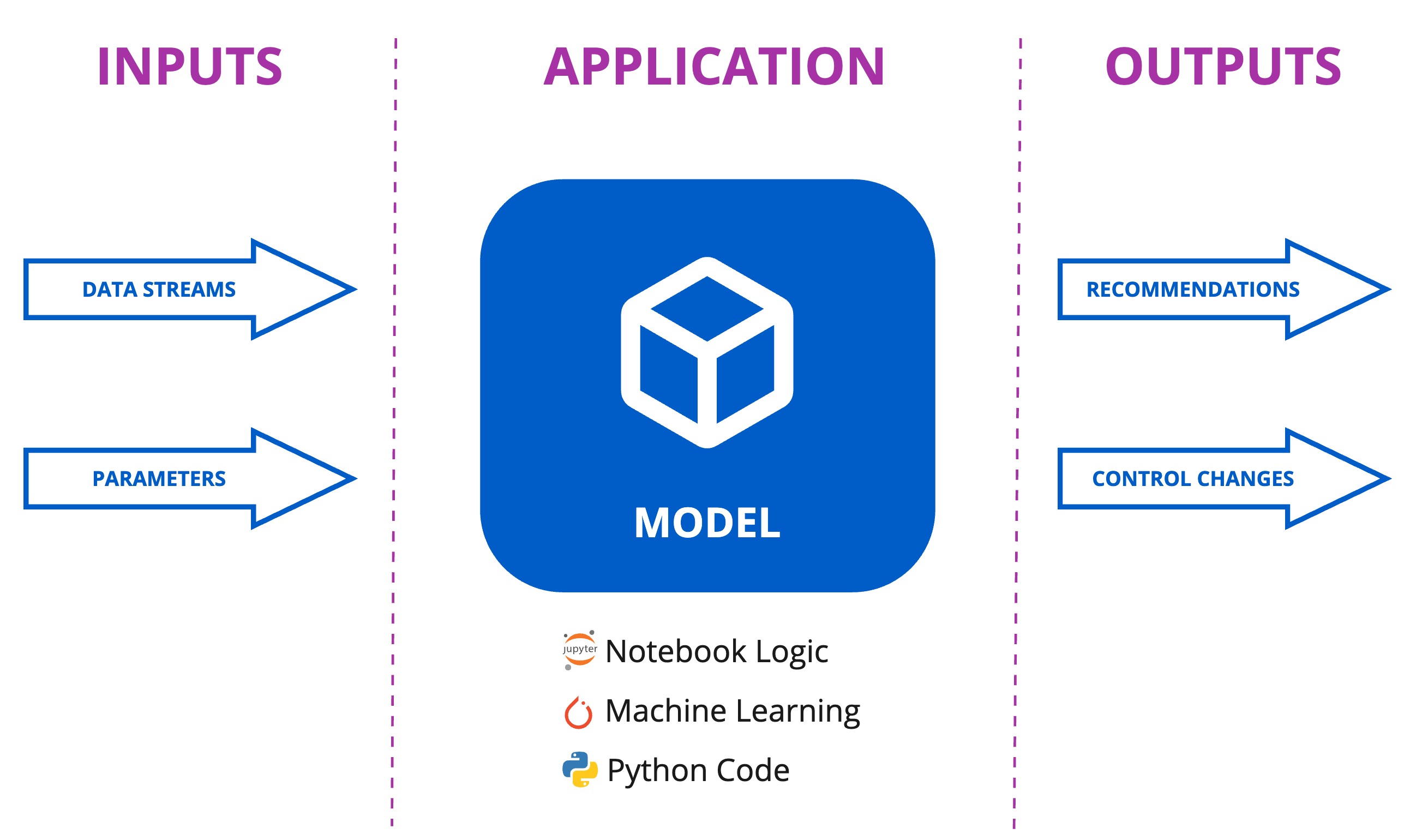
Drawing from real-time data streams, termed Inputs (e.g., Temperature, Pressure, Gas Flow), the Kelvin App processes this information to produce Outputs, which are actionable recommendations and control system changes.
Requirements
To complete this guide you will need the following:
- Docker installed on your machine.
- Python installed on your machine. Python version 3.8 or higher.
- Upgrade
pipto the latest versionpip3 install --upgrade pip - Install Kelvin SDK using
pip.And check if everything is installed correctly by running the following command:pip3 install kelvin-sdkkelvin --version
Info
You can follow in depth tutorials on how to install Docker, Python and Kelvin SDK for Windows, MacOS and Ubuntu.
Next Step
Now that you have the Kelvin SDK installed, you can start creating your first Kelvin App. Click on the link below to create your first Kelvin App.