Insights
Insights & Data Tags
In the Kelvin UI and in the Kelvin SDK, Data Tags are now known as Insights.
In the Kelvin SDK, the Data Tag names are deprecated in favor of the Insight names. Use Insight instead of DataTag in new code.
Backwards compatibility only
DataTag still works, but for backwards compatibility only. Any new programs should use Insight.
If possible, update your older programs that use DataTag to Insight to future-proof them.
Note
The rename applies to the Kelvin SDK only. The Kelvin API and the Kelvin API Client (Python) still use the Data Tag names, for example app.api.data_tag. In app.yaml the section is still data_tags, and the message published to the platform is still a DataTagMsg.
Insights Management
You can also manage your insights using the Kelvin SDK and Kelvin API.
You can read all the details in the Platform Administration in the Insights section.
Insight Messages
Insights are used to label Asset time series data. This has many applications such as;
- For data scientists to use for machine learning training
- For developers to have additional information beyond the raw data to review and improve Applications
- For Operations to tag events linked to the time series data for historical records
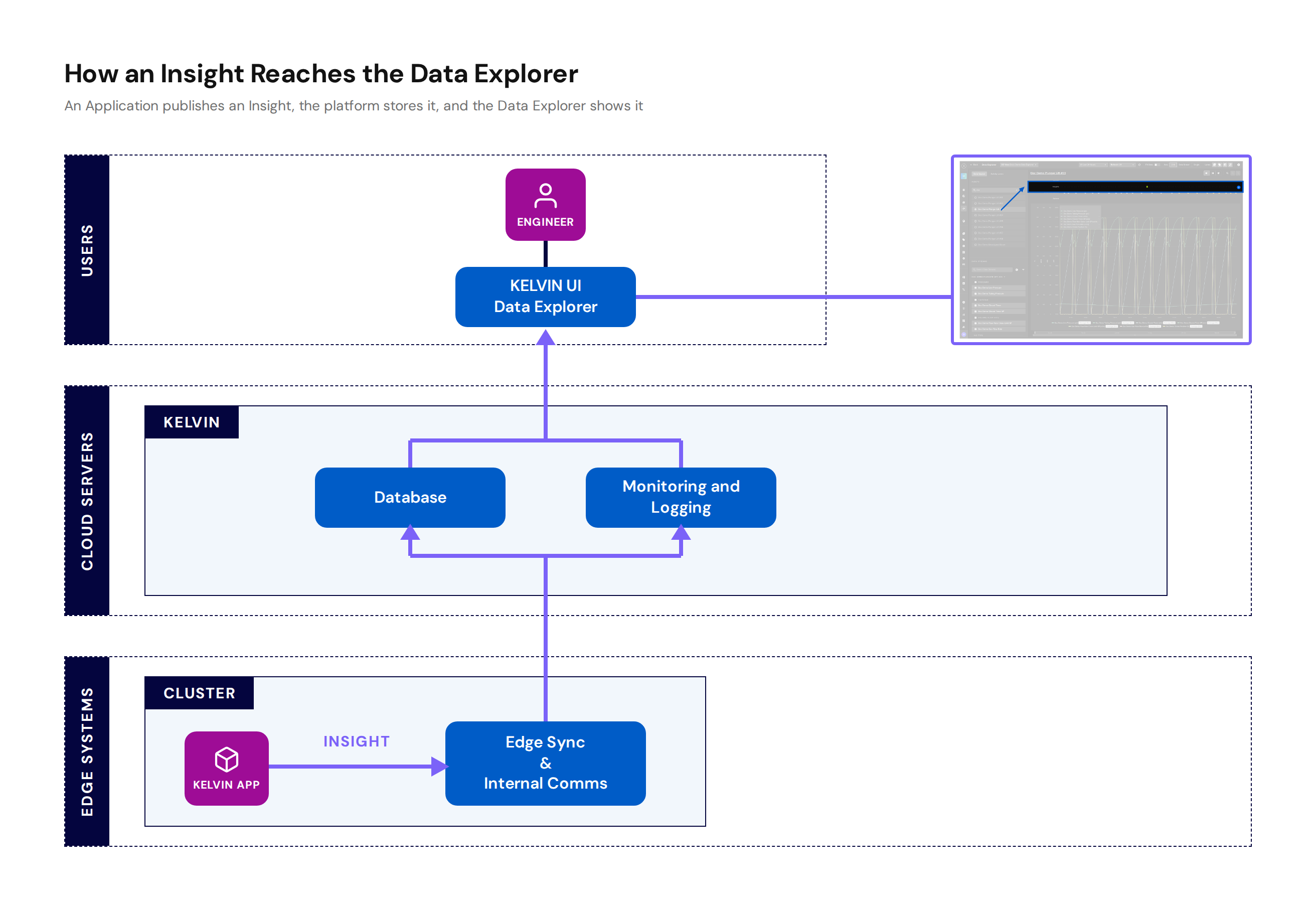
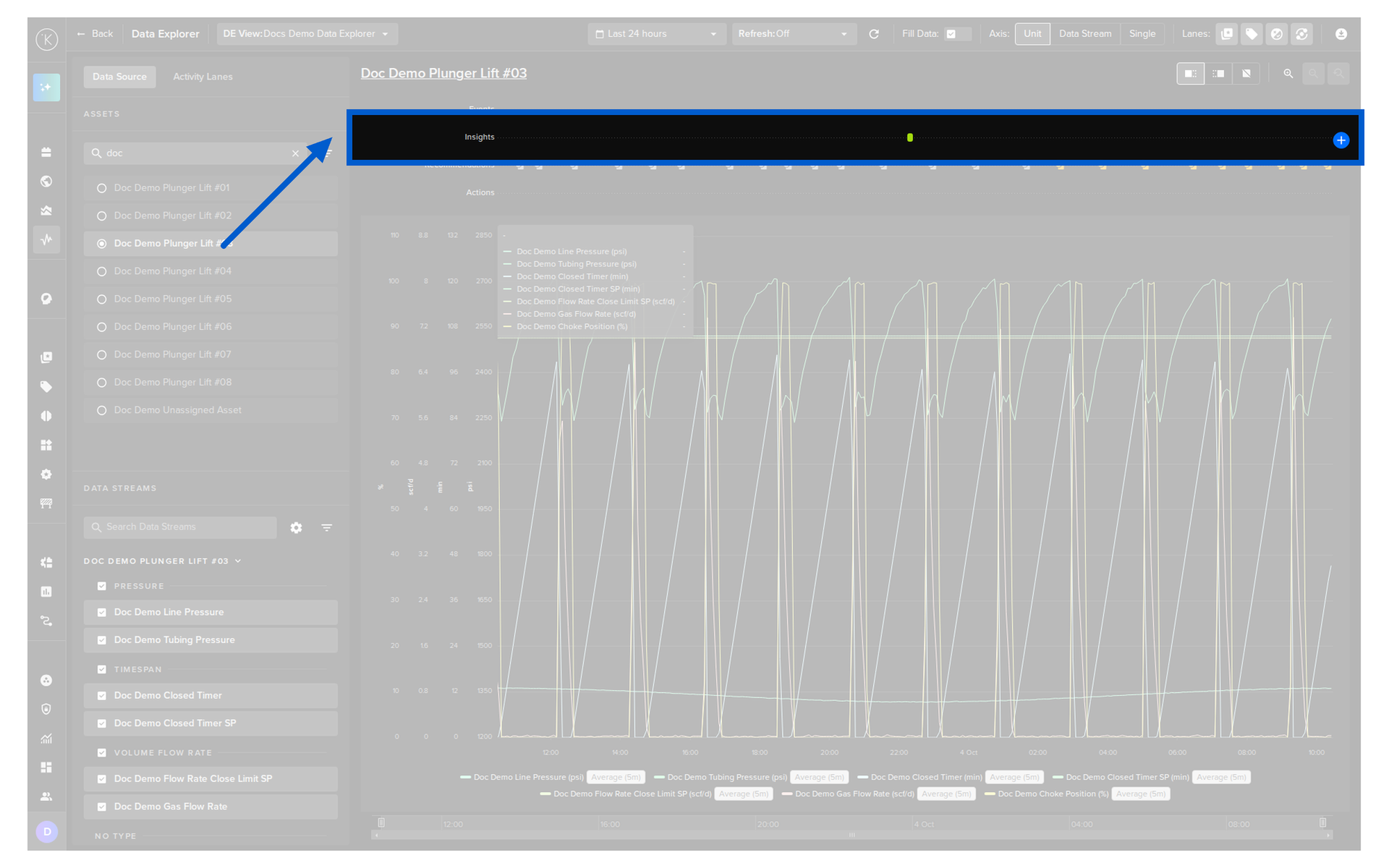
On the Kelvin UI, the insights will show in the Data Explorer.
Applications can publish an Insight Message in order to label important events on a certain point in time (or time range) for a certain Asset.
Note
Operations can also their own add Insights manually through the Kelvin UI
The Insight Object supports the following attributes:
| Insight Attribute | Required | Description |
|---|---|---|
start_date |
required | Start date for the Insight. Time is based on UTC timezone, formatted in RFC 3339. |
end_date |
optional | End date for the Insight. Time is based on UTC timezone, formatted in RFC 3339. If not set, the Insight is a single point in time at the start_date. |
tag_name |
required | Name to categorize the Insight. |
resource |
required | The Asset that this Insight is related to. This is in KRN format (e.g. krn:asset:bp_01). |
description |
optional | Detailed description of the Insight. It is truncated to 256 characters. |
contexts |
optional | A list of KRNDatastream resources associated with this Insight. Each referenced data stream must be declared as an input or output in app.yaml. |
app.yaml setup
To publish insights, declare the tag names your Application will produce in the data_tags.outputs section of your app.yaml. Each entry is the tag name as a string:
Publish an Insight
This is how they can be created and published:
contexts restriction
contexts accepts only KRNDatastream instances, and each data stream referenced must be declared as an input or output in the Application's app.yaml.