Overview - Tools
On this page you will learn more about Kelvin Maps Tools.
Introduction
The Tools menu option has all the miscellaneous tools to help you make sense of the data on the Cloud Server.
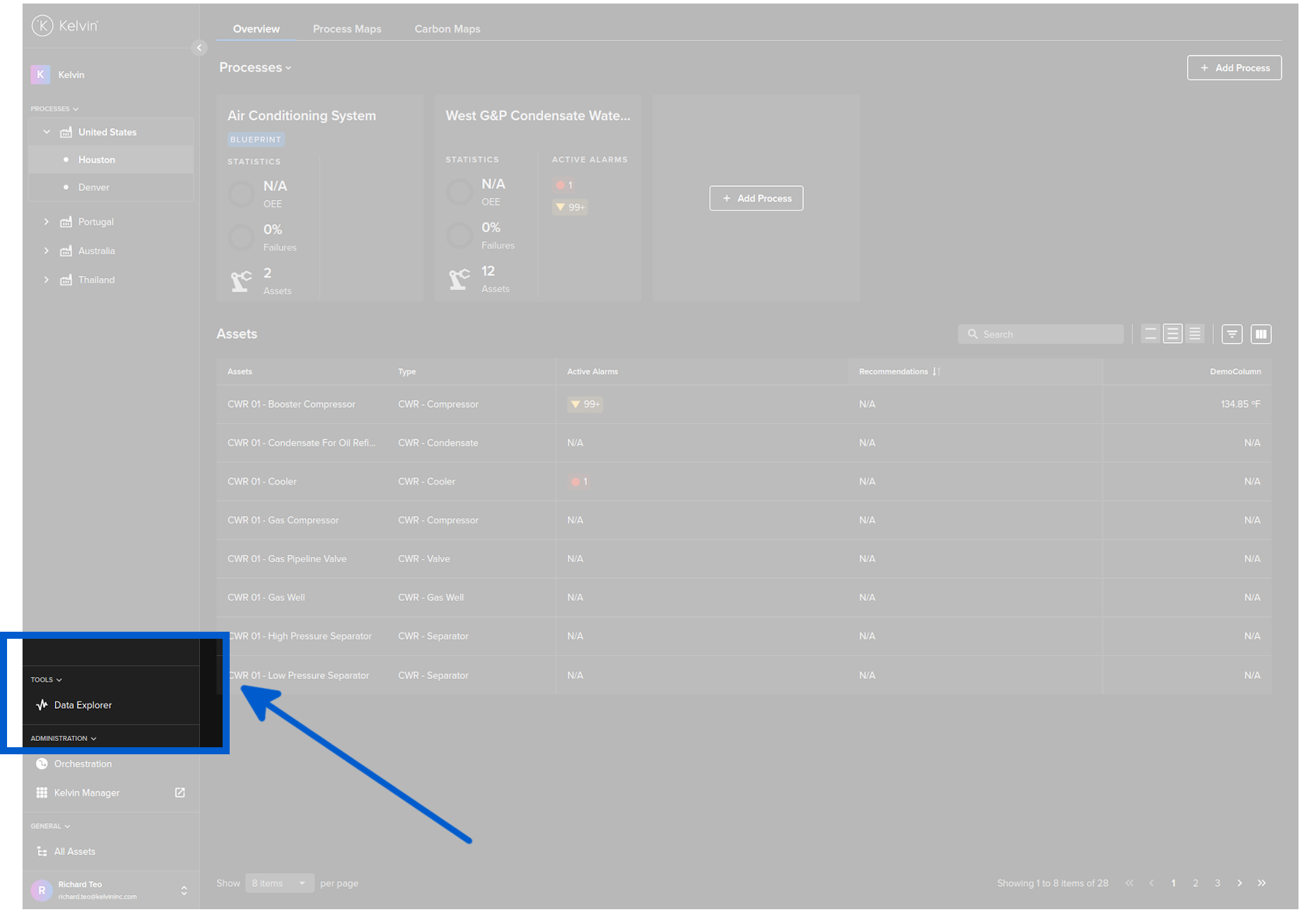
Data Explorer
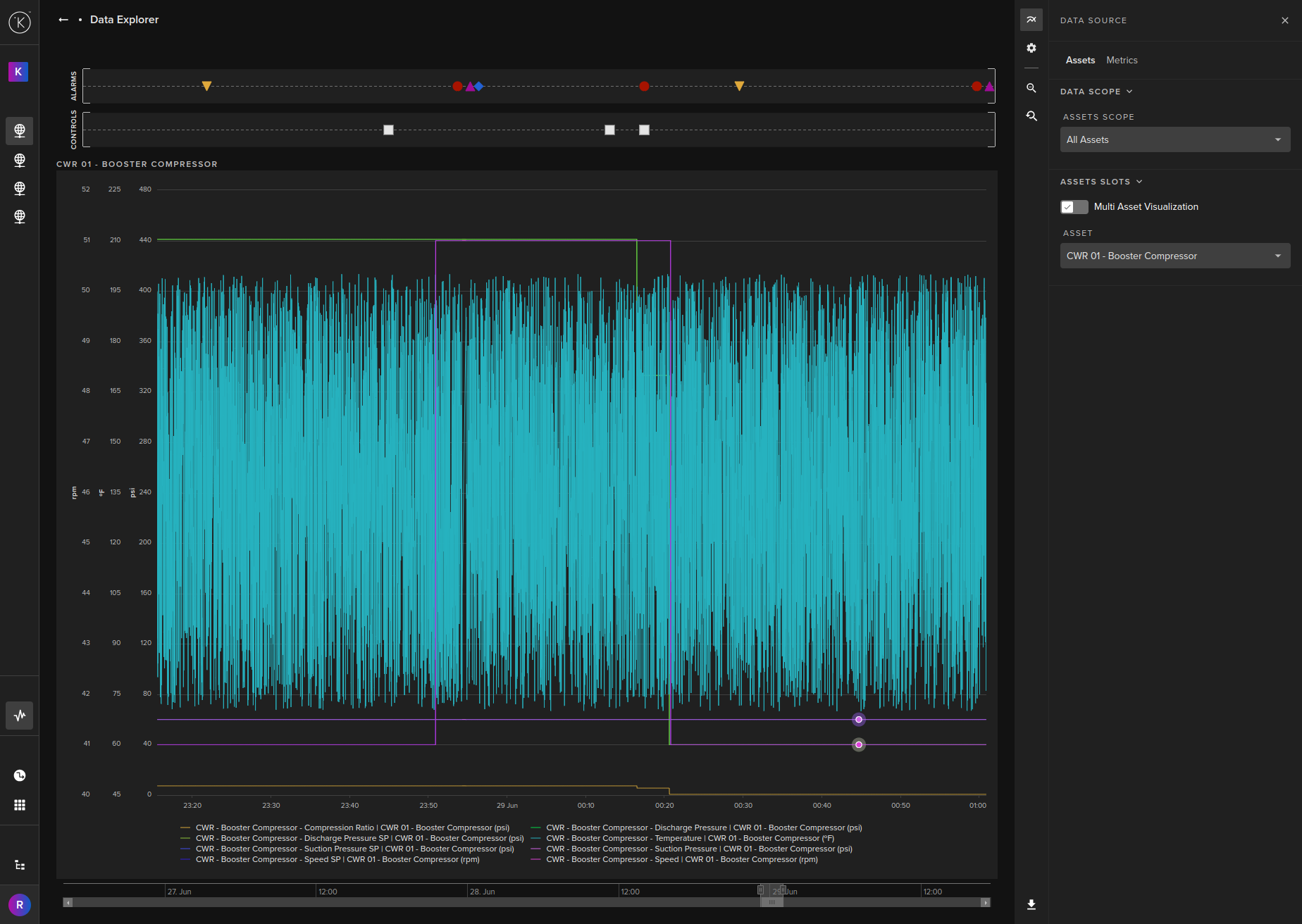
The Data Explorer is tightly integrated with the Kelvin Collaborative Control Platform and gives many additional features to the standard data visualizations including;
- Easily change timezone to see what time events happened according to your location
- Filter which Kelvin Assets and Metrics to view - even data that is not related to this Kelvin Asset or Kelvin Process.
- Select the Y axis to be either all Kelvin Metrics on one axis value range, one axis value range per Kelvin Metric or one axis value range per type (e.g. for temperature, vibrations, etc)
- Independent Y-Axis Zoom controls when displaying multiple y-axis value ranges.
- Time series Kelvin Alarm trigger points
- Time series Kelvin Control Change request points
- Multiple choices on Y-axis to allow either;
- a granular view of each Kelvin Metric based on its individual min/max values or
- a single y axis range from min/max of all Kelvin Metrics shown or
- a min/max based on each unique units of all Kelvin Metrics.
Other Related Links
Last Modified
Last Modified on 21st June 2023
21st June 2023
* Broke up original page for easier reading

Kelvin Documentation AI Support
Hi. My name is KevDocBot. How can I help you?