GSG Kelvin Collaborative Control Software
On this page you will go through a fast-track introduction to understand the Kelvin Collaborative Control Software and where to find practical information on each part to start your journey with Kelvin.
For a detailed overview of the Kelvin Core, check out this page at Kelvin Overview -> Overview.
Overview
Kelvin Core is an AI integrated software platform for building and managing control applications. On this platform you can;
- Manage all your assets globally
- Collect, analyze, transform and store all your data centrally from all assets
- Write data to any of your assets for control or settings
- Perform analytics and artificial intelligence on your data
- Create and deploy programs to run at the edge or on your cloud/server
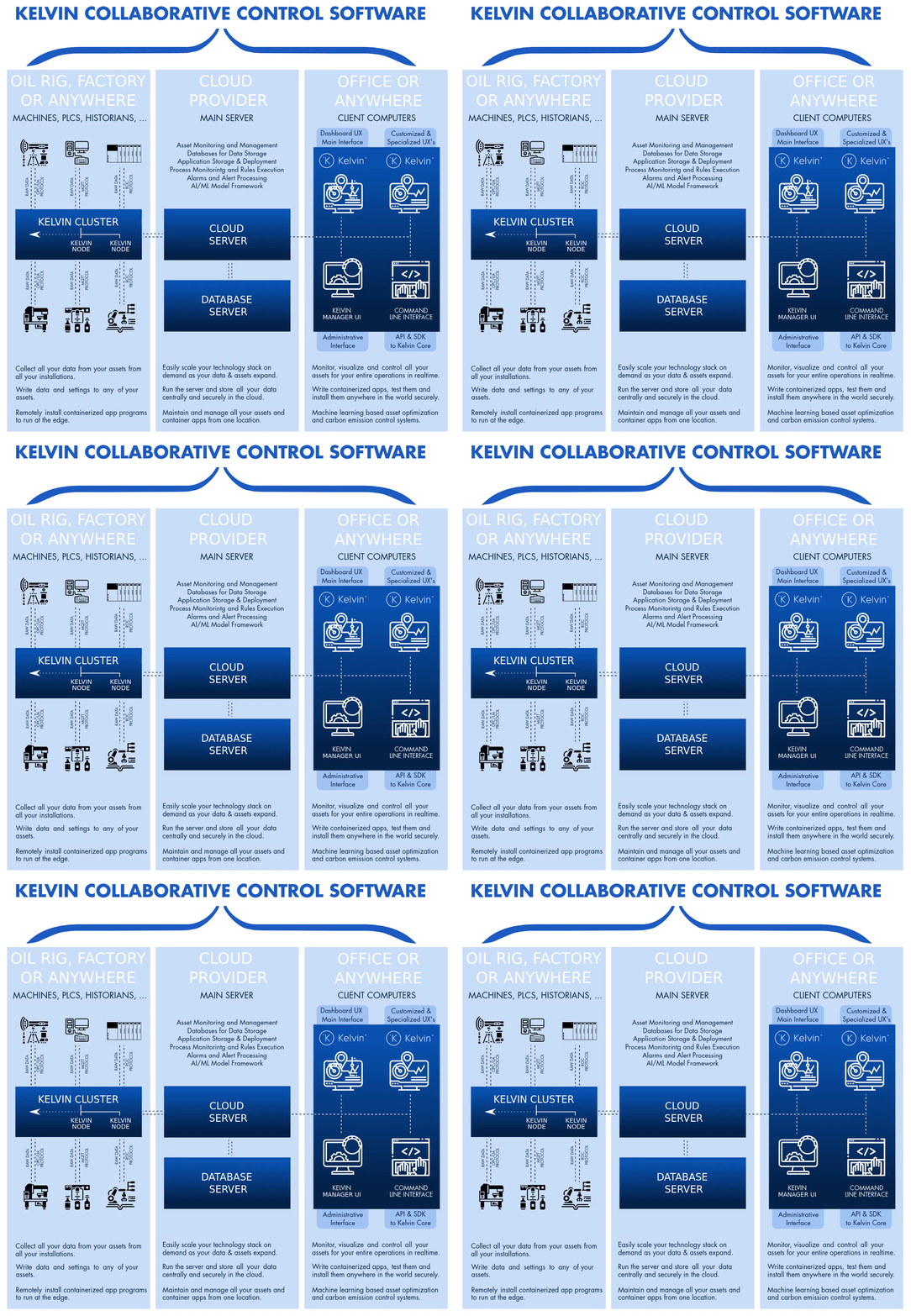
In its most simplistic form, Kelvin Core can be split into three main locations, (1) your installation where your assets are located, (2) a server either in the cloud or at your head quarters and (3) on your computer. This diagram gives you a simple overview of this;
Quick Tour
If you are person who just wants to dive right in and get your hands dirty learning as you create, then try out this tutorial which assumes you start with a blank Cloud Server. It takes you through each step from creating Kelvin Assets, Kelvin Metrics and a Kelvin App that generates random data, a Kelvin Bridge collecting the data and sending it to the Cloud Server. You can then see the data on the time series graphs in Kelvin Manager UI. Check it out at Tutorial -> Foundational Tutorials -> From Scratch to MQTT Data Inflow.
At the Edge
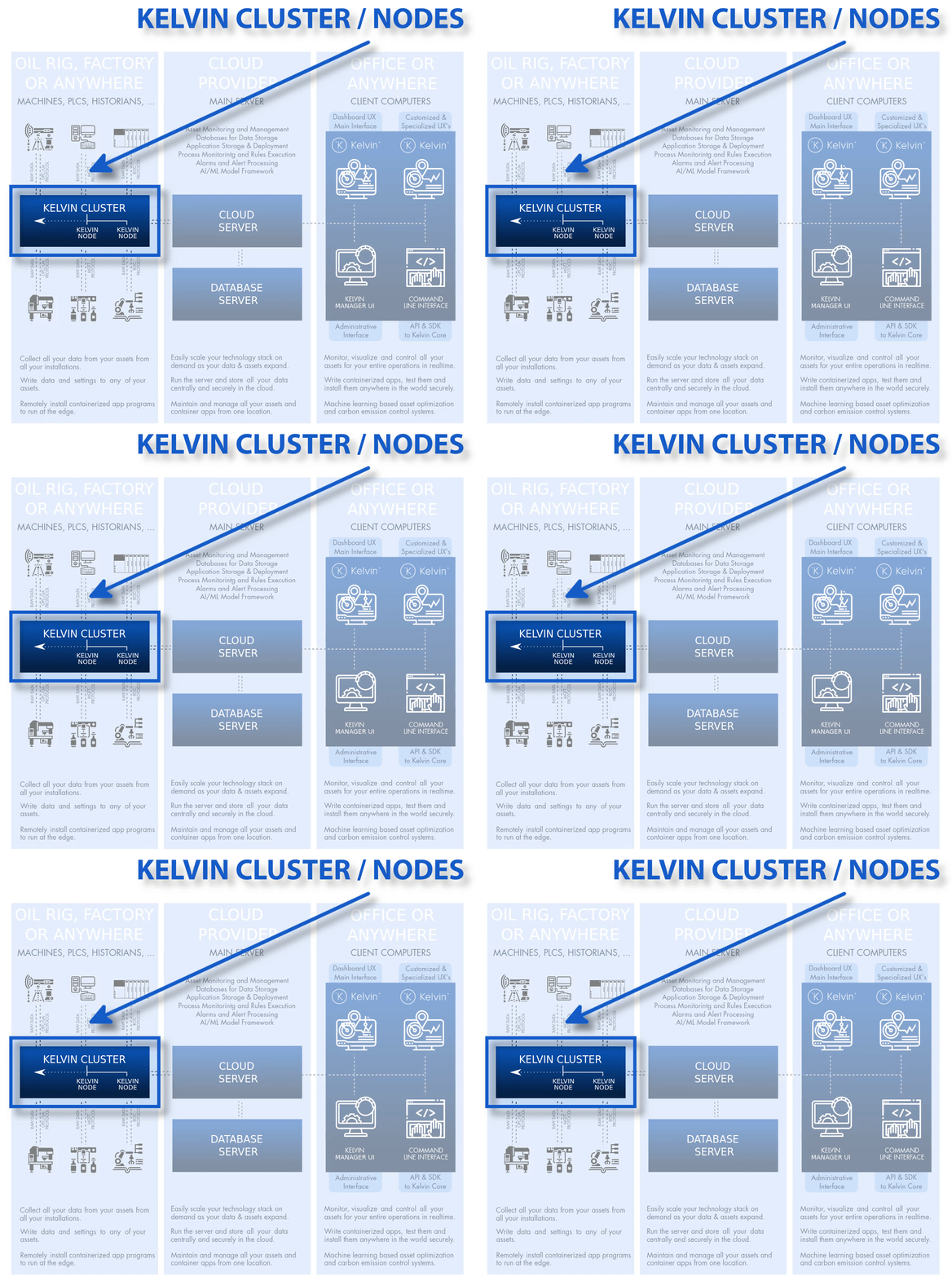
At the edge where your assets are located you will find your PLC's, DCS Systens, SCADA systems, HMI systems, micro-controllers, etc. You can also install Kelvin Control Change Apps (Python or Docker or through Kelvin Maps) at the edge to support your current control system architecture.
At or near the Edge you will install a Kelvin Cluster. The Kelvin Node is the edge server that will manage all your Kelvin Apps and Kelvin Bridges you will deploy to that location.
To learn how to install a Kelvin Cluster you can either do the Kelvin Node tutorial at Tutorials -> Foundational Tutorials -> How to Install a Kelvin Node our full getting started tutorial at Getting Started Guide -> GSG Kelvin SDK.
Kelvin Apps
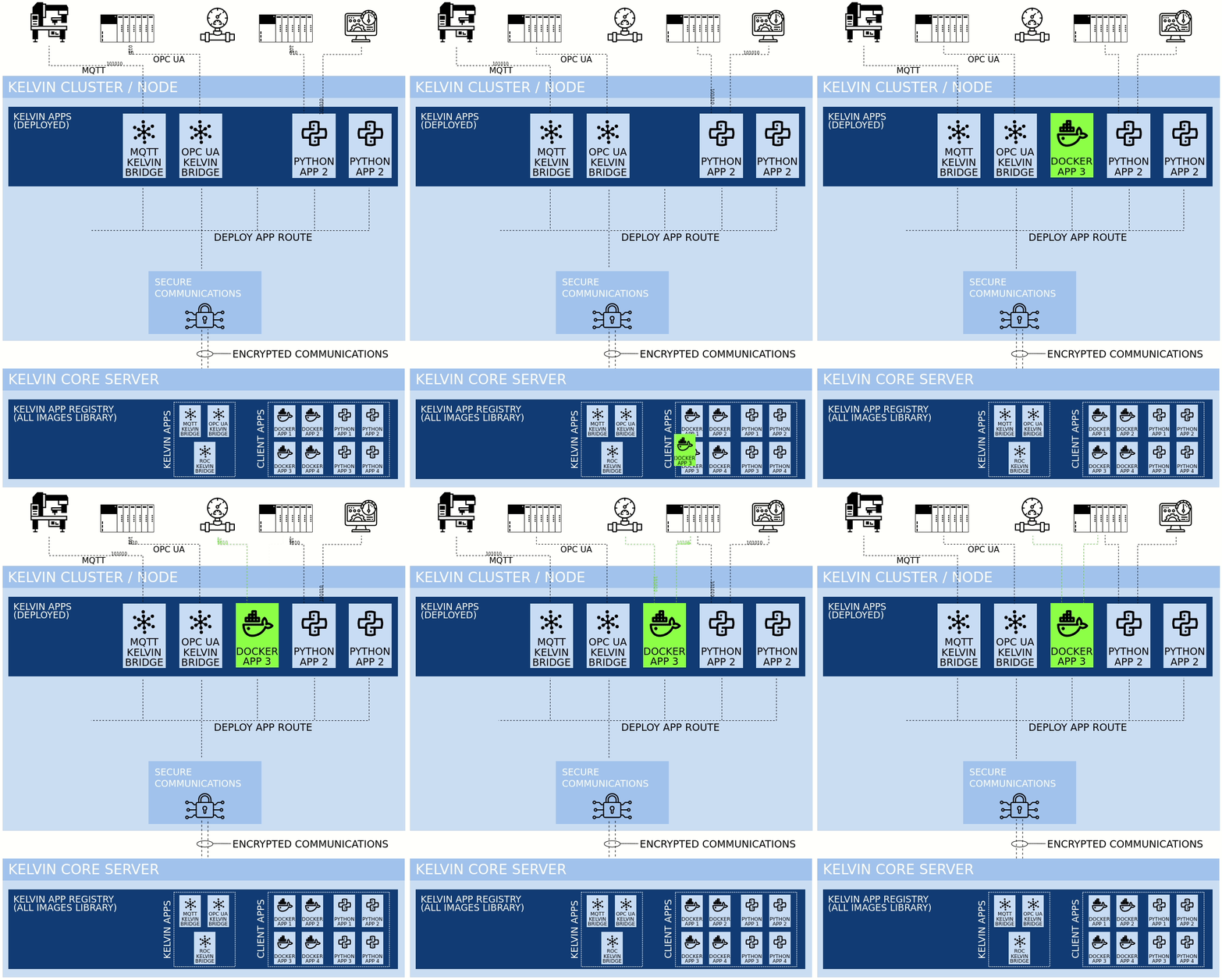
Kelvin Apps are programs that you can write in any programming language and environment. These programs are containerized and stored on the Cloud Server in the App Registry.
You can then deploy these apps to any Kelvin Cluster with the unique variables in the yaml configuration file.
You can deploy an App multiple times to the same Kelvin Cluster to run separate common tasks. In this case make sure that there are no conflicts such as trying to register the same port number.
There are two types of Kelvin Apps - Python or Docker.
To learn how to create, test, upload and deploy a Kelvin App (Python) you can check out our tutorial at Tutorials -> Kelvin App Tutorials -> Kelvin SDK Python Bridge Class Example or our full getting started tutorial at Getting Started Guide -> GSG Kelvin SDK.
Kelvin Bridges
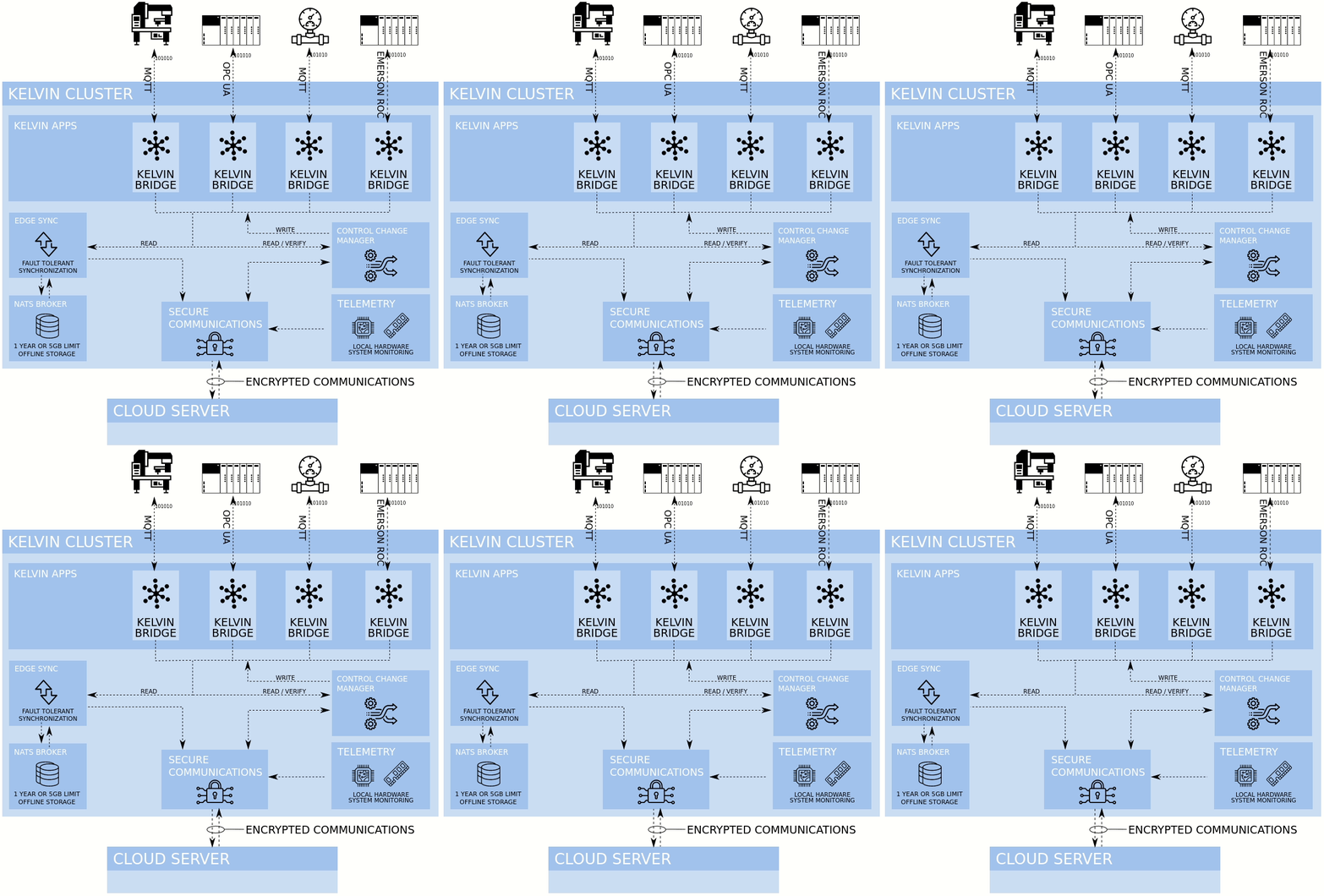
Kelvin Bridges are specialized Kelvin Apps developed by the Kelvin Development Team to transparently communicate to your assets or third party data sources, collect the metrics and store them in the Cloud Server databases.
There are currently five types of Kelvin Bridges;
- OPC UA
- MQTT
- Modbus TCP/Serial
- Emerson ROC
- ABB TotalFlow®
To learn how to create and deploy a Kelvin Bridge you can check out our tutorials at Tutorials -> Bridge Tutorials -> Creating an OPC UA Bridge, Tutorials -> Bridge Tutorials -> Creating an MQTT Bridge, Tutorials -> Bridge Tutorials -> Creating an Emerson ROC Bridge or our full getting started tutorial at Getting Started Guide -> GSG Kelvin SDK.
At the Cloud Server
The Cloud Server can be setup on AWS, Azure or possibly your favorite cloud provider.
The Cloud Server is the heart of the Kelvin Core managing and monitoring all your infrastructure and is the central repository for all your data, applications and dashboards.
Here you will define all your assets and metrics, manage all your Kelvin Clusters and Kelvin Apps and generate alarms and AI failure detection.
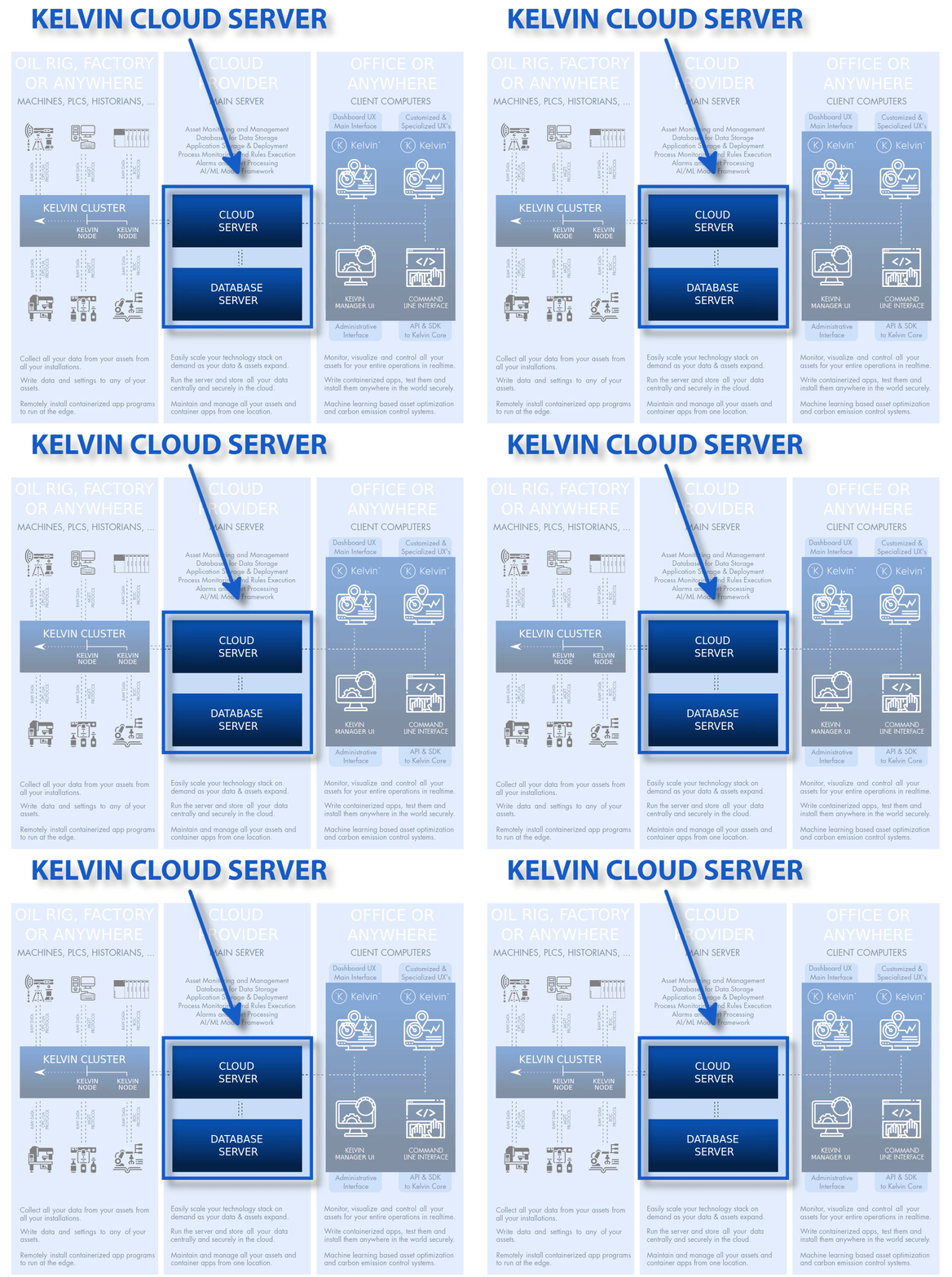
There are many aspects to the Cloud Server. We will mention here the more important features and where to get started;
Kelvin Assets : To learn to create Kelvin Assets check out Tutorials -> Kelvin Manager UI Tutorials -> How to Add a New Kelvin Asset Detection or read more details about the Kelvin Asset Hierarchy at Kelvin Overview -> Kelvin Assets. To do a complete practical example tutorial check out Tutorials -> Foundational Tutorials -> From Scratch to MQTT Data Inflow.
Kelvin Metrics : To learn to create Kelvin Metrics check out Tutorials -> Kelvin Manager UI Tutorials -> How to Add New Kelvin Metric or read more details about the Kelvin Asset Hierarchy at Kelvin Overview -> Kelvin Metrics. To do a complete practical example tutorial check out Tutorials -> Foundational Tutorials -> From Scratch to MQTT Data Inflow.
Kelvin Apps : To learn how to create, test, upload and deploy a Kelvin App (Python) you can check out our tutorial at Tutorials -> Kelvin App Tutorials -> Kelvin SDK Python Bridge Class Example or our full getting started tutorial at Getting Started Guide -> GSG Kelvin SDK.
Kelvin Bridges : To learn how to create and deploy a Kelvin Bridges you can check out our tutorials at Tutorials -> Bridge Tutorials -> Creating an OPC UA Bridge, Tutorials -> Bridge Tutorials -> Creating an MQTT Bridge, Tutorials -> Bridge Tutorials -> Creating an Emerson ROC Bridge or our full getting started tutorial at Getting Started Guide -> GSG Kelvin SDK.
Kelvin Alarms : To learn more check out Kelvin Overview -> Kelvin Alarms and Kelvin Overview -> Kelvin AI Failure Detection.
At the User / Developer
You can access the Cloud Server through five channels;
- Kelvin Maps (Operational graphical user interface accessed with any modern browser)
- Kelvin Manager UI (Admin graphical user interface accessed with any modern browser)
- Kelvin SDK (used in any terminal, iPython or Python environment)
- Kelvin API
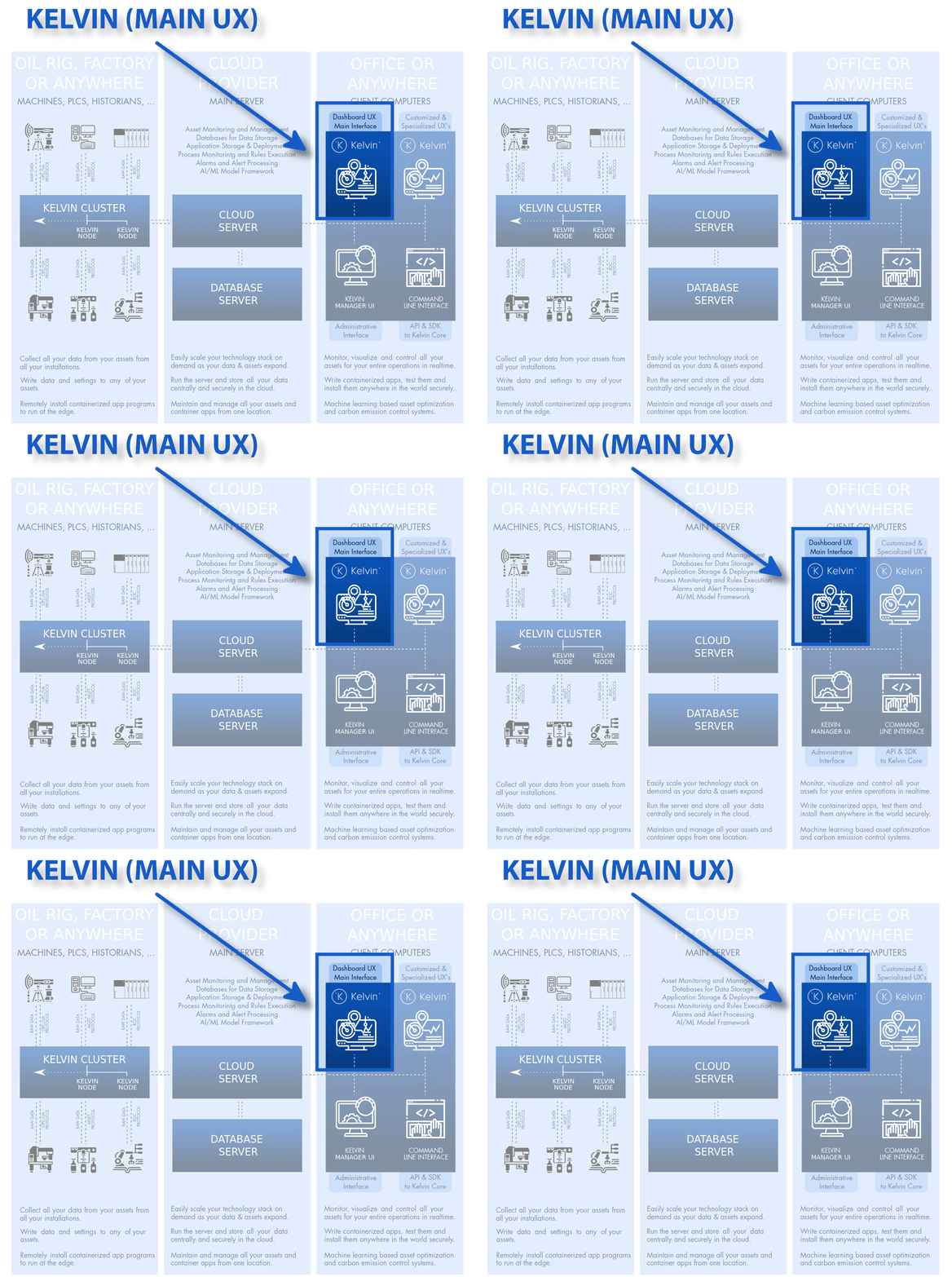
Kelvin Maps
Kelvin Maps is the interface for operations and management alike.
All information and data management is done by the Kelvin Core and the administration for Kelvin Metrics, Kelvin Assets and Kelvin Apps is handled by the Kelvin Manager UI.
Kelvin Maps focuses in three areas;
- Monitoring and Controlling Assets
- Analysis and Simulations
- Process creation and management
Monitoring and Controlling Assets focus on the practical side of the operations where you can monitor all the data coming from the Edge, collating data, analyzing alarms, communications between teams & colleagues and create asset control logic.
Analysis and simulations will focus on identifying inefficient assets, calculating failure rate of assets, calculating OEE across assets, processes & the organization and calculating carbon emission savings/costs on real or simulated scenarios.
Process creation and management will focus on the actual process flow between your assets, allowing operations to maintain as-built Process Maps and monitoring/collaborating on the processes and assets.
Kelvin Manager UI
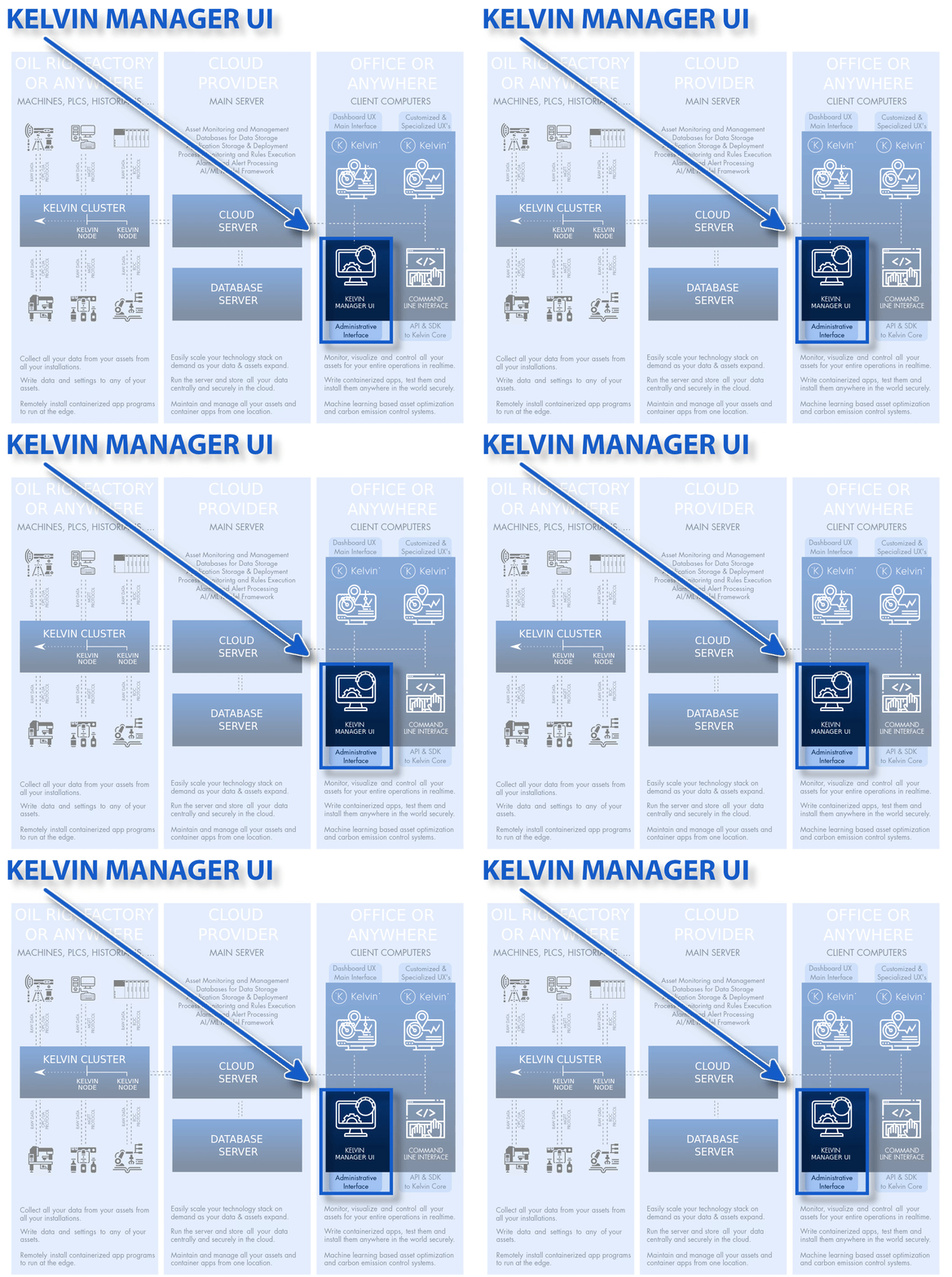
This is a graphical user interface accessed from any modern browser. Even though it will work on all modern browsers such as Firefox, Edge, etc. it is only fully tested and guaranteed on Google Chrome.
The Kelvin Manager UI focuses on the administration of your Kelvin Metrics, Kelvin Assets, Kelvin Clusters and Kelvin Bridges,
To learn how to use the Kelvin Manager UI you can check out Getting Started Guides -> Getting Started Guide Kelvin Manager UI or the Kelvin Manager UI tutorials at Tutorials -> Tutorial Overview.
Kelvin SDK
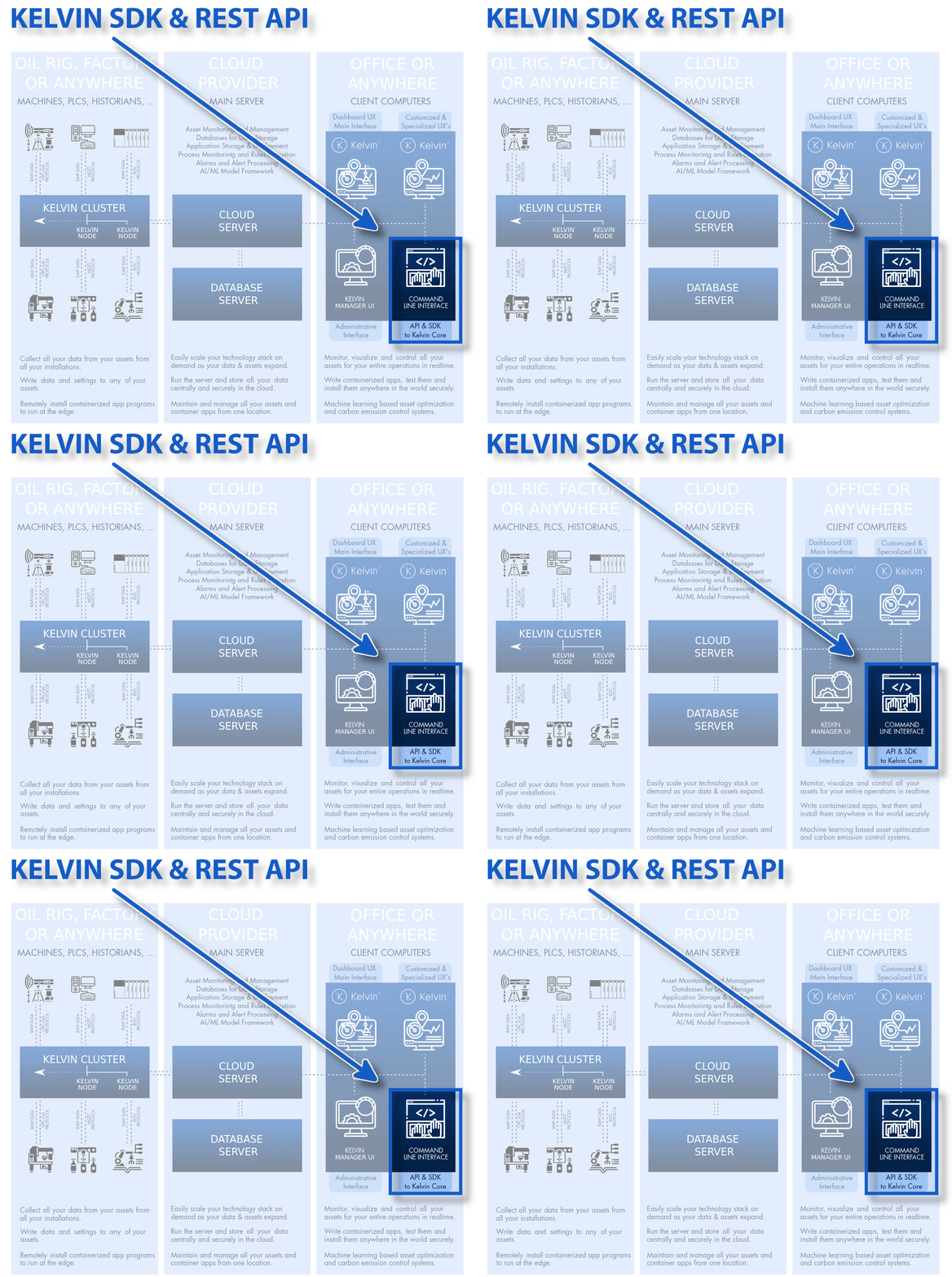
The Kelvin SDK is the original interface for managing your Kelvin Core. You can run the commands either directly through a terminal or through a Python library or as API commands through an iPython terminal.
To learn how to use the Kelvin SDK first check out how to install at Documentation -> Kelvin SDK -> Kelvin SDK Installation or to do the installation and a practical tutorial check out Getting Started Guides -> GSG Kelvin SDK.
Kelvin API
The Kelvin API allows you to control your Kelvin Core through API calls.
We publish a full Swagger JSON file which you can use in your favorite API program such as Swagger UI or Postman. You can also use the API calls to send commands or collect JSON formatted information. It uses OAUTH2 tokens for security.
To learn how to use the Kelvin SDK check out Getting Started Guides -> GSG Kelvin API.
Other Related Links 
Interesting links related to this tutorial
- Kelvin Overview -> Overview
- Kelvin Overview -> Kelvin Clusters
- Kelvin Overview -> Kelvin Apps
- Kelvin Overview -> Kelvin Bridges
- Kelvin Overview -> Kelvin Alarms
- Kelvin Overview -> Kelvin AI Failure Detection
- Kelvin Overview -> Kelvin Maps -> Kelvin Maps Overview
- Kelvin Tutorials -> Table of Contents -> Tutorials List by Description
Last Modified 
Last Modified on 10th October 2022
10th October 2022
* Updated text and infographics to reflect v4.7 release
26th May 2022
* Started new detailed last modified section

Kelvin Documentation AI Support
Hi. My name is KevDocBot. How can I help you?