List Assets in SmartApp
Reference:
| Field | Mandatory | Example | Description |
|---|---|---|---|
| app_name | Yes | event-detection |
The Kelvin SmartApp™ name to filter the Asset list. It must contain only lowercase alphanumeric characters. The characters ., _ and - are allowed to separate words instead of a space BUT can not be at the beginning or end of the name. |
| app_versions | No | 1.0.1 | Filter the results on the Kelvin SmartApp™ versions |
| enabled_states | No | Options are true or false |
Filter whether the Kelvin SmartApp™ is currently processing data from the Asset |
| resources | No | krn:asset:beam_pump_16 |
Filter for only certain Assets |
| statuses | No | Options are running, stopped, staged, updating. |
Filter on the status of the Kelvin SmartApp™ for the Asset. |
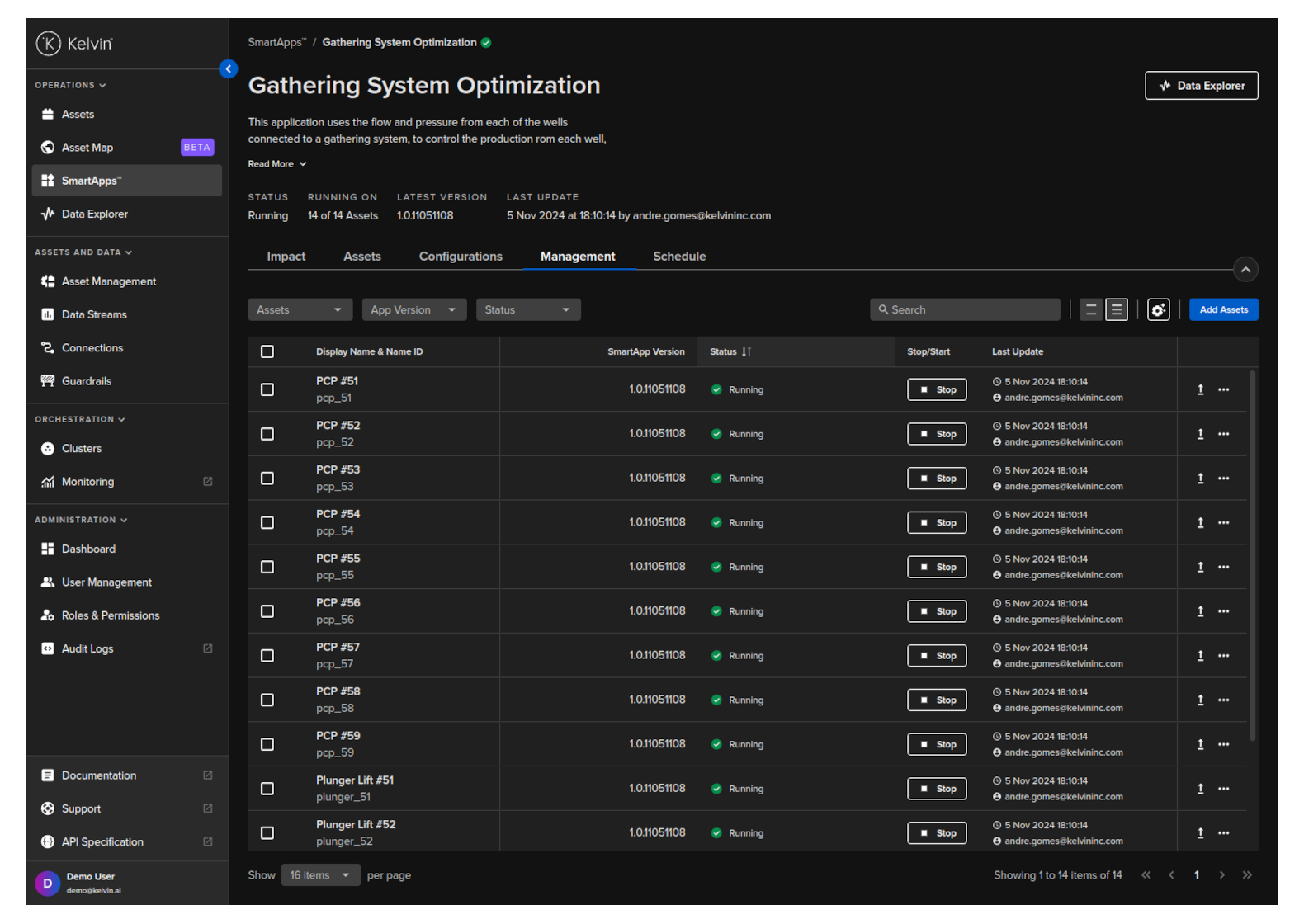
A Kelvin SmartApp™ can be processing many thousands of Assets at the same time. Kelvin UI makes it easy to monitor the status of all these Assets and quickly add or delete Assets to the Kelvin SmartApp™.
You can list all Assets used by a Kelvin SmartApp™.
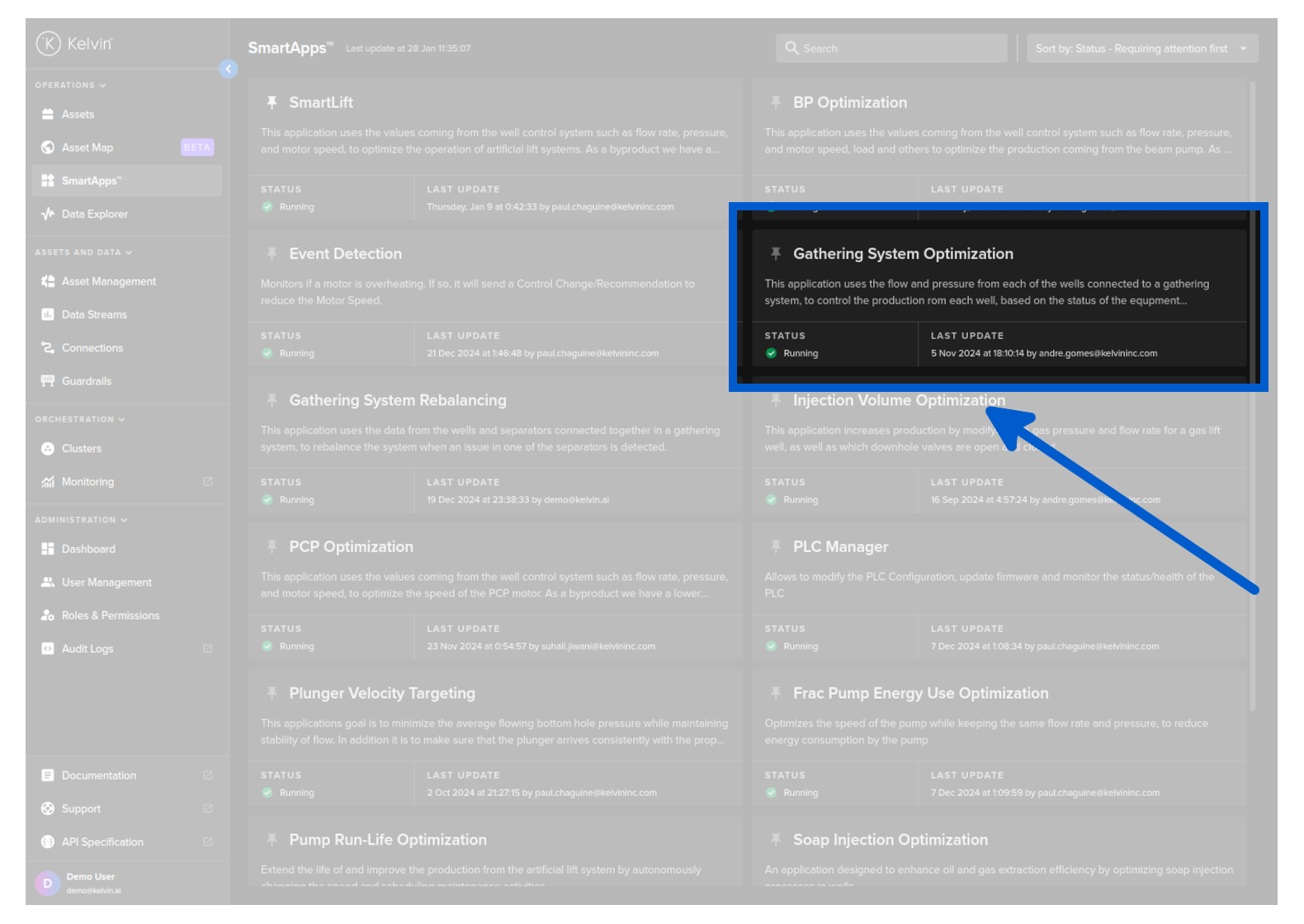
To see a full list of Assets running a certain , go to SmartApps™ dashboard page and select the Kelvin SmartApp™.
Click on the Management tab, and you can see a list of Assets and the configuration options for the Kelvin SmartApp™.
curl -X "POST" \
"https://<url.kelvin.ai>/api/v4/app-manager/app/event-detection/resources/list?pagination_type=cursor&page_size=20&direction=asc&sort_by=workload_name" \
-H "Authorization: Bearer <Your Current Token>" \
-H "Accept: application/json" \
-H "Content-Type: application/json" \
-d '{
    }'
The response will look like this;
{
"pagination": {
    "next_page": null,
    "previous_page": null
},
"data": [
        {
        "enabled": true,
        "resource": {
            "name": "motor_01",
            "title": "Motor #01",
            "created": "2024-11-12T17:01:18.667512Z",
            "updated": "2024-11-12T17:01:18.667512Z"
        },
        "app": {
            "name": "event-detection",
            "version": "1.0.0"
        },
        "workload": {
            "name": "event-detection-d4v7branw9po",
            "cluster": "beta-cluster-01",
            "warnings": []
        },
        "status": {
            "status": "running",
            "last_seen": "2024-12-09T04:06:03.771644Z",
            "updated": "2024-11-12T17:01:18.667512Z",
            "updated_by": "krn:user:demo@kelvin.ai"
        }
        },
        {
        "enabled": true,
        "resource": {
            "name": "motor_02",
            "title": "Motor #02",
            "created": "2024-11-12T17:01:18.667512Z",
            "updated": "2024-11-12T17:01:18.667512Z"
        },
        "app": {
            "name": "event-detection",
            "version": "1.0.0"
        },
        "workload": {
            "name": "event-detection-d4v7branw9po",
            "cluster": "beta-cluster-01",
            "warnings": []
        },
        "status": {
            "status": "running",
            "last_seen": "2024-12-09T04:06:03.771644Z",
            "updated": "2024-11-12T17:01:18.667512Z",
            "updated_by": "krn:user:demo@kelvin.ai"
        }
        },
    ]
}
from kelvin.api.client import Client

# Login
client = Client(config={"url": "https://<url.kelvin.ai>", "username": "<your_username>"})
client.login(password="<your_password>")

# List Assets in SmartApp
response = client.app_manager.list_app_manager_app_resources(app_name=<SMARTAPP_NAME>)
df = response.to_df()
resource_names = [row['name'] for row in df['resource'] if isinstance(row, dict) and 'name' in row]

print(f'Here is a list of assets for {SMARTAPP_NAME} : {resource_names}')
You will get a response similar to this;
Here is a list of assets for esp-optimization : ['esp_01', 'esp_02', 'esp_03', 'esp_04', 'esp_05', 'esp_06', 'esp_07', 'esp_08', 'esp_09', 'esp_10', 'esp_11', 'esp_12', 'esp_13', 'esp_14', 'esp_15', 'esp_16', 'esp_17', 'esp_18', 'esp_19', 'esp_20', 'esp_21', 'esp_22', 'esp_23', 'esp_24', 'esp_25']
Bonus :
You can also add extra code to export the data to a CSV file.
import pandas as pd

df['resource_name'] = df['resource'].apply(lambda x: x['name'] if isinstance(x, dict) and 'name' in x else None)
df[['resource_name']].to_csv('resource_names.csv', index=False)