Asset Parameters
Asset Parameters can optionally be defined and accessed by Kelvin SmartApps™.
They are initially declared with default values in the Kelvin SmartApp™ app.yaml file.
The variables can then be dynamically changed by Operations for each Asset deployed to the Kelvin SmartApp™. This allows customized values for each Asset.
Warning
Do not confuse Asset Parameters with App Configuration variables.
App Configuration variables are global SmartApp™ variables that maintain the same value across all Assets deployed to the Kelvin SmartApp™.
Asset Parameter variables, on the other hand, are SmartApp™ variables specific to each Asset deployed to the Kelvin SmartApp™.
App Configuration values are fixed upon upload to the Kelvin Cloud, whereas Asset Parameters are dynamic and can be modified via Operations in the Kelvin UI or through the Kelvin API.
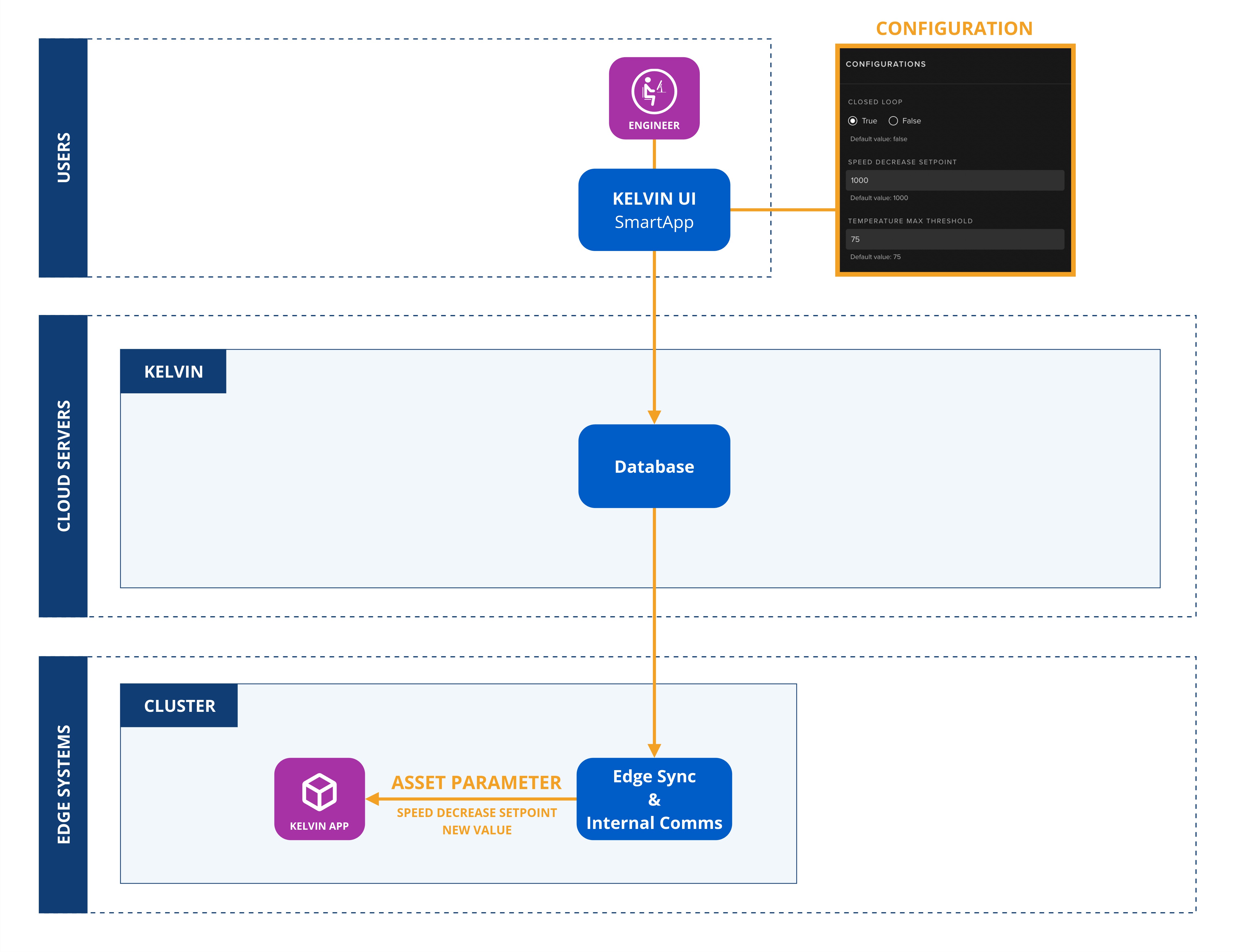
The keys used in the app.yaml declaration are;
| Key | Mandatory | Description |
|---|---|---|
| name | yes | This will be used in the Python code to reference the input. It must contain only lowercase alphanumeric characters. The characters ., _ and - are allowed to separate words instead of a space BUT can not be at the beginning or end of the name |
| data_type | yes | number, boolean or string |
| default | No | sets a default value that will be applied to each Asset |
| schema/title | No | sets a title for the Asset Parameter that will be shown in the Kelvin UI Configuration section |
| schema/minimum | No | sets its minimum value boundaries |
| schema/maximum | No | sets its maximum value boundaries |
Upgrading Kelvin SmartApps™
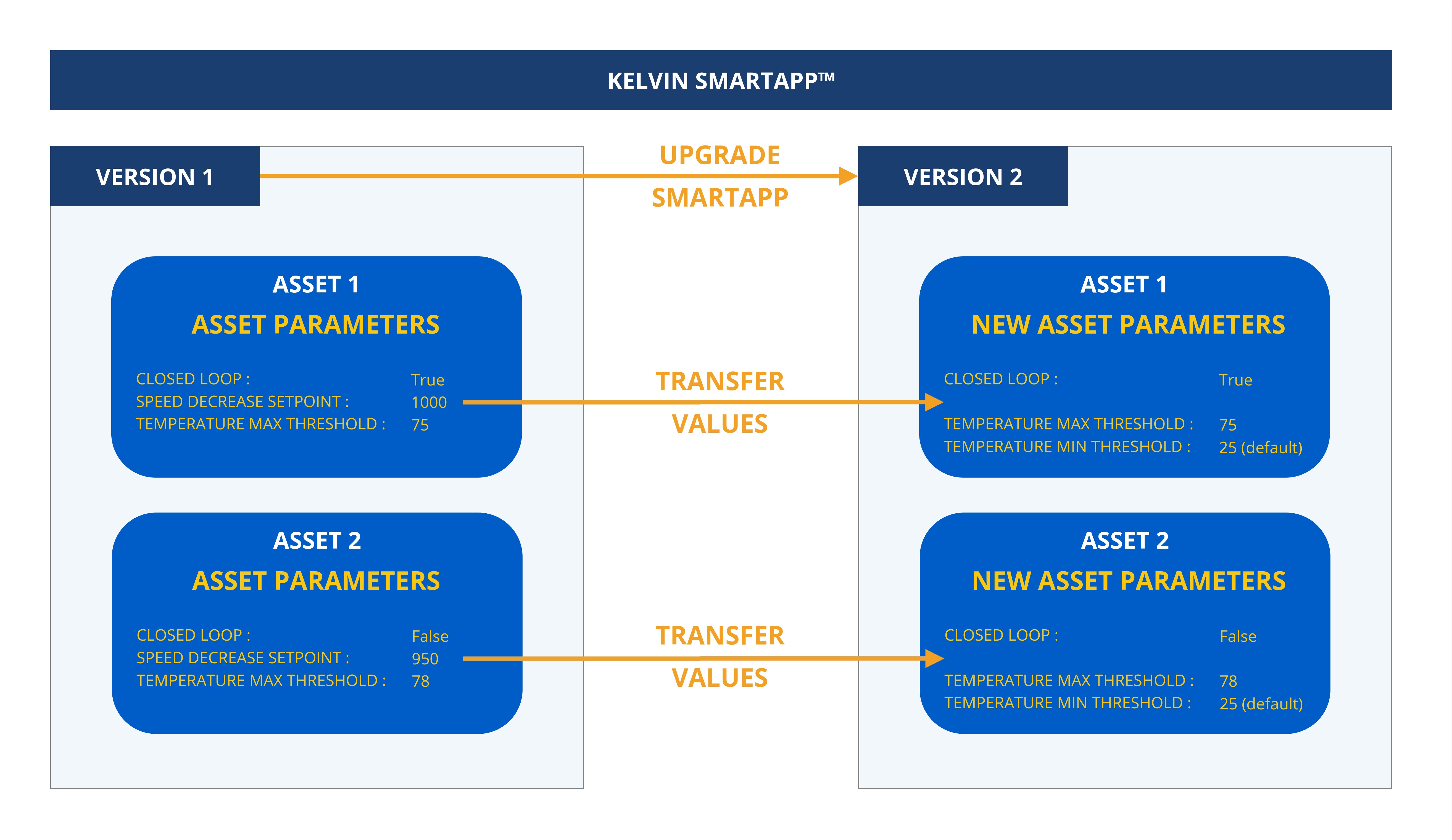
When a Kelvin SmartApp™ is upgraded, Kelvin automatically propagates all matching Asset Parameter values from the previous version to the new version.
For any new Asset Parameters introduced in the upgraded Kelvin SmartApp™ version, the default values will initially apply to all Assets using the updated version.
Examples
Basic
In order to support Asset Parameters, Kelvin SmartApps™ needs to define each Asset Parameter in the Kelvin SmartApp™ app.yaml file before uploading to the Kelvin Cloud:
app:
  type: kelvin
  kelvin:

    parameters:
    - name: speed_decrease_set_point
      data_type: number
      default:
        value: 1000
      schema:
        title: "Speed Decrease SetPoint"
        minimum: 1000
        maximum: 3000
    - name: temperature_max_threshold
      data_type: number
      default:
        value: 75
      schema:
        title: "Temperature Max Threshold"
        minimum: 50
        maximum: 100
In the Kelvin SmartApp™ program, it can access the Asset Parameters values for each Asset like this.
Access a single Asset Parameter value directly from an assets Dictionary Object embedded within KelvinApp:
import asyncio

from kelvin.application import KelvinApp


async def main() -> None:
    app = KelvinApp()
    await app.connect()

    (...)

    # Get Asset Parameter
    temperature_max_threshold = app.assets["my-motor-asset"].parameters["temperature_max_threshold"]
Info
app.assets will only be available after app.connect()
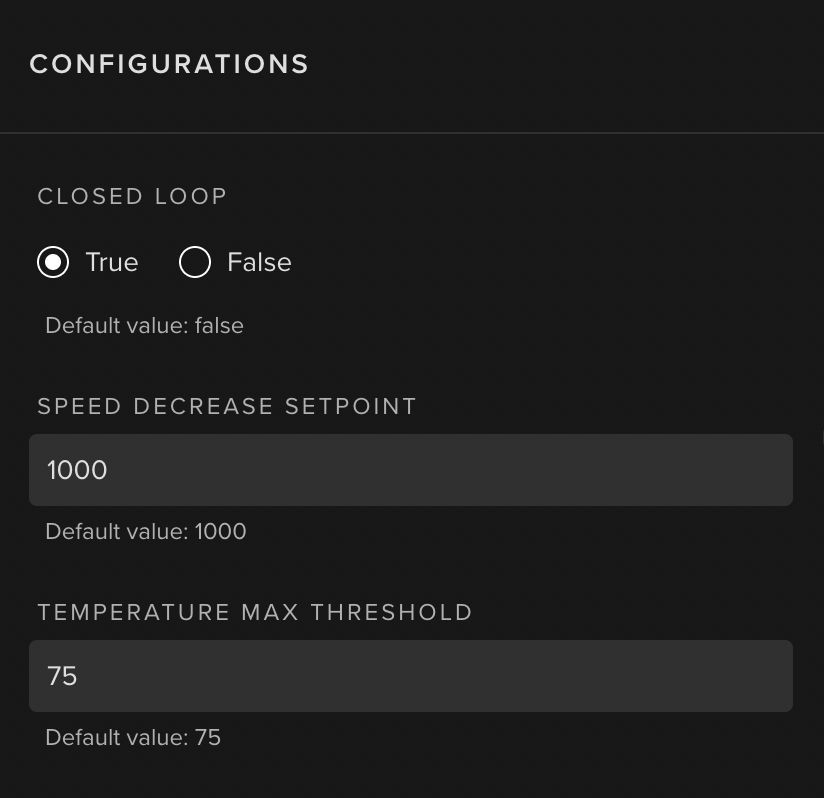
The Asset Parameter values can be changed by Operations in the Kelvin UI through the configurations section.
SmartLift
A practical example is in the Kelvin SmartApp™ called SmartLift where the Operations can change the values for different Asset Parameters for each Asset.
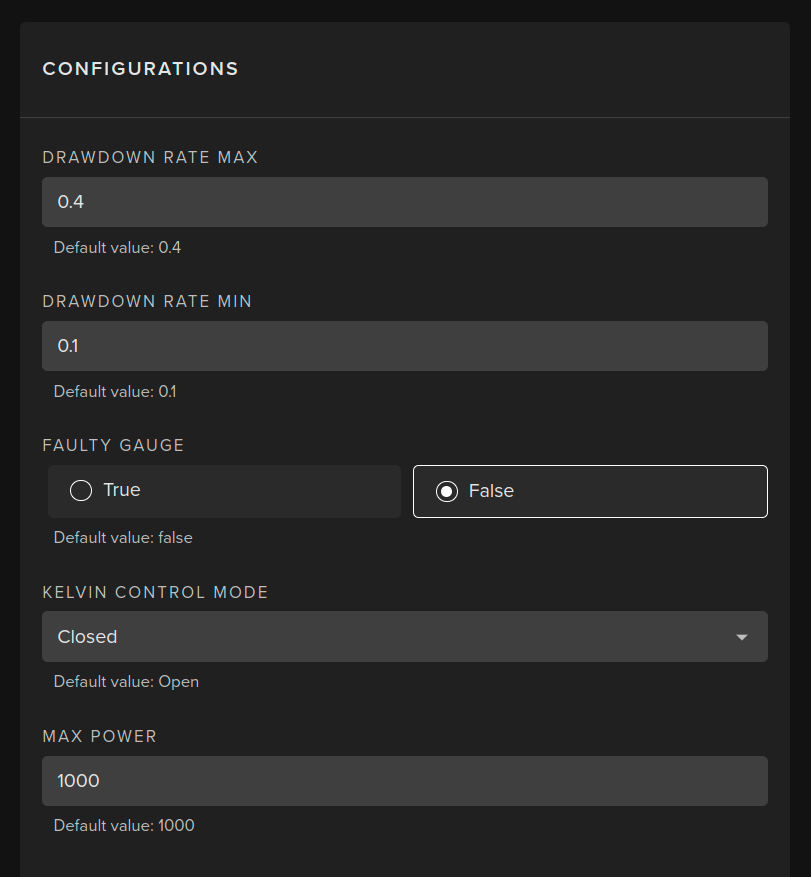
In this example, Operations can set the following values for each Asset;
- Maximum Drawdown rate
- Minimum Drawdowm rate
- Maximum Power
They can also assign whether the guage is faulty.
Finally, they can choose whether to run the Asset in Open or Closed control mode:
- Open Control Mode: Any data changes the Kelvin SmartApp intends to make to the Asset data values must first be approved by Operations before being applied to the Asset.
- Closed Control Mode: Any data changes the Kelvin SmartApp intends to make are automatically applied to the Asset without requiring prior approval.