Requirements
Introduction
To setup your developer environment you will need to install a number of software and tools.
Standard Developer Tool
Throughout our documentation we will use Visual Studio Code as the default developer tool for showcasing programming and terminal commands.
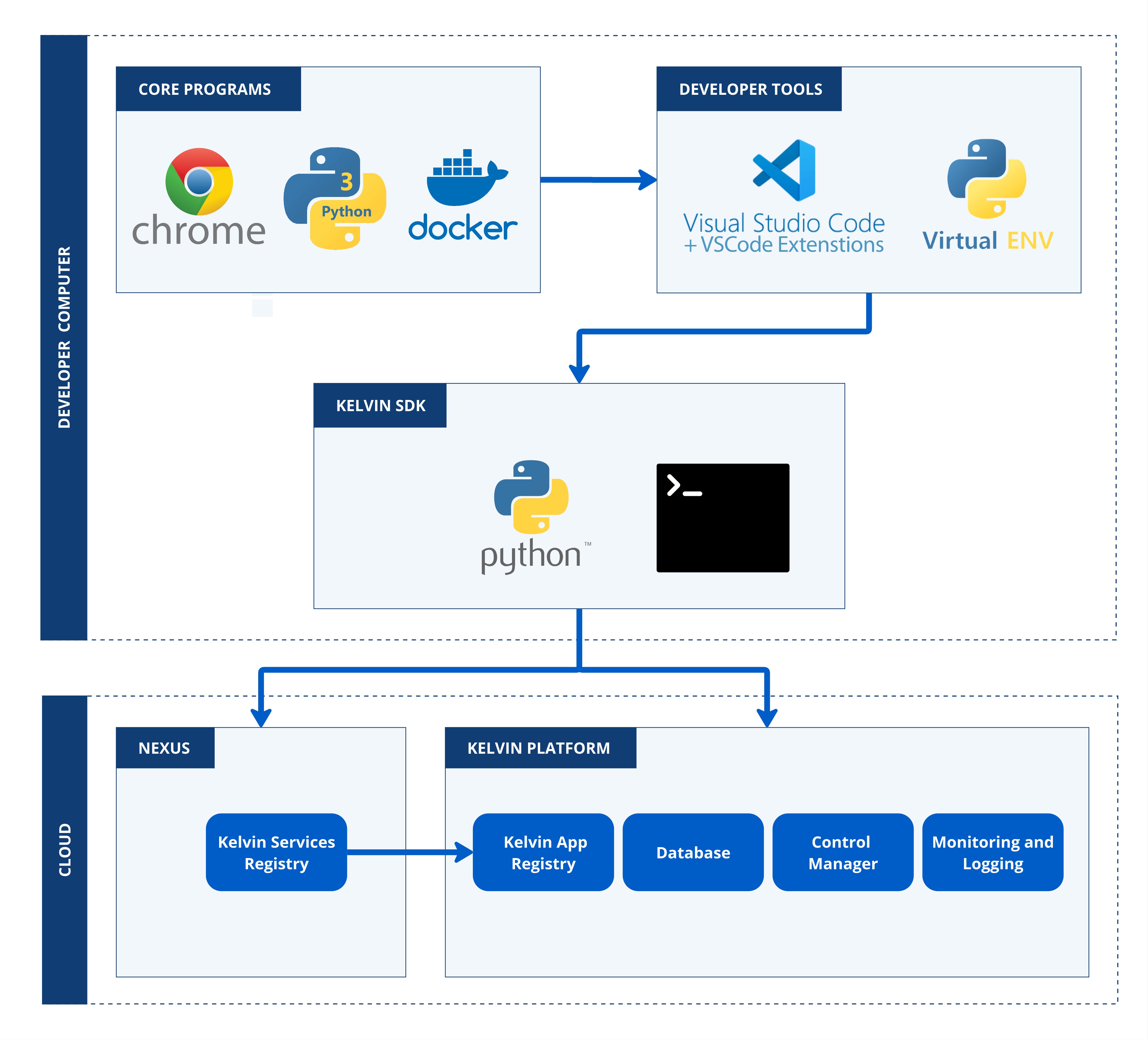
On this page we will take you through the full process on getting your computer environment ready to start developing and administrating on the Kelvin Platform.
Requirements
For setting up Windows 11, we are demonstrating the install guides on version 22H2 (OS Build 22621.4317).
For the purpose of setting up your workspace we will assume this is a blank new Windows installation.
Warning
As you know, there are many ways things can go wrong in Windows.
If you find something does not work properly, especially in cases where you have previously installed the software using your own methods, we recommend that you uninstall the problematic software and try reinstalling it using our guide.
The list of software required for development and testing is;
| Software | Mandatory | Install Method |
|---|---|---|
| Google Chrome | Yes (Kelvin only guarantees on Google Chrome, though most if not all features will work in the other modern browsers) | From website |
| Python 3 | Yes, See Pypi for compatible versions | From website |
| Docker | Yes | From website |
| Visual Studio Code | No, but we now standardize our newer documentation to be shown on VSCode | From website |
| Kelvin SDK | Yes | pip install kelvin-sdk |