Skip to content

Download Data Tags

Available Guides

Reference:

Field Description
start_date Start date for the Data Tag. Time is based on UTC timezone, formatted in RFC 3339.
end_date End date for the Data Tag. Time is based on UTC timezone, formatted in RFC 3339.
tag_name Tag name to categorize the Data Tag
resource The Asset that this Data Tag is related to. This is in KRN format (e.g. krn:asset:bp_01)
source The process that created this Data Tag. This can be a user or an automated process like a workload, Kelvin SmartApps™, Docker Apps, etc. This is KRN format.
description Detailed description of the Data Tag.
contexts A list of associated resources with this Data Tag. This can be a Data Stream, Kelvin SmartApps™ or any other valid resource in the Kelvin Platform.

Download Data Tags for an Asset

In this example we will retrieve all Data Tags for an Asset.

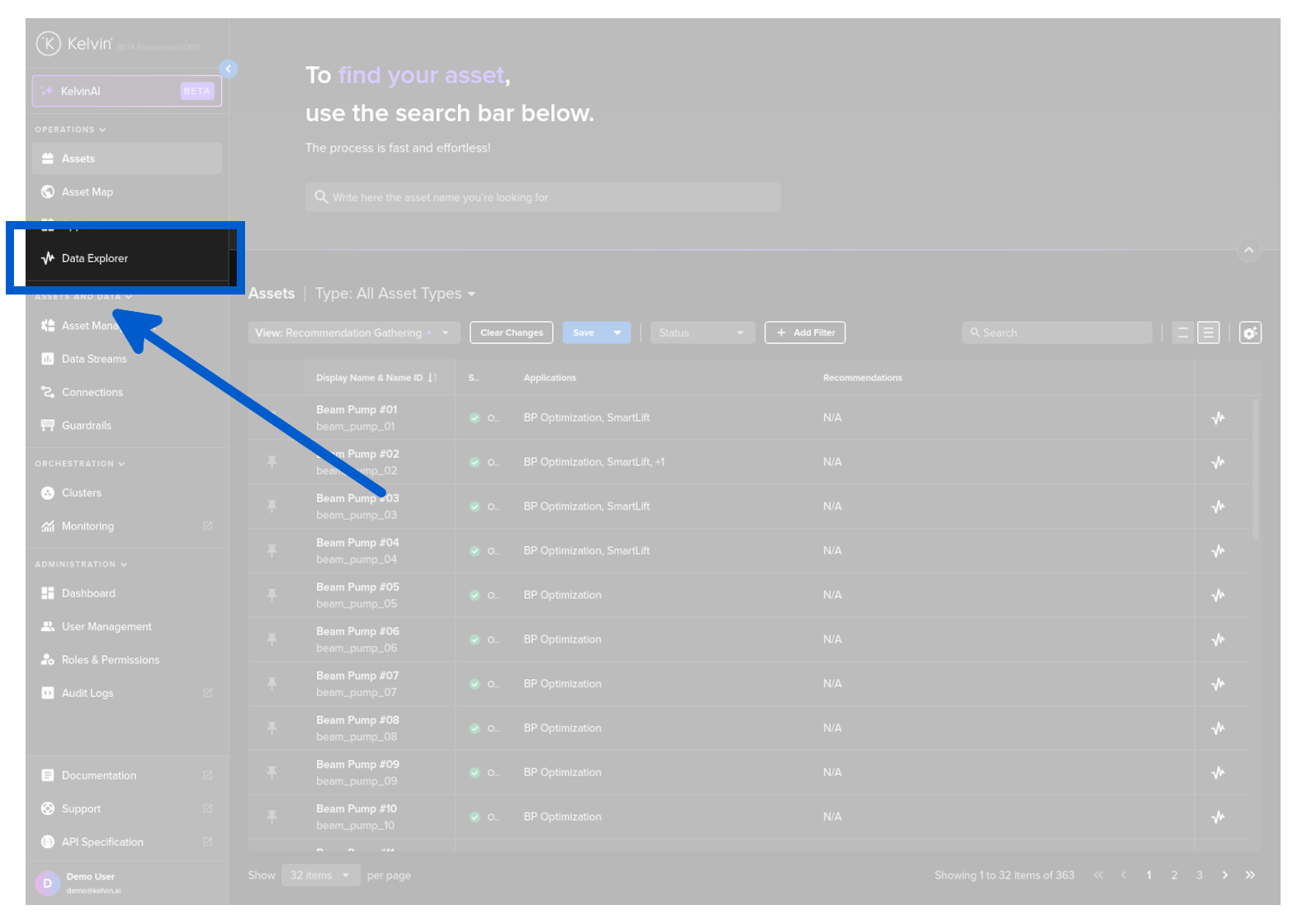
You can download a range of Data Tag information from the Data Explorer page.

To do this go to the Data Explorer page.
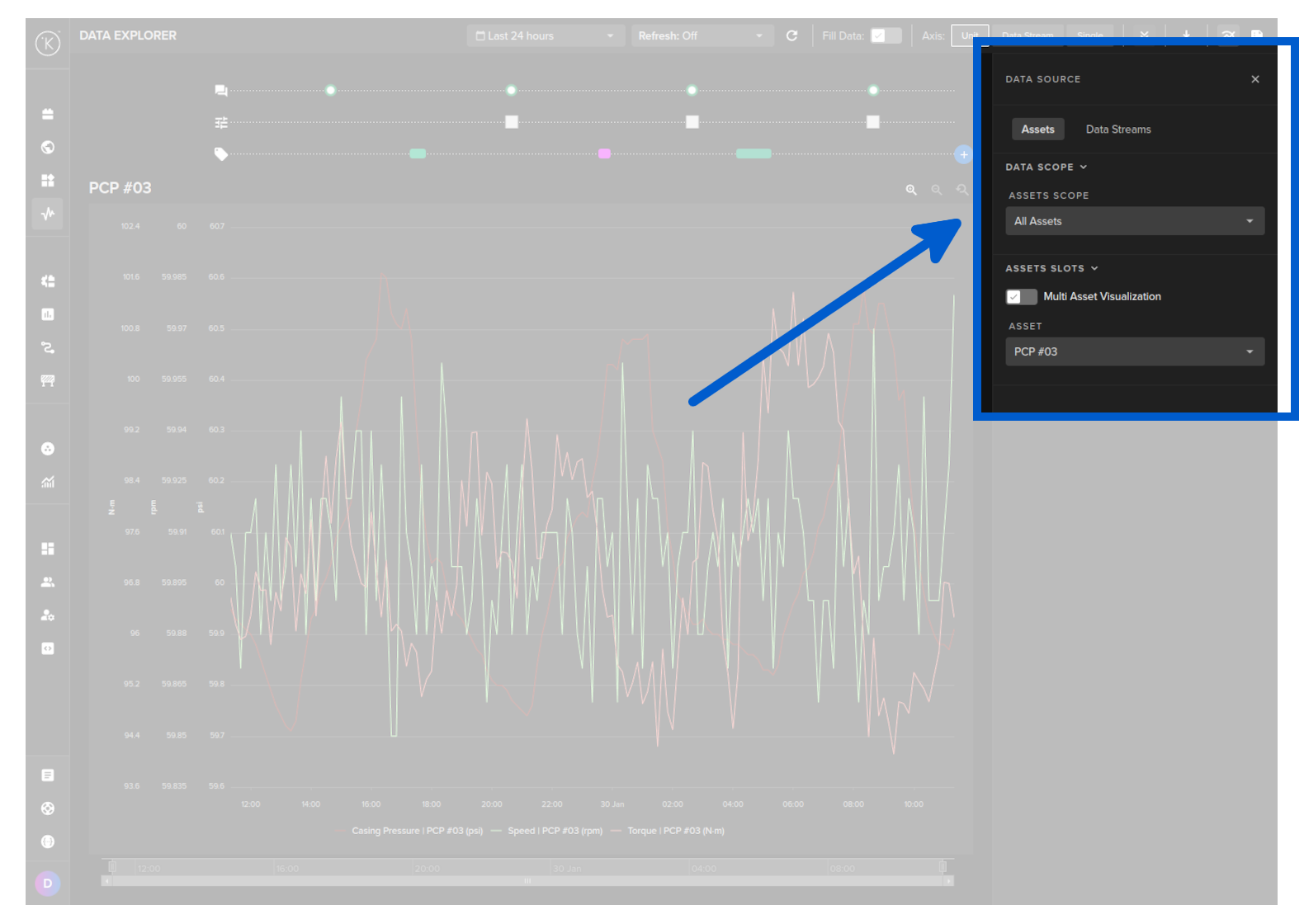
Select the Asset.
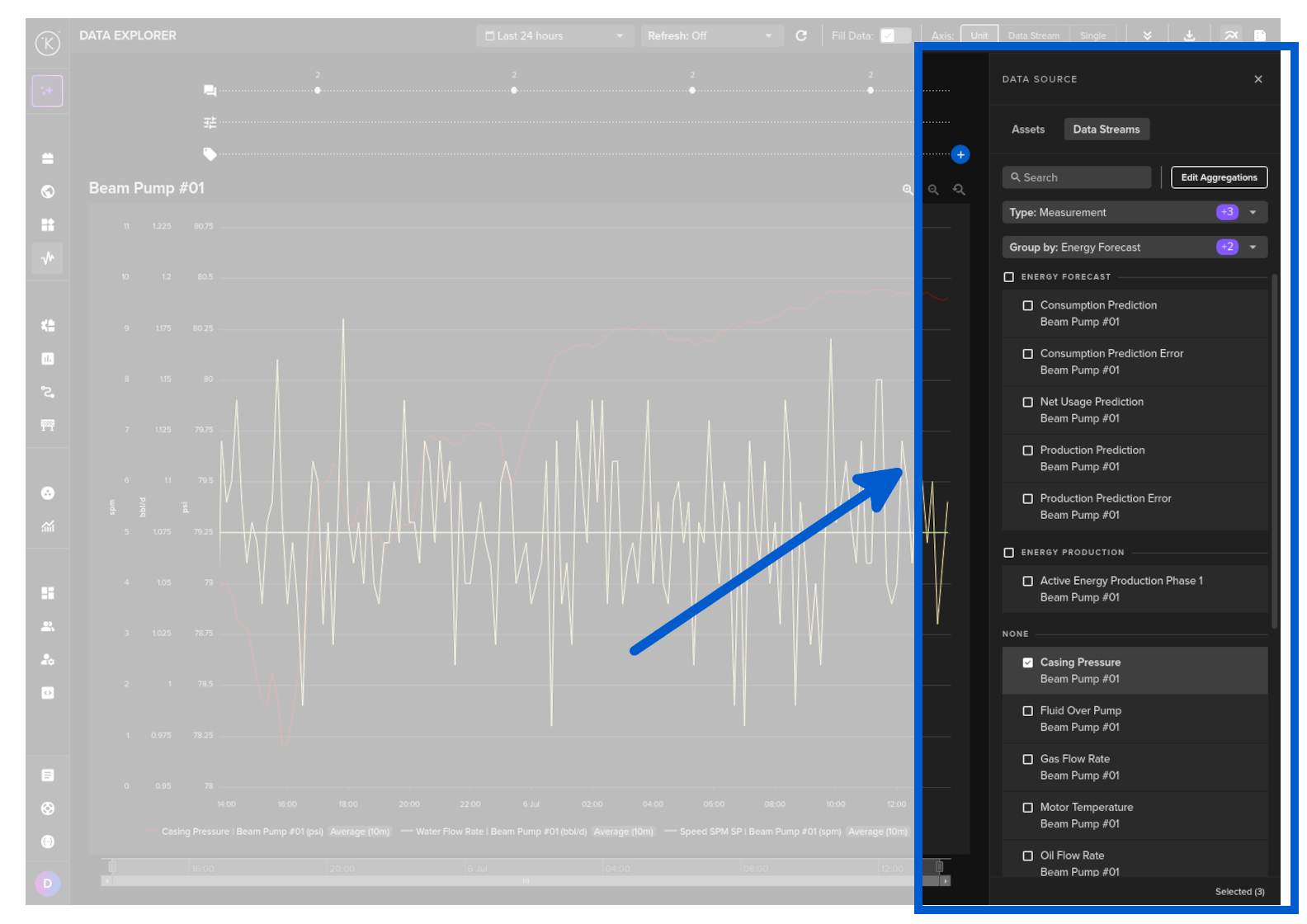
Select one or more Data Streams that you want to download the related information.
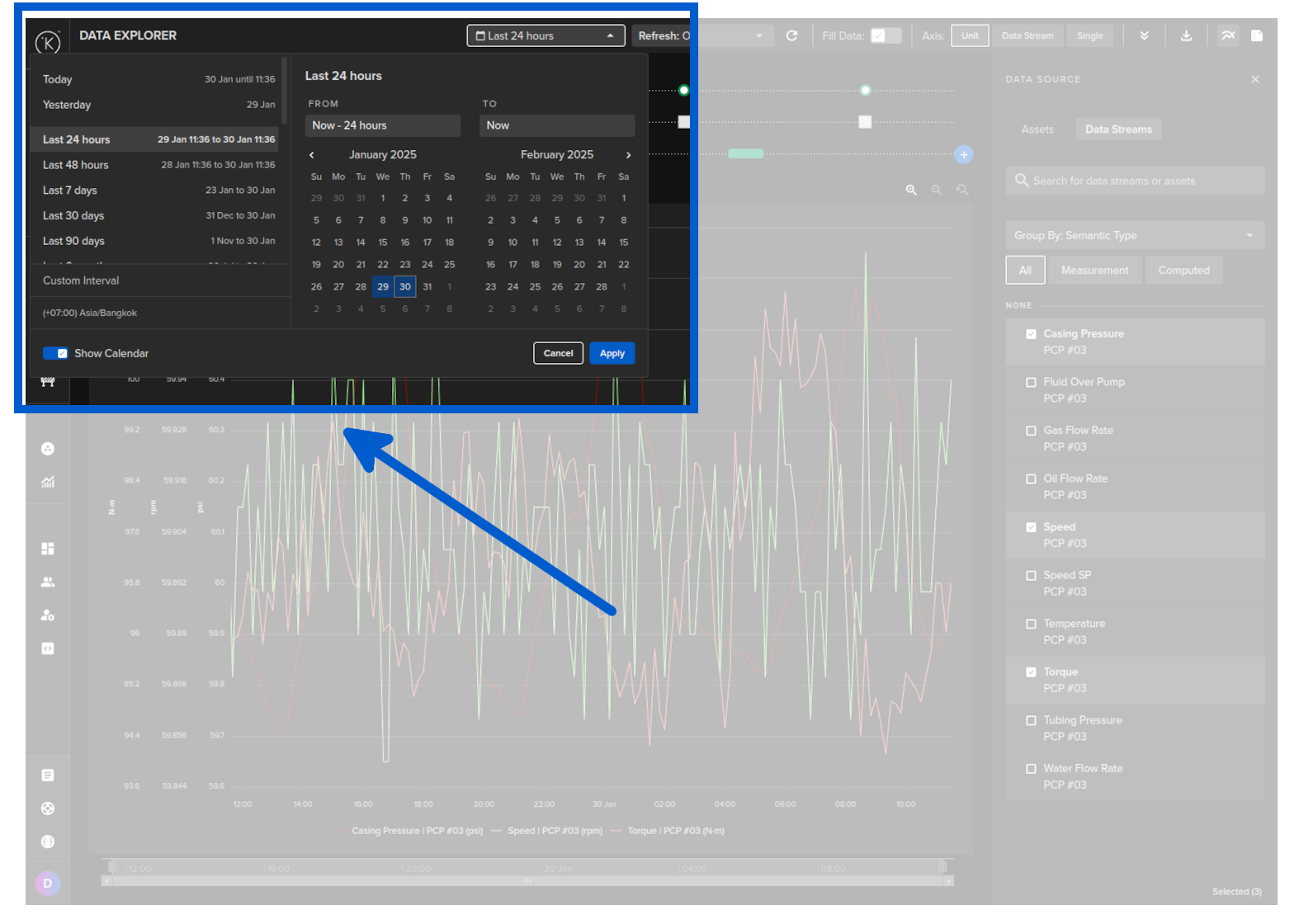
Choose a time period.
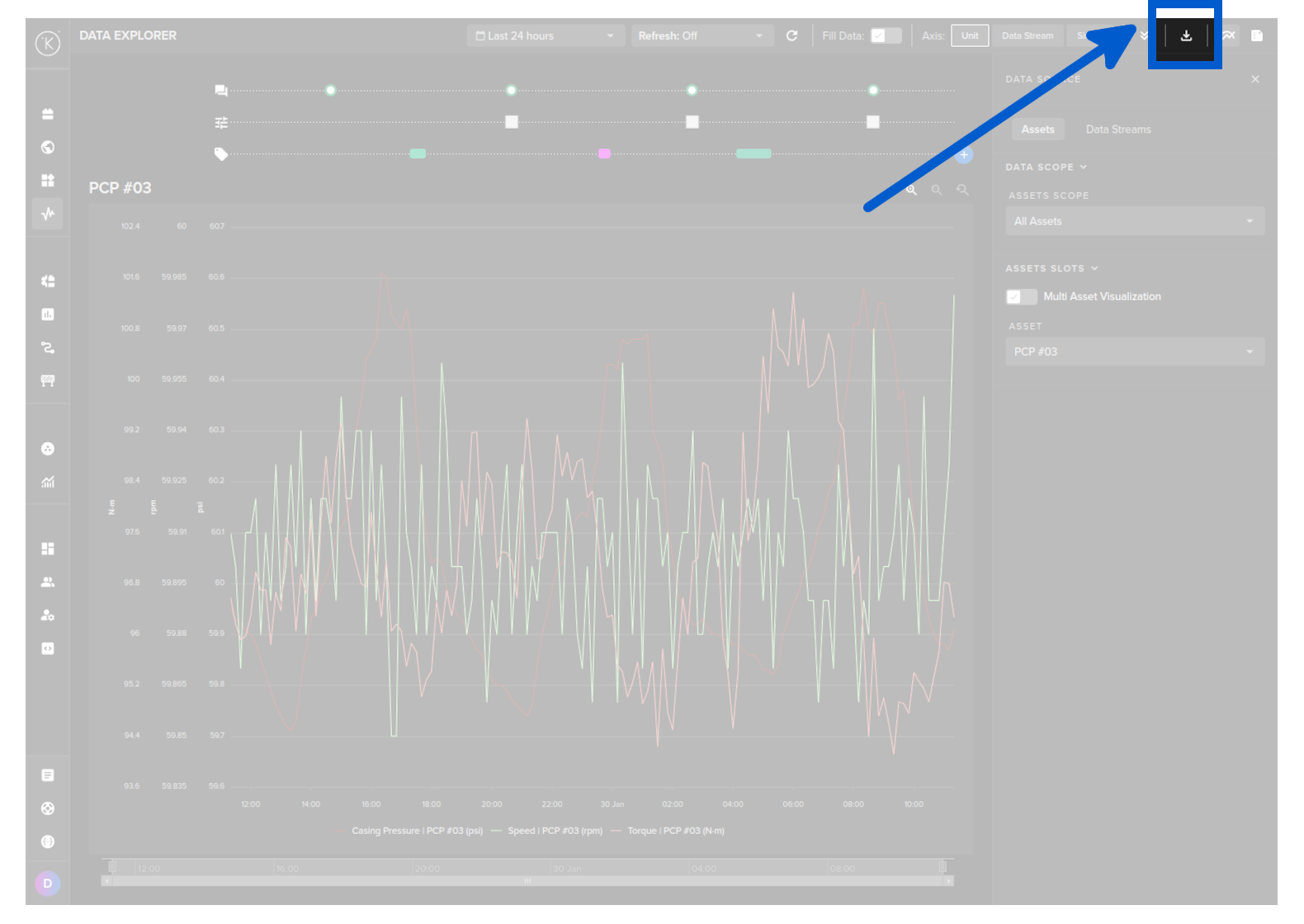
Then click on the download button.
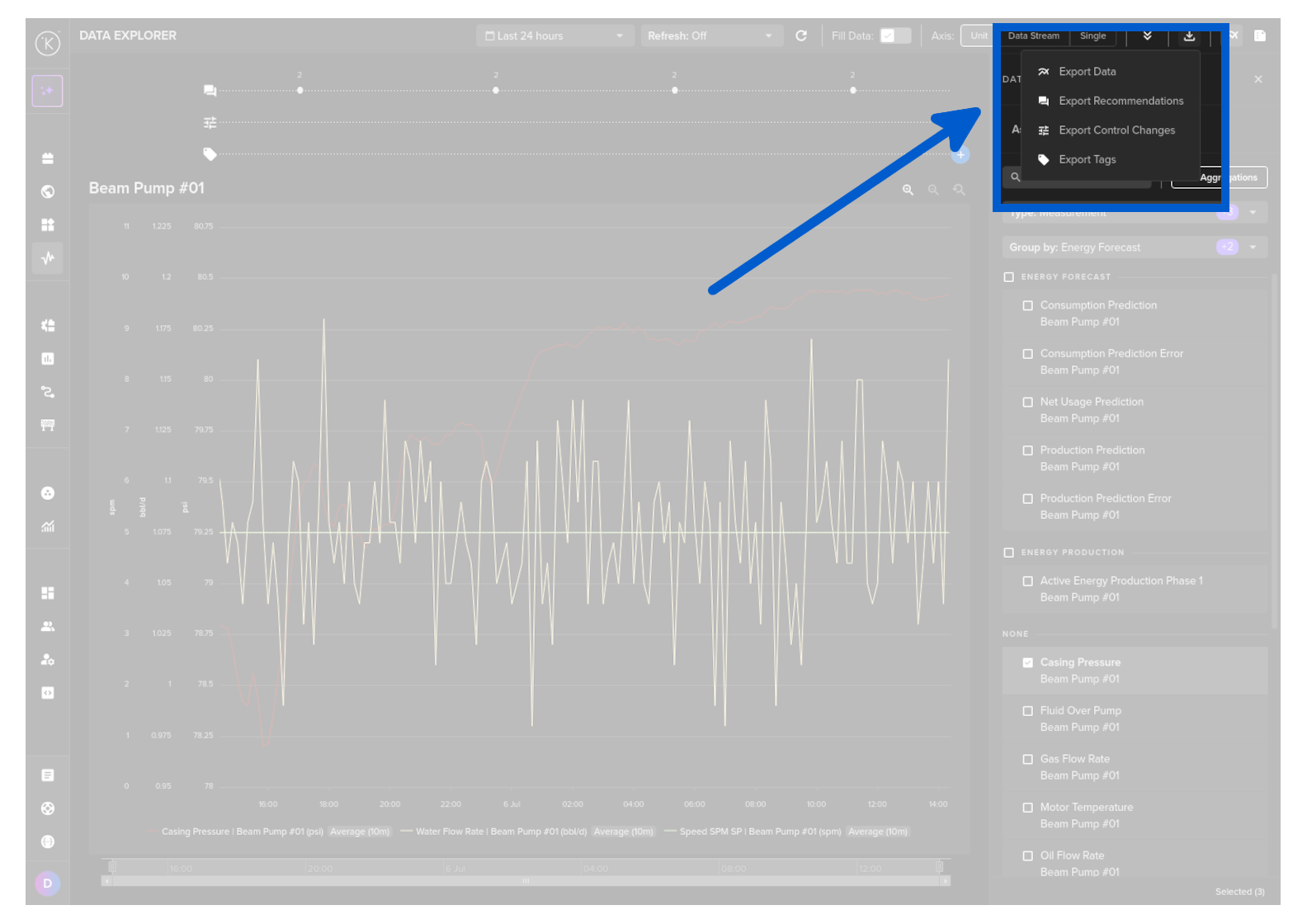
Select the Export Tags option.
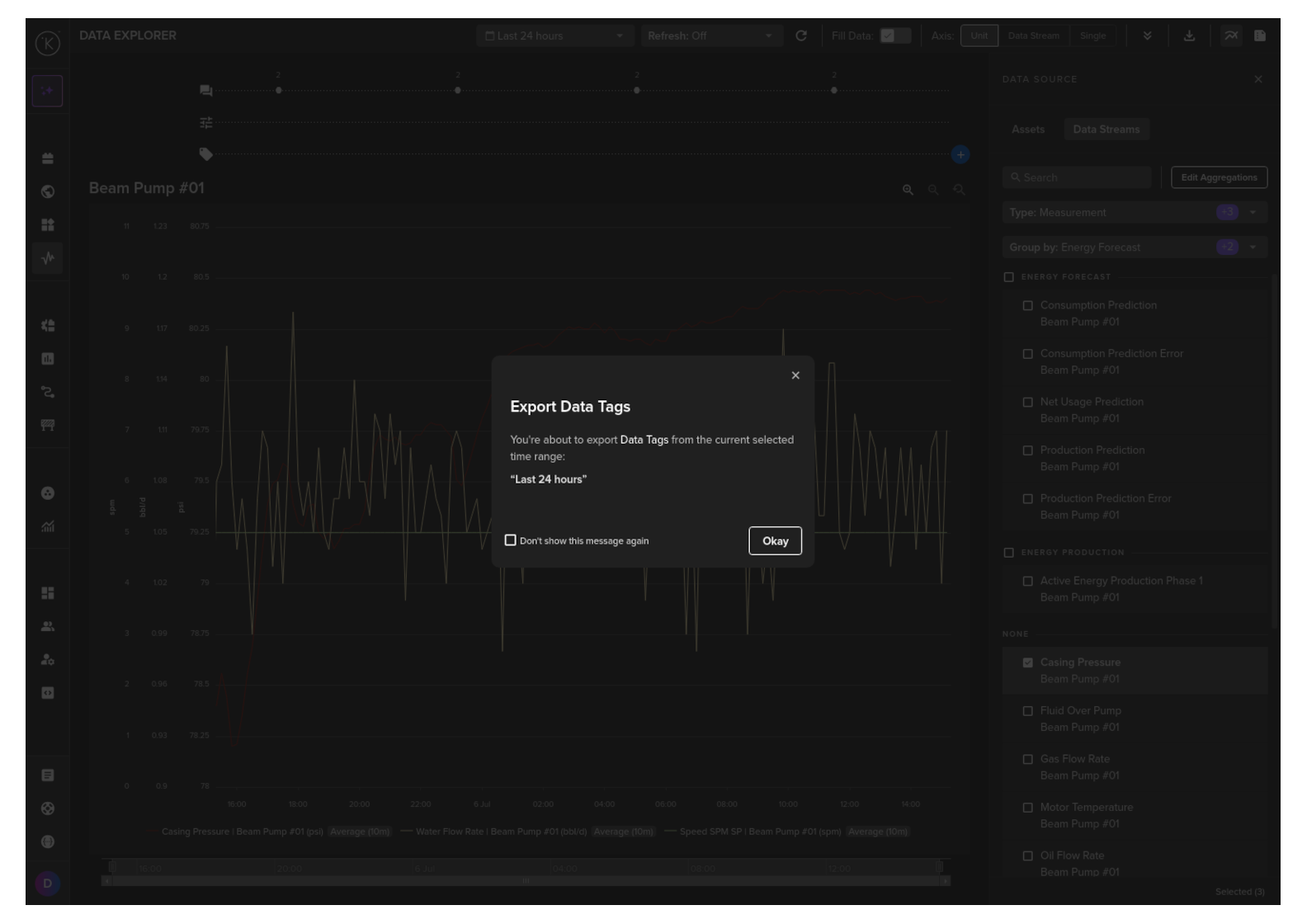
And finally confirm the download by clicking on the Okay button.
API cURL Example
 1
 2
 3
 4
 5
 6
 7
 8
 9
10
11
12
curl -X "POST" \
  "https://<url.kelvin.ai>/api/v4/datatags/list" \
  -H "Authorization: Bearer <Your Current Token>" \
  -H "Accept: application/json" \
  -H "Content-Type: application/json" \
  -d '{
        "start_date": "2024-07-01T12:00:00.000Z",
        "end_date": "2024-08-01T12:00:00.000Z",
        "resources": [
          "krn:asset:pcp_01"
        ]
    }'

The response will look like this;

API cURL Example Response
 1
 2
 3
 4
 5
 6
 7
 8
 9
10
11
12
13
14
15
16
17
18
19
20
{
   "pagination":{
      "next_page":null,
      "previous_page":null
   },
   "data":[
      {
         "id":"80d9c4f1-9aa6-4ac8-9b31-18f49640b282",
         "start_date":"2024-07-19T14:40:14.98Z",
         "end_date":"2024-07-20T02:40:14.98Z",
         "tag_name":"Maintenance event",
         "resource":"krn:asset:pcp_01",
         "source":"krn:user:demo@kelvin.ai",
         "description":null,
         "contexts":[],
         "created":"2024-04-20T13:48:15.09811Z",
         "updated":"2024-04-20T13:48:15.09811Z"
      }
   ]
}
API Client (Python) Example
 1
 2
 3
 4
 5
 6
 7
 8
 9
10
11
12
13
14
15
16
17
18
19
20
21
22
from kelvin.api.client import Client

# Login
client = Client(config={"url": "https://<url.kelvin.ai>", "username": "<your_username>"})
client.login(password="<your_password>")

# List all Data Tags
response = client.data_tag.list_data_tag(
    data={
        "start_date": "2024-07-01T12:00:00.000Z",
        "end_date": "2024-08-01T12:00:00.000Z",
        "resources": [
            "krn:asset:pcp_01",
        ],
    }
)

# Convert the response into a Pandas DataFrame
df = response.to_df()

# Print the result
print(df)

The response will look like this;

API Client (Python) Example Response
1
2
3
4
                                     id                        start_date                          end_date           tag_name  ... description contexts                           created                           updated
0  80d9c4f1-9aa6-4ac8-9b31-18f49640b282  2024-04-19T14:40:14.980000+00:00  2024-04-20T02:40:14.980000+00:00  Maintenance event  ...        None       []  2024-04-20T13:48:15.098110+00:00  2024-04-20T13:48:15.098110+00:00

[1 rows x 10 columns]