Action a Recommendation
Overview
When you click on View More button (or See More in the Data Explorer popup) you will see the Recommendation where you will see the detailed information and possible actions.
How the Recommendation is displayed will depend on whether you view from the Assets table or the Assets details page.
Warning
If you see a Details link instead of a View More button, this means there are no pending Recommendations for that Asset and no actions are available.
Actions
Inline Recommendation
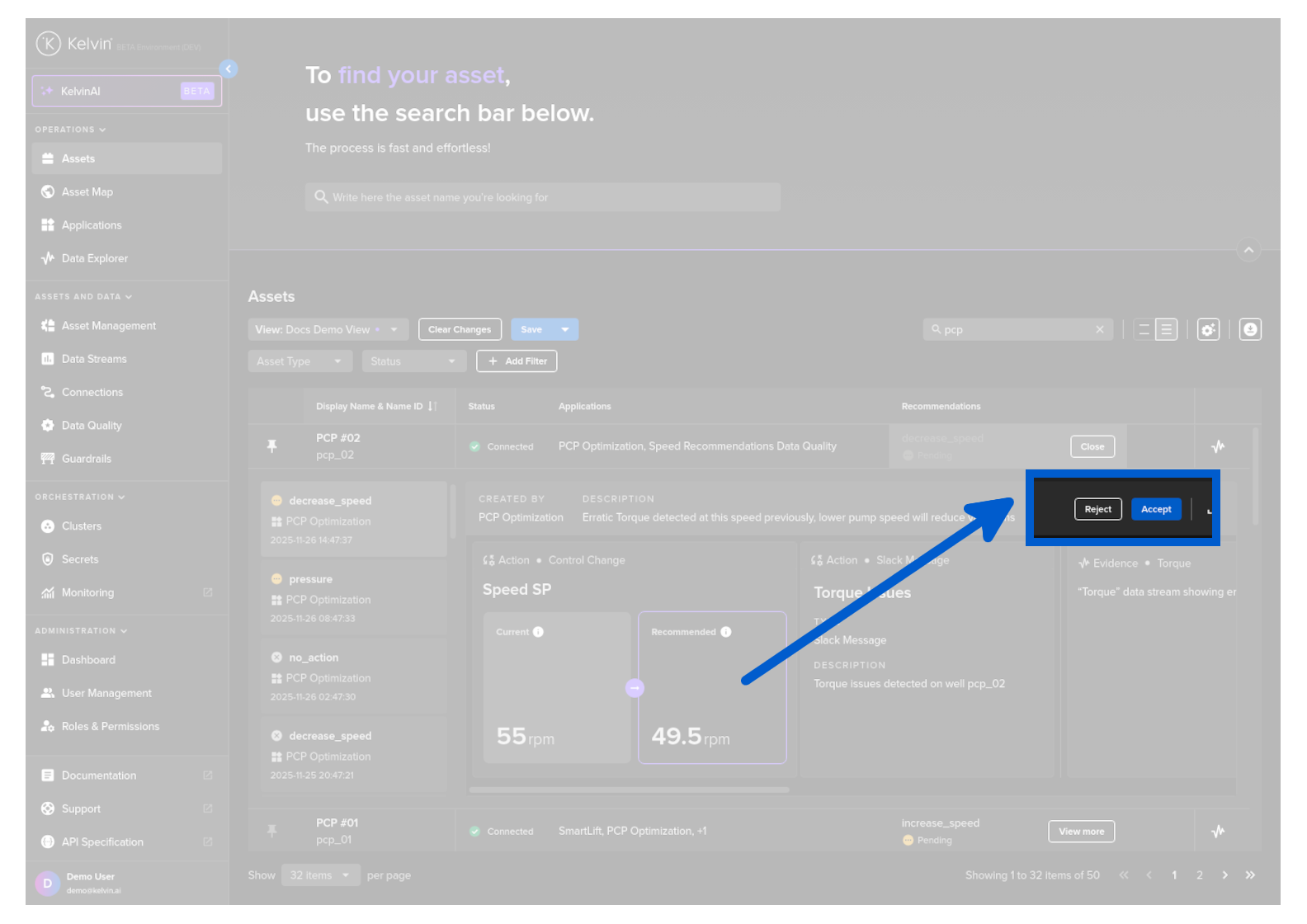
The action buttons are placed in the top line of the inline Recommendation.
Accept
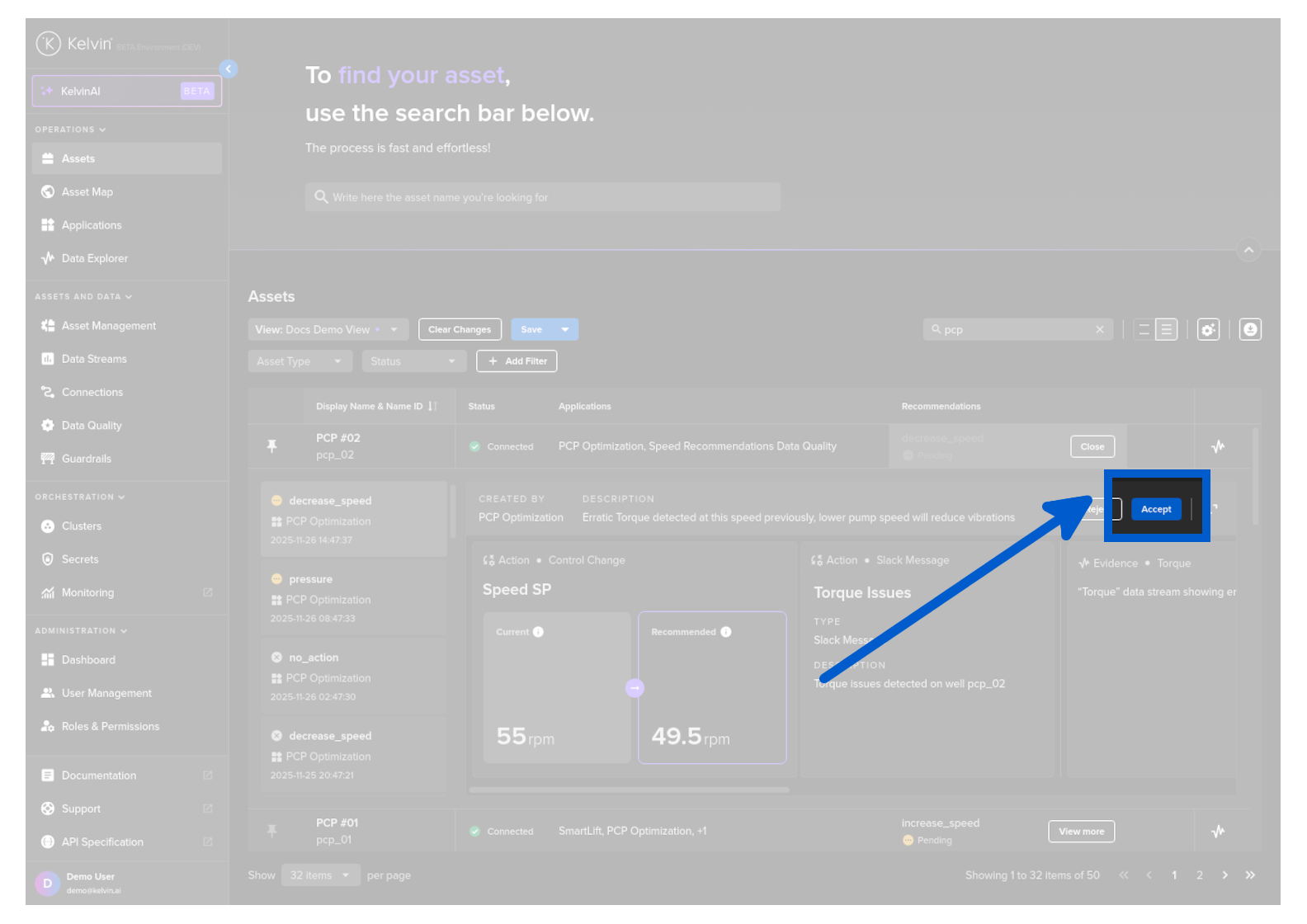
To accept, click on the Accept button.
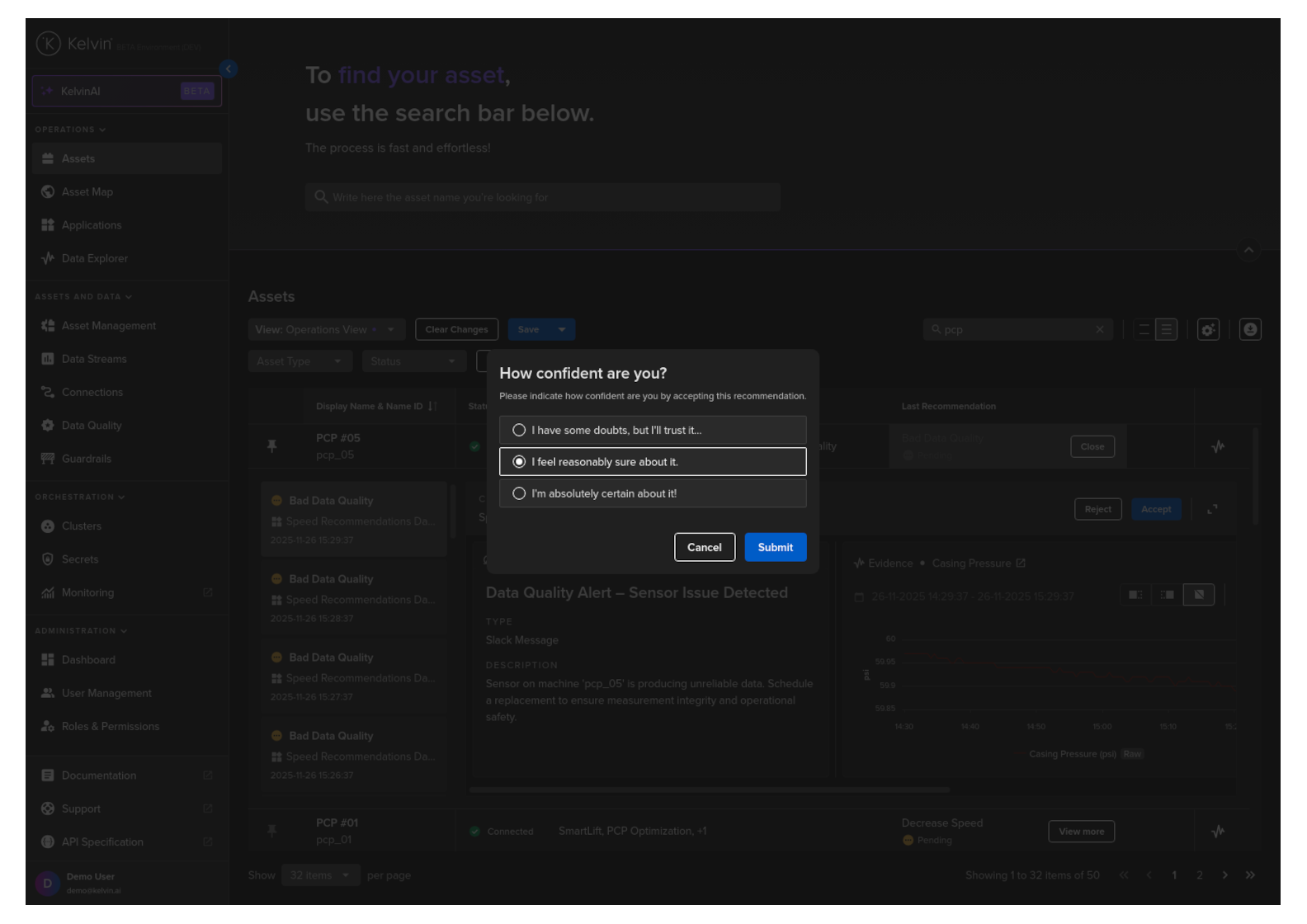
When you click on the Accept button, a popup will appear asking on your confidence level of the Recommendation.
Give your answer and click the Submit button.
Note
This is important feedback for the developers to use in assessing the accuracy of the Kelvin SmartApp™'s algorithms.
All actions in the Recommendation will be immediately implemented.
Warning
For Control Changes, accepting the Recommendation ONLY initiates the Control Change action.
This does NOT GUARANTEE that the data values will be updated. It will depend on the connectivity to the actual Asset.
You can come back to this Recommendation to see if the Control Changes are executed successfully.
Reject
If you disagree with the Recommendation and want to cancel it, click on the Reject button.
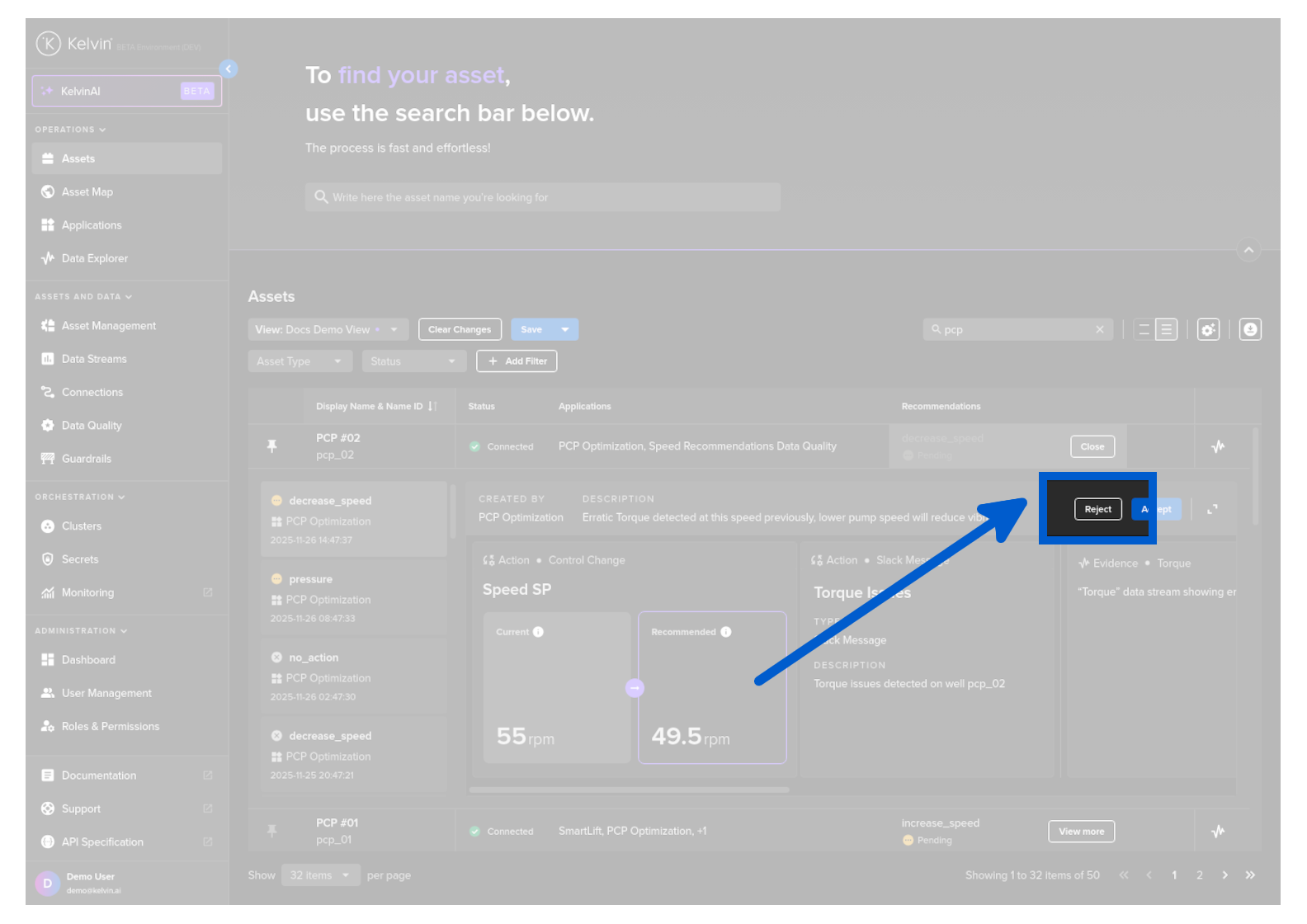
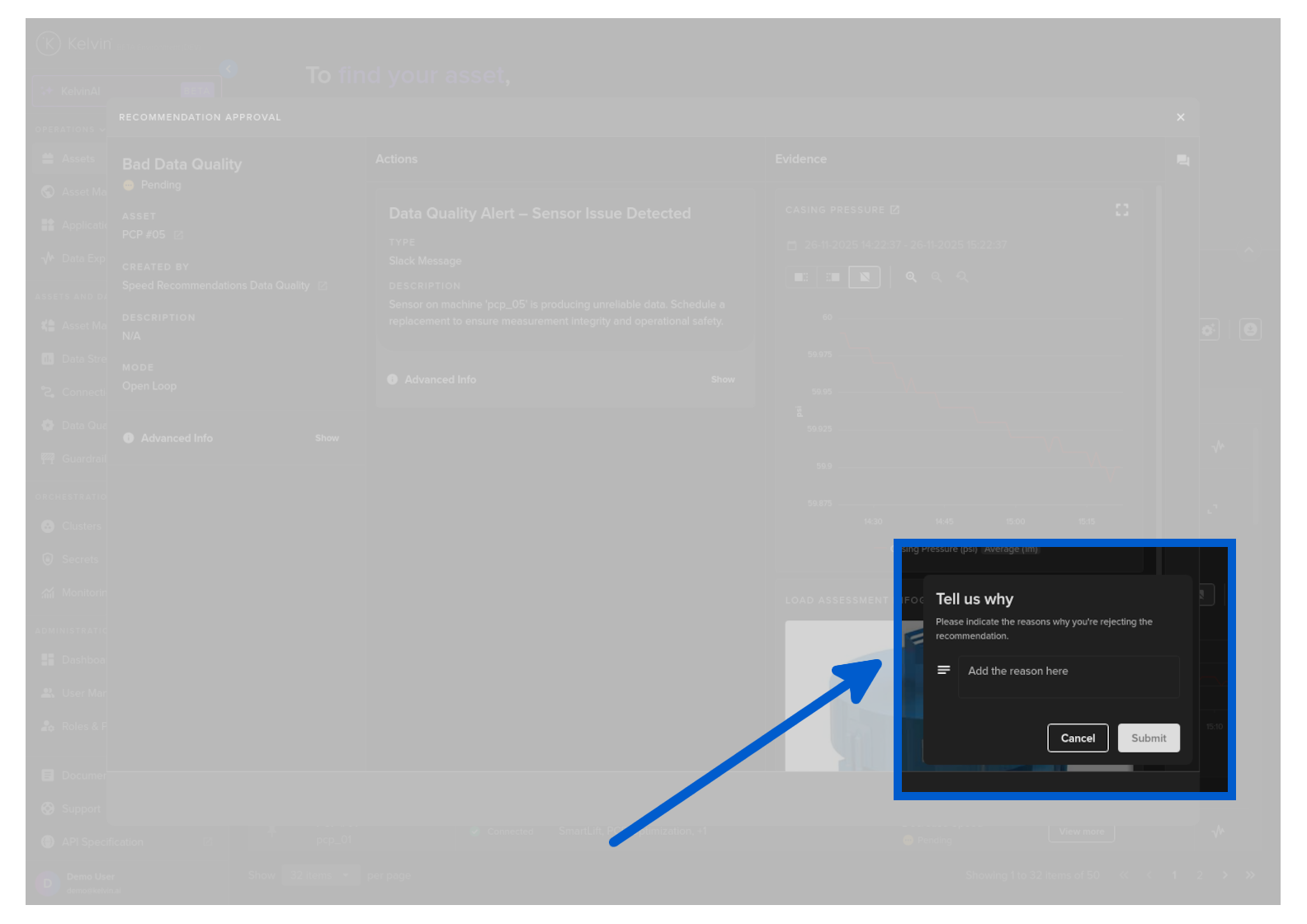
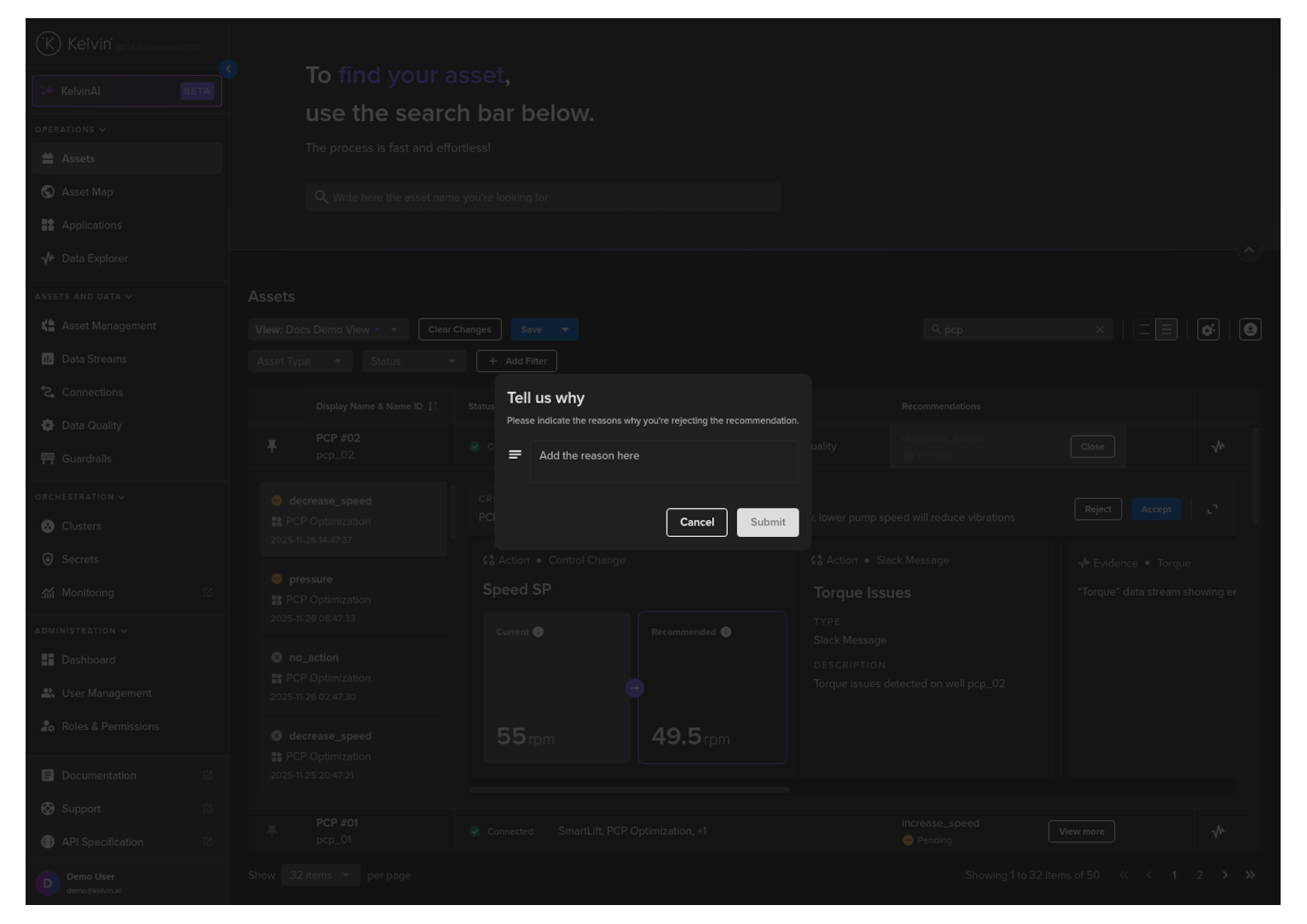
When you click on the Reject button, a popup will appear asking for your feedback on why you have rejected this Recommendation.
After you have entered your information, click the Submit button.
Note
This is important feedback for the developers to use for improving the Kelvin SmartApp™'s algorithms.
Popup Recommendation
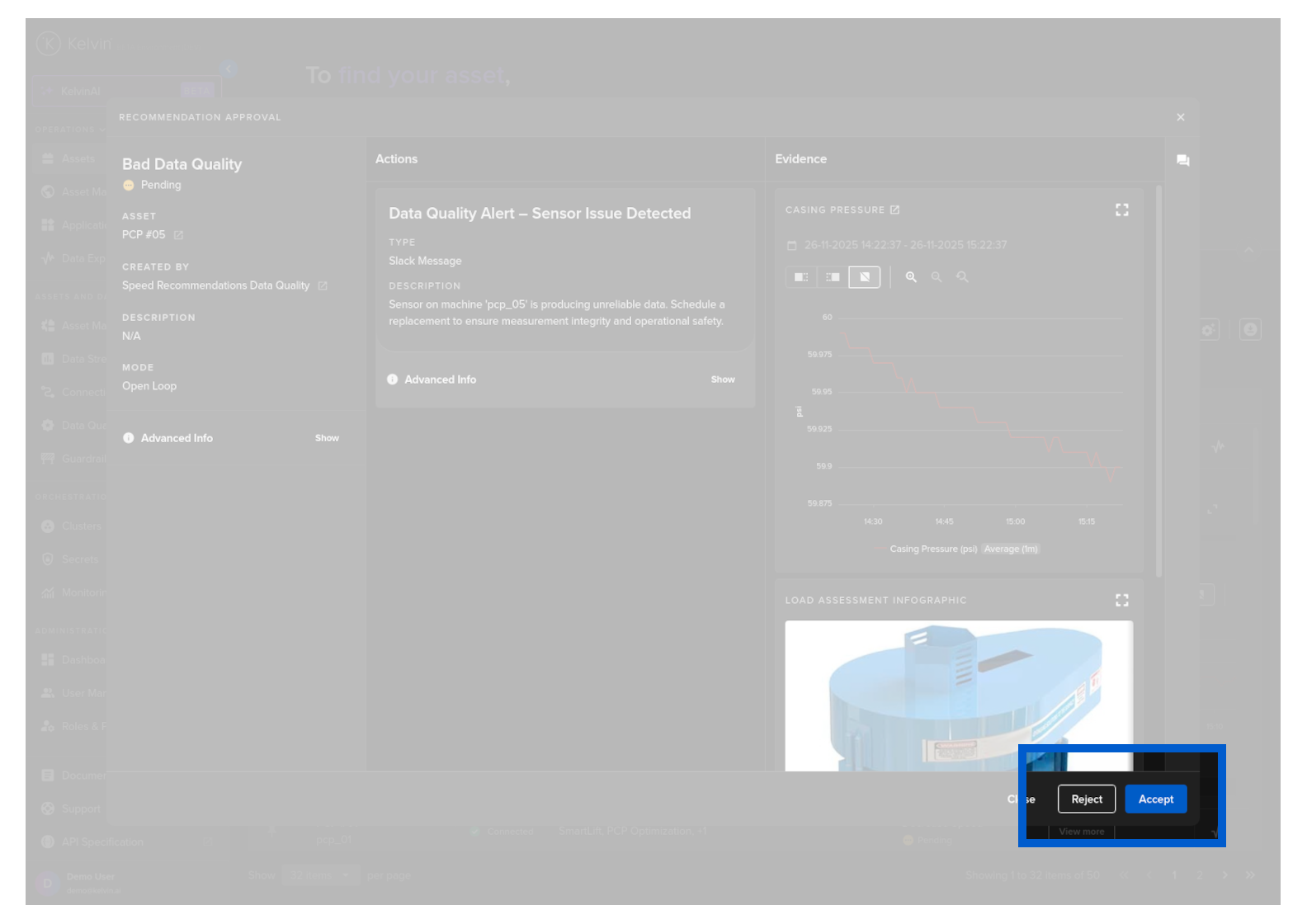
The action buttons are placed at the bottom right corner of the popup window.
Accept
To accept, click on the Accept button.
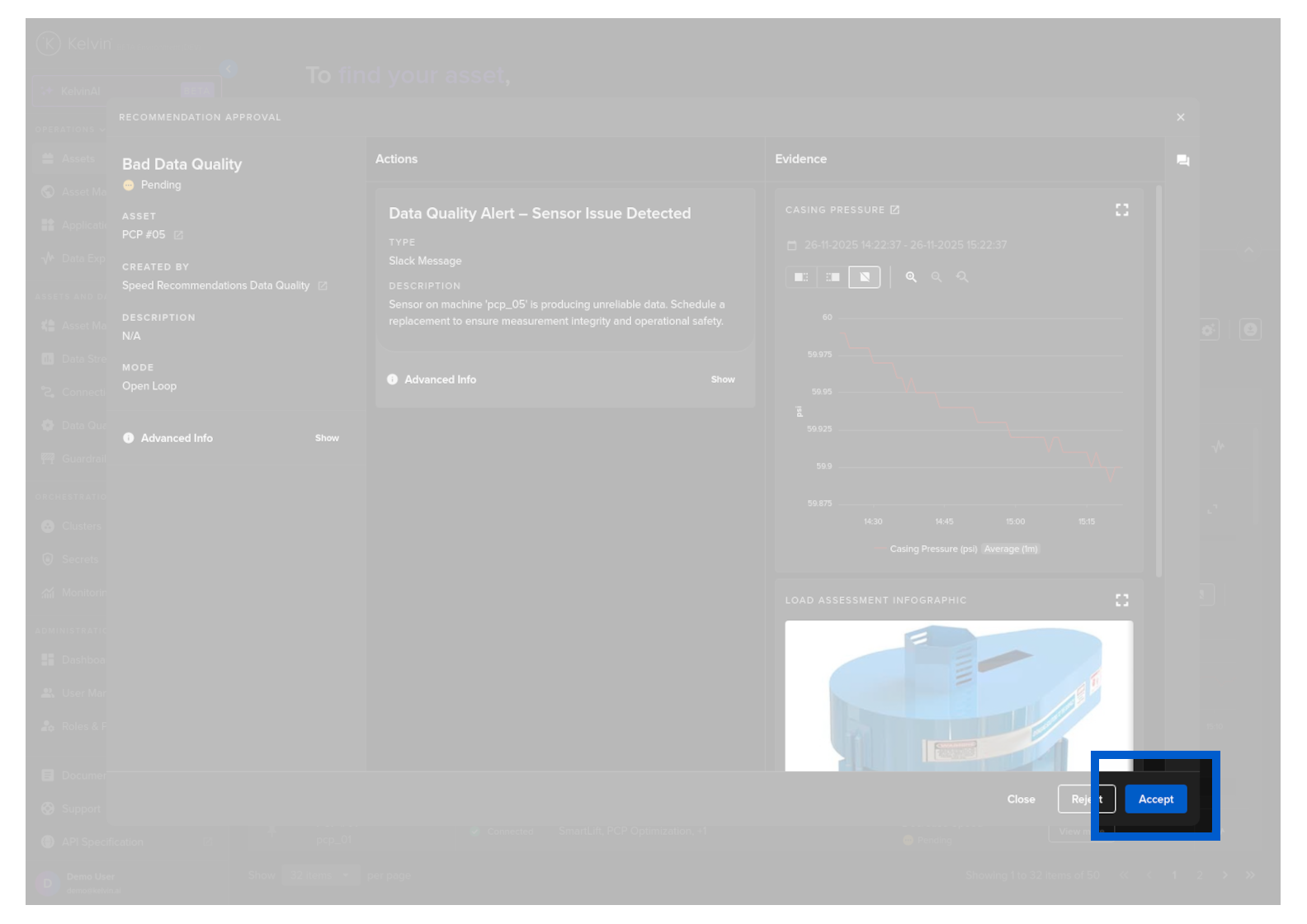
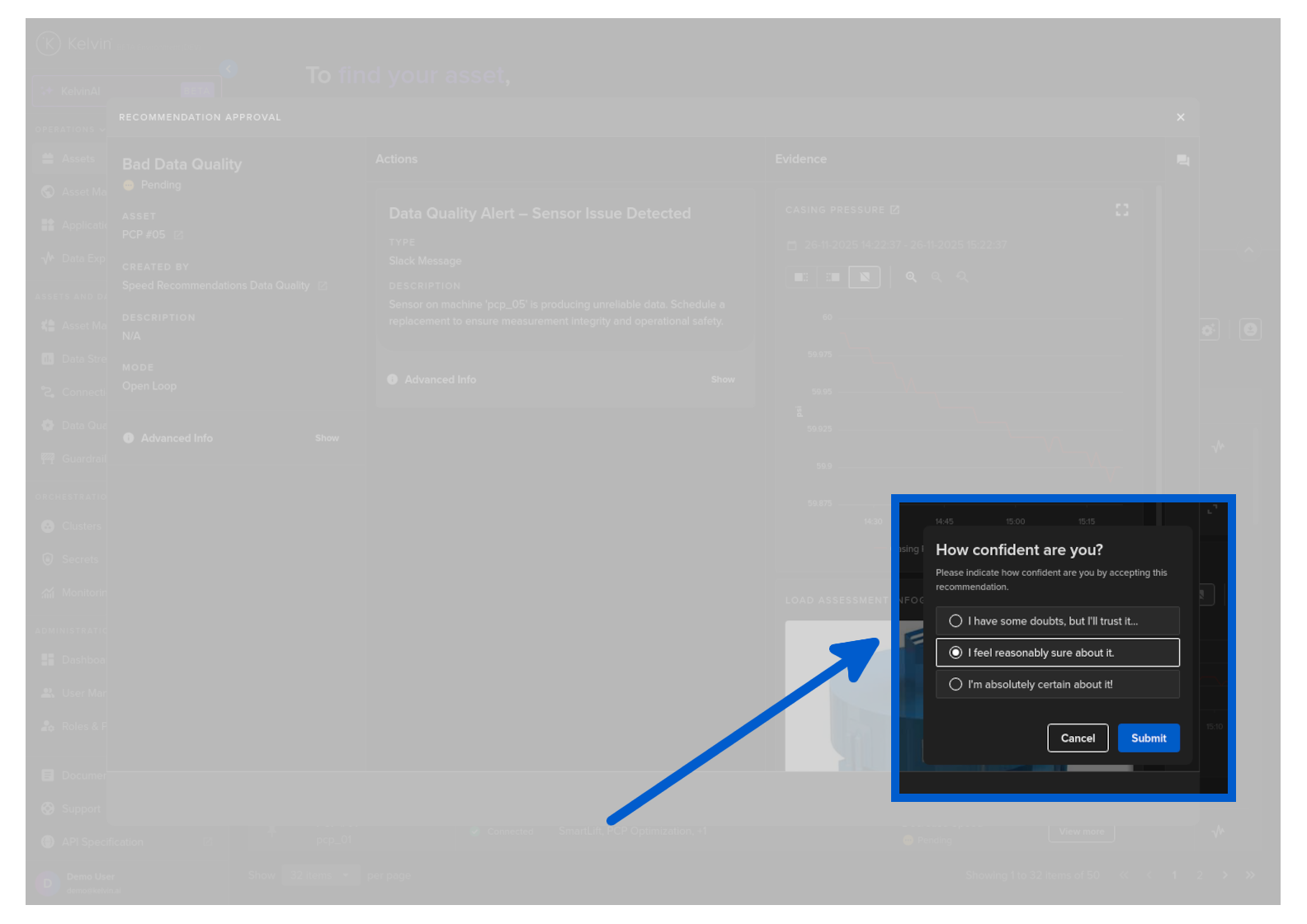
When you click on the Accept button, a popup will appear asking on your confidence level of the Recommendation.
Give your answer and click the Submit button.
Note
This is important feedback for the developers to use in assessing the accuracy of the Kelvin SmartApp™'s algorithms.
All actions in the Recommendation will be immediately implemented.
Warning
For Control Changes, accepting the Recommendation ONLY initiates the Control Change action.
This does NOT GUARANTEE that the data values will be updated. It will depend on the connectivity to the actual Asset.
You can come back to this Recommendation to see if the Control Changes are executed successfully.
Reject
If you disagree with the Recommendation and want to cancel it, click on the Reject button.
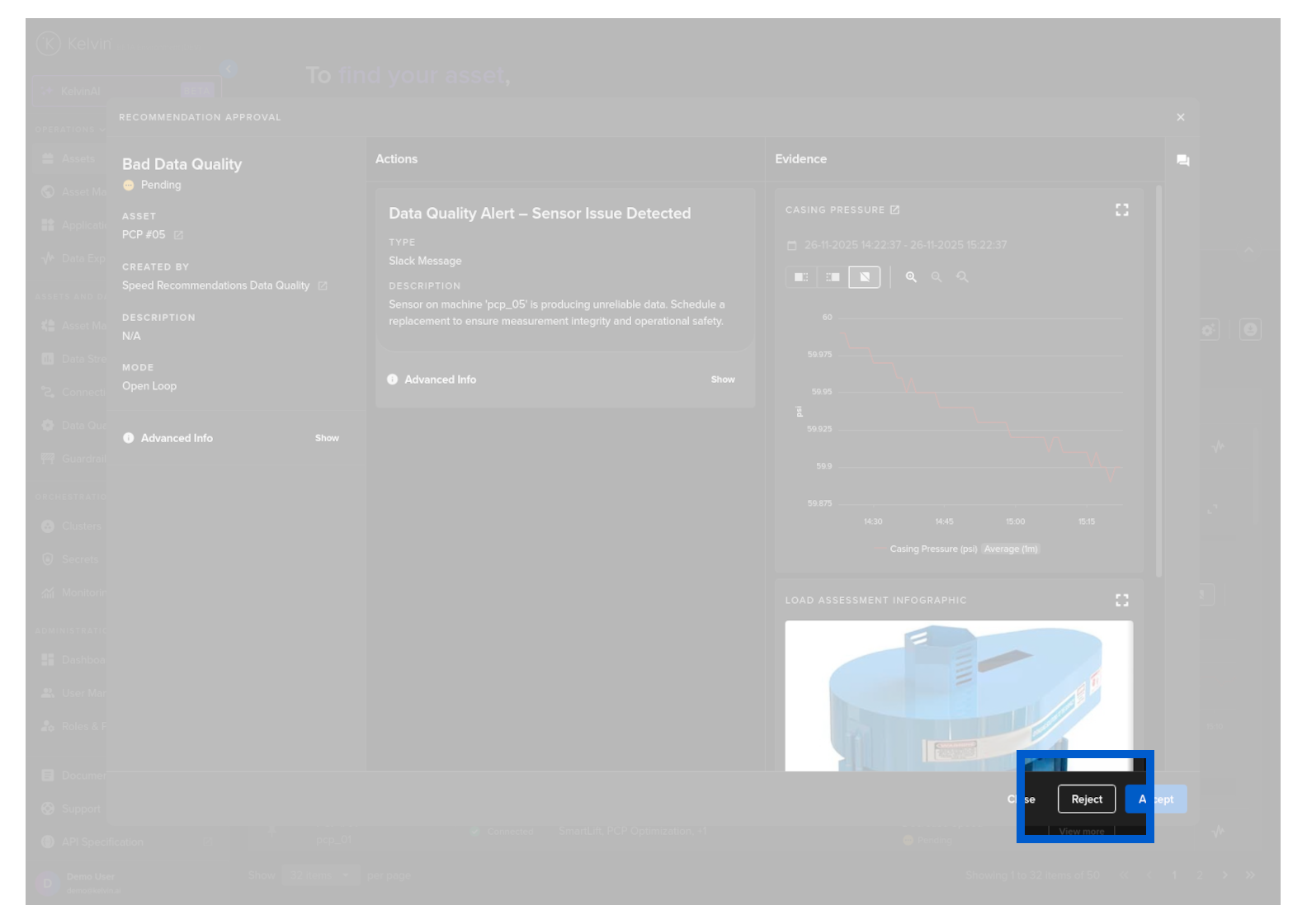
When you click on the Reject button, a popup will appear asking for your feedback on why you have rejected this Recommendation.
After you have entered your information, click the Submit button.
Note
This is important feedback for the developers to use for improving the Kelvin SmartApp™'s algorithms.