Recommendations
Recommendations are generated from Kelvin SmartApp™ or from third party sources using the Kelvin API endpoint and will either be automatically accepted and implemented or wait for the Operations Engineers decision on the actions to take.
Recommendations can be accessed and controlled from many locations.
You can see how to view Recommendations from the different areas of the Kelvin UI
Assets Menu
There are two main locations that you can view Recommendations for Assets.
Asset-centric Table
If you customize the Asset-centric table columns, you can add a filtered Recommendations column.
Note
The default Asset-centric table does not show Recommendations in the coluumn.
You can read the documentation on how to show Recommendation column here.
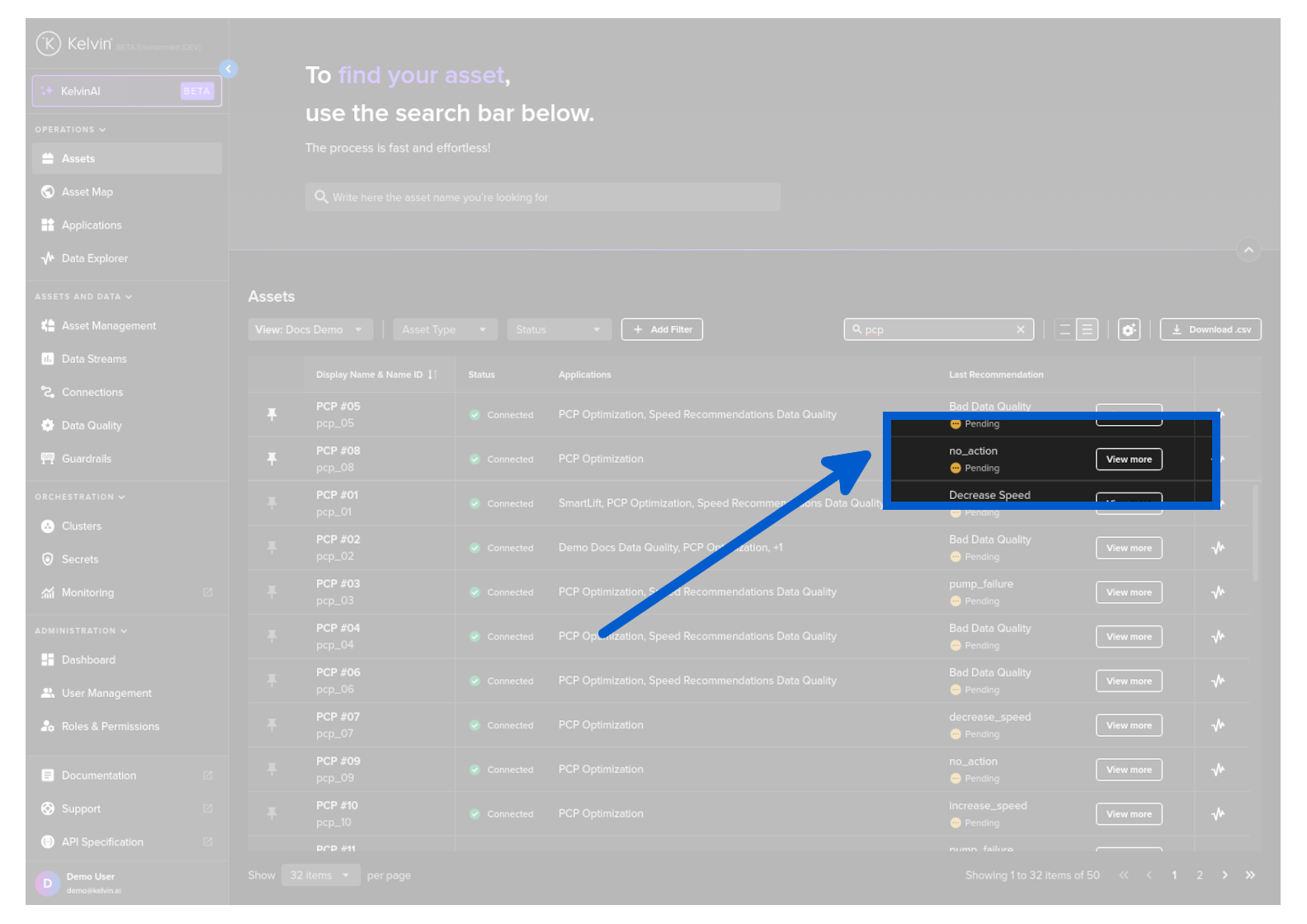
In the recommendations column you will see two types of options;
| Option | UI | Description |
|---|---|---|
| View More Button |  |
This means that there is a pending Recommendation. Clicking will show a popup where you can accept/reject the pending Recommendation. |
| Details Link |  |
This means that there are NO pending Recommendations. Clicking will show a popup with the last Recommendation details. |
Asset Details Page
When you select an Asset, in the Asset Details page under Applications tab you can view and filter all the Recommendations by status (Pending, Accepted, Rejected and Expired) for the selected Application. You can read more about this feature here.
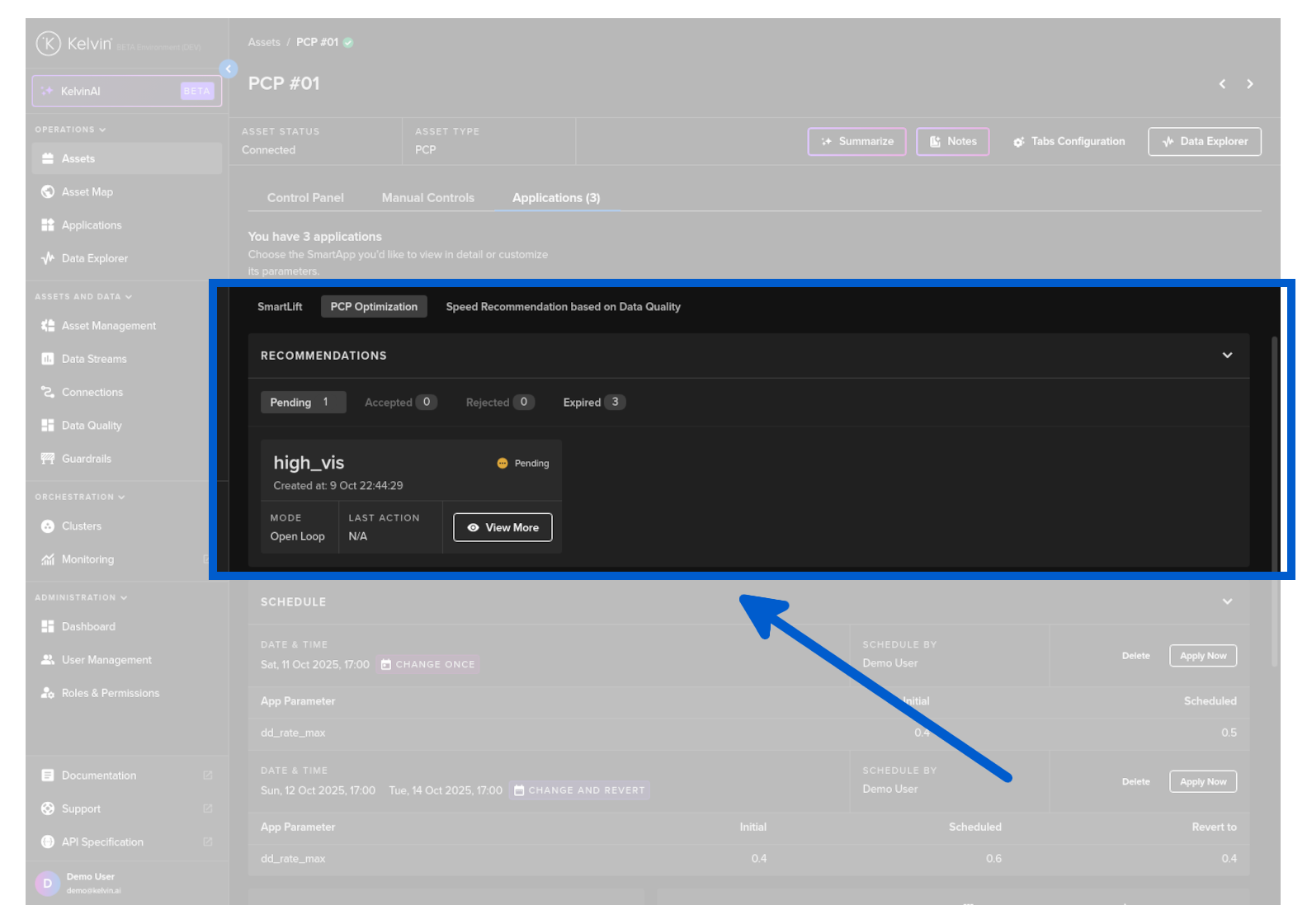
In the recommendation card you will see two types of options;
| Option | UI | Description |
|---|---|---|
| View More Button | |
This means that there is a pending Recommendation. Clicking will show a popup where you can accept/reject the pending Recommendation. |
| Details Link | |
This means that there are NO pending Recommendations. Clicking will show a popup with the last Recommendation details. |