Python Virtual Environment
Introduction
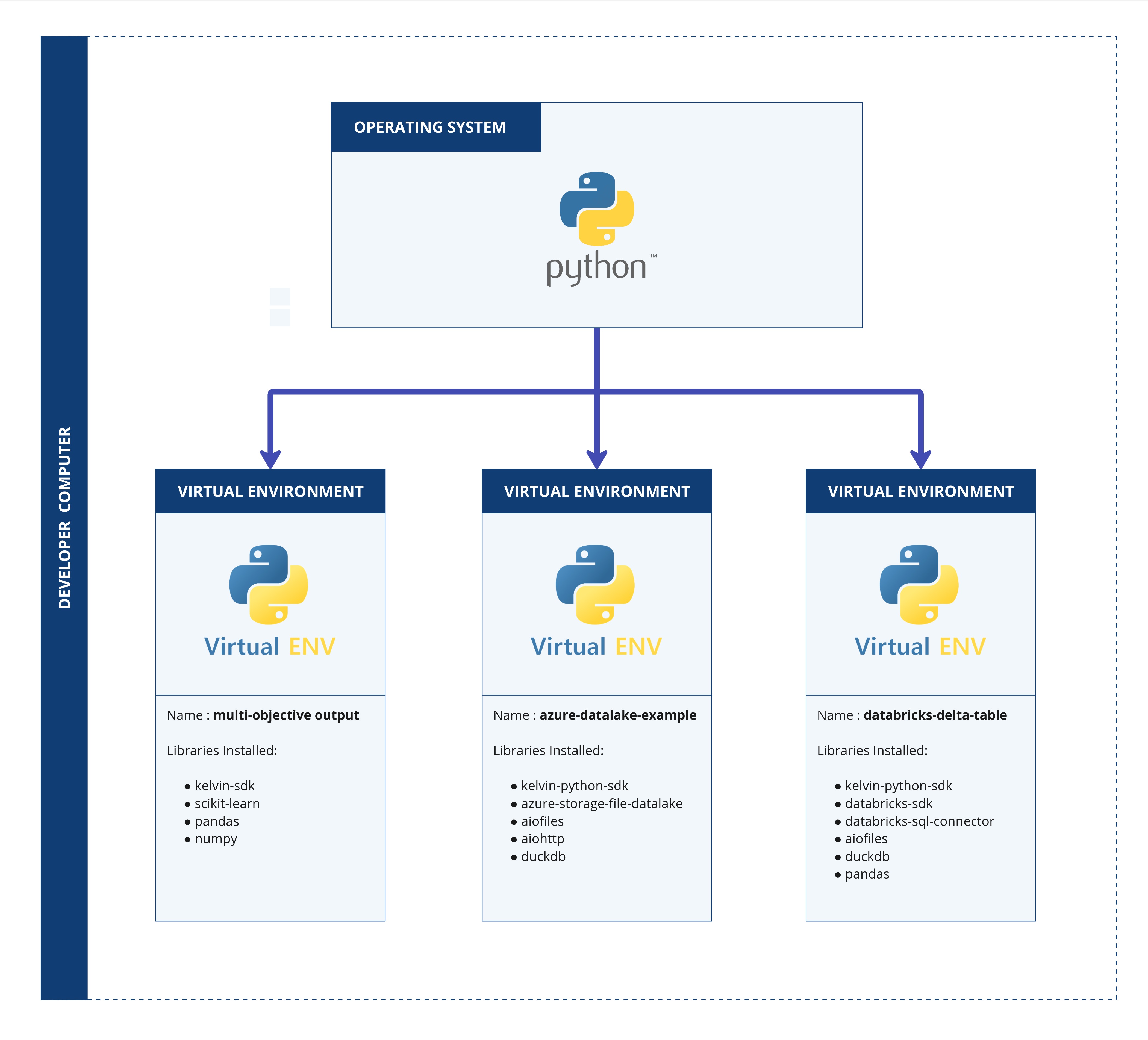
A Python virtual environment is an isolated workspace for projects, allowing you to install dependencies separately for each project without conflicts. This ensures that each project’s required packages won’t interfere with others.
Create new Python Virtual Environment
Video Tutorial
You can watch this video tutorial or read the full step-by step written tutorial below.
Written Tutorial
To create a virtual environment in Windows, open Visual Studio Code.
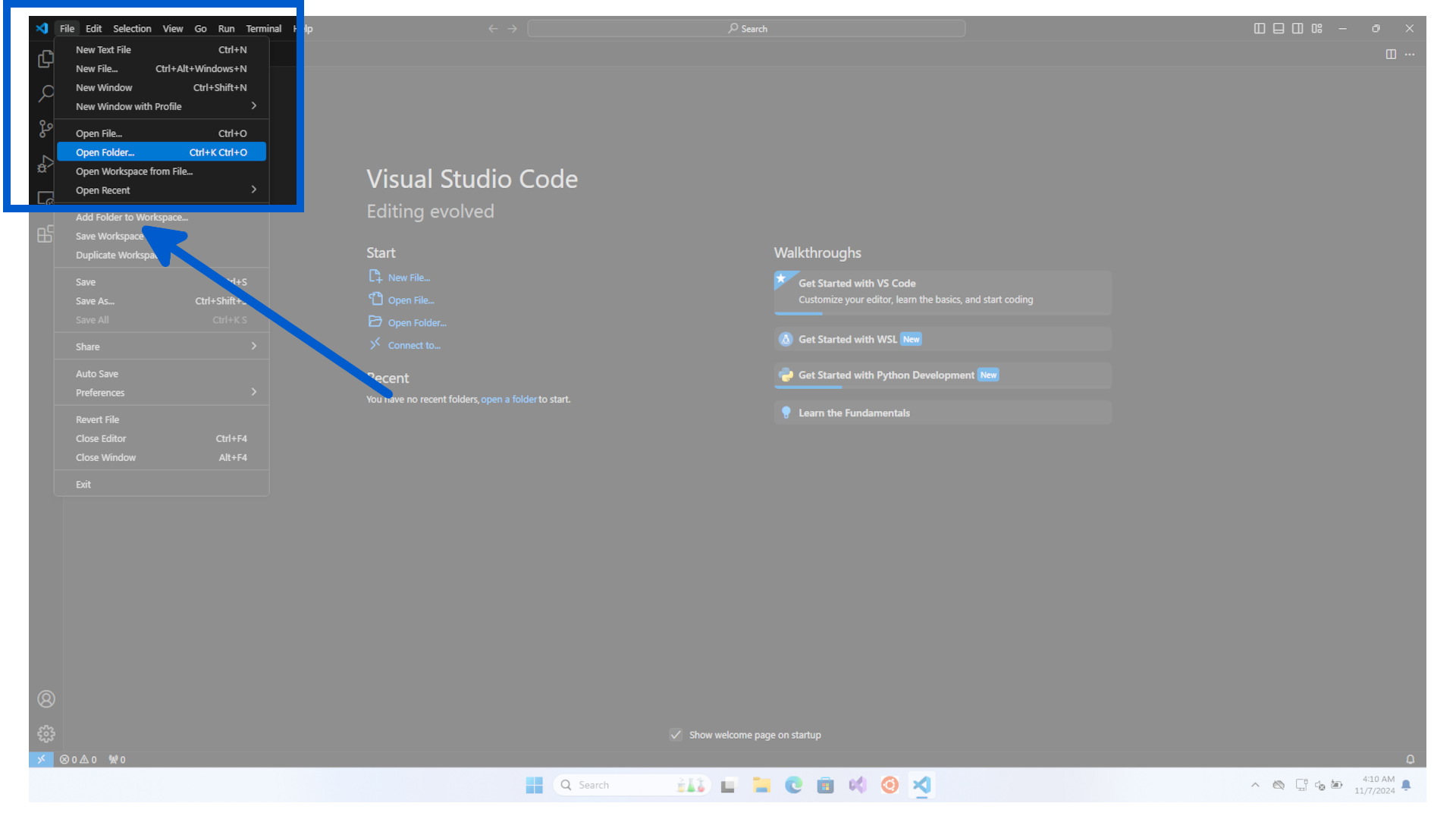
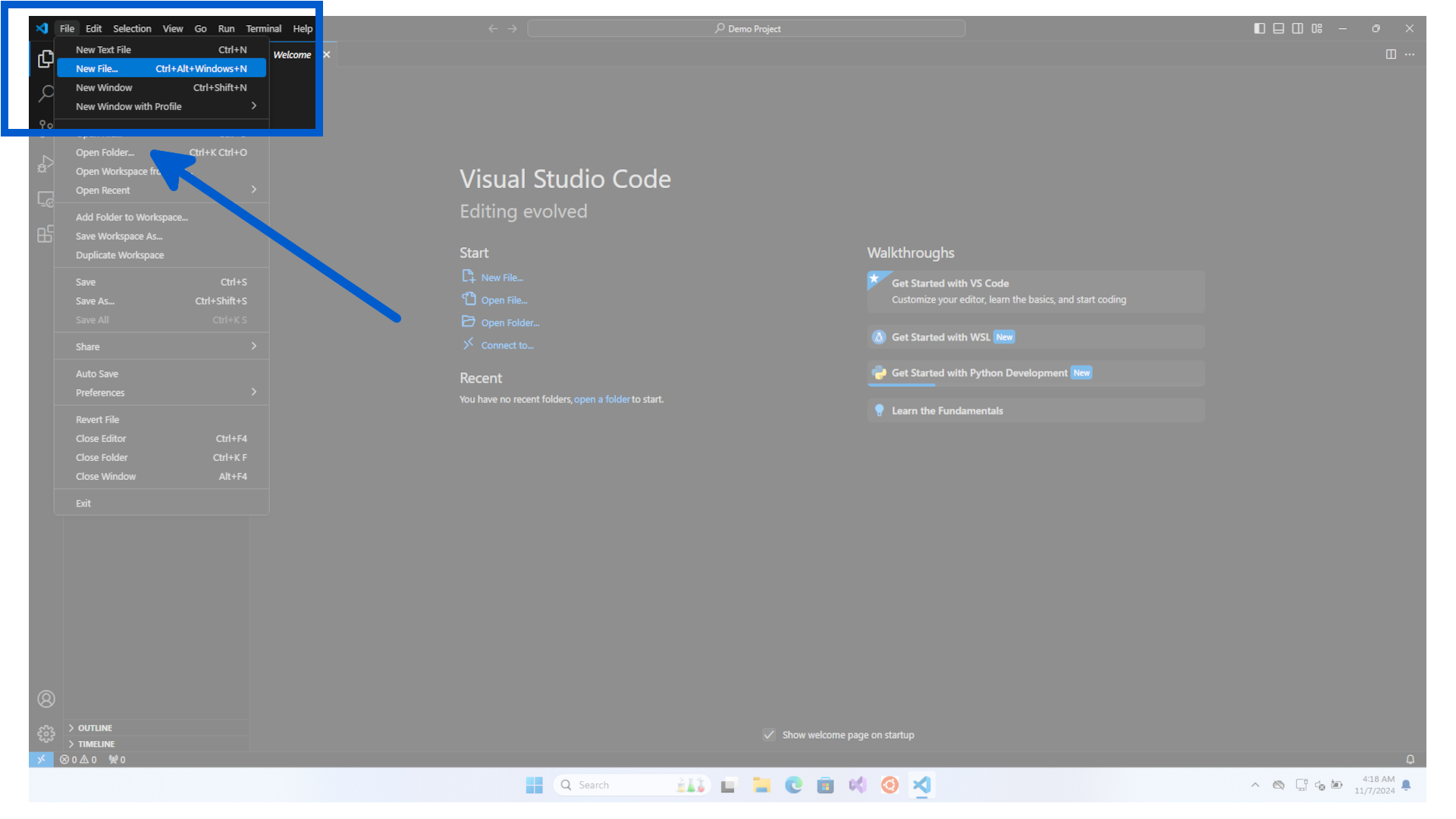
In virtual Studio Code we will create and open a new Folder. First click on File, then Open Folder.
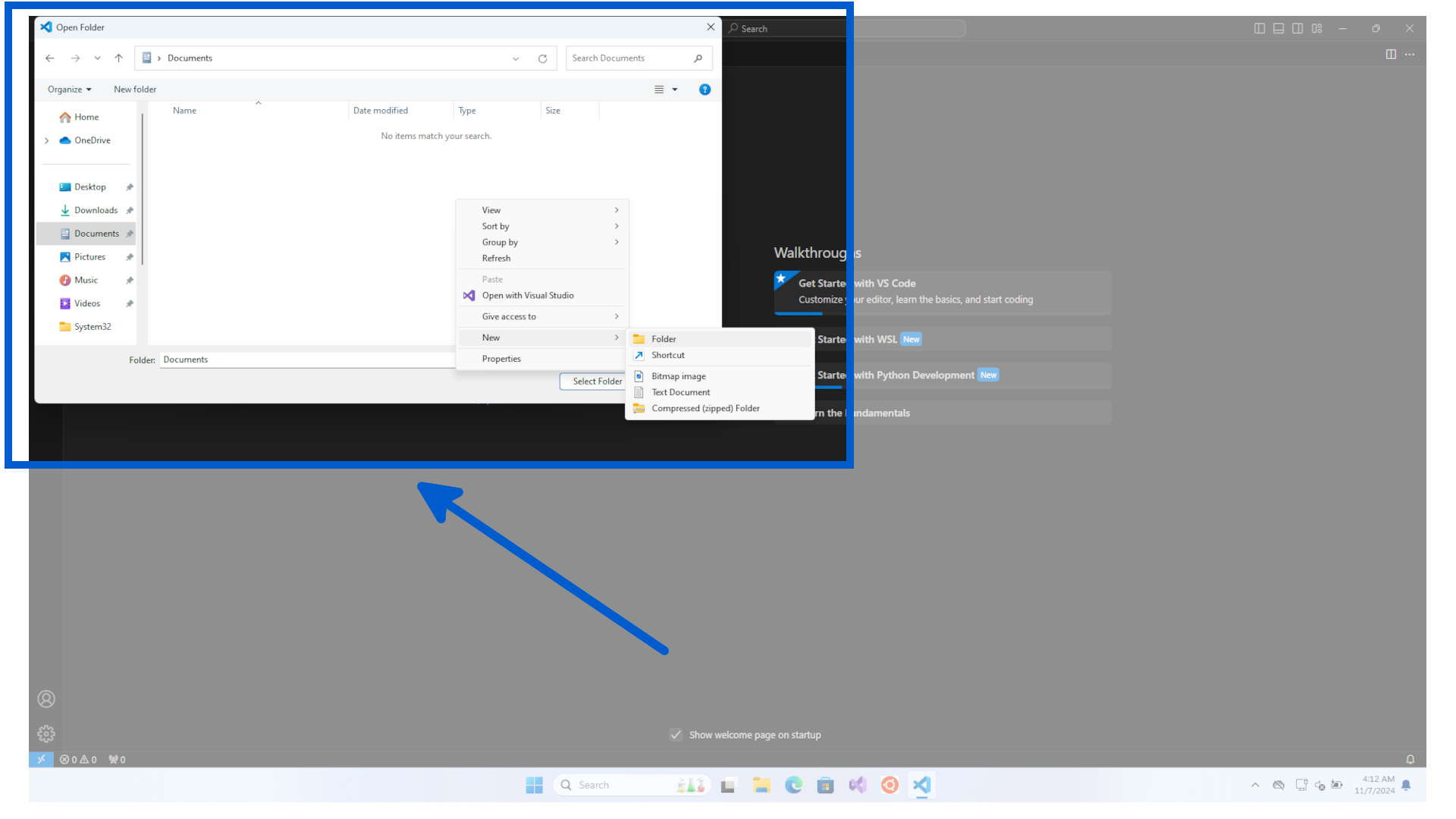
Select your project location and create a new folder, then click Select Folder.
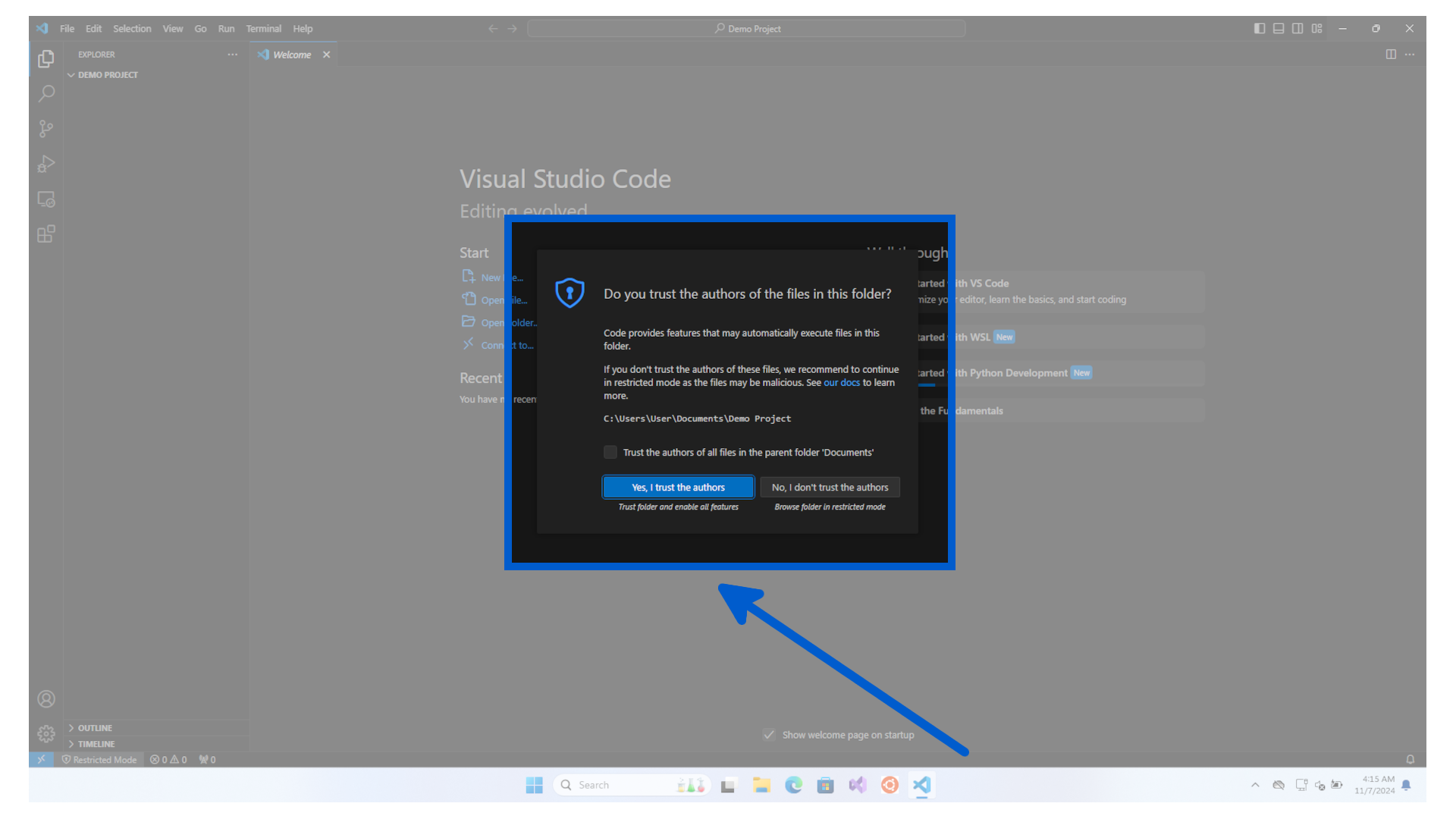
Confirm that you trust the authors of any code in the folder.
You can create a new Python Virtual Environment in two ways, depending on your preference;
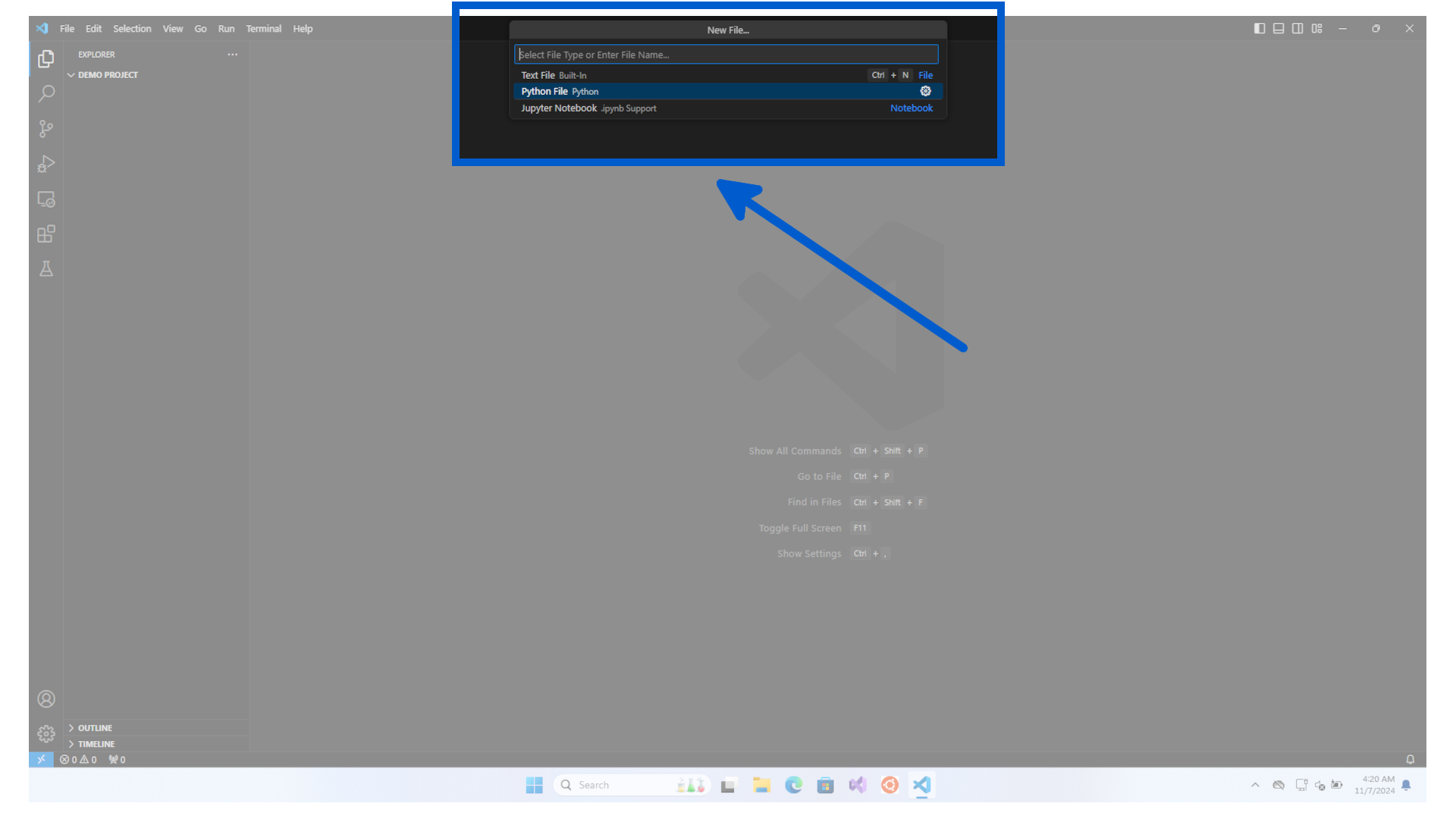
Then click on File, then New File.
Now click on Python File.
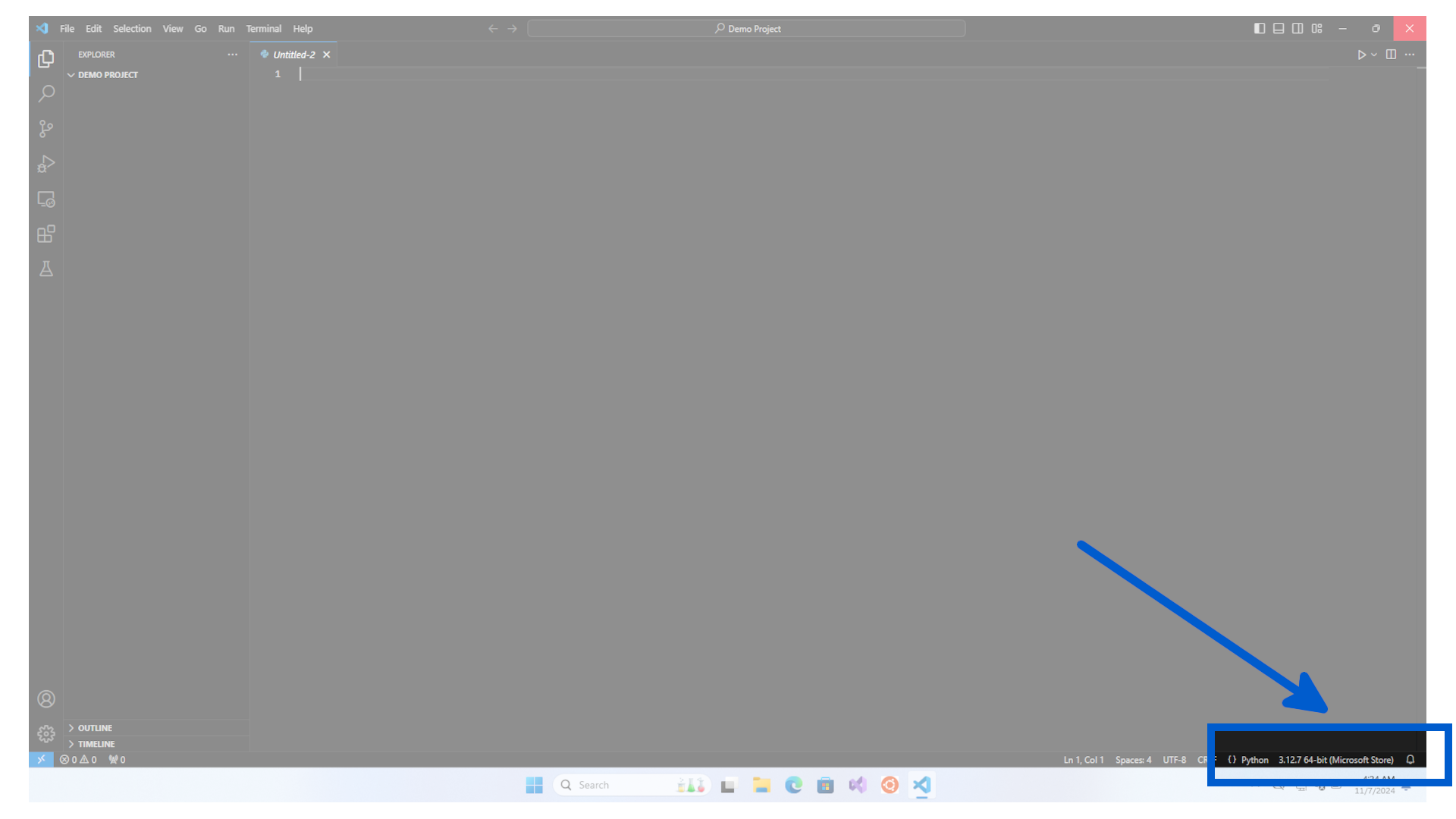
Your Visual Studio Code has now changed to the Python environment. You can see at the bottom the Python version that we installed on to the computer.
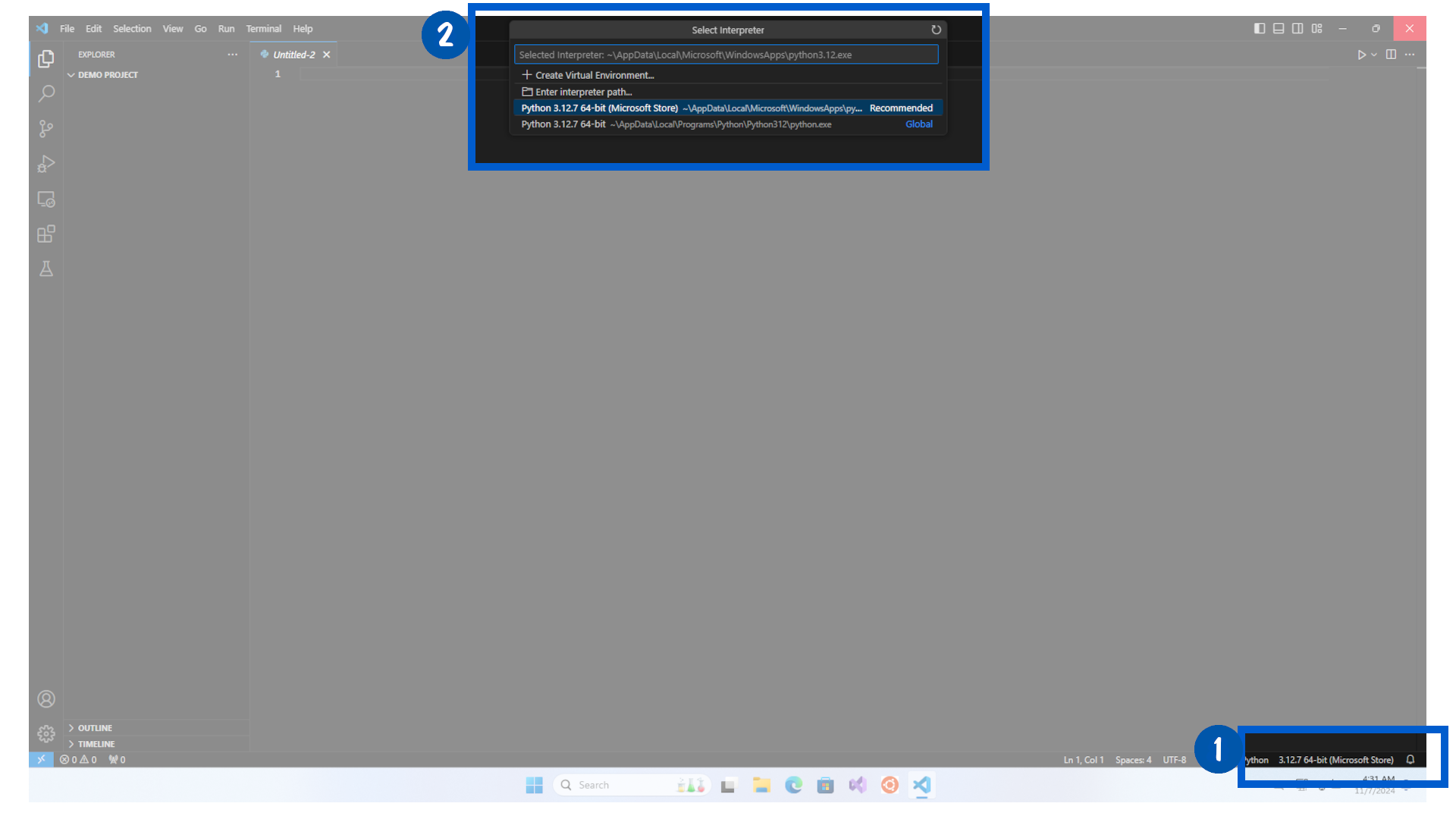
Now to create a new Python Virtual Environment, click on the the Python version 3.12.7 64-bit, then click on + Create Virtual Environment.
Click on Venv as the environment type.
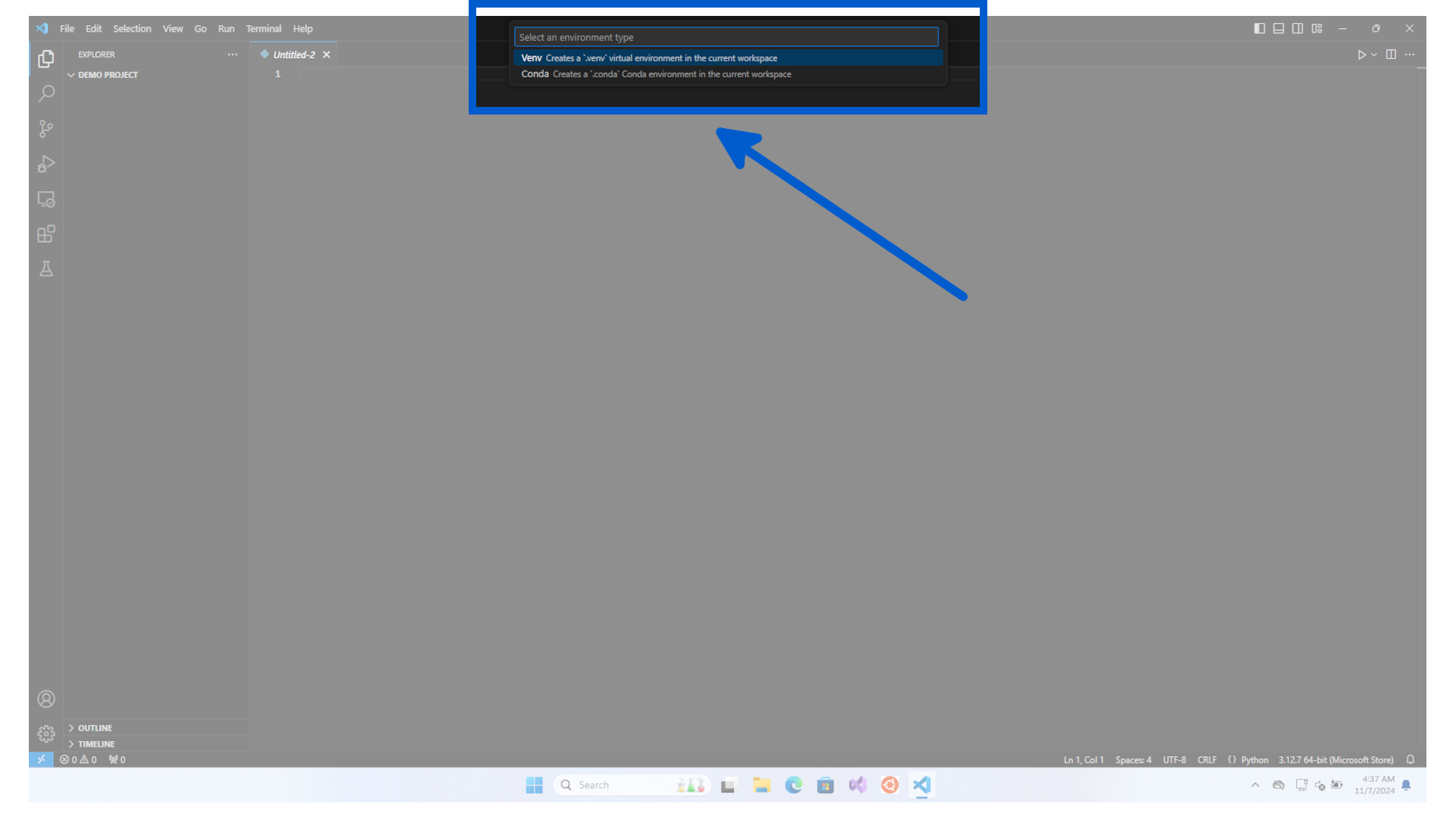
Click on the Python you want to virtualize.
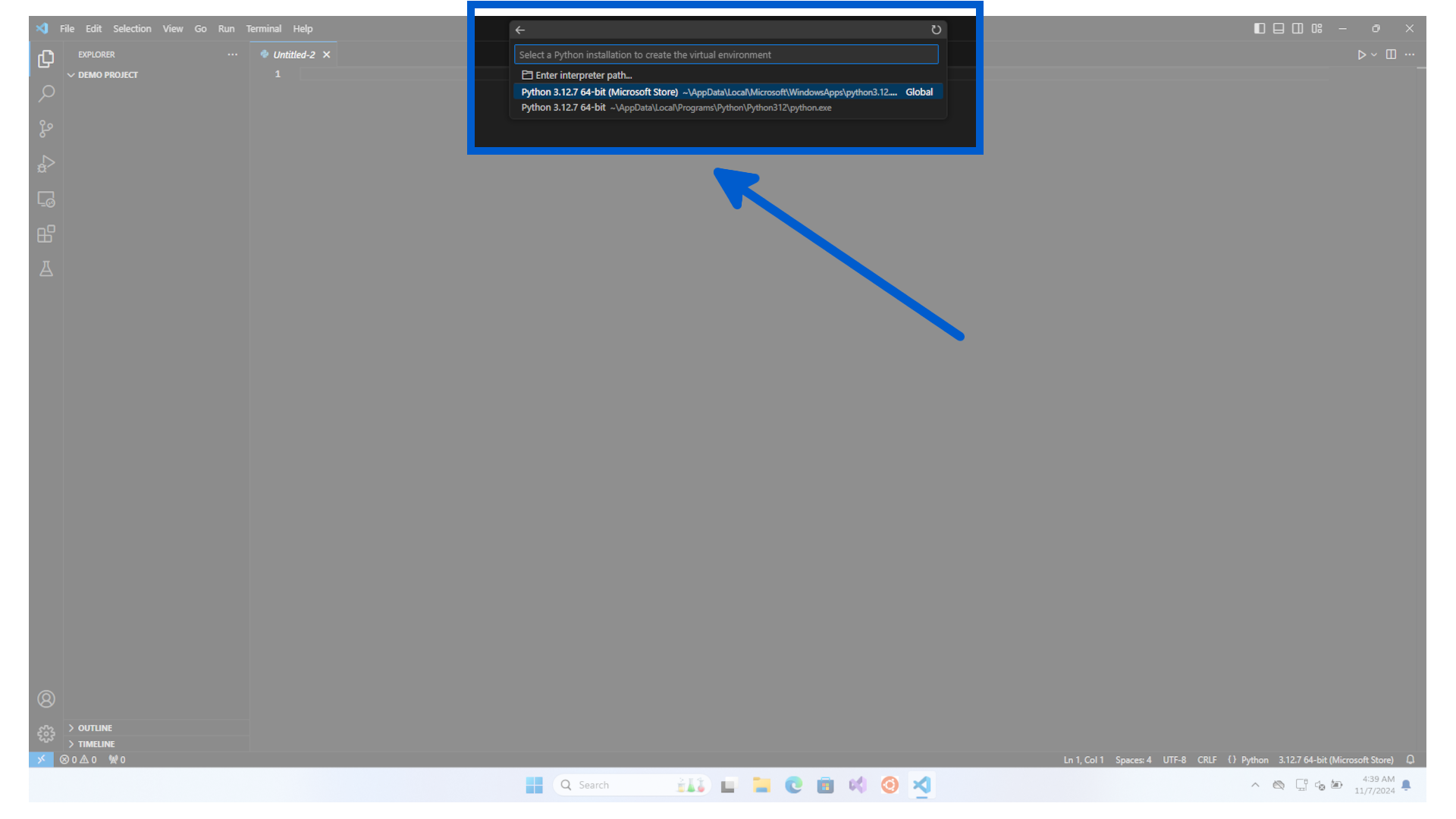
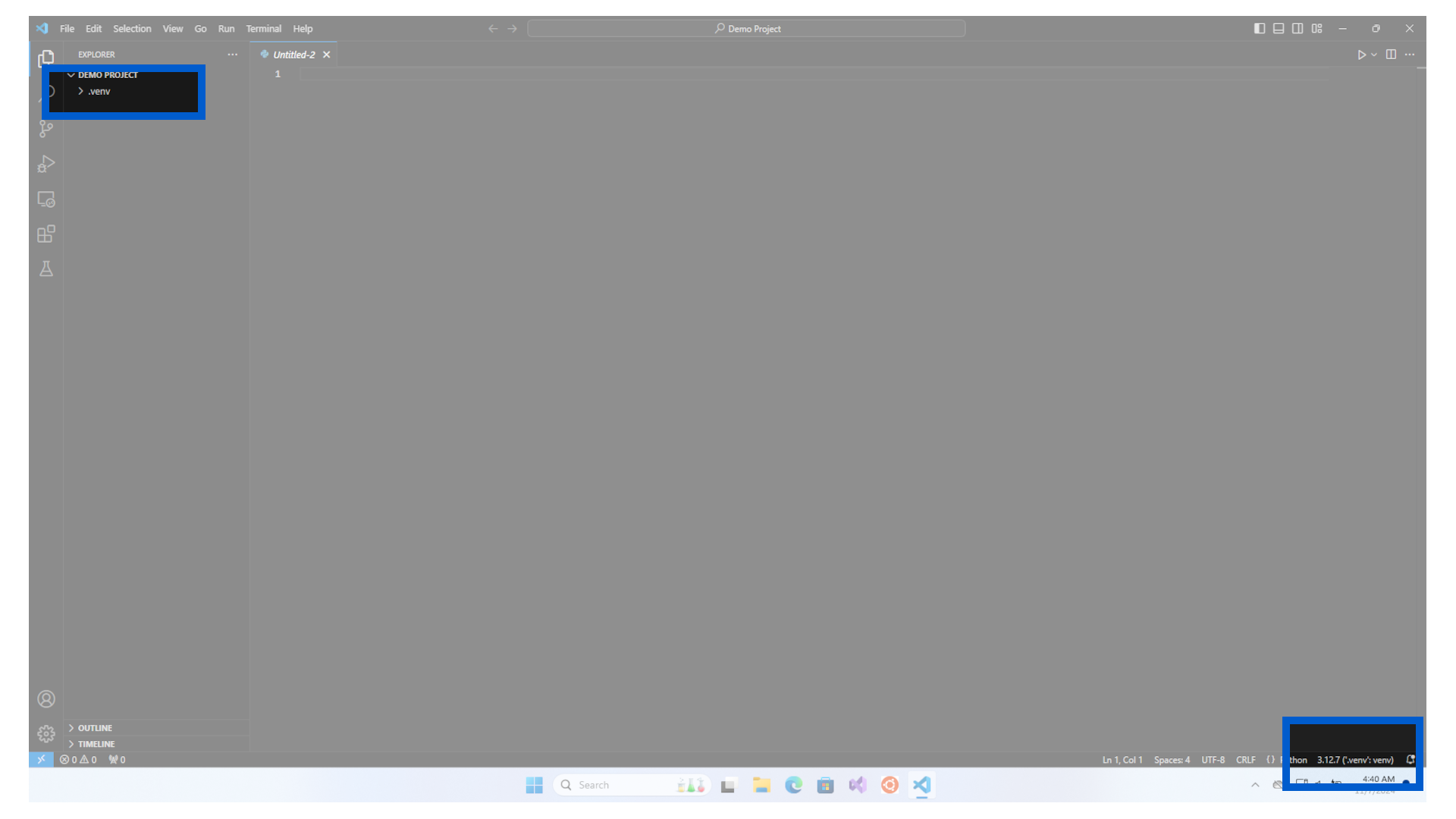
The virtual environment will then be created in your folder. You will see a new .venv folder appear and the name of the environment has changed.
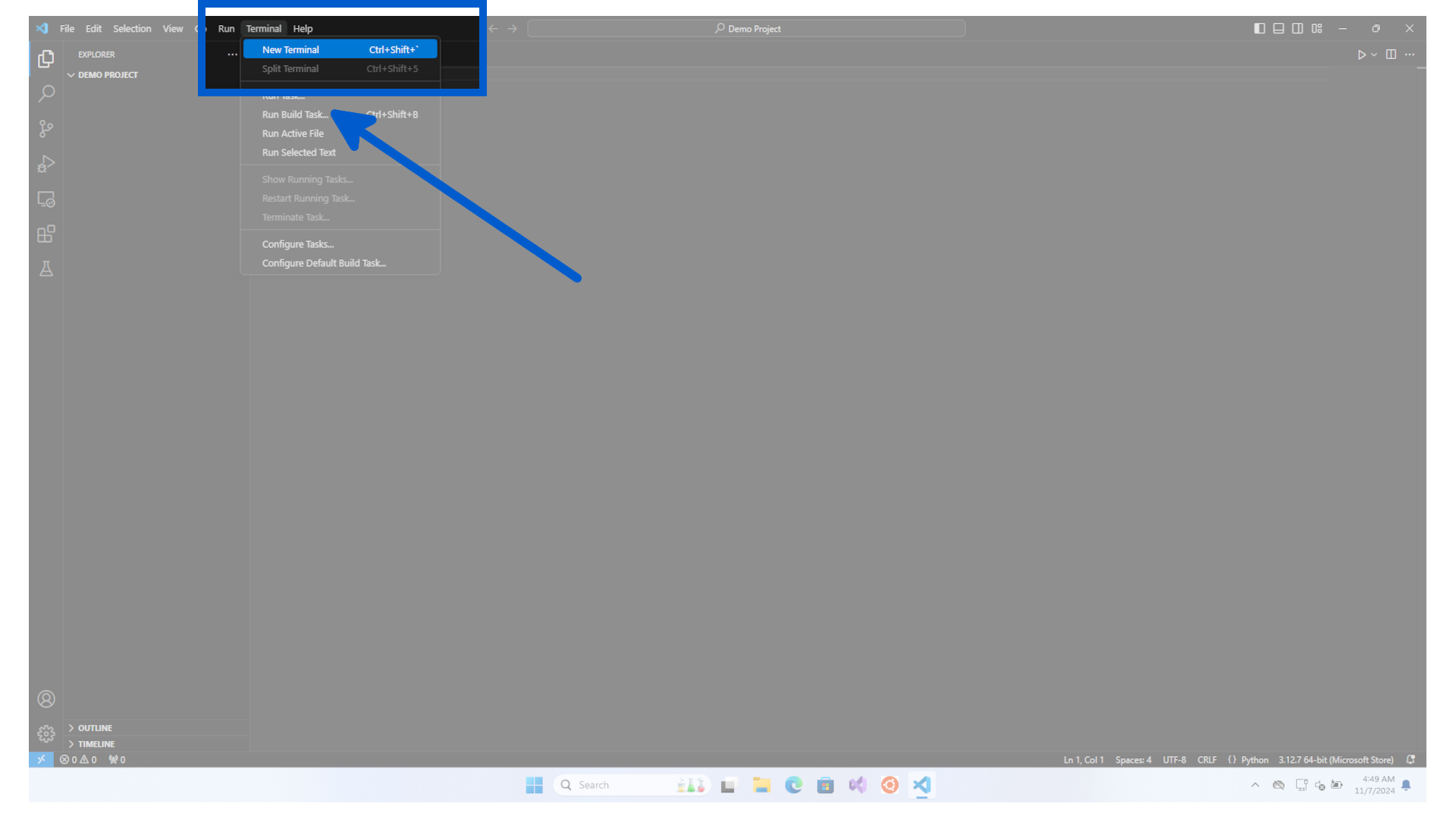
Now click on Terminal menu, then click on New Terminal.
In the terminal window, type the following
| New Virtual Environment | |
|---|---|
1 | |
For the demo, we called the environment demo-environment.
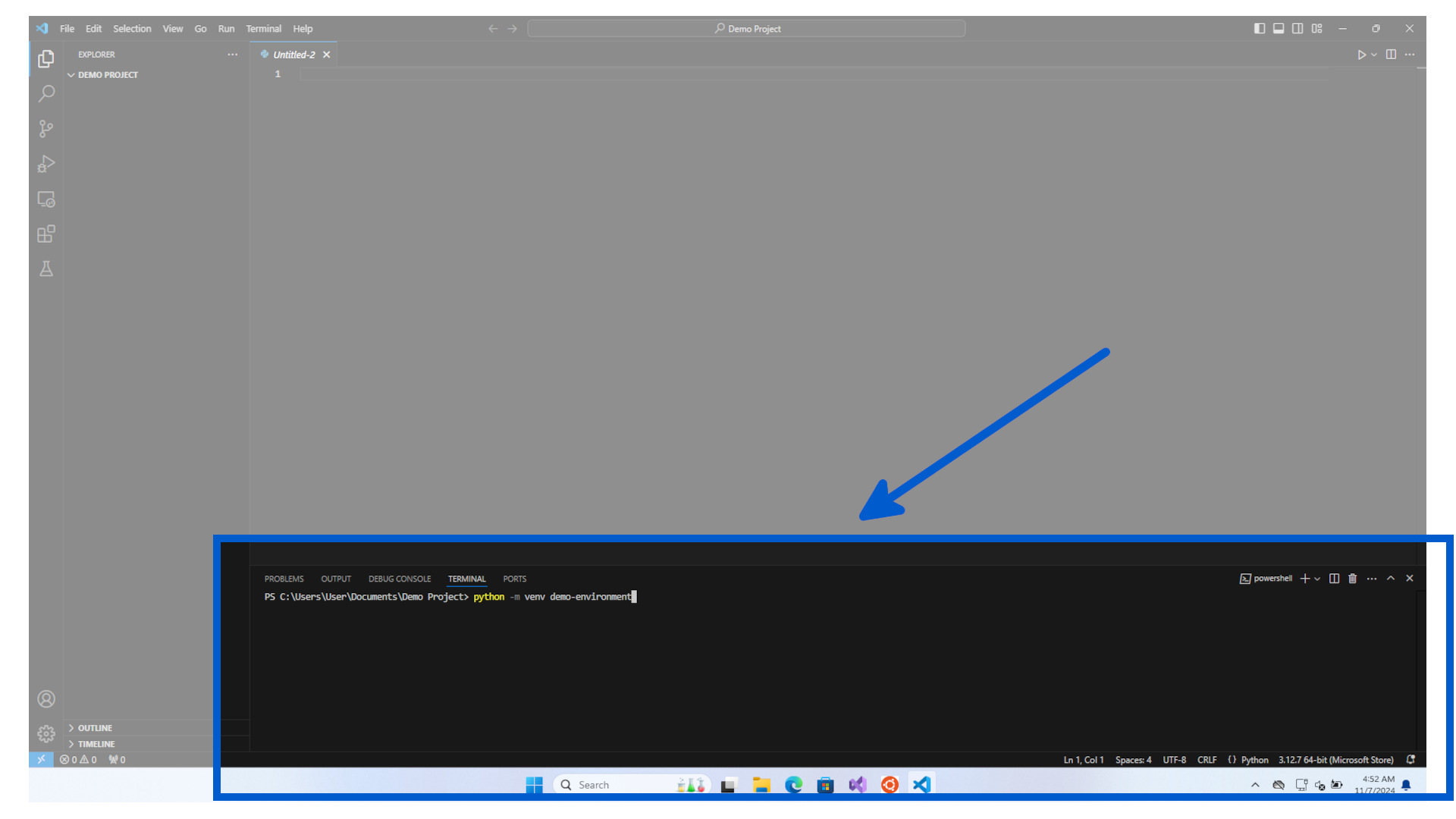
You will see a new folder created called demo-environment.
A popup will also appear asking if you want to change to use this virtual environment. Click yes.
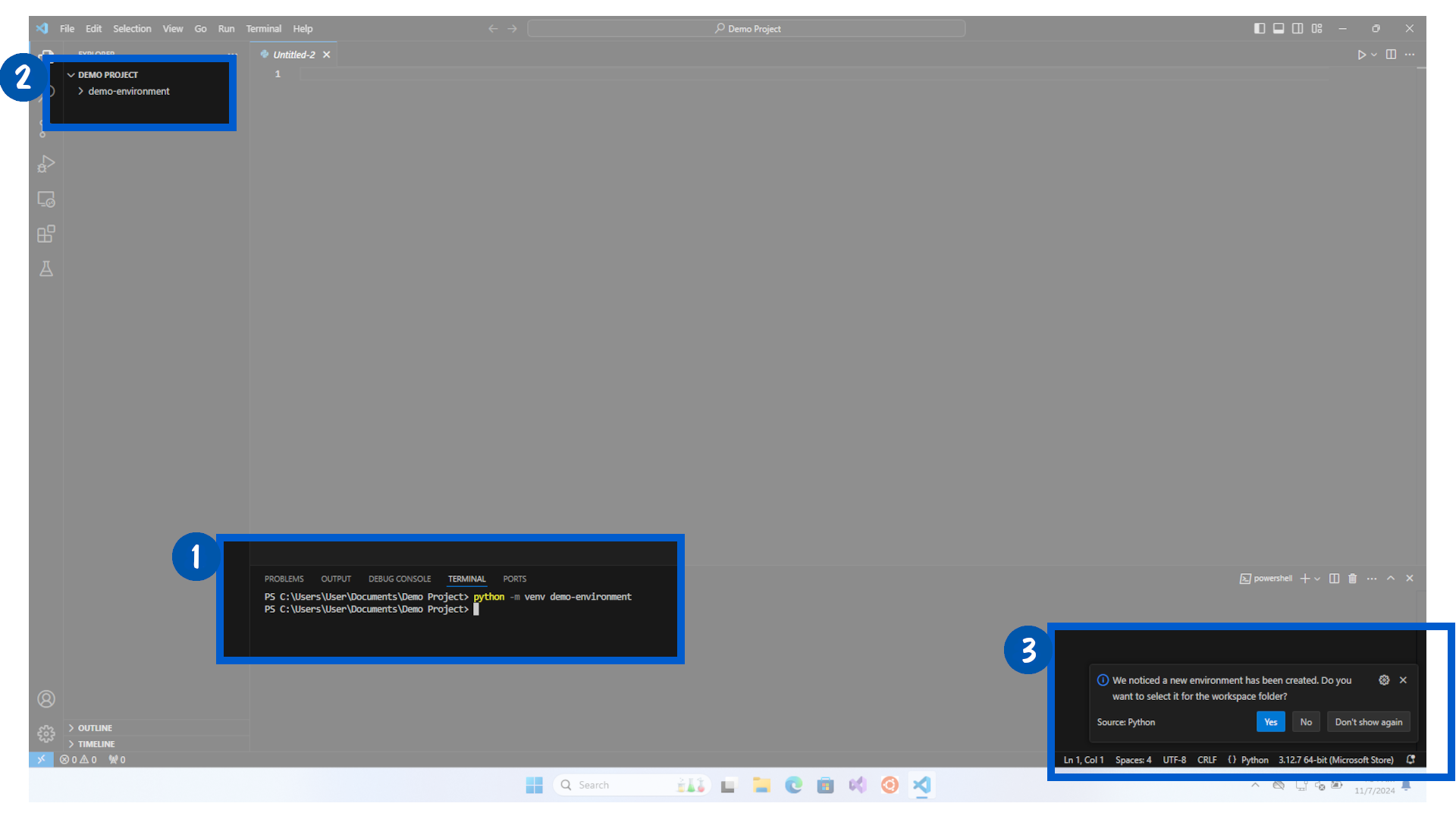
The virtual environment will then be created in your folder. You will see a new demo-environment folder appear and the name of the environment has changed.
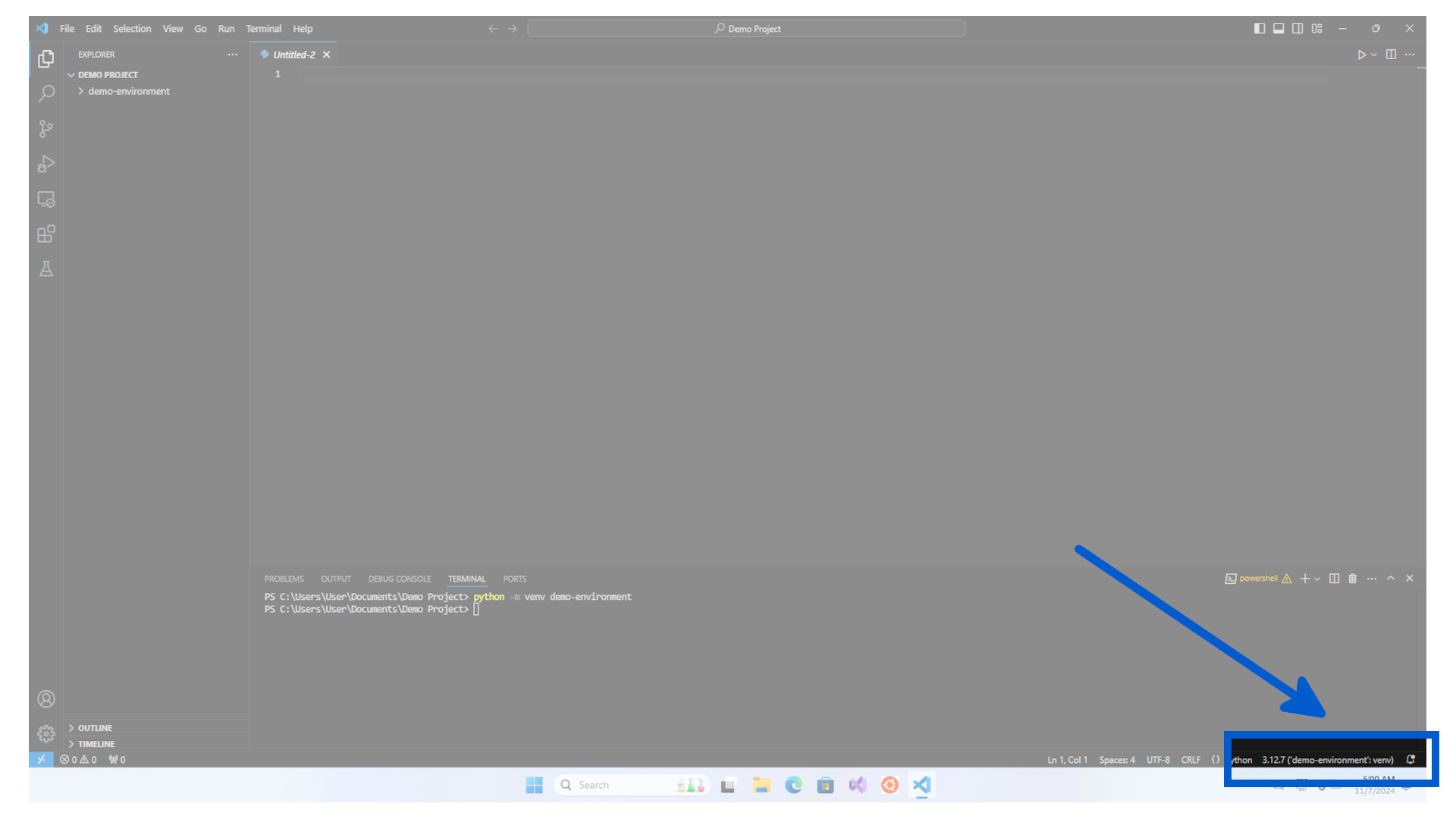
Congratulations, you have created your first project and linked it to a virtual environment.
Now any pip install you do will only be installed on this Virtual Environment and this project.
When you create a new Python virtual environment, it makes a copy of the base Python installation within that environment. This new environment is isolated, so any changes or package installations you make in other virtual environments won’t affect it.