Role Based Access Control
Role-Based Access Control (RBAC) is the access control system used by the authentication framework.
Note
RBAC can be broadly defined as the user access rights to perform actions in the Kelvin Platform.
For example, users can be given read and/or write access to view and edit Assets.
Each role consists of a set of permissions. Users can be assigned to roles to group common permissions or can be assigned individual permissions directly.
Permissions are the broad user access rights. This controls the access users have to each API endpoint.
Note
Do not confuse this role with the roles in the Attribute Based Access Control (ABAC) which is managed by a different system.
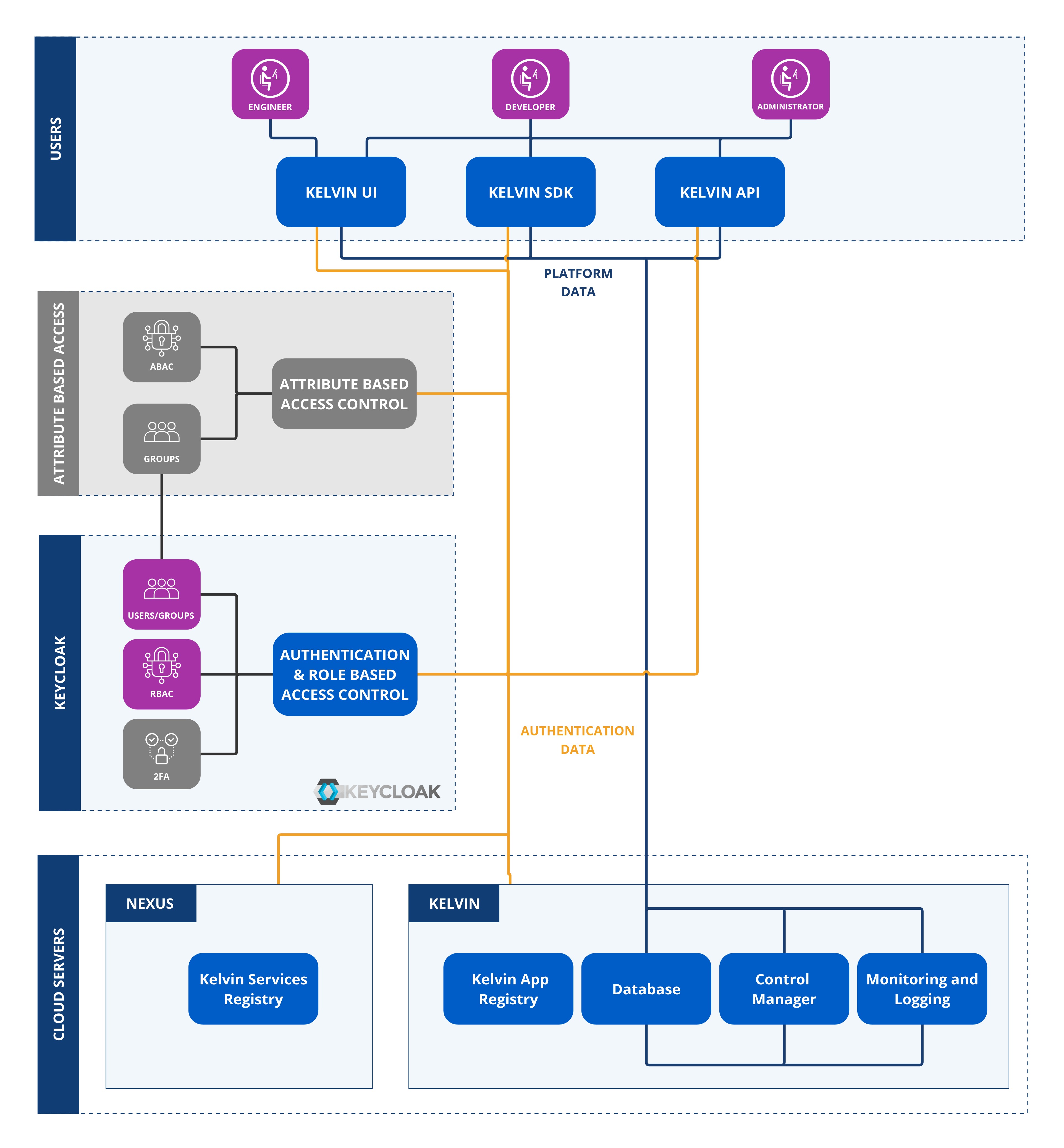
Kelvin has created an extensive granular list of Roles & Permissions in the RBAC so that you can fine tune exactly what users and groups can do.
Note
Access is checked also with ABAC in the following order.
- User's Group
- Group's Role Based Access Control settings in permissions
- Group's Attribute Based Access Control settings in policies
Only if a user has access to all three will access or action be granted.
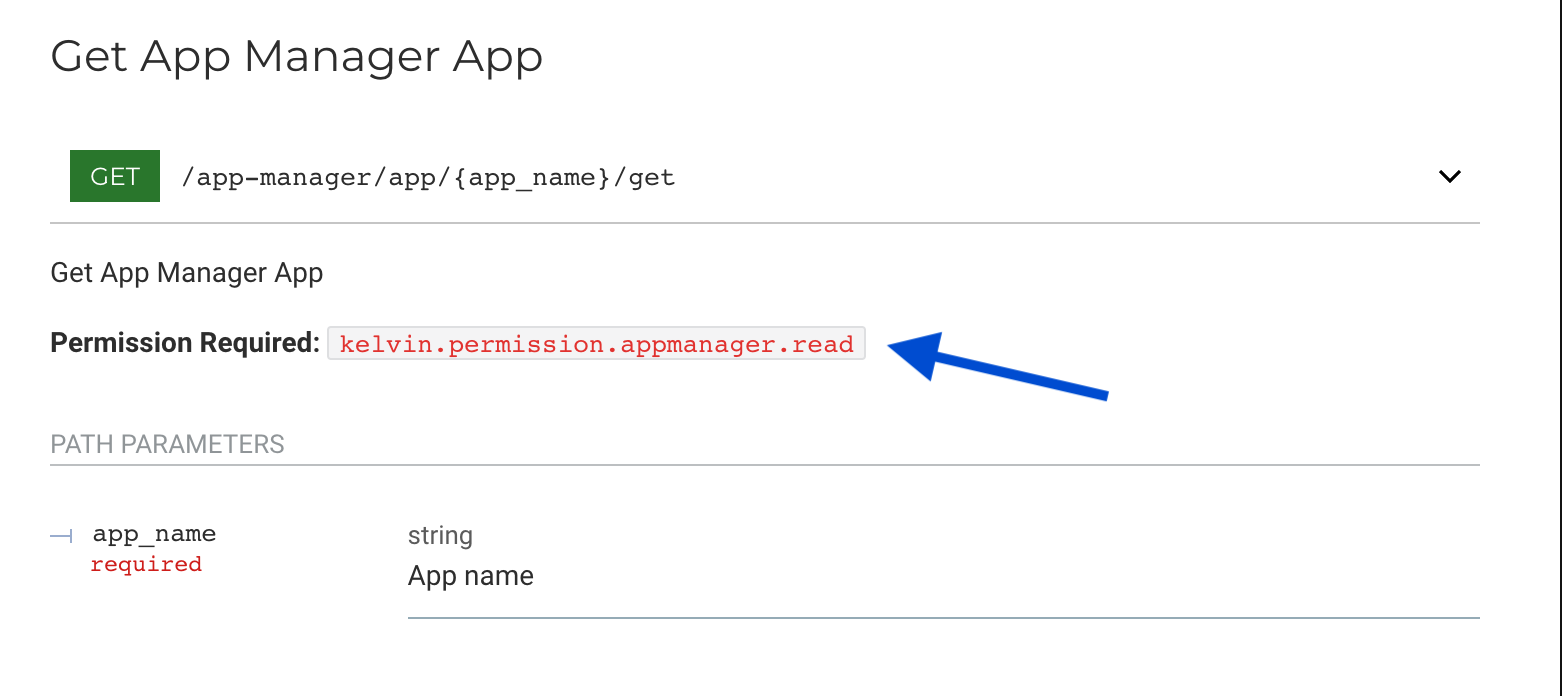
When looking at the Kelvin API Reference you will see the permission required for each API endpoint.
Top Level Roles
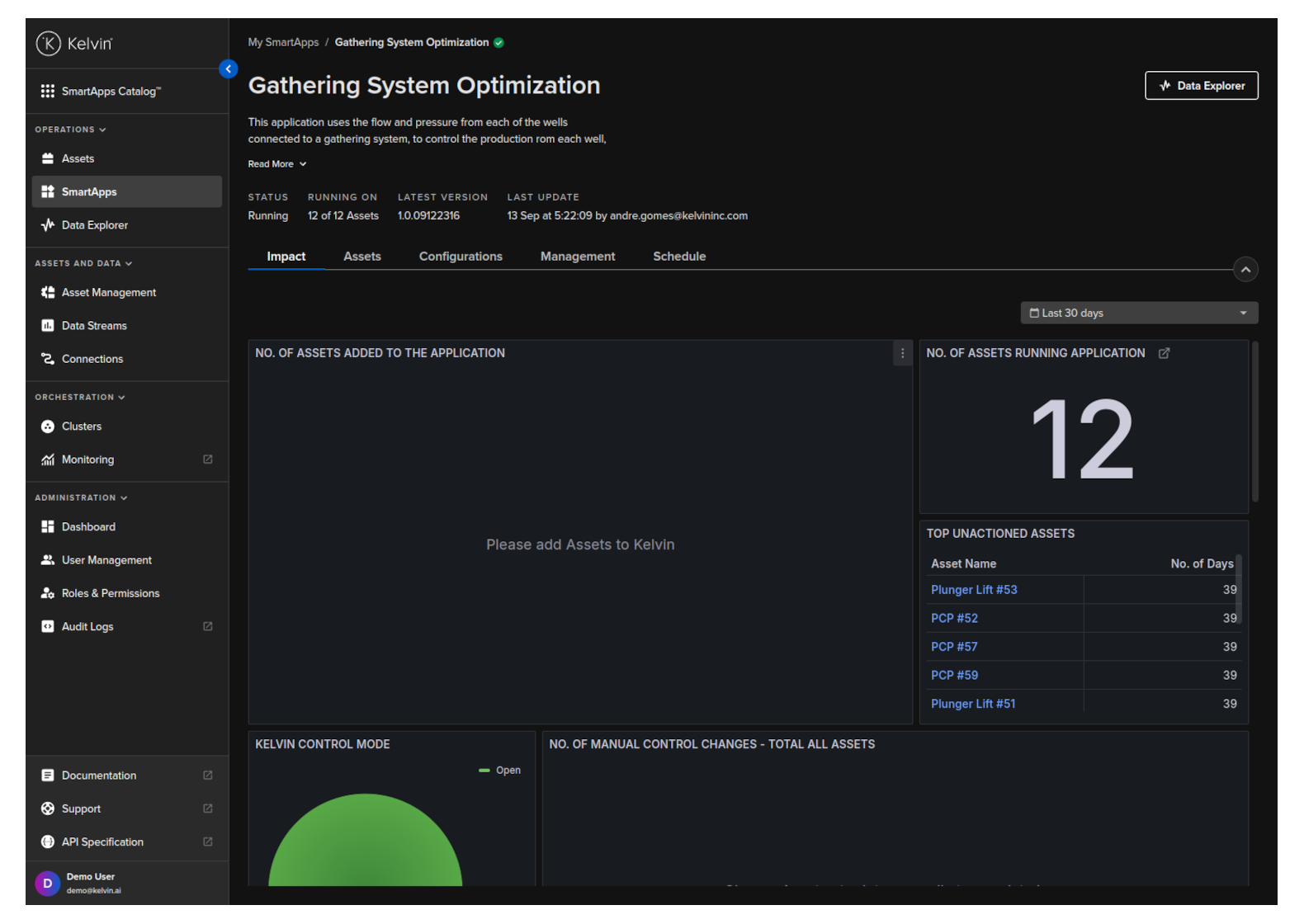
There are two top level roles that give overall group permissions.
- Operations (Engineers)
- Administrator
This is clearly defined in the left hand sidebar of the Kelvin UI where you can see the two top level roles - Operations and Administration.
Roles & Permissions
These roles will change from version to version. You may found many roles that do not exist in the current version. They are maintained for backwards compatibility with older versions of Kelvin.
Full Access
| Roles | Description |
|---|---|
| kelvin.permission.* | This will give the user unlimited access to all features on Kelvin |
Granular Permissions
You can see the latest list of permissions for each API endpoint in the API reference documentation.