Asset Properties vs Parameters
On this page you will learn what is the difference between Parameters and Properties in Kelvin.
Asset Properties
Asset Properties are variables that are only related to the Asset itself.
Properties are defined during creation or updating of an Asset.
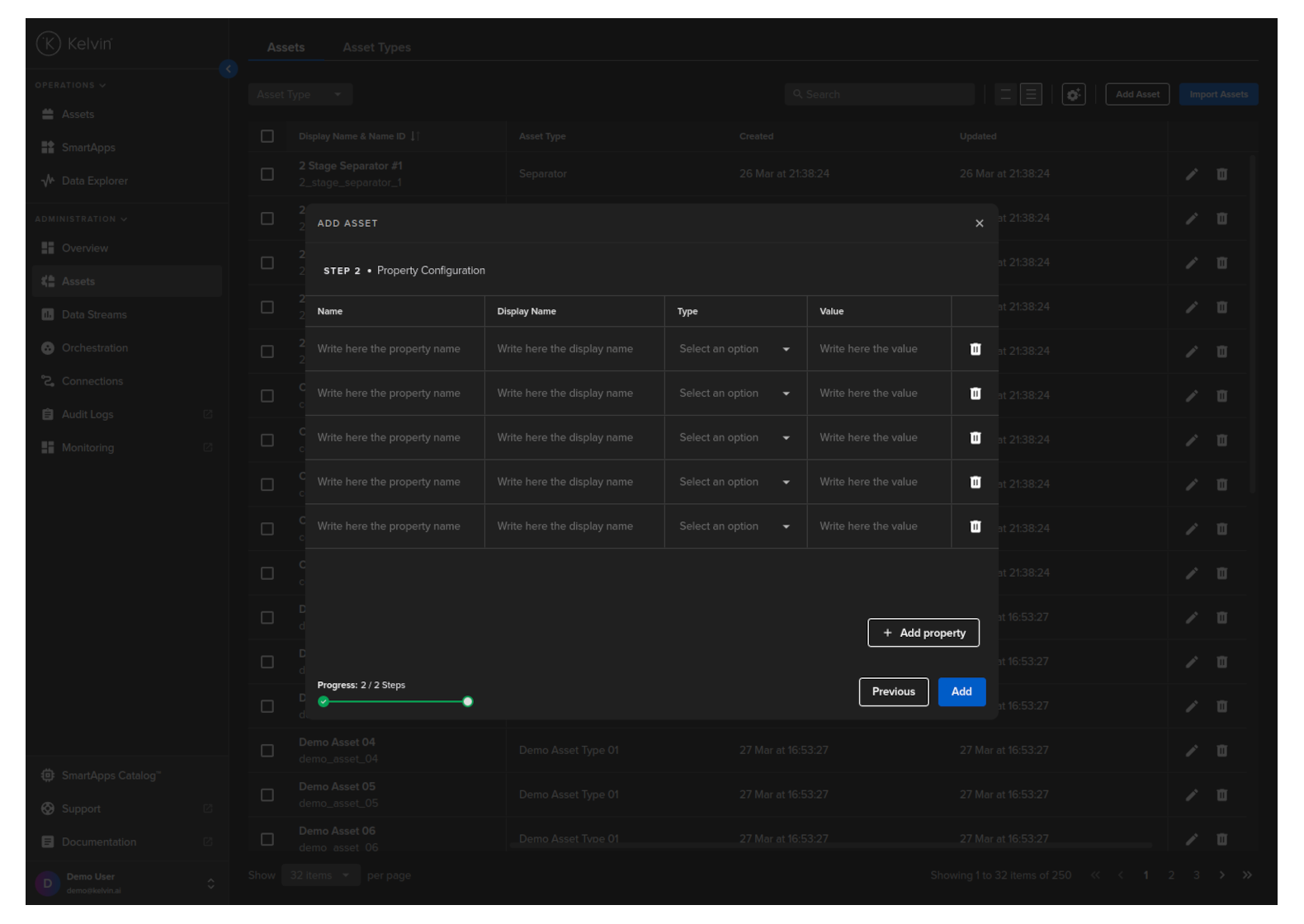
Figure: Adding Asset Property when creating Asset in Kelvin UI
Some common uses for properties are;
- Set the location of the Asset
- Record the model and serial number of the asset
- Describe the manufacturer of the asset
- Define the department responsible for the asset
- Describe the components of the asset, such as PLC manufacturer
- Define asset design limitations such as max speed, max temperature, etc.
These properties are used mainly by developers in their programs where Kelvin SmartApps™ can dynamically find out specific information about an asset.
As these properties can be set by Operations or Administrators, this frees the Developer to create programs in advance of the asset's acquisition that will dynamically adjust to different Asset specifications without prior knowledge of the exact Asset's specs.
This is especially useful when the same type of asset, for example a motor, can have different specifications depending on when it was bought or which manufacurer supplied the asset.
For example by recording the max design temperature of a motor from the manufacturer, Kelvin SmartApps™ can dynamically adjust and ensure each motor does not exceed its design parameters even if each asset has different design limitations. You do not need to write separate programs for each unique asset.
Asset Parameters
Asset Parameters are Kelvin SmartApps™ variables related to each Asset that Operations can modify in realtime from the Kelvin UI.
They are defined by the Developer through the app.yaml file in Kelvin SmartApps™ development program folder.
app:
  type: kelvin
  kelvin:

    parameters:
    - name: speed_decrease_set_point
      data_type: number
      default:
        value: 1000
      schema:
        title: "Speed Decrease SetPoint"
        minimum: 1000
        maximum: 3000
    - name: temperature_max_threshold
      data_type: number
      default:
        value: 75
      schema:
        title: "Temperature Max Threshold"
        minimum: 50
        maximum: 100
And accessed through Configurations in the Kelvin UI through either the Assets page or Kelvin SmartApps™ page under Configurations.
The difference between Configurations in Kelvin SmartApps™ and Asset pages is that in Kelvin SmartApps™ page you can do bulk changes of parameters on many Assets with one single update.
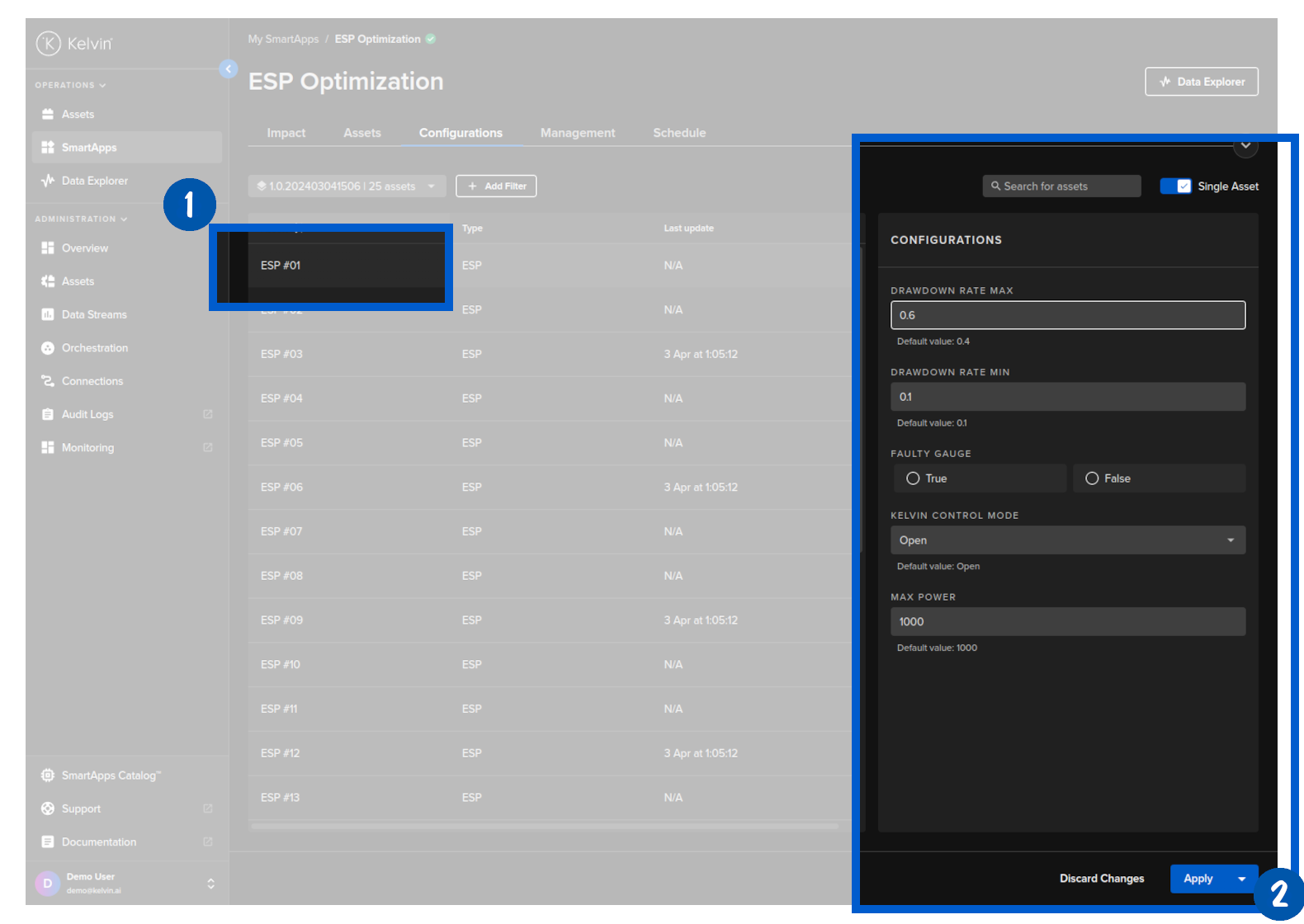
Figure: Example Configurations showing the Asset Parameters in Kelvin SmartApps™ Menu
Some common uses for parameters are;
- Operational setpoints for assets and program targets
- Control variables for the program, such as proportional, integral and derivative values for PID's in a control system logic.
- Asset start / stop limits.
- Machine learning input variables for fine tuning the model's input parameters and reaction output.
- Create Open/Closed loop options when using Recommendations within the program.
You can also create schedules for the parameters changes so that the asset's parameters will automatically be changed at set times.
There is also the option to revert the parameters back to original or updated settings a set time after the initial scheduled change.
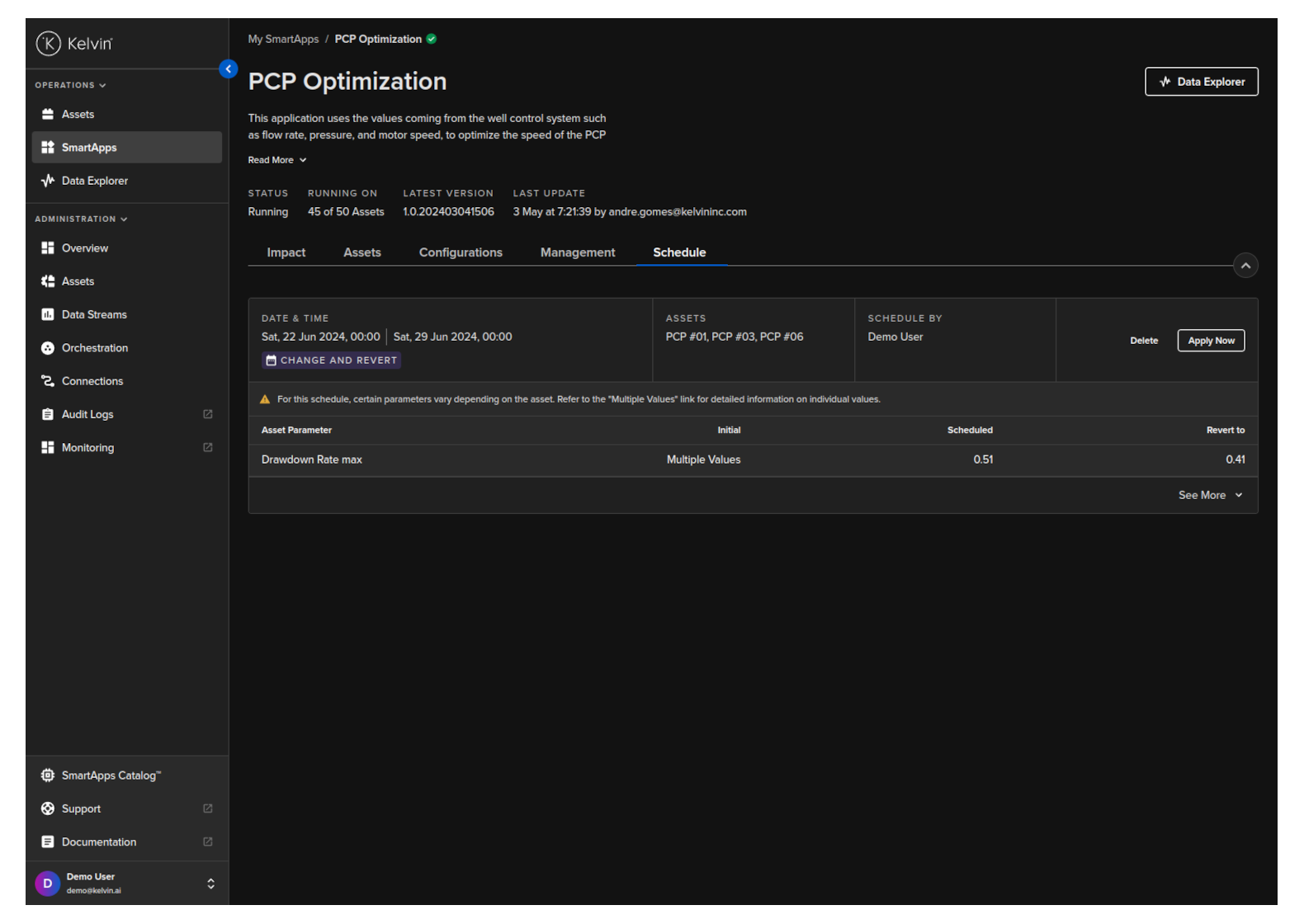
Figure: A Scheduled Change and Revert on Asset Parameters for Kelvin SmartApps™