Applications
On this page you will learn about the concept and important features of Applications for Operations Engineers .
What is Applications ?
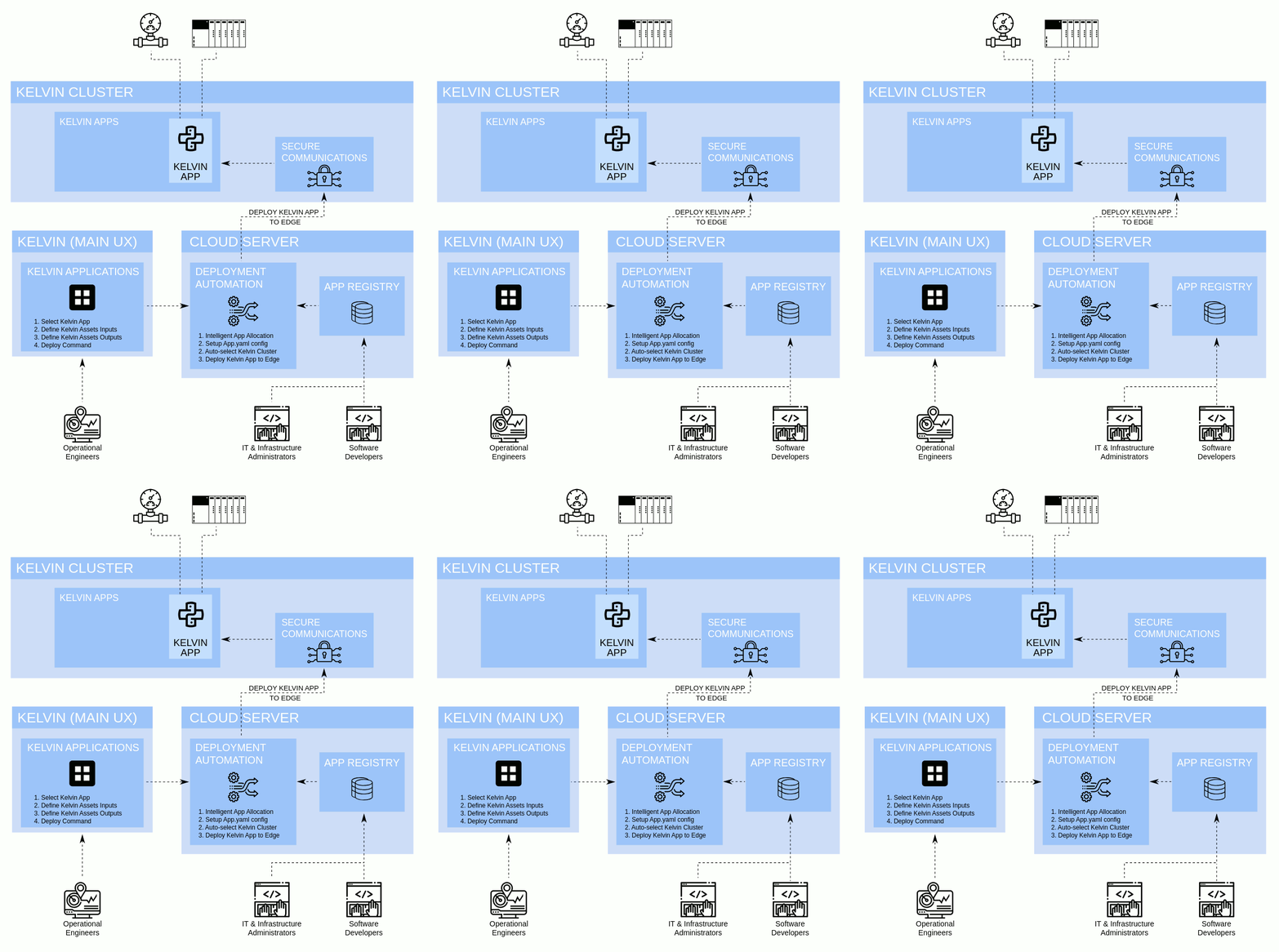
Applications is design to take the technical IT and software development knowledge requirements out of the picture of deployment to the edge.
This allows the Operations Engineers to add Assets to Applications (know by Software Engineers as Kelvin Apps) to monitor and control their assets without the need to have any knowledge of the software or the edge infrastructure.
The Application utilizes each Asset's input data for program execution and calculation to generate Asset output data, Control Changes and Recommendations.
Applications are written as Kelvin Apps by Software Engineers. They can be any type of program depending on the requirements. Some common programs will be machine learning models for AI analysis and control, advanced control systems, analytical tools and virtual asset creation.
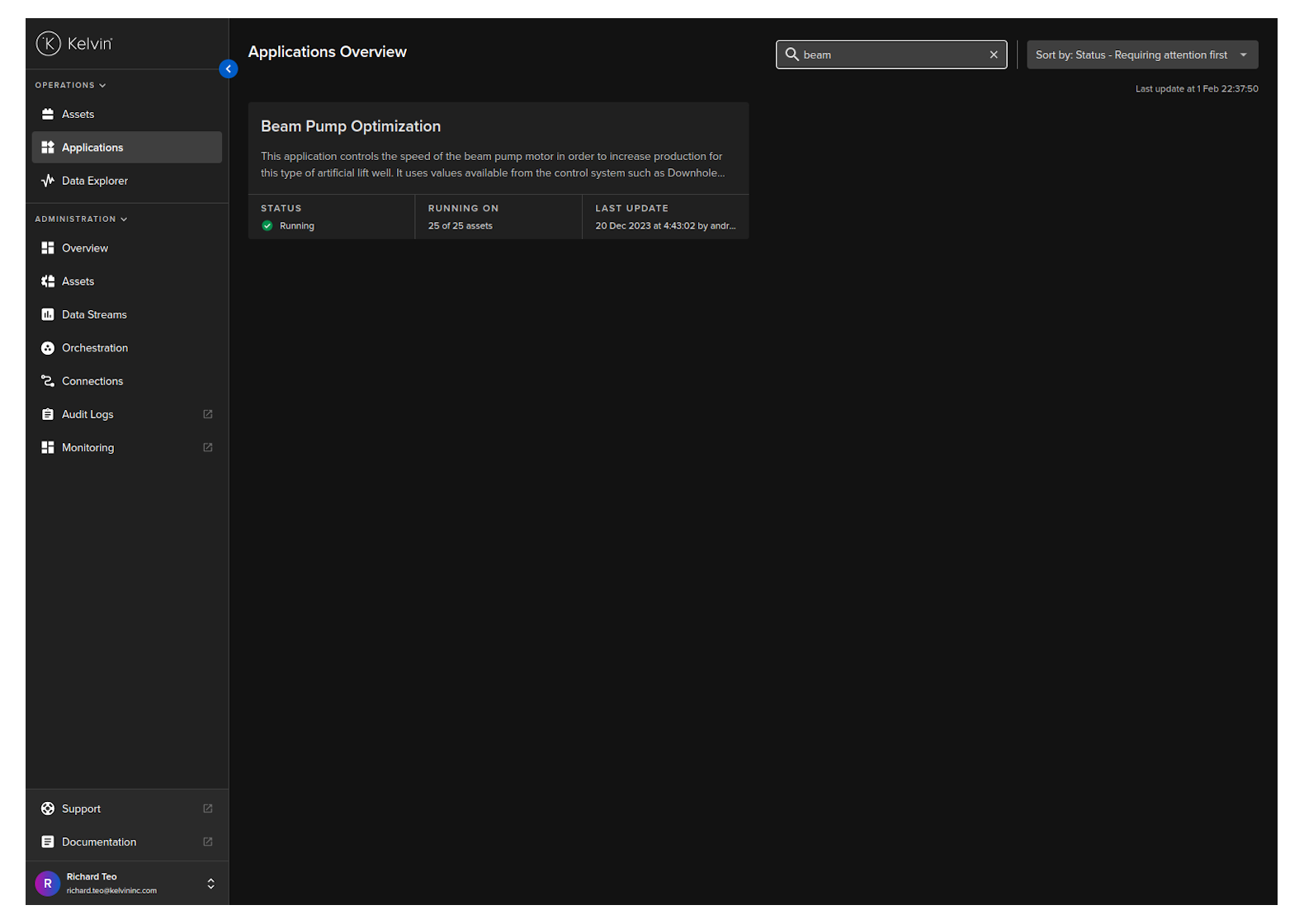
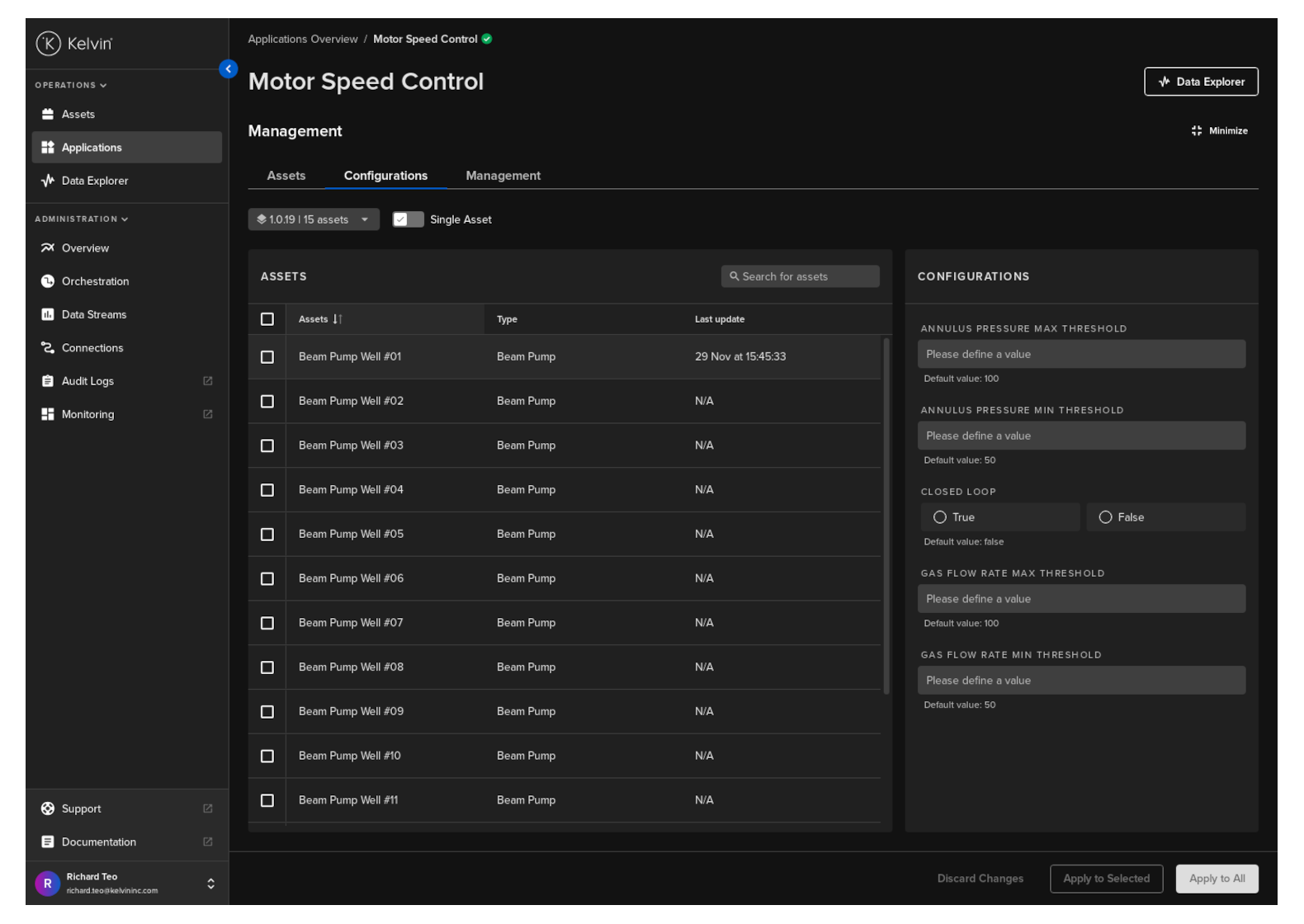
The Applications details page in the Kelvin UI enables Operations Engineers to monitor and manage the Assets added to an Application.
 797423
Advantages & Considerations
Advantages
Applications is design to take all the technical IT and software development knowledge requirements out of the deployment process and automate it.
The Operations Engineers can then focus on their expertise to just select the assets they want to run on a Kelvin App and deploy it.
- Easy to deploy hundreds of assets to Kelvin Apps in one step
- Easily scale your operations up or down with minimal effort
- No knowledge of Kubernetes Clusters or the IT infrastructure required
- No knowledge of the inner workings of the software or machine learning models
- Easily oversee hundreds or thousands of assets and Kelvin Apps from Kelvin UI
- Easily manage many assets over different versions of an Application
- Allow the Operations Engineers, Software Engineers and Administrators to work independently, even possible to distribute the tasks to different companies.
Considerations
Applications is designed to solve specific issues when working in a decentralized or large organization or when working with common applications / machine learning models on hundreds or thousands of assets where scaling at ease is important.
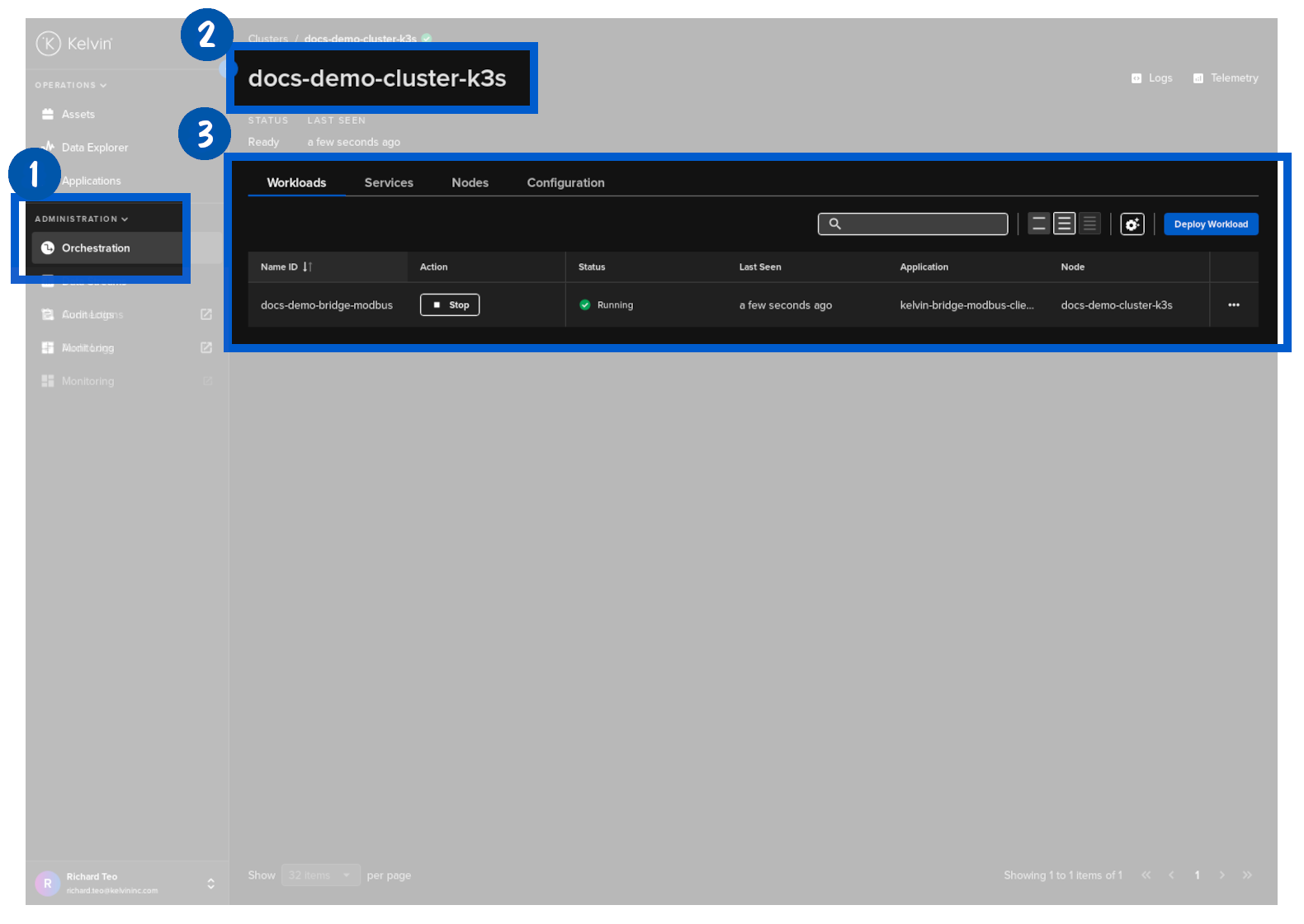
But there are also instances when Operations Engineers may want to ask Software Engineers use the traditional deployment of Kelvin Apps through Orchestration. Some scenarios include;
- Your Clusters are location specific and Kelvin Apps / Assets need to be assigned to a particular location
- You require multiple Assets to be linked to an individual Kelvin App
- Each Kelvin App need to have individually specific parameters
- Your Clusters will experience Internet outages on a regular basis
Individual Asset Control
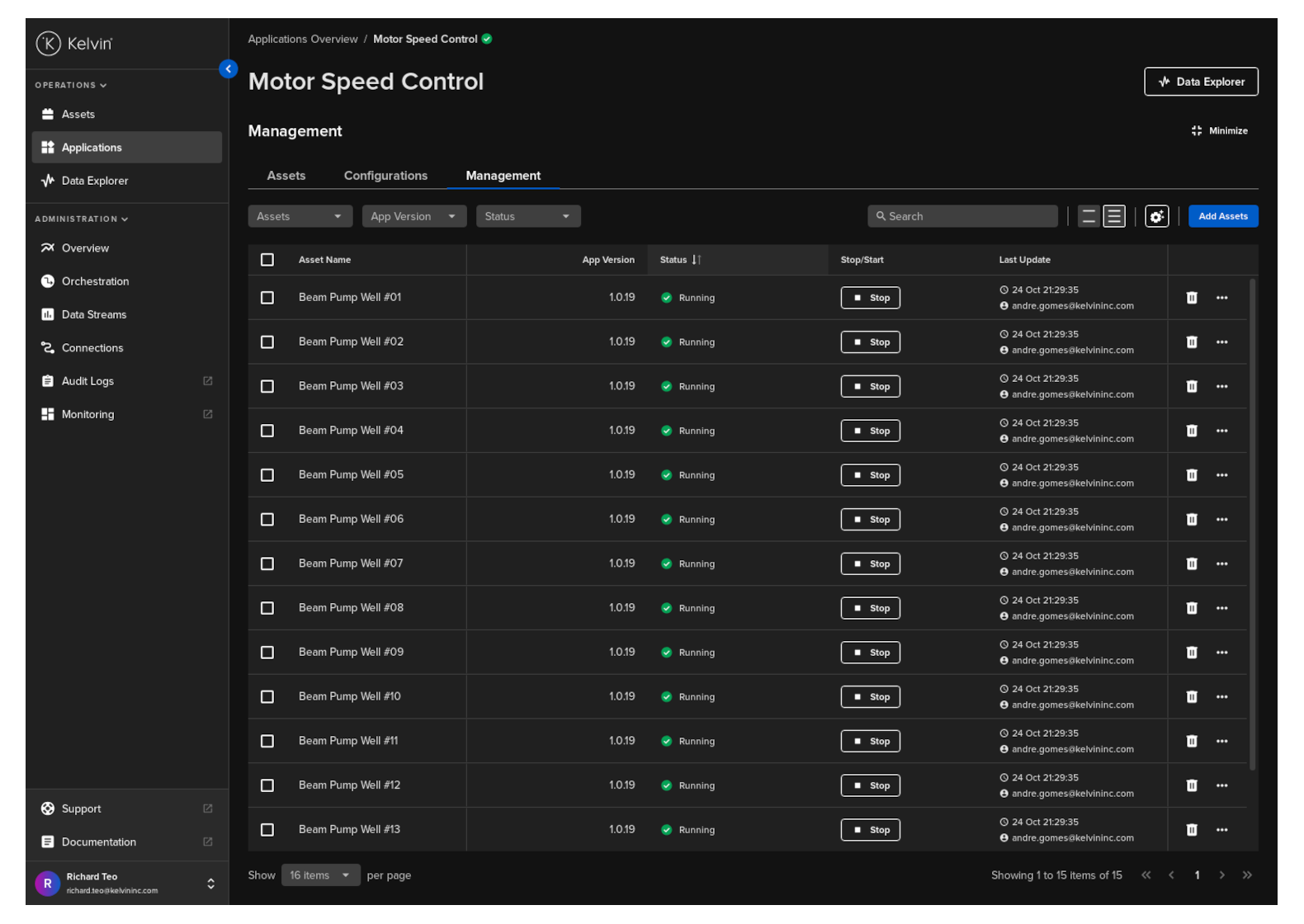
Depending on how the Kelvin App is developed and deployed, there are options for allowing the Operations Engineers to set custom parameters for each Asset separately (or in bulk).
The Software Engineers will develop the overall programs and leave the parameter setting choices to the Operations Engineers to set through configurations.
Version Management
Software is always a space for innovation and new versions are continually coming out. This is no different for the industrial environment and machine learning model environment.
Also for different types of asset hardware you may also need to also use slightly different versions of a common Kelvin App to cater to the differences in hardware of communication setup while maintaining the general common logic.
With Applications you can handle this with ease and have different Assets running on different versions of the Kelvin App.
The Operations Engineers can decide which version to run which assets.
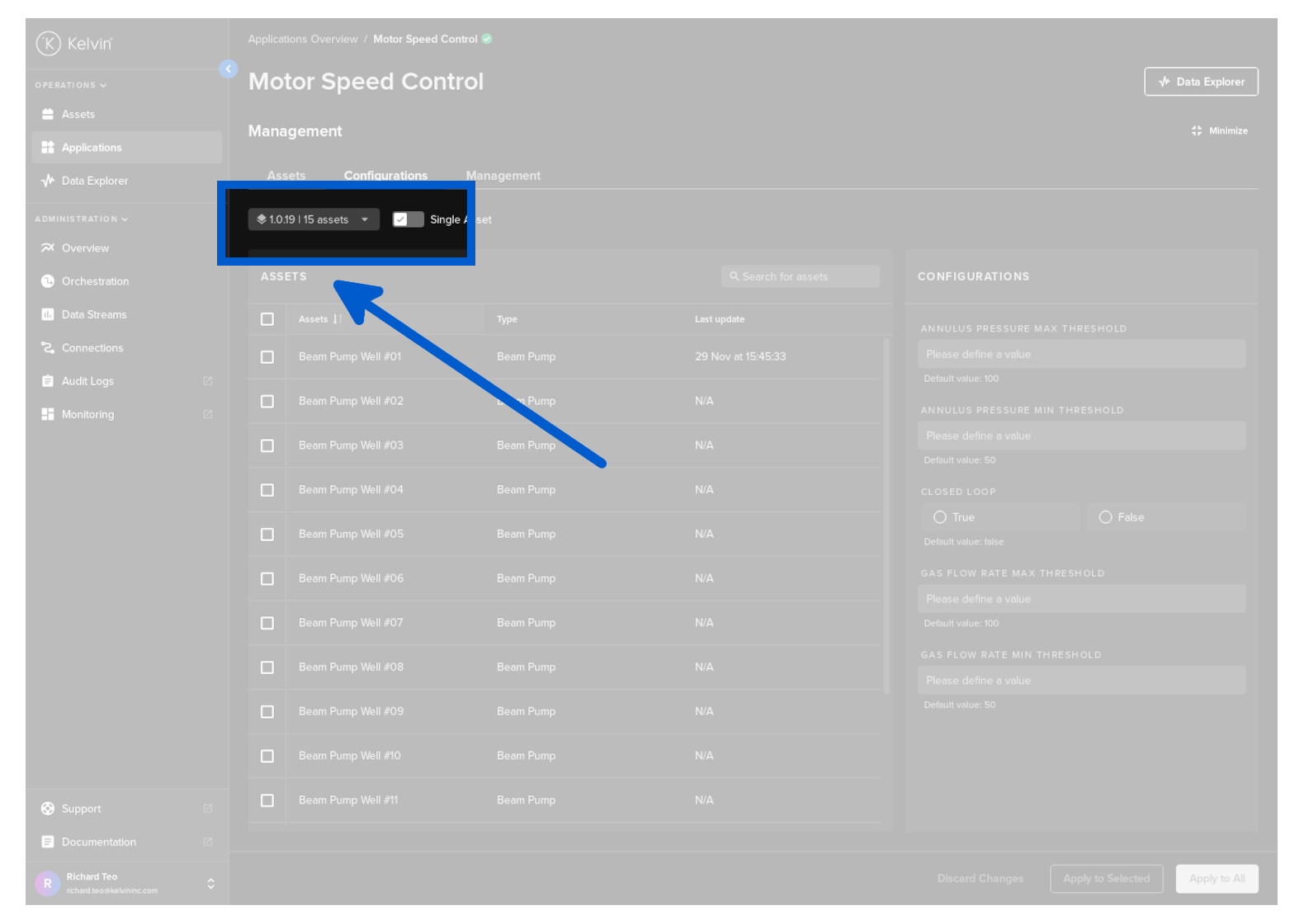
Each version can have different parameters which will be reflected in Kelvin UI for the Operations Engineers.
This gives freedom to the Software Engineers to add or remove parameters when deploying new improved versions of a Kelvin App.
Alternatives
There are other methods to deploy Kelvin Apps to the edge but they require a more advanced understanding of the IT Infrastructure and possibly an understanding of the Kelvin App program itself.
If you deploy using a different method (called Full Deployment), then you will not be able to see the status or change the parameters in Applications.
Applications screen can only show Kelvin Apps that have been deployed using the Applications method only.
They are covered in detail in other sections of the Kelvin Documentation, so we will only briefly outline the other options here.
- Workload Deploy in Kelvin UI - There is a Deploy Workload button where you can deploy Kelvin Apps to the edge.
- Kelvin SDK - You can not only develop, emulate and upload the Kelvin App using the Kelvin SDK, but you also have the ability to deploy Kelvin Apps to the edge either with Full Deployment or with Application methods.
- Kelvin API - You can use the Kelvin API directly to deploy a Kelvin App.